A worn or defective iPhone battery needs a hardware replacement. The next decision is where to get it done and whether your coverage pays for it. Start with the battery-health screen, then check the price and choose a service option for your model.
Check whether your battery needs replacing
A replacement addresses a worn or defective battery.
On an iPhone 15 or later running iOS 17.4 or later, open Settings > Battery > Battery Health.
Review Maximum Capacity, the battery condition, cycle count, and any replacement recommendation.
For an iPhone 11, 12, 13, or 14, open Settings > Battery > Battery Health & Charging instead.
Read Maximum Capacity and any battery-service recommendation.
Find the price and check your coverage
Start with Apple's battery-service estimator. Under Choose your device, select Device Type and Model, then read Estimated service cost.
Check your coverage in Settings > General > AppleCare & Warranty, then select your device. Alternatively, sign in to My Support and choose your iPhone to view repair eligibility.
With an applicable AppleCare plan, Apple replaces the battery without an additional charge when its capacity falls below 80%, subject to coverage and inspection. Sign in when starting your service request to access those benefits.
Apple's one-year warranty covers defective batteries; ordinary wear is treated separately. Ask Apple or an authorized provider to assess a suspected defect under your warranty and any applicable local consumer rights.
Book a battery replacement with Apple
Battery wear is a reason to arrange a replacement.
Open Apple's battery-service page.
Select Get service or Get started to begin your request.
Choose from the service options offered for your location, iPhone, and coverage. Availability depends on your model, location, and parts.
For an Apple Store appointment, open Apple's Genius Bar page.
Select Get started.
Arrange a reservation for your iPhone's battery issue.
Bring the phone to the selected Apple Store. Your reservation and parts availability determine service timing.
For an older iPhone, check the exact model and variant against Apple's vintage and obsolete products list. Apple no longer provides hardware service for obsolete models, and authorized providers cannot order their service parts.
Choose a local repair provider
An Apple Authorized Service Provider handles both covered and out-of-warranty repairs. Independent shops offer another route, with model support and repair warranties set by the provider.
Open Apple's provider-verification page.
Enter Provider name, Country / Region, and City.
Select Verify provider.
For an Apple Authorized Service Provider result, select Schedule a service through Apple or Visit website to arrange battery replacement.
In the United States, open Best Buy's Apple Service and Repair page for another authorized option.
Follow Learn how to schedule an appointment.
Confirm support for your exact model and battery stock with the selected location before your appointment.
For an Independent Repair Provider result on Apple's verification page, select Visit website.
Request an out-of-warranty battery replacement. These providers have access to genuine Apple parts; ask about the provider's own repair warranty.
For another independent shop, request a quote for your exact iPhone model that identifies the replacement battery and repair warranty. AppleCare and Apple's limited warranty do not cover that independent repair.
Get help arranging your appointment
Prefer help with the booking? Install Apple Support from its official App Store listing, then use its repair or chat assistance to request battery service. The app locates Genius Bar and Apple Authorized Service Provider appointments; its current iPhone version requires iOS 26 or later, features vary by region, and no AppleCare purchase is required.
For help in a browser, open Apple's contact page and select iPhone Support. Describe your battery issue and ask for assistance arranging service. Contact options depend on your location and issue.
To call, open Apple's live-support contact page and select Choose Your Country or Region under Connect with live support. Call the displayed number and request iPhone battery service.
Arrange mail-in service
Apple offers mail-in battery service for eligible iPhones in supported locations. Open its battery-service page.
Select Get started.
Choose By Mail where offered.
Follow your service request's preparation and shipping instructions, using Apple's prepaid shipping box.
For an activated iPhone 18 Pro Max, contact the repair recipient before shipping.
Disconnect the charger.
Open Settings > General > Transfer or Reset iPhone > Prepare to Ship > Repair, Trade-in, or Return.
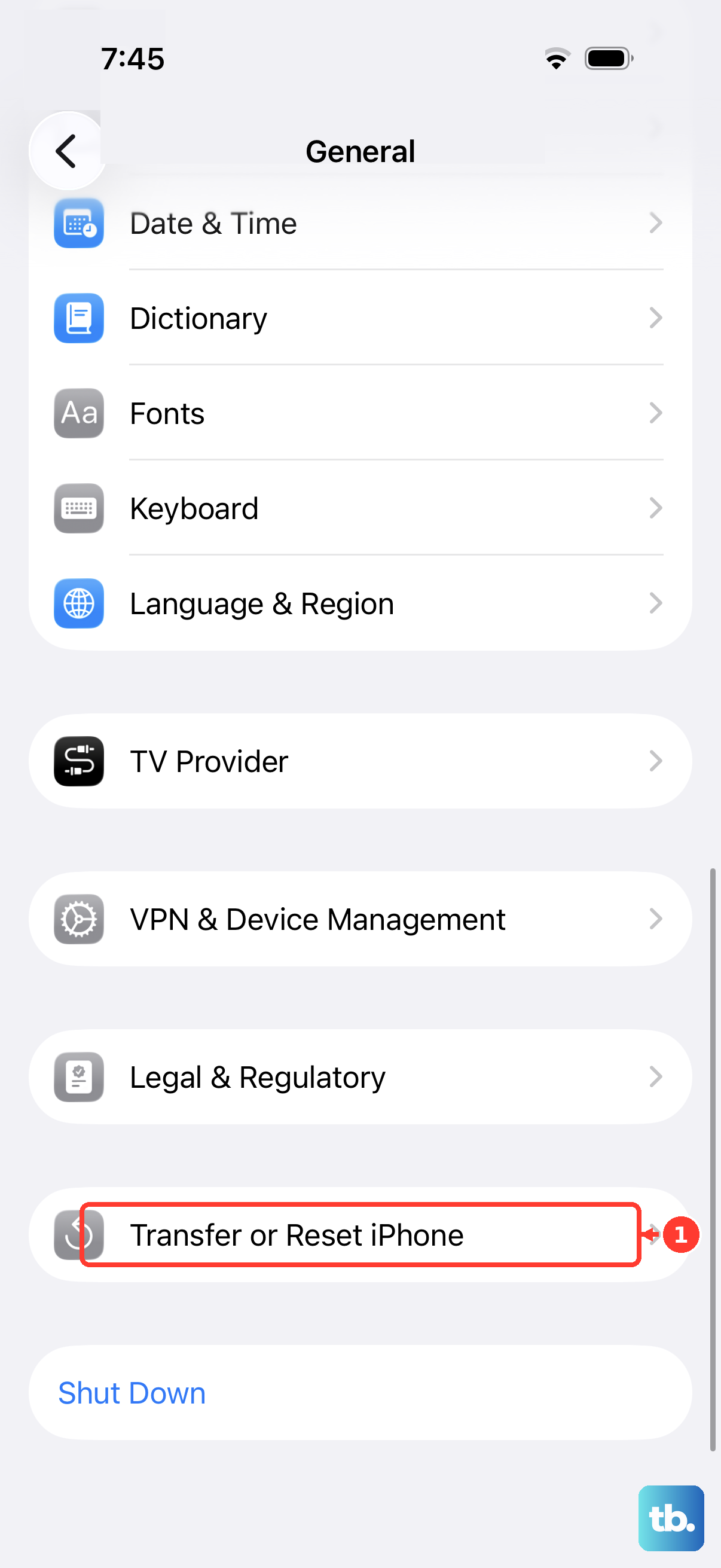
Complete the prompts, including authentication if requested, until shipping readiness is confirmed.
If mail-in service is unavailable, try an Apple Store or Apple Authorized Service Provider, or ask Apple Support to arrange another available option.
Consider replacing the battery yourself
Apple's Self Service Repair program is for experienced electronics repairers doing out-of-warranty work. Model, parts, and country availability determine whether you can use it.
Confirm support for your model and location on Apple's Self Service Repair page before buying anything.
Select your exact model on Apple's iPhone Manuals and Downloads page.
Open its Repair Manual.
Read Introduction and Battery Safety before opening the Battery procedure.
Obtain the manual ID required for ordering.
Follow Self Service Repair > Order parts and tools for an Apple product repair to reach the store.
Purchase the matching battery and required materials.
Rent or buy the specified tools.
Follow your model's replacement procedure.
Complete its specified postrepair software process. A published manual does not guarantee parts availability through the program.
For an independent DIY option, select your exact model in iFixit's battery-replacement directory.
Review Apple's battery-verification guidance and Repair Assistant requirements before choosing the replacement part. Apple says a nongenuine battery can be used in an iPhone repair but warns that it might cause capacity, fit, performance, or safety issues, and that battery-health information might not be accurate for an unverified battery.
Use the matching guide and Fix Kit for your model.
Prepare your iPhone for an appointment
Before an Apple Store or Apple Authorized Service Provider visit, complete these preparations.
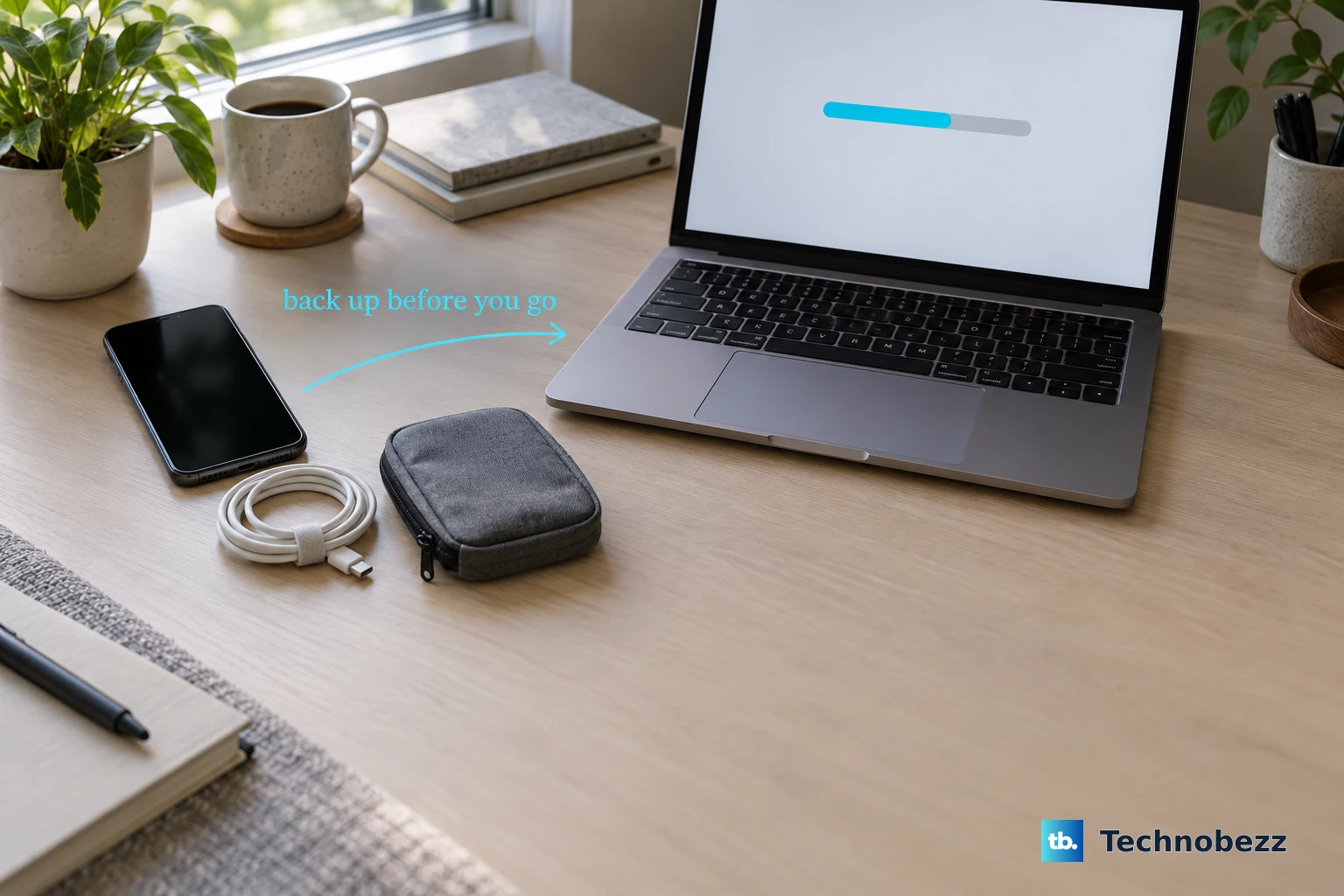
- 1.Back up your iPhone, then confirm completed synchronization in Settings > your name > iCloud.
- 2.If you use Apple Cash, turn it off in Settings > Wallet & Apple Pay > Apple Cash.
- 3.In Wallet, select each card or pass and open the More button. Choose Card Details or Pass Details, then select Remove Card or Remove Pass.
- 4.For an eligible authorized in-person repair on iOS 27 or later, open Find My, select your iPhone, and open the More button. Under Settings, select Repair or Trade In > Enable and authenticate with your Apple Account password as directed by the provider. If the affected phone cannot complete this preparation, use Find My on another device or sign in at iCloud Find Devices, select the iPhone, and choose Repair or Trade In > Enable, then authenticate. The serviced iPhone must still meet the iOS 27 and eligible-repair requirements.
- 5.On iOS 26 or earlier, turn off Find My instead: open Settings > your name > Find My, select Find My iPhone, and turn it off.
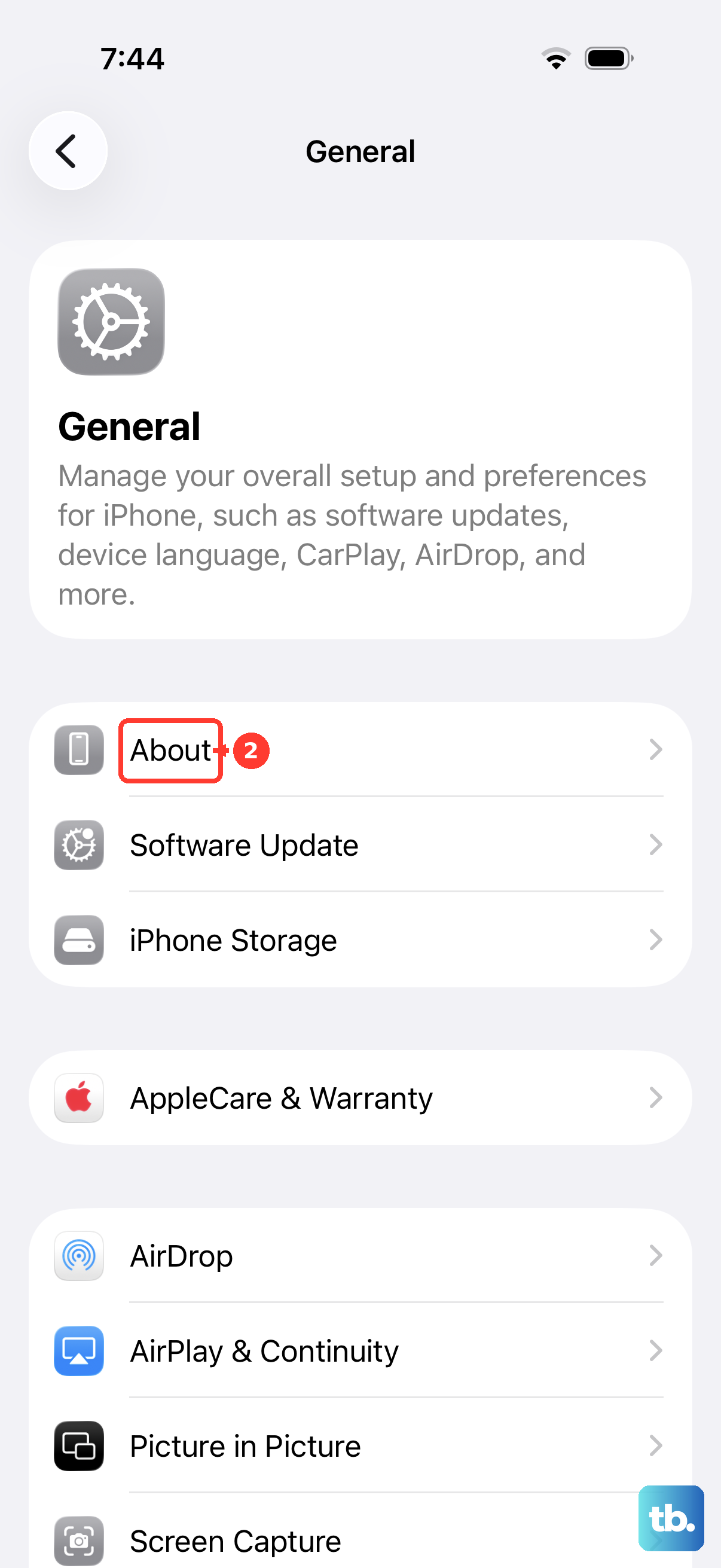
- 6.Open Settings > General > About > Parts & Service History. If a part shows Finish Repair, complete that repair before your visit; otherwise you might be charged an out-of-warranty fee or service might be denied for that part.
Check the battery after replacement
On an iPhone XR, XS, or later, open Settings > General > About.
Inspect the battery entry in Parts & Service History for Genuine, Used, Finish Repair, or Unknown.
Contact your repair provider about an unfinished or unverified installation.
To finish calibration yourself with Repair Assistant, first back up your iPhone. Apple supports battery-repair completion on iPhone 12 and later and iPhone SE, third generation.
Connect the iPhone to power.
Connect to Wi-Fi. Captive and 802.1X networks do not meet Repair Assistant's Wi-Fi requirement.
Open Settings > General > Software Update to check for the latest iOS supported by your phone.
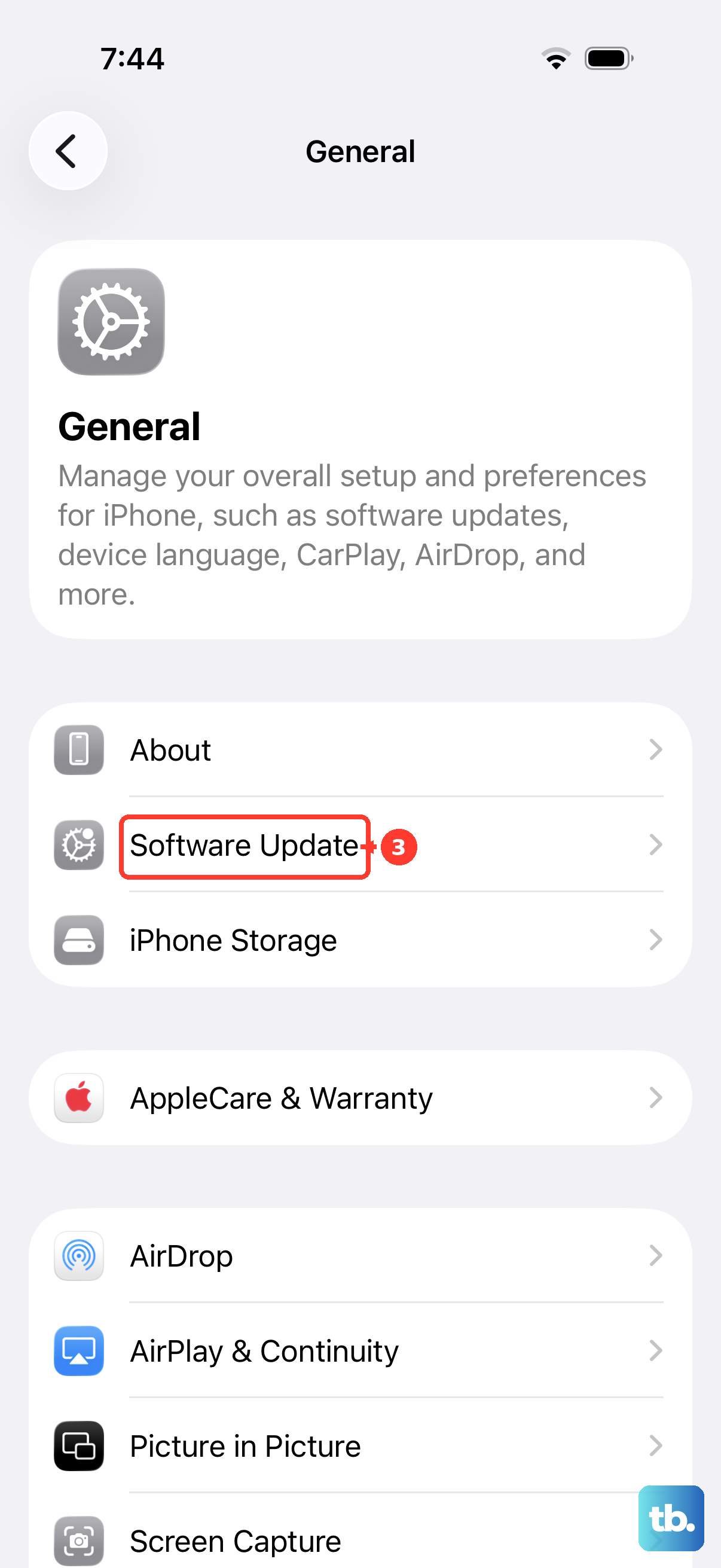
If an update is offered, select Download and Install.
Complete the update prompts.
Charge the iPhone above 20%.
Open Settings > General > About > Parts & Service History > Restart & Finish Repair.
Follow the onscreen instructions to complete calibration.
A Used battery label identifies a previously installed genuine Apple battery on supported iPhone 15 and later models.
Frequently Asked Questions
Can I track my iPhone battery replacement?
Yes. Sign in to My Support or Apple Support with the Apple Account used for service, then open your current or recent repair.
Can my carrier protection plan cover a battery replacement?
Verizon Extended Warranty includes battery repair for eligible covered smartphones in selected U.S. locations after the manufacturer's warranty. Select Check repair eligibility and sign in to My Verizon; this plan is unavailable to Florida customers. AT&T Protect Advantage accepts battery-benefit requests at phoneclaim.com/att or 888-562-8662. Eligible phones must be outside the manufacturer's warranty, power on, and fail charge-retention testing. Device and area restrictions apply. New York residents have separate AT&T Protect Advantage terms, which also include out-of-warranty battery replacements for eligible phones.
Will Apple send me a replacement iPhone instead of repairing the battery?
Express Replacement Service replaces the entire phone and is available for eligible AppleCare-covered iPhones in participating regions. Ask Apple whether your battery issue qualifies. A temporary card authorization applies. Transfer cellular service to the replacement and return the original within 10 business days using the supplied kit.
What should I do if my iPhone belongs to my employer or school?
Contact your organization's administrator before arranging service. Supported management services let authorized administrators clear organization-managed Activation Lock when necessary; the available controls depend on enrollment and privileges.