ChatGPT stops being useful fast when the page will not load, the login screen loops, or a response sits on Thinking forever. The fix depends on whether OpenAI is having an outage, your session is stale, your browser is blocking something, your network is filtering traffic, or the app needs attention. Start at the top and stop when ChatGPT works again.
1. Check ChatGPT status first
Rule out a service outage before changing browser, app, or network settings.
- 1.Open status.openai.com.
- 2.Look for the ChatGPT component and any active incident.
- 3.If there is an incident, select Subscribe to updates if you want alerts, then wait for OpenAI to resolve it.
If the status page shows no active ChatGPT problem, move on to the local fixes below.
2. Reload ChatGPT on the current site
Open chatgpt.com, then select Log in or Sign up for free. Replace any old chat.openai.com bookmark with chatgpt.com.
If the page is blank, frozen, endlessly loading, or stuck, press Cmd + Shift + R on Mac or Ctrl + Shift + R on Windows or Linux. Use the current ChatGPT address first, especially if you are opening an old bookmark.
When only the answer is stuck, wait 30 to 60 seconds. Select Stop generating, then select Regenerate.
If the same chat keeps stalling, select New chat. Paste the prompt again, then send it. For a model-specific stall, choose another available model from the model picker before sending.
3. Correct the sign in method
Login errors such as Wrong authentication method, There is already a user with email, and This user already exists point to the sign-in path, not the password box.
Open chatgpt.com/auth/login. Choose the same method you used when you created the account: Email address plus Continue, Continue with Google, Continue with Microsoft, Continue with Apple, or Continue with phone. If you used Apple Hide My Email, choose Continue with Apple instead of typing your personal email address.
For a stale session, open the account or profile menu. Select Log out or Sign out, then sign in again with the original method.
When ChatGPT says We have detected suspicious login behavior, clear cache and cookies. Try a different network, turn off the VPN, then wait up to 1 hour before trying again.
4. Isolate browser blockers
Chrome: open More and select New Incognito Window. Microsoft Edge: open Settings and more, then select New InPrivate window.
Firefox: open the menu button and select New private window. Safari: select File, then select New Private Window.
A private window separates ChatGPT from extensions, cached data, cookies, and profile settings. Go to chatgpt.com, then sign in.
If ChatGPT works in the private window, turn off extensions, ad blockers, content blockers, privacy tools, and script blockers in the regular browser. Also allow cookies and JavaScript for chatgpt.com, openai.com, and auth.openai.com, then refresh ChatGPT.
5. Clear ChatGPT site data
Bad site data leaves ChatGPT blank, frozen, or caught in a login loop. Clear the ChatGPT and OpenAI entries, then reload and sign in again.
Chrome: open More > Settings > Privacy and security > Third-party cookies > See all site data and permissions. Search for chatgpt.com or openai.com, then delete the site data.
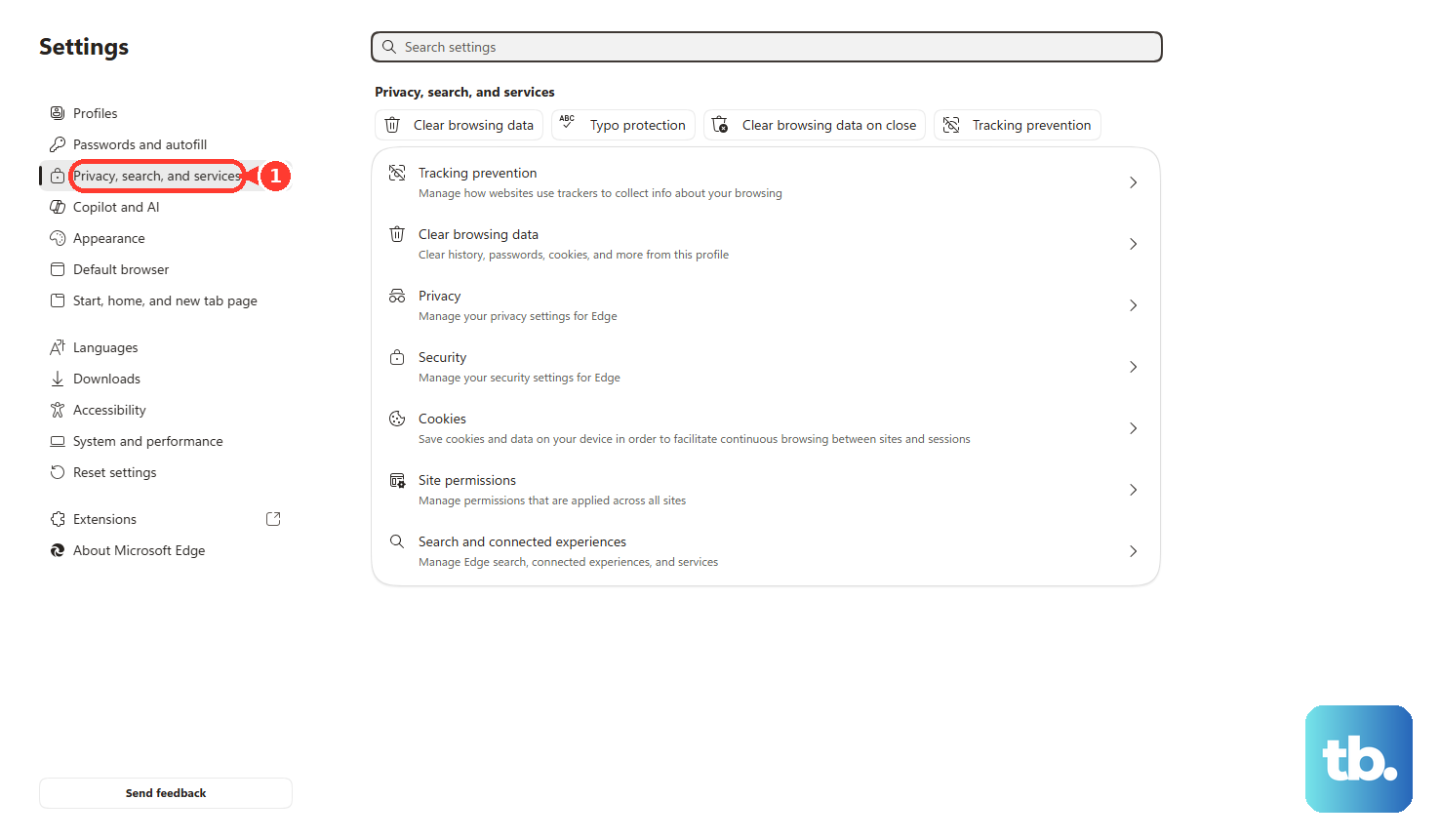
Microsoft Edge: open Settings and more > Settings > Privacy, search, and services > Clear browsing data > Choose what to clear. Choose Cookies and other site data and Cached images and files, then select Clear now.
Safari on Mac: open Safari > Settings > Privacy > Manage Website Data. Select chatgpt.com or openai.com, then select Remove. Use Remove All when you want to clear all stored website data.
Safari on iPhone or iPad: open Settings > Apps > Safari > Advanced > Website Data. Select Remove All Website Data, then select Remove Now.
Firefox: open Settings > Privacy & Security > Cookies and Site Data > Clear Data. Select Cookies and site data and Temporary cached files and pages, then select Clear.
6. Switch network and browser settings
Open ChatGPT in another modern browser or on another device. Switch networks: move from Wi-Fi to cellular or hotspot, or from cellular to Wi-Fi.
Turn off the VPN, proxy, secure DNS, Web Protect, or security filtering app. Reload ChatGPT, then try signing in or sending a prompt again. Turn the protection back on after testing, or add ChatGPT exceptions where your security product supports them.
Network filters, VPNs, proxies, secure DNS, and old browsers can break login, downloads, browser checks, and response generation. Update the browser too.
In Chrome, open More > Help > About Google Chrome. In Edge, open Settings and more > Help and feedback > About Microsoft Edge.
In Firefox, open About Firefox. For Safari, install the latest Apple OS updates or upgrades.
7. Repair the ChatGPT app
If the web version works and the app does not, treat the app separately. Use official stores and the official download page only.
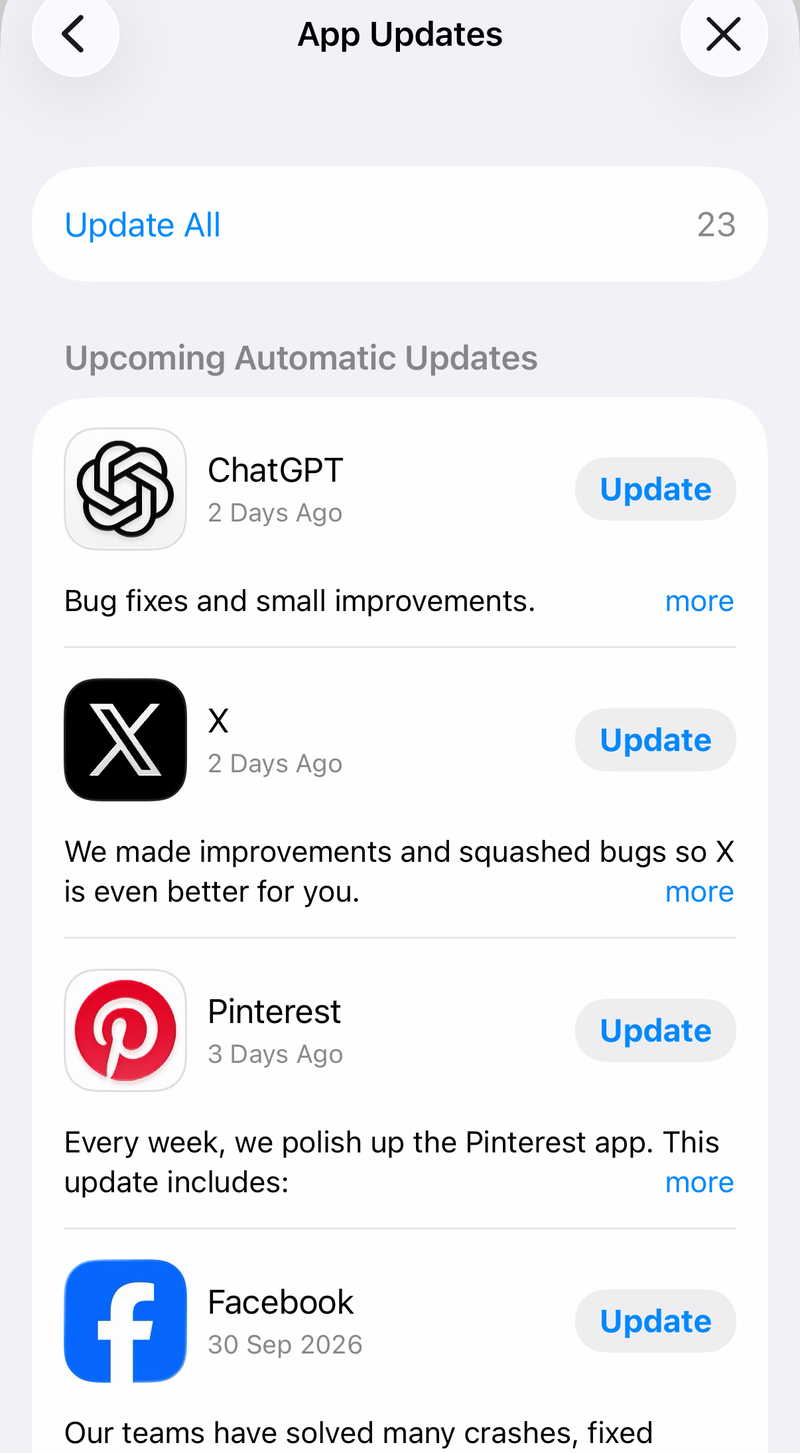
iPhone or iPad: open the App Store. Select the account button or profile photo, then open App Updates. Select Update next to ChatGPT.
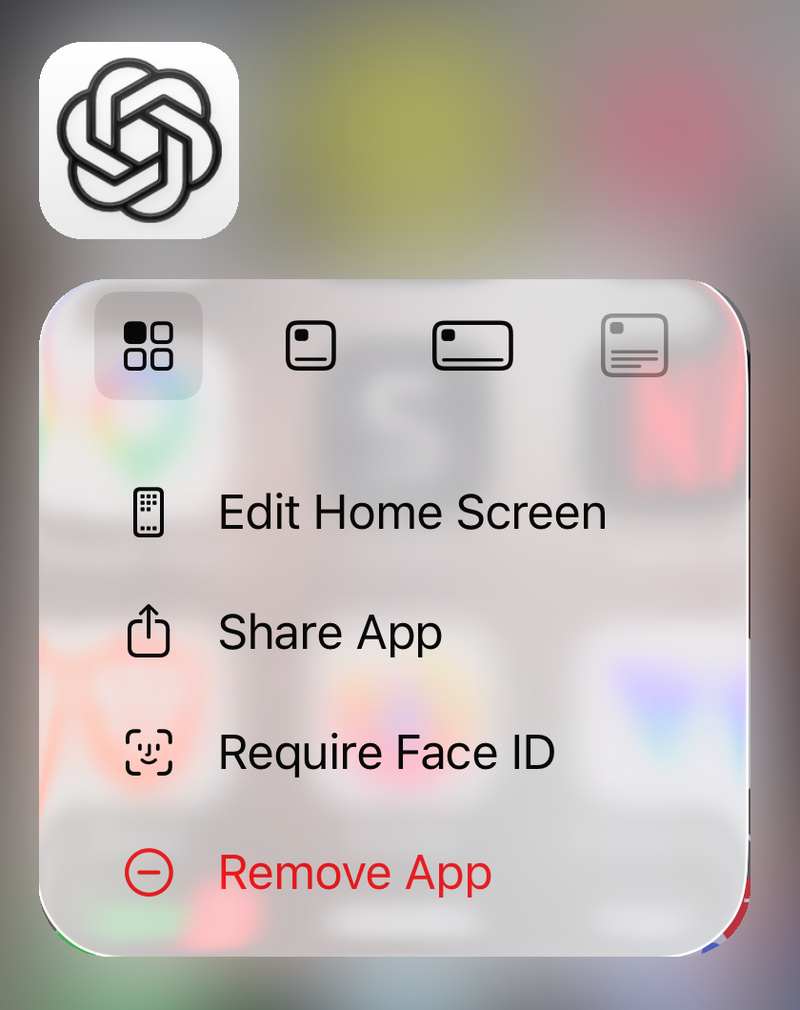
To reinstall, touch and hold ChatGPT. Select Remove App > Delete App > Delete, then reinstall it from the official App Store listing.
Android: open Google Play Store > profile icon > Settings > About > Play Store version > Got it. Search for OpenAI ChatGPT in Google Play, then select Update when it appears.
For login flows, install or enable Chrome. Set it under Settings > Apps > Default apps > Browser app > Chrome.
Windows: open Microsoft Store > Library > Get updates. For repair, open Start > Settings > Apps > Installed apps > ChatGPT > Advanced options. Select Repair or Reset when available.
Mac: download the current app from chatgpt.com/download. The current desktop app combines Chat, Work, and Codex, and the older macOS app was renamed ChatGPT Classic, so both can sit in Applications at once.
To remove the broken copy, open Finder > Applications. Select ChatGPT or ChatGPT Classic > File > Move to Trash. Empty the Trash, then reinstall from the official page.
Check requirements before reinstalling: the macOS app needs macOS 14 or later, the iPhone and iPad app needs iOS 17.0 or iPadOS 17.0 or later, and Android needs Android 7.0 or newer with Google Play.
8. Fix mobile errors and permissions
For the mobile error that says to check your device date and time, set date and time automatically. Confirm the internet connection is stable, restart the ChatGPT app, then try again.
If DeviceCheckError remains, update the app and OS. Rooted or jailbroken devices fail integrity checks. Use an unmodified device or restore device integrity through Apple or Google-supported processes. Clear ChatGPT app data before retrying because integrity results stay cached up to 24 hours.
For the iOS error Unusual activity has been detected from your device. Try again later., log out and back in. Reinstall the app, turn off the VPN, then update the app.
If the error remains, change iOS DNS settings to 8.8.8.8 and 8.8.4.4. Retry. If it still fails, include a Safari screenshot of https://register.appattest.apple.com/ when you contact support.
When voice, dictation, camera, or photo features fail, grant the missing permission. On iPhone or iPad, open Settings > Privacy & Security > Microphone, then turn on ChatGPT. Repeat under Camera.
On Android, open Settings > Apps > ChatGPT > Permissions. Allow Microphone or Camera while using the app.
On Mac, open Apple menu > System Settings > Privacy & Security > Microphone or Camera. On Windows, open Start > Settings > Privacy & security > Microphone or Camera.
9. Escalate stubborn ChatGPT failures
On school, corporate, or managed Wi-Fi, ask IT to allow HTTPS and WebSocket traffic over TCP port 443, including wss://ws.chatgpt.com and wss://chatgpt.com/.
OpenAI's current allowlist covers *.chatgpt.com, *.openai.com, *.auth.openai.com, *.oaistatic.com, *.oaiusercontent.com, and *.oaistatsig.com.
It also covers auth0.openai.com, setup.auth.openai.com, chat.openai.com, desktop.chat.openai.com, ios.chat.openai.com, android.chat.openai.com, and tcr9i.chat.openai.com.
The list continues with cdn.openaimerge.com, challenges.cloudflare.com, cdn.workos.com, setup.workos.com, forwarder.workos.com, images.workoscdn.com, and workos.imgix.net.
It also includes js.stripe.com, humb.apple.com, *.intercom.io, *.intercomcdn.com, js.intercomcdn.com, *.ct.sendgrid.net, the Sentry endpoints o207216.ingest.sentry.io and o33249.ingest.sentry.io, and rum.browser-intake-datadoghq.com.
Confirm the live list on OpenAI's network recommendations page before filing the ticket.
For ChatGPT Voice, also allow UDP port 3478 to OpenAI's published voice IP ranges; the app falls back to TCP 443 when UDP is blocked.
If the Mac desktop app reports a network configuration issue or wrong SSL certificate on a managed network, upgrade to the latest Mac app. Restart it, or use ChatGPT on the web while the network block is fixed. Admins should disable SSL inspection or decryption for public OpenAI domains.
For support, open help.openai.com. Select the chat bubble. Include the exact error, account email or sign-in method, device, browser, OS, network type, timestamps with time zone, screenshots, and every step already tried.
For persistent web failures, collect a sanitized HAR file, browser console errors, and timestamps before contacting support. Skip outdated fixes.
Safari for Windows is not a current supported troubleshooting path, and unofficial ChatGPT desktop wrappers or third-party download portals are not fixes. Use chatgpt.com, chatgpt.com/download, the App Store, Google Play, or Microsoft Store.
Frequently Asked Questions
Why is ChatGPT stuck on Thinking or Generating?
Wait 30 to 60 seconds, select Stop generating, then select Regenerate. If it still hangs, start a new chat and resend the prompt.
Why does ChatGPT say I used the wrong authentication method?
The account was created with another sign-in method. Use the original option: email, Google, Microsoft, Apple, or phone. If you used Apple Hide My Email, choose Continue with Apple.
Do I need to delete all browser history to fix ChatGPT?
No. Clear ChatGPT site data for chatgpt.com or openai.com first. That targets the broken session without wiping unrelated history.
Where should I download the ChatGPT app?
Use https://chatgpt.com/download/ or the official App Store, Google Play, or Microsoft Store listing. Avoid third-party download portals.