
If you see the "SIM card not provisioned MM2" message on your Google Pixel 9 Pro XL, you're locked out of calls and mobile data. The phone has essentially lost its connection to the carrier's network. Let's run through the fixes that usually clear this up.
Start With a Force Restart
A force restart clears out temporary glitches in the software that might be messing with the modem. On the Pixel 9 Pro XL, press and hold the Power button and the Volume up button at the same time. When the menu appears on the screen, tap Restart.
Once the phone boots back up, check if the error is still there. This fixes it more often than you'd expect.
Check the SIM Tray for Damage or Dirt
Dust, dirt, or a SIM card that isn't seated perfectly can cause this exact provisioning error. Pull the SIM tray out using the ejector tool that came with the phone. Inspect the gold contacts on the SIM for any smudges or scratches, and wipe them gently with a dry cloth if needed.
Pop the tray back in and make sure it sits completely flush with the frame of the phone. A slightly loose tray can break the connection to the network.
Toggle Airplane Mode
Swipe down twice from the top of the screen to open the Quick Settings panel. Tap the Airplane mode icon to turn it on, wait about 30 seconds, then tap it again to turn it off. This forces the phone's radio to reset and re-register with the nearest cell tower.
Is Your Account in Good Standing?
If you just got this SIM card, it might not be fully activated yet on the carrier's side. New SIMs sometimes need a manual kick from the provider to provision correctly. Log into your carrier's app or give them a quick call to confirm the line is active and there's no hold on the account.
For prepaid plans, check your balance. An empty account will block network access and trigger the MM2 error.
Update Your Carrier Services App
Google's Carrier Services app handles a lot of the backend communication between Android 14 and your network. An outdated version can cause provisioning handshakes to fail. Open the Google Play Store, search for "Carrier Services," and tap Update if it's available.
Manually Select Your Network
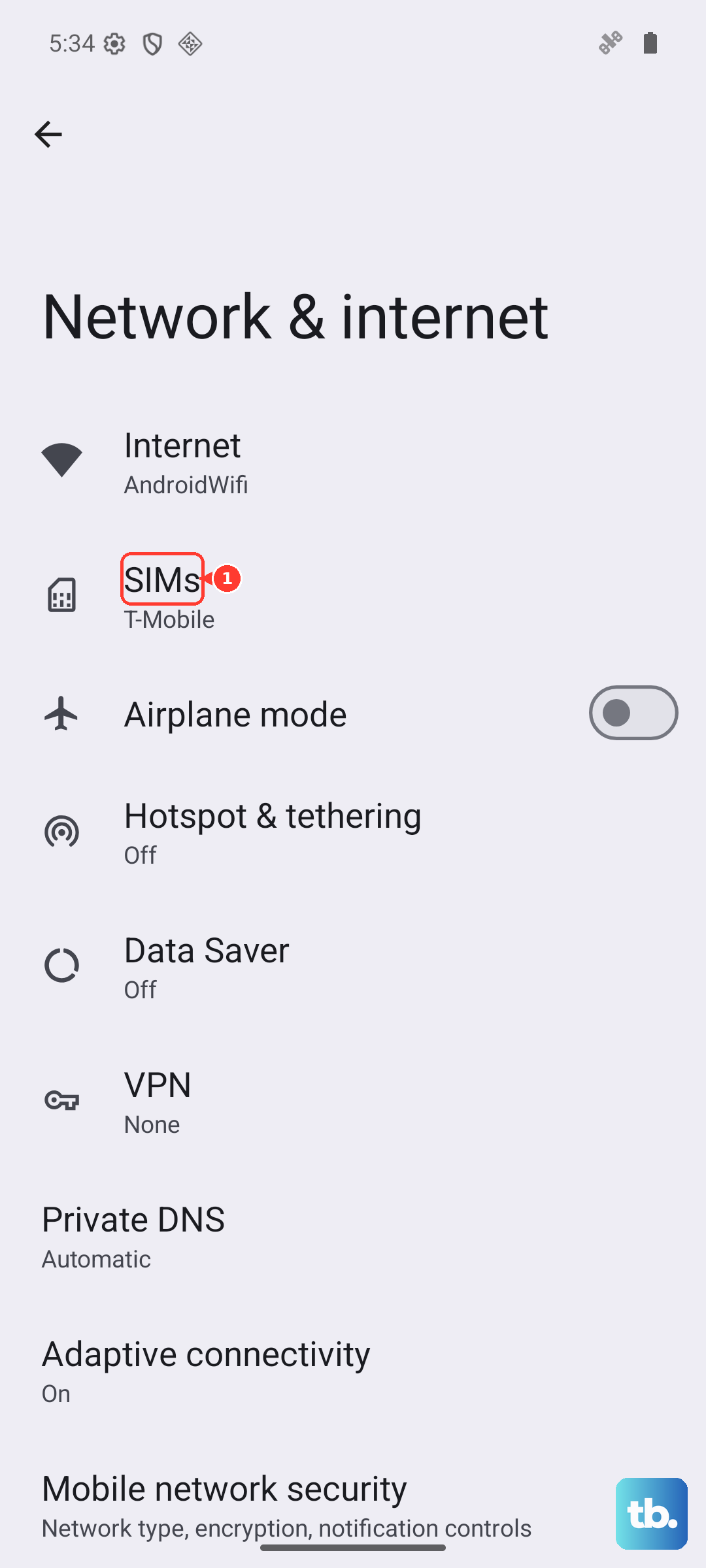
When automatic network selection fails, you can force the Pixel 9 Pro XL to register on your provider. Head to Settings > Network & internet > SIMs and tap your carrier's name. Turn off Automatically select network and let the phone search. Then tap your carrier from the list.
Reset Your Network Settings
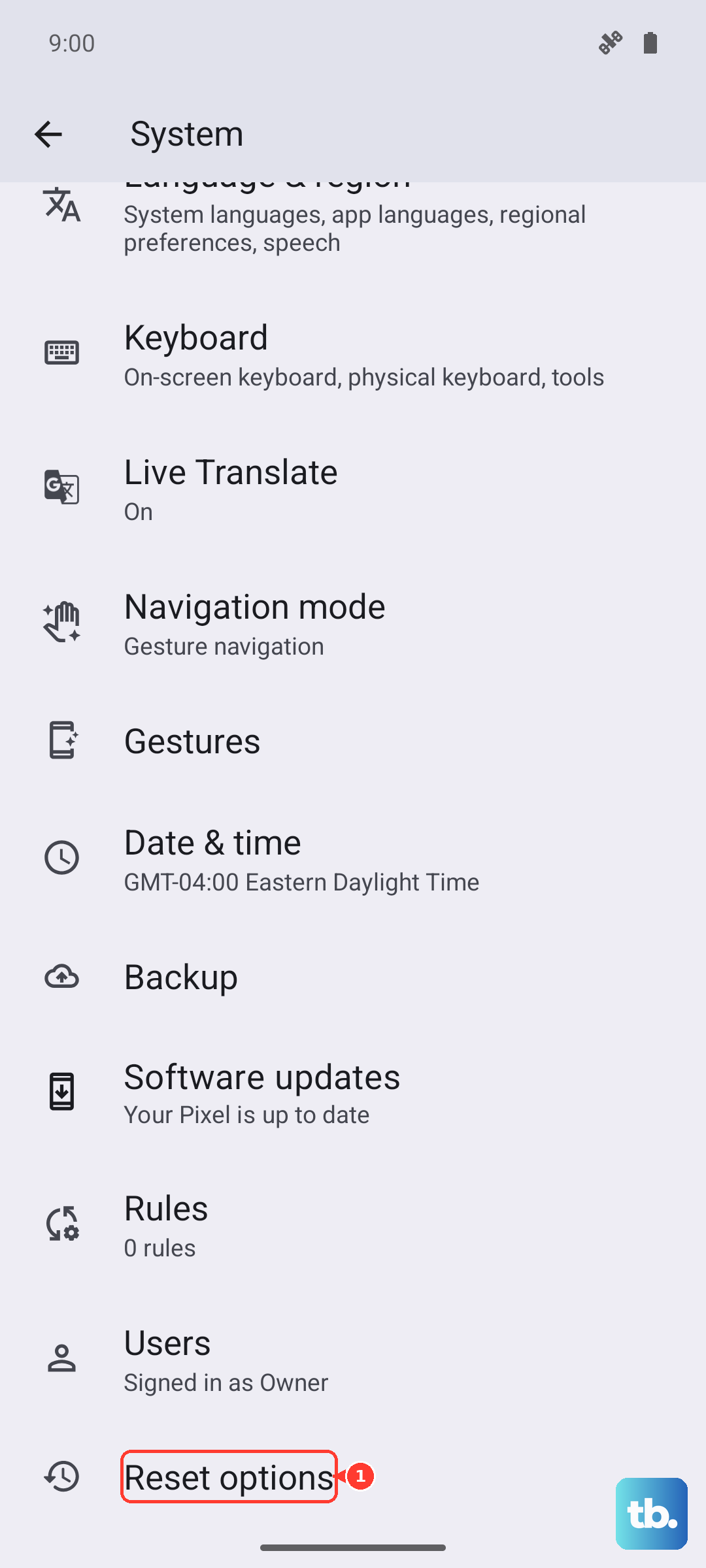
This is a bigger step, but it resolves a lot of persistent network errors. Resetting clears saved Wi-Fi networks, Bluetooth pairings, and mobile data settings. Go to Settings > System > Reset options and tap Reset Wi-Fi, mobile & Bluetooth.
You will have to re-enter Wi-Fi passwords and re-pair your accessories afterward, so it's worth trying the other steps first.
Test the SIM in a Different Phone
If nothing has worked so far, you need to figure out where the fault is. Pop the SIM card into another unlocked phone. If the MM2 error follows the SIM over to the other device, the SIM itself is bad and your carrier will need to send a replacement.
If the other phone connects to the network just fine, the problem is specific to your Pixel 9 Pro XL. In that case, a factory reset or a repair might be needed.