
You bought the Galaxy S26 Ultra expecting 25W wireless charging. Your phone is sitting at 15W no matter what you do.
This is a real limitation of the Ultra's wireless charging design, not a defect with your specific unit. Hitting the full 25W is possible, but it takes specific gear in a specific combination, and even then the result isn't always reliable.
Here is exactly what works, what doesn't, and how to verify the actual wattage your phone is pulling.
Why the Ultra Caps at 15W With Most Cases
Samsung didn't build magnets into the S26 Ultra body. Instead, the phone relies on a magnetic case to handle alignment with a Qi2 charger.
Without that precise alignment between the phone's wireless coil and the charger's coil, the phone falls back to the slower 15W charging tier.
Wireless charging efficiency drops sharply with distance. Even an extra 2 to 3 millimeters between the phone and the charger can cut power transfer noticeably. A thicker case, a slightly misaligned magnet, or a non-magnet case is enough to push the phone out of the 25W range.
What You Actually Need to Hit 25W
The combination Samsung recommends is its own Magnet Wireless Charger (around $70 at retail, often discounted), paired with a 45W USB-PD travel adapter and a Qi2-compatible magnetic case.
The charger handles the 25W handshake that generic Qi2 pads cannot always negotiate, so substituting a different brand of pad often drops you to 15W. Samsung's recommended pairing is the 45W travel adapter, which is bundled with the charger in some Samsung listings.
The case has to be Qi2-certified for alignment. Samsung's own line includes the Silicone Magnet, Clear Magnet, Rugged Magnet, and Slim Magnet cases. A handful of third-party cases are also Qi2-certified, though the field is small.
What Doesn't Work, Even From Samsung
Tests by case manufacturer dbrand and others have shown that even some of Samsung's own magnetic cases cap at 15W when paired with the Samsung Magnet Wireless Charger and a 45W brick.
The case alone isn't always enough. Samsung uses Qi2.2 magnets in its cases that third-party manufacturers cannot fully replicate, and even some official combinations have struggled to push past 15W consistently. If you have the recommended setup above and still see 15W, the case is the most likely culprit, but a fully reliable 25W result is not guaranteed.
Third-party magnetic cases that aren't specifically Qi2-certified almost always cap at 15W on the S26 Ultra. Generic MagSafe-compatible cases built for iPhone don't work either, because the magnet pattern and Qi handshake are different.
How to Verify the Actual Charging Wattage
To confirm whether you are actually pulling 25W or sitting at the slower tier, go to Settings > Battery and device care > Battery.
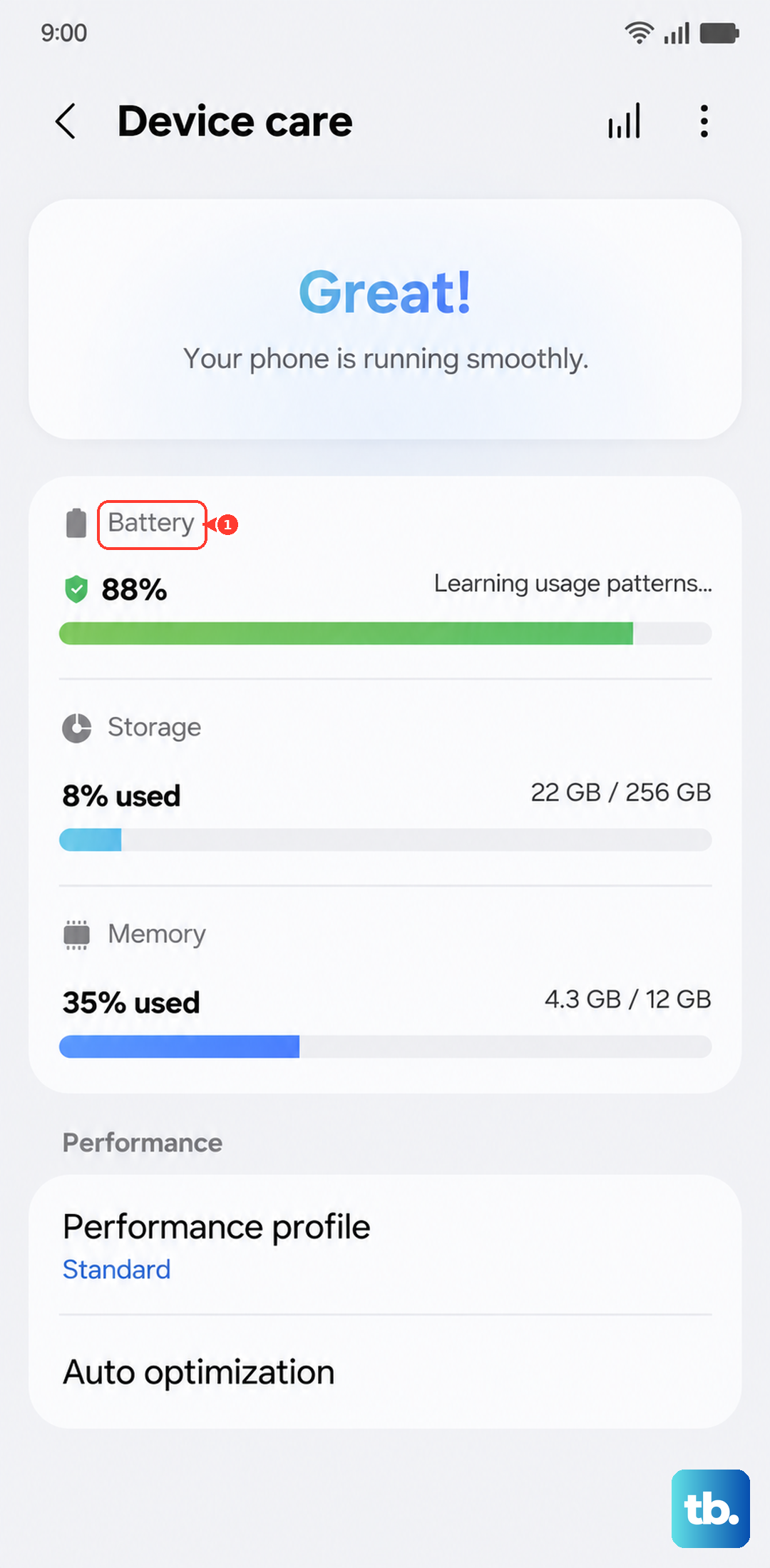
Tap the three-dot menu at the top-right and select More battery settings. Make sure Fast wireless charging is toggled on. If it is off, the phone limits to a much slower default speed regardless of charger.
With that confirmed, place the phone on the charger and watch the lock-screen indicator. The phone displays "Fast wireless charging" for 15W and "Super fast wireless charging" for 25W. If you see only "Fast wireless charging," you are not pulling the full speed.
If You Have the Right Setup and Still Cap at 15W
The first thing to check is the case. Remove it entirely and place the bare phone directly on the charger. If you now see "Super fast wireless charging," the case was the issue. Either accept 15W with that case or swap to a different Qi2-certified one.
The second thing to try is orientation. Magnets pull the phone into the center of the pad, but if any debris is on the back of the phone or the charging surface, alignment can drift a millimeter or two. Wipe both surfaces with a soft cloth and re-seat.
The third thing is temperature. If the phone is warm from heavy use, the charging controller throttles to a slower wireless tier to keep heat in check. Let the phone cool to room temperature and try again.
When to Accept 15W and Move On
Realistically, 15W wireless charging is fast enough for overnight use and most daily top-ups. If your usual wireless charging is overnight or during long work sessions, the practical difference between 15W and 25W is minor.
Plug into USB-C for the times you actually need fast charging. The S26 Ultra's wired charging hits 45W with a compatible Samsung 45W brick, which is significantly faster than even ideal wireless charging.