
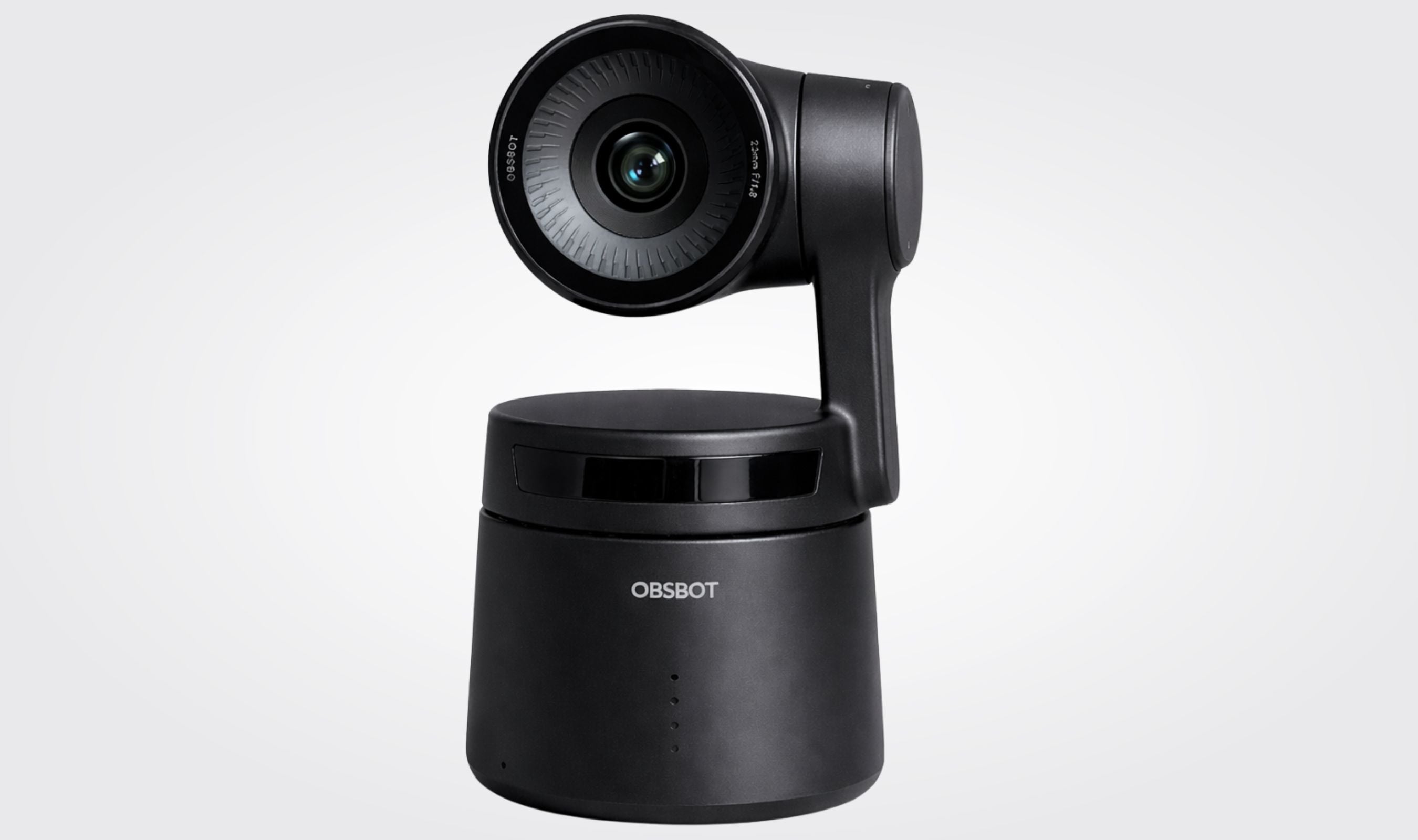
The OBSBOT Tail Air is one of those products that makes you wonder why PTZ cameras were ever expensive. After weeks of using this compact 4K AI-powered camera for streaming, video calls, and content creation, I can say it delivers a genuinely impressive experience for the price. It's not perfect, but for creators who want professional-looking footage without hiring a camera operator, the Tail Air is hard to beat.
Technobezz is supported by its audience. We may get a commission from retail offers. Reviews ethics statement.
OBSBOT Tail Air Review: The Tiny 4K PTZ Camera That Tracks You Like a Pro
The OBSBOT Tail Air packs AI-powered tracking, 4K video, and NDI streaming into a camera that weighs just 344 grams. After weeks of testing, here is what it gets right and where it falls short.
Updated March 11, 2026Mar 11, 2026
•16 min read

Credit: Technobezz
Get Deals Like These in Your Inbox
The best prices, checked by our editors.
In This Review
8.5/ 10
Best for Solo creators, livestreamers, and small teams who want AI-powered PTZ tracking in a compact, affordable package
OBSBOT Tail Air
Sensor1/1.8-inch CMOS, 8.4MP
Resolution4K@30fps, 1080p@60fps
Aperturef/1.8
Zoom4x Digital
FOV85 degrees diagonal
Gimbal RangePan 150 degrees, Tilt -65 to 32 degrees
OBSBOT Tail Air: Best compact AI-powered PTZ streaming camera

The OBSBOT Tail Air packs a 4K sensor, AI-powered subject tracking, and a two-axis motorized gimbal into a body that weighs just 344.5 grams. It connects over Wi-Fi, Bluetooth, USB-C, HDMI, and even NDI (with a separate license), making it one of the most versatile cameras in its class. At $499 for the camera alone, it sits in a sweet spot between cheap webcams and professional broadcast equipment.
Key highlights
- 1/1.8-inch CMOS sensor with 2μm pixel size and f/1.8 aperture for improved light gathering
- 4K recording at 30fps and 1080p at up to 60fps
- AI-powered tracking for humans, animals, and objects with adjustable framing
- Two-axis motorized gimbal with ±150° pan and -65° to 32° tilt range
- NDI|HX3 support for low-latency network streaming (license sold separately at $99)
- Built-in dual MEMS microphones with noise reduction
- Gesture Control 2.0 for hands-free camera operation
- Wi-Fi (2.4GHz/5.8GHz), Bluetooth 5.0, USB-C, and Micro HDMI connectivity
- Built-in 1500mAh battery with approximately 154 minutes of operating time
- MicroSD card slot for local recording up to 512GB
Pros
- Incredibly compact and lightweight at just 344.5g, easily the smallest 4K PTZ camera available
- AI tracking is smooth and reliable, following subjects naturally without jerky movements
- Excellent 4K image quality in well-lit environments with vibrant, accurate colors
- HDR mode handles high-contrast scenes (like stage lighting) beautifully
- Versatile connectivity options cover virtually every streaming setup
- Gesture controls let you operate the camera without touching it or your phone
- Director Grids feature provides multiple virtual camera angles from a single unit
- Built-in microphone is surprisingly decent for casual use
- Active firmware updates from OBSBOT continue to improve performance
Cons
- Low-light performance is the weakest link, producing noticeable noise in dim environments
- Battery life of roughly 2.5 hours means you'll want external power for longer sessions
- NDI license ($99) and Ethernet adapter ($99) add significantly to the total cost
- Only digital zoom (4x), no optical zoom, so quality degrades when zooming in at 4K
- Enabling NDI mode disables webcam, RTMP, and HDMI connections simultaneously
Who it's for
Solo content creators, livestreamers, podcasters, churches, and small production teams who want professional PTZ capabilities without the professional price tag. Ideal for anyone who needs a camera that can track a speaker, presenter, or performer automatically.
Skip if
You primarily shoot in low-light environments, need optical zoom for distant subjects, or require rock-solid reliability for mission-critical broadcast production. If low-light is your main concern, consider the OBSBOT Tail 2, which handles darker scenes significantly better.
Design and Build Quality
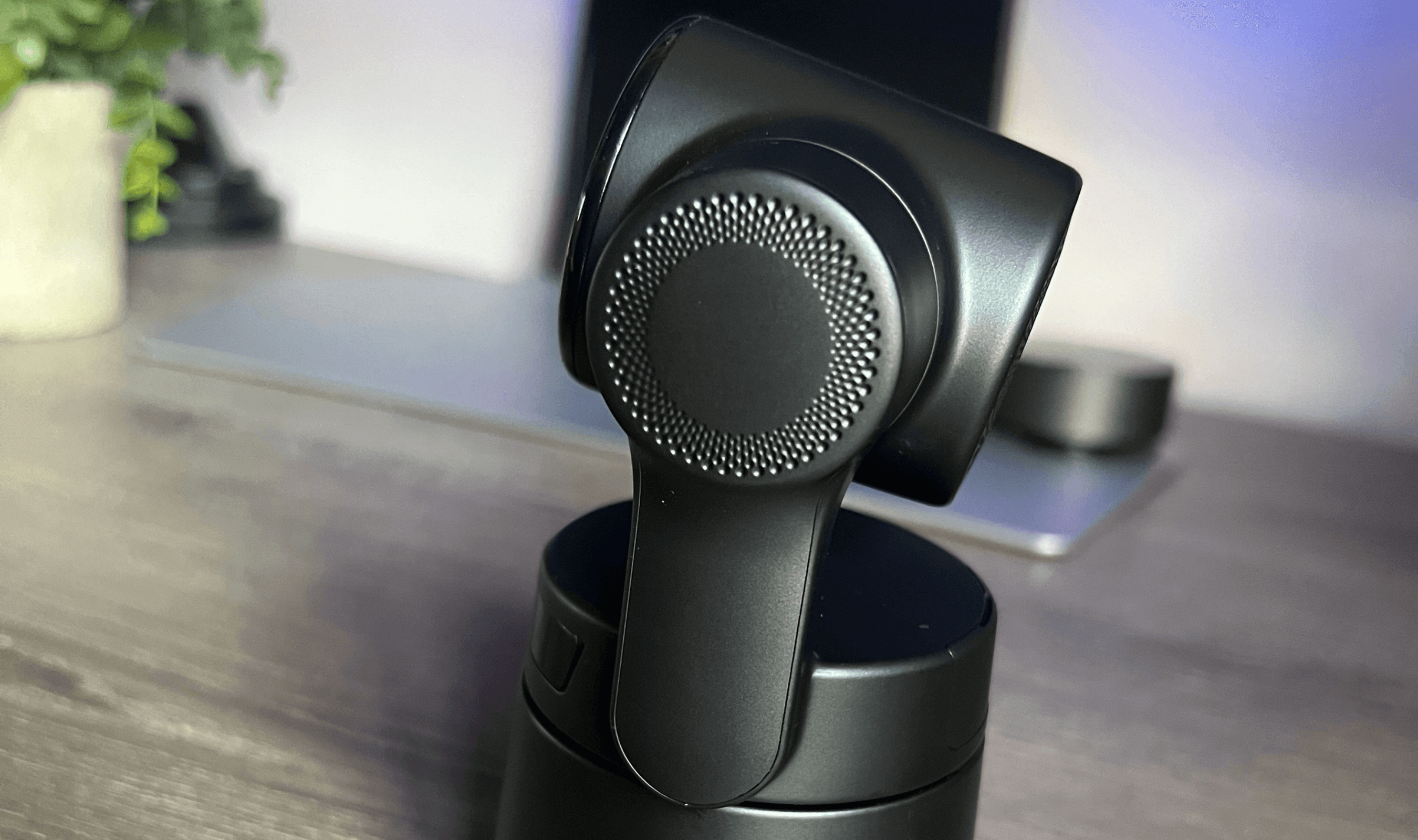
The first thing you notice about the Tail Air is how small it is. At 69.65 x 73.25 x 132.5mm in its working state, it's barely larger than a coffee mug. Pick it up and the 344.5 grams feels almost suspiciously light for something this capable. The build quality is solid throughout, with a matte black finish that looks professional without being flashy.

The two-axis gimbal is where the engineering shines. Pan motion covers ±150° and tilt goes from -65° to 32°, giving you a wide range of movement that covers most shooting scenarios. The gimbal moves smoothly and quietly, which matters enormously when you're filming in a quiet room or during a worship service. The mechanical precision is impressive, with OBSBOT claiming ±0.02° angle jitter, and in practice, the camera holds its position rock-steady.
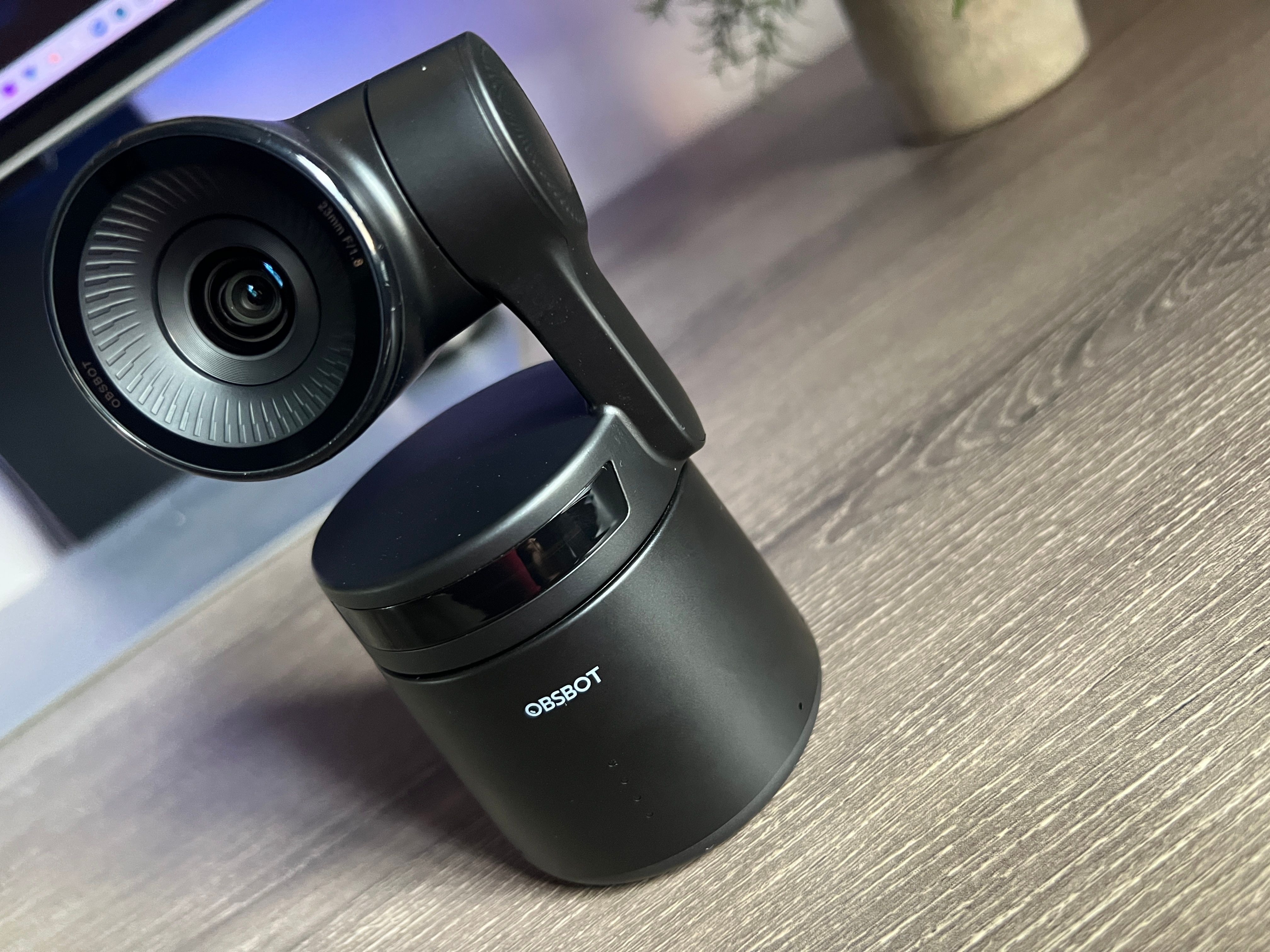
The base includes a standard tripod mount, which means it works with virtually any tripod, light stand, or mounting solution you already own. I've seen people mount it on weighted mic stands for an ultra-compact setup, and the camera's light weight makes that totally practical. There's also a contact point on the bottom for OBSBOT's 360° Rotation Base accessory, which adds full rotation capability and extended battery life.


1 / 2
Port placement is straightforward. You get a USB-C port for charging and data, a Micro HDMI output, a 3.5mm TRS microphone input, and a MicroSD card slot. Everything is accessible without being in the way. The lack of a built-in Ethernet port is the one design compromise that stings. Getting wired connectivity requires OBSBOT's proprietary USB-C to Ethernet adapter at $99, and some users have reported the adapter's cable connector can become fragile over time.
Image Quality: Brilliant in Good Light
The 1/1.8-inch CMOS sensor with 8.4 million effective pixels captures genuinely impressive footage in well-lit conditions. Colors are vibrant and accurate, skin tones look natural, and the f/1.8 aperture brings in plenty of light. The 8-element lens system keeps distortion minimal across the frame, which is noticeable when you're shooting wider scenes.
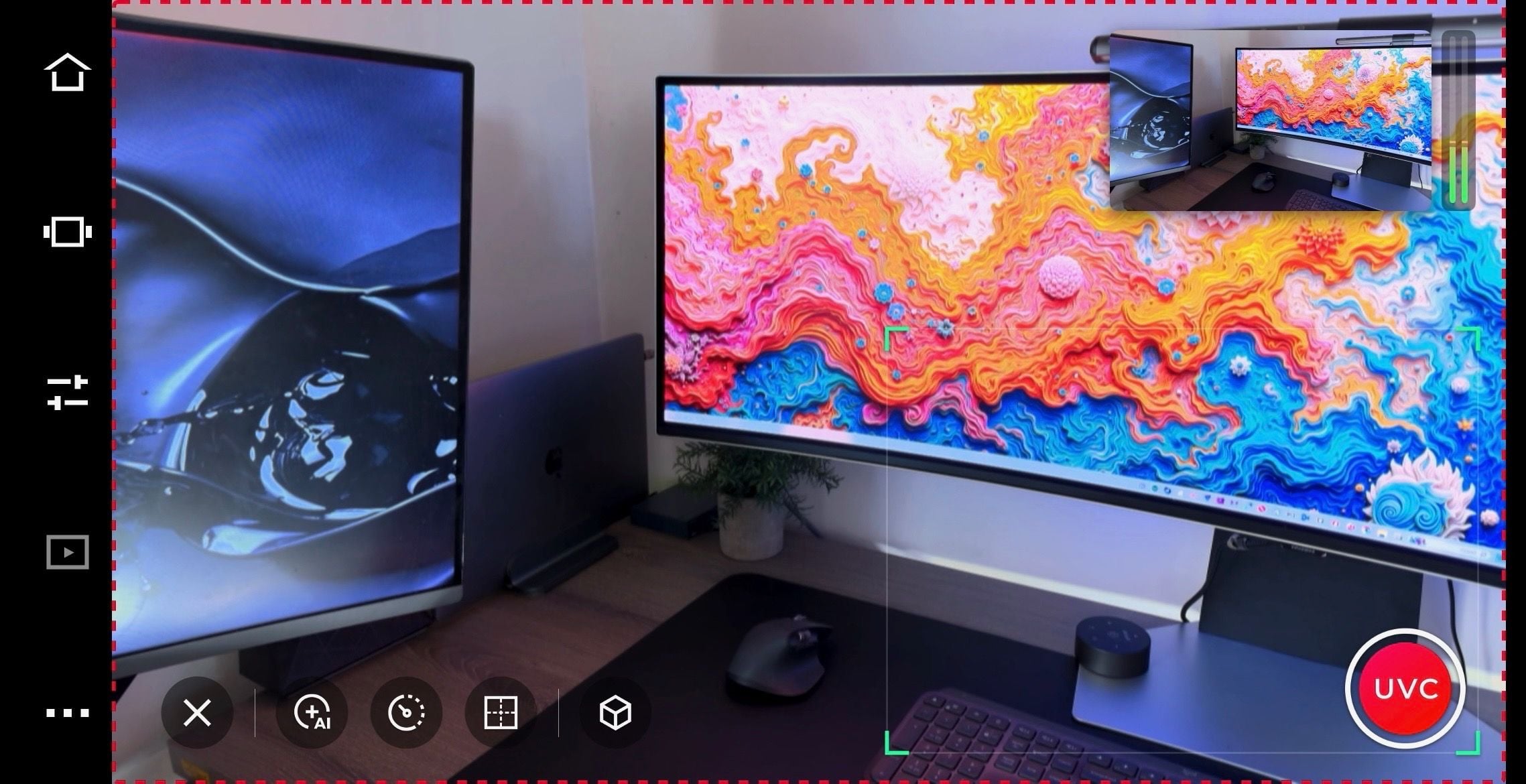
Recording at 4K (3856x2176) at 30fps gives you sharp, detailed footage that holds up on large screens and provides plenty of room for cropping in post-production. Drop to 1080p and you unlock 60fps, which is the sweet spot for most livestreaming scenarios. The camera supports H.264 and H.265 encoding, with maximum bitrates of 100Mbps and 80Mbps respectively.
HDR mode deserves special mention. In high-contrast environments like stages with spotlights, conference rooms with mixed lighting, or anywhere with bright windows behind the subject, the Tail Air's HDR processing does an excellent job of balancing exposure. Bright highlights don't blow out, shadows retain detail, and the overall image looks polished. For church streaming or event coverage where lighting is often challenging, this feature alone justifies the camera.
The 4x digital zoom is useful when streaming at 1080p, since you're essentially cropping from a 4K image and delivering pixel-for-pixel at 2x. Beyond 2x, quality starts to degrade noticeably. If your workflow demands significant zooming, this is a real limitation. There's no optical zoom here, and that's a trade-off for the compact size.
Now, the honest part: low-light performance is where the Tail Air struggles. Despite the larger 2μm pixel size and wide aperture, dim environments produce visible noise and grain. The ISO range tops out at 6400, and pushing above 3200 introduces noticeable degradation. If you regularly shoot in moody, dimly lit spaces, you'll need to supplement with good lighting or accept softer, noisier footage. For creators who work in controlled, well-lit environments, this won't be an issue. But if low-light is your primary shooting condition, the OBSBOT Tail 2 handles darkness substantially better thanks to its larger sensor and improved optics.
AI Tracking: The Real Star
This is the feature that makes the Tail Air worth its price. Activate human tracking and the camera becomes your personal camera operator, smoothly following you as you move around the room. The tracking algorithm has matured considerably through firmware updates, and in its current state, it's genuinely reliable.

The camera recognizes faces and bodies, then uses the motorized gimbal to keep the subject centered. Movement is fluid and natural, not the jerky, overcompensating motion you might expect from a budget PTZ. Standard tracking speed works well for most scenarios, but you can switch to Slow for calmer content or Fast for more dynamic situations like sports filming.
What really sets the Tail Air's tracking apart is the framing adjustment. Most AI tracking systems stick the subject dead center with too much headroom, which looks amateur. The Tail Air lets you adjust the vertical position of the tracking frame, so you can follow proper rule-of-thirds composition and minimize wasted space above the subject's head. It's a small thing that makes a huge difference in how professional the output looks.
Beyond human tracking, the camera also tracks animals (cats, dogs, and horses are supported) and arbitrary objects. The object tracking works by drawing a bounding box around whatever you want the camera to follow. It's surprisingly accurate for well-defined objects, though it can lose track of smaller or fast-moving targets.
The AI Director Grids feature is clever. It analyzes the full sensor image and presents multiple virtual crop options in real time, letting you switch between different framings as if you had multiple cameras. Combined with preset positions (you can save specific pan, tilt, and zoom settings), a single Tail Air can simulate a basic multi-camera setup for interviews or panel discussions.
Gesture Control and App Experience
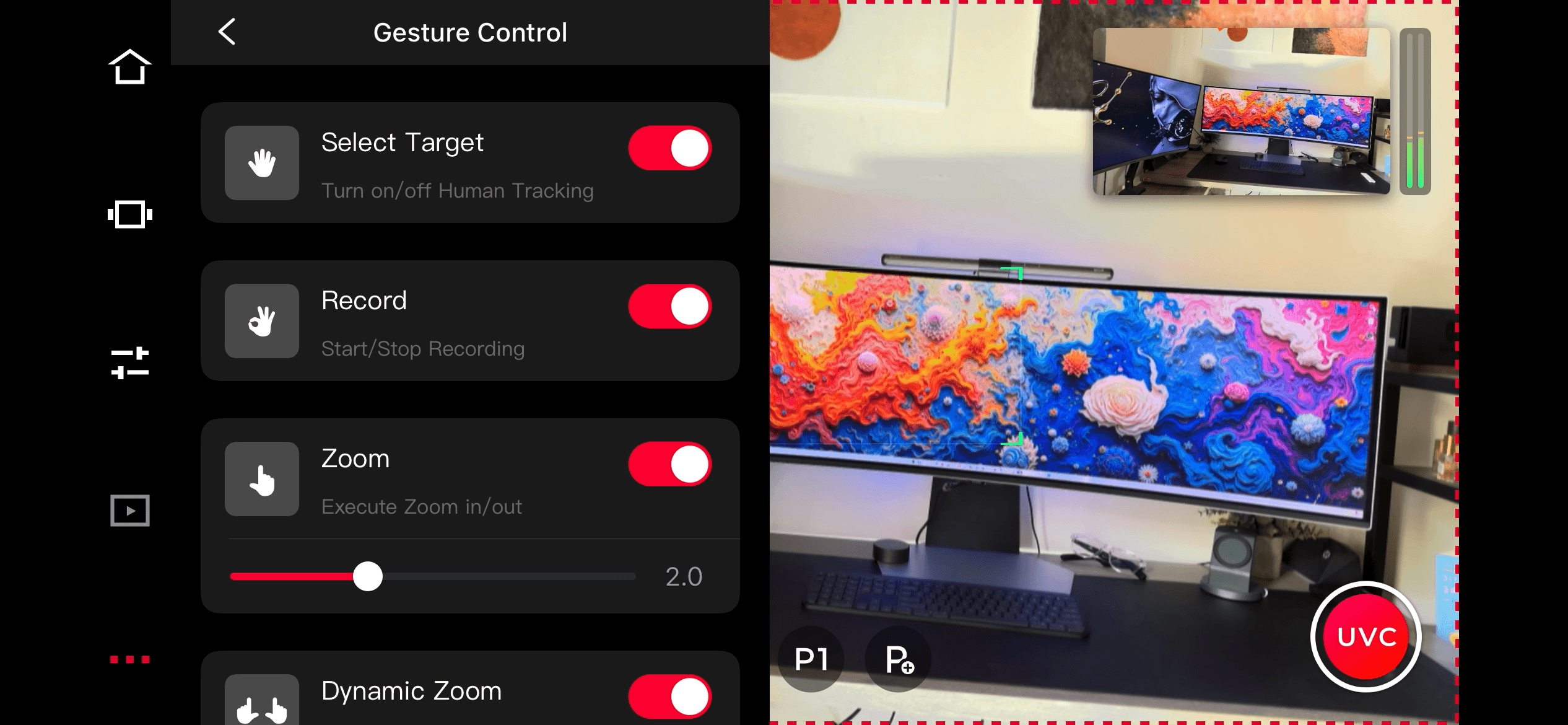
Gesture Control 2.0 lets you command the camera with hand signals. Raise your hand to activate tracking, use an "L" shape to zoom, or make an "OK" sign to start/stop recording. When it works, it feels like magic. In practice, the gesture recognition is reliable about 85% of the time, which means occasional moments of holding your hand up awkwardly while the camera decides whether to respond.
The important thing is that you can selectively enable or disable specific gestures. If you're filming a classroom or conference where people raise their hands to ask questions, you can turn off the tracking gesture to prevent the camera from latching onto every raised hand. This level of control shows that OBSBOT understands real-world usage.
The OBSBOT Start mobile app (iOS and Android) serves as your primary control interface when you're not using desktop software. It handles camera settings, preset management, tracking configuration, and streaming controls. The app works well overall, though switching between multiple Tail Air cameras requires rotating between portrait (for camera selection) and landscape (for live view), which gets tedious in multi-camera setups.
For desktop users, OBSBOT Center provides a more robust control experience. It manages multiple cameras, offers deeper settings access, and integrates with streaming software like OBS Studio and vMix. The software has improved significantly through updates and now feels polished and responsive.
Connectivity and NDI
The Tail Air offers five distinct ways to connect: USB-C (as a webcam/UVC device), Micro HDMI, Wi-Fi direct, Wi-Fi over LAN, and NDI over network. This versatility means it fits into virtually any existing workflow, from simple Zoom calls to complex multi-camera broadcast setups.
Wi-Fi performance is solid on both 2.4GHz and 5.8GHz bands. The 5.8GHz connection is recommended for streaming, offering lower latency and less interference. Signal range is rated at 80m on 5.8GHz and 140m on 2.4GHz, which is more than enough for most indoor scenarios. The built-in battery means you can place the camera anywhere in a room without running cables, which is a genuine game-changer for event coverage.
NDI|HX3 support (requires a $99 license) is what elevates the Tail Air from a fancy webcam to a legitimate production tool. NDI allows the camera to send its video feed over a standard network connection, making it discoverable by any NDI-compatible software on the same network. This means seamless integration with OBS Studio, vMix, Wirecast, and similar tools. The encoding supports both H.264 and H.265, with configurable bitrate levels.
The catch with NDI mode is that it disables webcam, RTMP, and HDMI output simultaneously. You're locked into network streaming only. This is a frustrating limitation that OBSBOT should address, since there's no obvious technical reason you shouldn't be able to output HDMI and NDI at the same time.
For wired network connectivity (which also provides Power over Ethernet), you'll need OBSBOT's $99 USB-C to Ethernet adapter. It works reliably for the most part, though the fixed cable design means a connector failure kills the entire adapter. If you plan to use the camera primarily over Wi-Fi, this isn't a concern. But for permanent installations where wired reliability matters, the adapter's build quality is worth considering.
Battery Life and Power
The built-in 1500mAh lithium polymer battery provides approximately 154 minutes of operating time according to OBSBOT's testing (recording 1080p at 30fps). In real-world use with tracking enabled, Wi-Fi streaming, and occasional gimbal movement, expect closer to 2 to 2.5 hours depending on your settings.
That's enough for a podcast episode or a couple of meeting sessions. It's not enough for an all-day conference or extended livestream. For longer sessions, keeping the camera connected to USB-C power is essential. The PoE adapter solves both power and connectivity in one cable if you're going wired.
The 360° Rotation Play-More Combo accessory extends battery life to over 7 hours with its removable batteries and charging hub, which is worth considering if mobility and extended runtime are priorities.
One concern worth noting: some long-term users have reported battery degradation after 12 to 18 months, with the camera becoming unable to hold a charge. Since the battery doesn't appear to be user-replaceable, this is something to factor into your purchasing decision. Keeping the camera plugged into external power when possible may help preserve battery longevity.
Audio
The dual omnidirectional MEMS microphones are better than expected for built-in camera audio. They capture clear voice audio in quiet to moderate environments, and the noise reduction mode helps filter background sound. Stereo mode provides a wider soundstage when ambient audio is part of the content.
That said, built-in microphones on any camera are a compromise. For professional podcasting, streaming, or video production, you'll want dedicated external microphones. The 3.5mm TRS input accepts external mics, and audio syncing with separate recording equipment is straightforward in post-production.
The built-in mics are a genuine advantage over the Tail 2, which lacks them entirely. For quick recordings, video calls, or situations where simplicity matters more than audio perfection, having everything in one device is convenient.
Who Should Consider the OBSBOT Tail Air
The Tail Air hits a sweet spot for solo creators, small churches, educators, podcasters, and anyone doing regular livestreaming who wants to level up from a static webcam. The AI tracking alone transforms a one-person operation into something that looks like it has a dedicated camera operator. At $499 (or $699 with NDI and Ethernet), it's a fraction of what traditional PTZ cameras cost while delivering tracking capabilities that many expensive models lack entirely.
For multi-camera setups, the Tail Air's compact size and wireless operation make it practical to deploy three or four units around a room without running cables everywhere. OBSBOT's ecosystem of accessories (remote controller, 360° base, PoE adapter) lets you customize each camera's role in the production.
If low-light performance is critical to your work, budget for good lighting or step up to the OBSBOT Tail 2. The Tail 2 offers a larger sensor, optical zoom, built-in Ethernet, and better low-light handling, though at roughly double the price and in a noticeably larger body. The Tail Air's advantage is portability and value. For well-lit environments, the image quality difference between the two is smaller than you might expect.
This product was provided to Technobezz for review. We independently select what we review. The manufacturer had no input on this article and did not see it before publication. All opinions are our own.
FAQ
Is the NDI license worth the extra $99?
If you're doing any kind of multi-camera production or using software like OBS Studio or vMix, absolutely. NDI transforms the Tail Air from a standalone camera into a network-connected production tool. For simple USB webcam use, you can skip it.
How does the AI tracking handle multiple people?
The camera tracks one subject at a time by default. However, the Director Grids and preset features let you quickly switch between subjects or set up wider framing that captures a group. For true multi-person tracking with automatic speaker switching, you'll need to manage presets or use the app to retarget.
Can I use it as a regular webcam without the tracking features?
Yes. Connect via USB-C and it works as a standard UVC webcam with any video conferencing software. You can leave tracking off and just enjoy the excellent 4K image quality as a fixed camera.
How does the Tail Air compare to the OBSBOT Tiny 2?
The Tiny 2 is a USB webcam with PTZ and AI tracking designed primarily for desk use. The Tail Air adds wireless connectivity, NDI support, a built-in battery, MicroSD recording, and a more capable gimbal. If you need a camera that goes beyond your desk, the Tail Air is the clear choice.
Does it get hot during extended use?
Yes, the camera generates noticeable heat during prolonged operation, especially in 4K. OBSBOT recommends allowing airflow around the base. Using a metal stand or mount can help with heat dissipation. The camera has thermal management built in, but in hot environments or during very long sessions, heat is worth monitoring.
What accessories should I buy with it?
At minimum, consider the NDI license if you're streaming professionally. The Smart Remote Controller ($79) is excellent for live productions where you need quick preset switching. The USB-C to Ethernet adapter is worth it if you want wired reliability. The 360° Rotation Base is situational but fantastic for sports or events where the camera needs to follow action in all directions.
Final Thoughts
The OBSBOT Tail Air represents something genuinely new in the camera space: a PTZ camera that's small enough to throw in a bag, smart enough to follow you around a room, and affordable enough that individual creators can actually buy one. It's not trying to replace professional broadcast equipment, and it doesn't need to. What it does is bring capabilities that used to require thousands of dollars and a camera operator down to a single $499 device.
The low-light limitations are real, and the battery life means you'll want external power for anything beyond a couple of hours. The NDI lockout of other outputs is an annoying software decision. But these are trade-offs, not dealbreakers. In good lighting, with a solid streaming setup, the Tail Air produces footage that looks polished and professional. The AI tracking genuinely works. And the sheer convenience of a wireless, battery-powered PTZ camera that fits in your hand opens up shooting possibilities that fixed cameras simply can't match.
If you've been looking for a way to add production value to your streams, podcasts, or video content without adding complexity, the OBSBOT Tail Air earns a strong recommendation.
Share this article
More in News

AKG K 701 Ultra Reference Class Stereo discounted to $247.37
AKG K 701 headphones drop to $247.37 on Amazon, a 47% discount that sits below recent 30, 90, and 180-day average prices.
5 min read

Apple Watch SE 3 GPS 40mm Smartwatch discounted to $189.97
Save $59.03 on the Apple Watch SE 3 GPS 40mm at Amazon, matching its lowest recorded price with health and sleep tracking.
5 min read

Cleer Audio Enduro ANC Noise Canceling Headphones price drops to $94.99
Save 47% on Cleer Audio Enduro ANC headphones at $94.99, with 60-hour battery, active noise cancellation, and multipoint Bluetooth.
3 min read

Lenovo coupon codes and deals
Browse 5 current Lenovo offers, including 3 coupon codes and 2 online deals.
5 min read

Woot coupon codes and deals
3 min read

Samsung coupon codes and deals
5 min read

Best tech coupon codes and online deals
4 min read
ASUS ROG Zephyrus S Ultra Slim Gaming gets a $660.95 price cut to $1338.05
5 min read
Samsung Galaxy Z Fold8 Unlocked Android Smartphone on sale for $1649.99
3 min read
We found 2 smartwatch deals from $219.99 that are actually worth it
5 min read
Sony WH-CH720 Noise Canceling Wireless Bluetooth Headphones now $87.94, down from $119.99
3 min read
TCL 75-inch F7D QLED 4K TV leads 2 TV deals from $499.99
5 min read