
Digital photo frames have been around for decades, and honestly, most of them are forgettable. They cycle through your photos on a loop, sit on a shelf, and that's about it. So when the Homture Magic Frame showed up claiming it could turn still photos into AI-generated videos, I expected a gimmick. After two weeks of daily use, I can confidently say it's not. The AI animation is genuinely impressive, the display is sharp and bright, and the whole experience of seeing a still photo of someone you love start to move is surprisingly powerful. This is the most interesting thing to happen to digital photo frames in years.
Technobezz is supported by its audience. We may get a commission from retail offers. Reviews ethics statement.
Homture Magic Frame Review: A Digital Photo Frame That Actually Made Me Feel Something
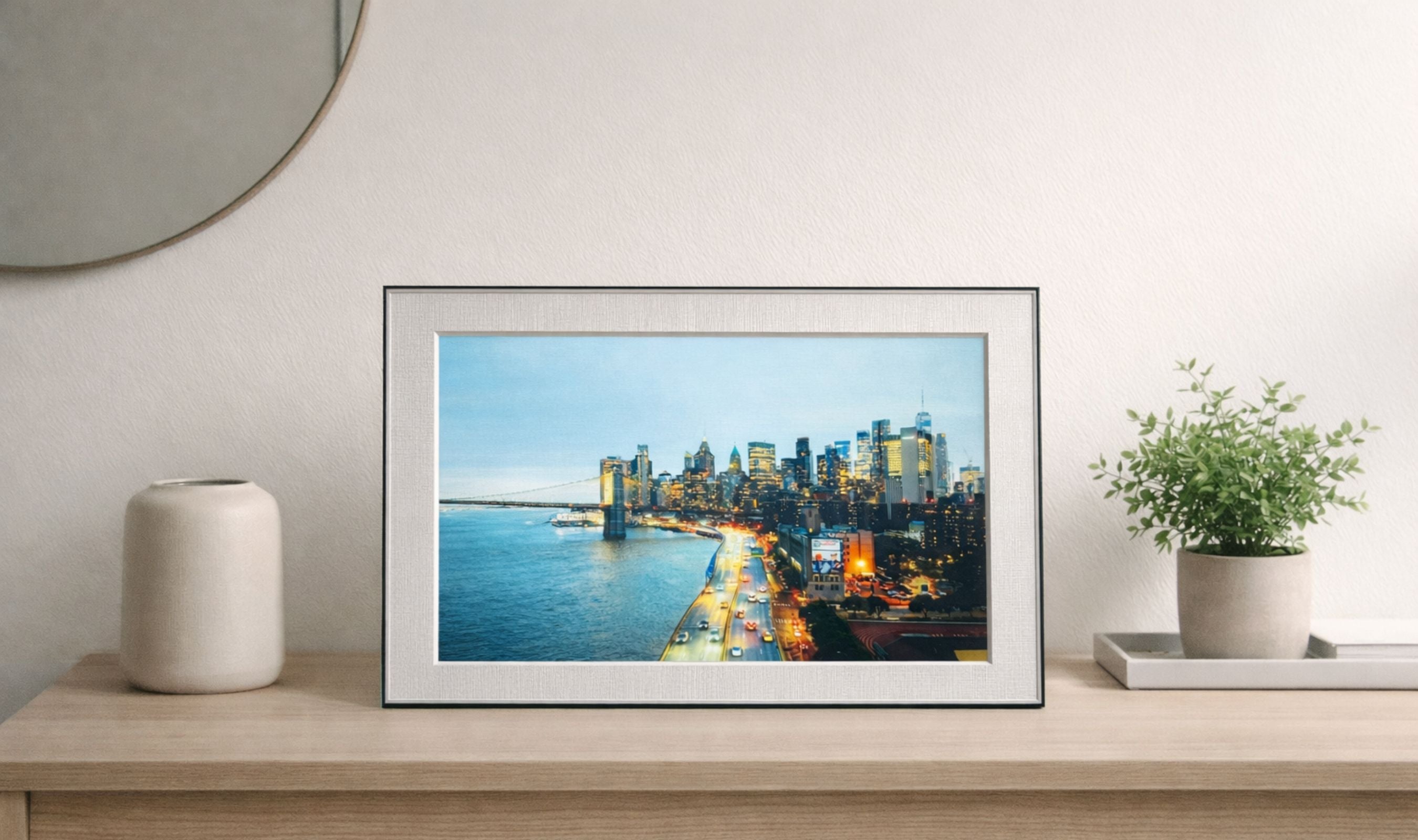
The Homture Magic Frame pairs a Full HD display with AI-powered photo animation that turns still images into short, lifelike videos.
Updated April 8, 2026Apr 8, 2026
•11 min read

Credit: Technobezz
Get Deals Like These in Your Inbox
The best prices, checked by our editors.
In This Review
8.8/ 10
Best for Anyone looking for a meaningful personal gift or an innovative digital frame that brings photos to life with AI-powered animation, old photo restoration, and interactive radar-sensed greetings
Homture Magic Frame AI Digital Picture Frame
Display Size10.1 inches (diagonal)
Resolution1920 x 1200 (Full HD)
Aspect Ratio16:10
TouchscreenYes, IPS with anti-glare coating
AI FeaturesPhoto-to-video animation, old photo restoration, radar-triggered greetings
Motion Sensor60GHz millimeter-wave radar (2m detection range)
That said, it's not perfect. The AI features cost credits that add up over time, the stand could use more flexibility, and sending personal photos to external servers for processing won't sit well with everyone. But as a complete package, the Homture Magic Frame delivers something no other frame at this price can match.
Homture Magic Frame AI Digital Picture Frame - Best AI-Powered Digital Photo Frame

The Homture Magic Frame combines a 10.1-inch Full HD IPS touchscreen with AI video generation that transforms static photos into short animated clips. It packs 64GB of internal storage, unlimited free cloud storage backed by AWS, dual-band WiFi, a radar motion sensor that triggers animations when you walk by, and a companion app that makes setup effortless. At $139, it does more than any digital frame at this price point.
Key Highlights
- 10.1-inch Full HD IPS touchscreen with 1920x1200 resolution and anti-glare coating
- AI photo-to-video generation for portraits, pets, and landscapes
- Old photo restoration with colorization and subtle animation
- 60GHz millimeter-wave radar sensor detects your approach and triggers AI greetings
- 64GB internal storage plus unlimited free cloud storage on AWS
- Dual-band WiFi (2.4GHz and 5GHz) for fast, reliable uploads
- Touchscreen controls with adjustable brightness, slideshow delay, and AI frequency
- Gift mode with QR code pre-loading and remote gift codes
- Companion app for iOS and Android with bulk upload support (up to 500 files)
- 2,000 bonus credits included for 20 AI video generations out of the box
Pros
- AI animation is genuinely impressive and produces accurate, lifelike results
- Display is bright, crisp, and vibrant with excellent color reproduction
- Unlimited free cloud storage removes any worry about running out of space
- Setup is fast and painless with quick WiFi connection on both bands
- Companion app is clean, simple, and easy to navigate
- Premium packaging makes it gift-ready right out of the box
- Build quality is solid with a nice mix of aluminum and plastic materials
- Radar motion sensor adds a fun, interactive layer to the experience
- Photo syncing is impressively fast, even with large batches
Cons
- The stand's rear decorative ring feels loose and doesn't match the premium feel of the rest
- Each AI generation costs credits ($1 per creation once the included 2,000 credits run out)
- No direct integration with Google Photos or Apple Photos
- Not wall-mountable
Who It's For
Anyone shopping for a meaningful, personal gift that goes beyond a standard photo frame. This is a perfect pick for parents, grandparents, partners, or anyone who treasures their photo memories and wants to see them come alive. If you love the idea of a still photo of a loved one waving at you when you walk into the room, this is the frame for that. It's also a strong choice for families who live apart and want to share moments in real time through the app.
Skip if
If privacy is a top priority and you're uncomfortable with photos being processed on external servers, this might not be your best option. Same goes if you're a heavy Google Photos or iCloud user who wants automatic album syncing without manual uploads.
Unboxing and First Impressions
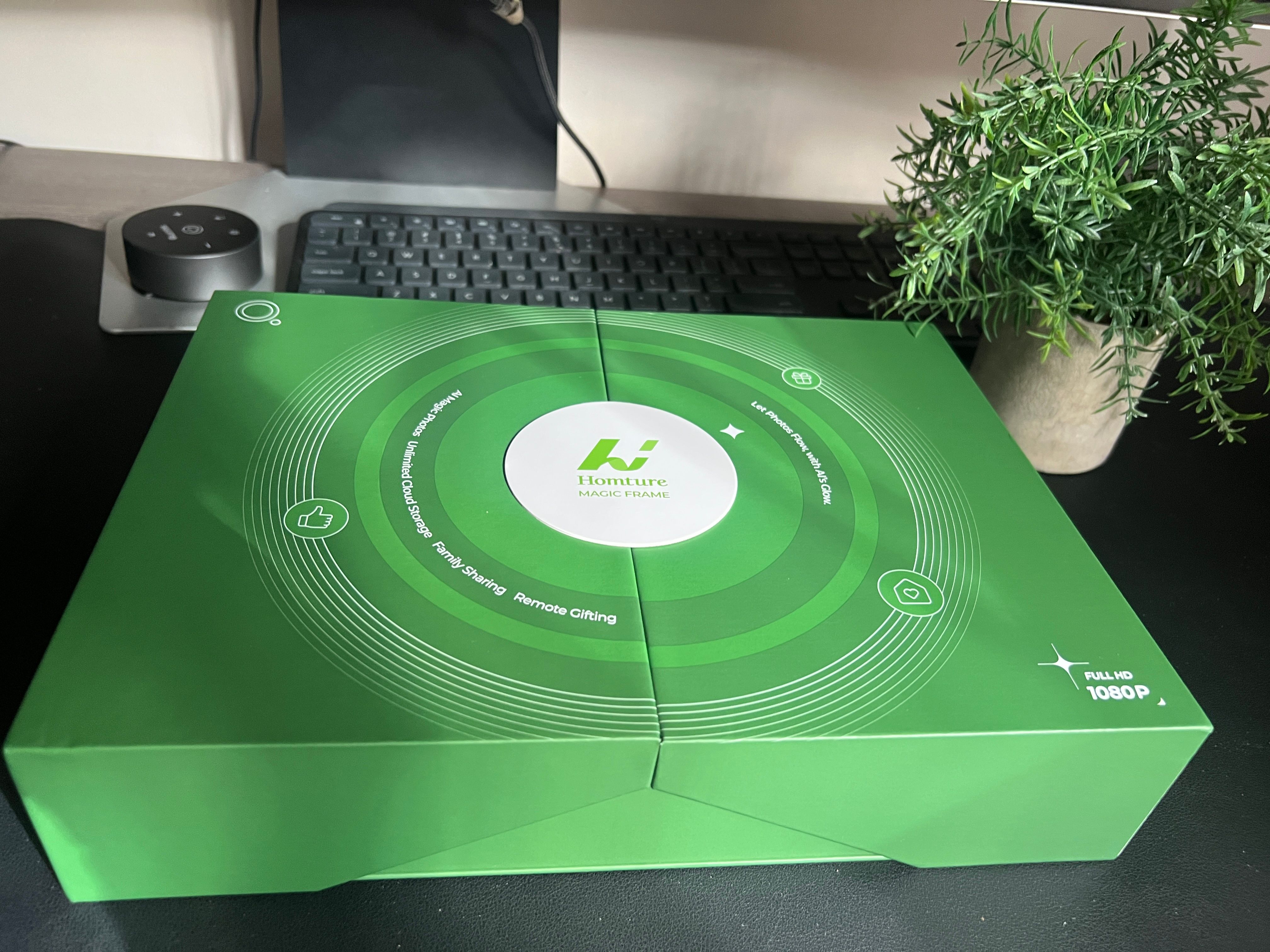
The packaging deserves its own mention because Homture nailed it. Everything is meticulously organized, well-padded, and has that premium unboxing feel you normally associate with products twice this price. The frame, charging cable, quick-start guide, and 2,000-credit benefit card all sit neatly in their compartments. If you're buying this as a gift, you won't need to repackage anything. It looks and feels ready to hand over as-is.
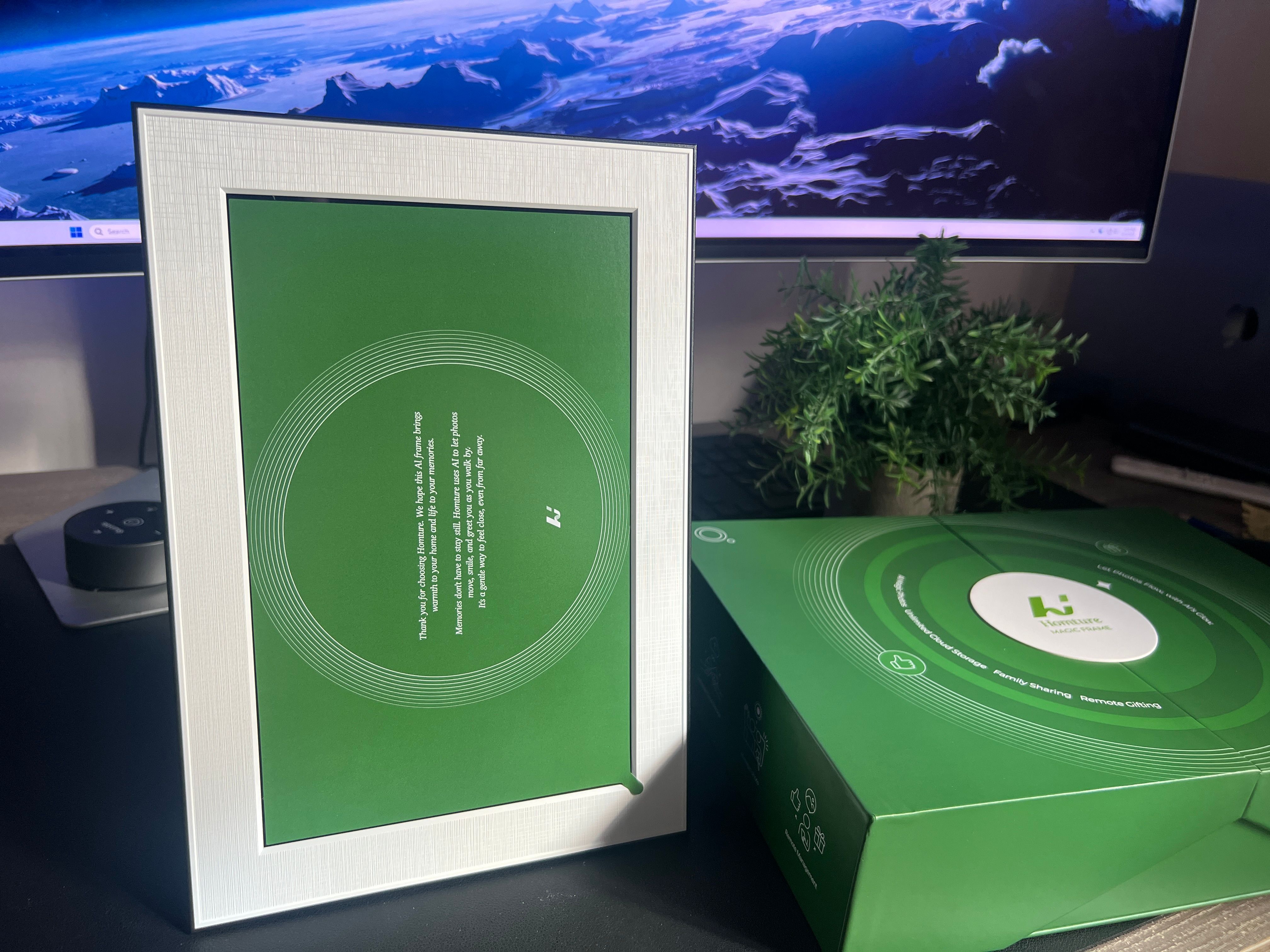
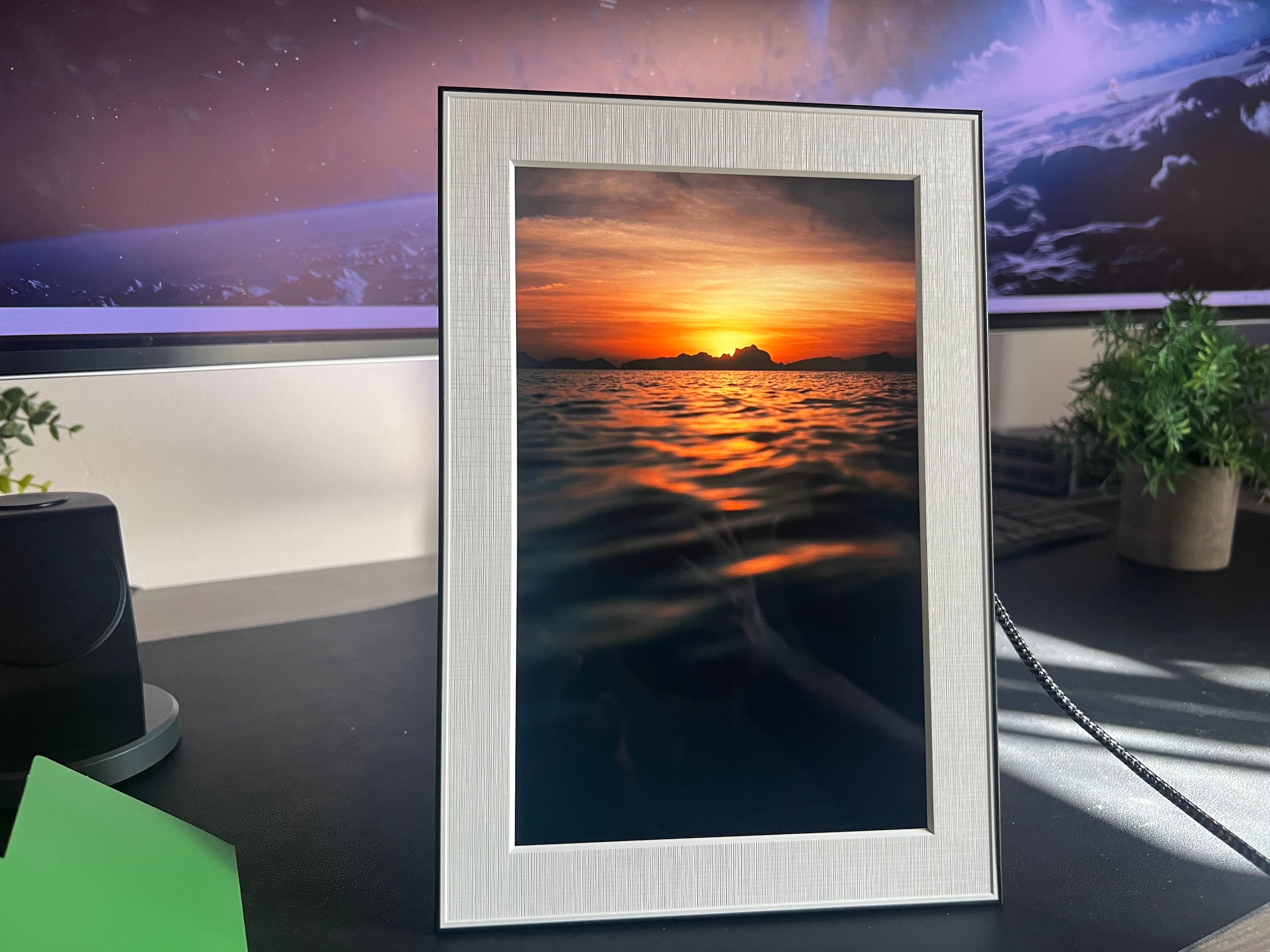
Pulling the frame out, the first thing you notice is the clean, minimalist design. The white border around the screen mimics a traditional photo mat, and the thin black outer edge gives it a modern gallery look. It blends into a shelf or desk without screaming "tech gadget," which is exactly what you want from something meant to display personal photos.
Build Quality and Design
The frame is well-constructed. The combination of aluminum alloy and high-grade plastic gives it a solid, confident feel without being heavy. At 550 grams, it's light enough to move around but substantial enough that it doesn't feel flimsy. The 10.1-inch display sits inside that white mat-style border, and the overall aesthetic is clean and tasteful. It looks right at home on a nightstand, bookshelf, or living room side table.
The back of the frame has a circular protrusion that houses the electronics, and the kickstand clips into it for portrait or landscape positioning. Here's my main build complaint: the rear decorative ring around that circular bump is aluminum alloy but feels a bit wobbly. It doesn't affect how the frame works, but when you handle it, the slight looseness doesn't match the quality of the rest of the product. It's a small detail, but at this price, I'd expect everything to feel locked down tight.
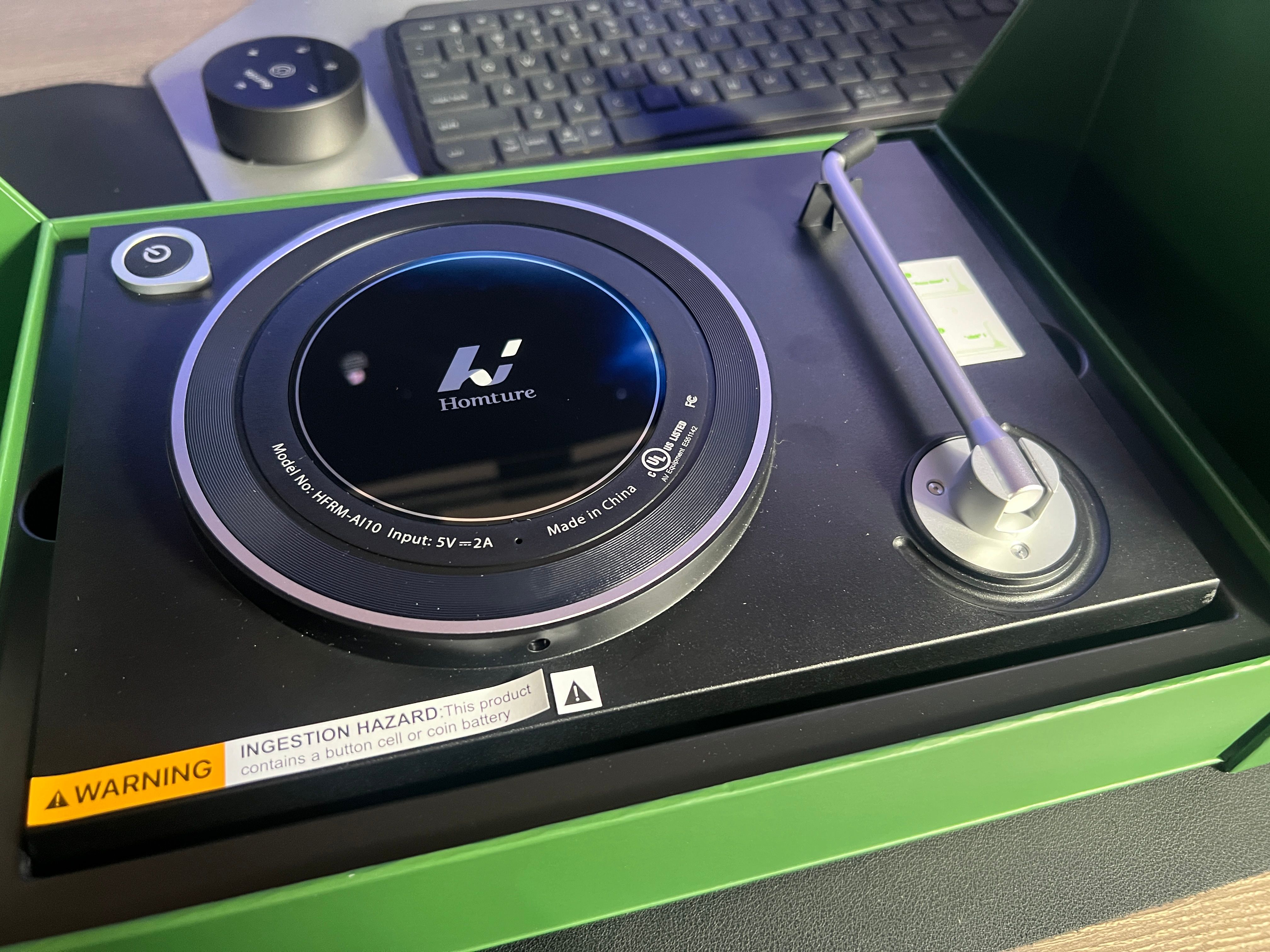
The stand holds the frame steady on a surface, but I'd love an adjustable tilt mechanism. Right now you get portrait or landscape and that's it. If the frame is sitting on a low shelf and you're looking down at it, or on a high shelf and you're looking up, you can't tweak the angle. A simple tilt would go a long way.
Display Quality
The 10.1-inch IPS panel looks fantastic. The 1920x1200 resolution delivers sharp, detailed images with accurate colors that closely match what you see on your phone. The anti-glare coating handles bright rooms well, and viewing angles are wide enough that photos look good from across the room. Brightness is more than adequate. Even with afternoon sun pouring through the windows, the screen stays vivid and easy to read.
The touchscreen is responsive and smooth. Swiping through photos feels natural, and the on-screen menu for adjusting brightness, slideshow timing, and AI motion frequency is straightforward. No lag anywhere. The processor inside handles everything the frame asks of it without any stuttering or delay, even when cycling through hundreds of images.
AI Magic Features
This is the reason to buy this frame, and it delivers. The AI photo-to-video generation takes a still image and creates a short animated clip where the subjects move naturally. Portraits wave, smile, or turn their heads. Pets look around or swish their tails. Landscapes shift from day to night with smooth transitions. The results are surprisingly accurate and, at their best, genuinely moving.
I uploaded several photos, and the AI animated them with subtle, lifelike movements. No exaggerated gestures, no uncanny valley weirdness. Just gentle, natural motion that makes the photos feel alive. I can see this feature being a deeply emotional experience for anyone who uploads photos of loved ones who've passed away or family members who live far away. It's the kind of feature that can genuinely make someone tear up, and that's not something I expected to say about a digital photo frame.
The old photo restoration is equally impressive. Scan an old, faded, or damaged printed photo, and the AI restores it with clarity, adds color, and even introduces subtle animation. For anyone with a box of old family photos sitting in a closet, this feature alone could justify buying the frame.
The millimeter-wave radar sensor adds another layer. When someone walks within about two meters of the frame, it detects the motion and triggers an AI animation. A photo of your grandma waves at you when you enter the room. Your dog's photo perks up as you walk by. It's a small touch, but it makes the frame feel interactive instead of passive, and the detection is accurate and consistent.
The trade-off is cost. Every AI generation costs 100 credits, which works out to about $1 per video. The included 2,000 credits give you 20 animations to start, and that's enough to experience the feature and decide if it's worth continuing. But if you plan to animate a large collection, the costs will stack up. My other concern is privacy. Photos are uploaded to Homture's AWS-based servers in the US for AI processing. That's a reasonable infrastructure choice, but if you're someone who doesn't want personal family photos leaving your device, it's worth considering before you buy.
The Homture App
The companion app is a pleasant surprise. It's clean, intuitive, and focused. Uploading photos is as simple as selecting them from your camera roll and tapping send. They sync to the frame quickly, especially on 5GHz WiFi. I uploaded well over a hundred photos in one session, and the whole process took just a few minutes.
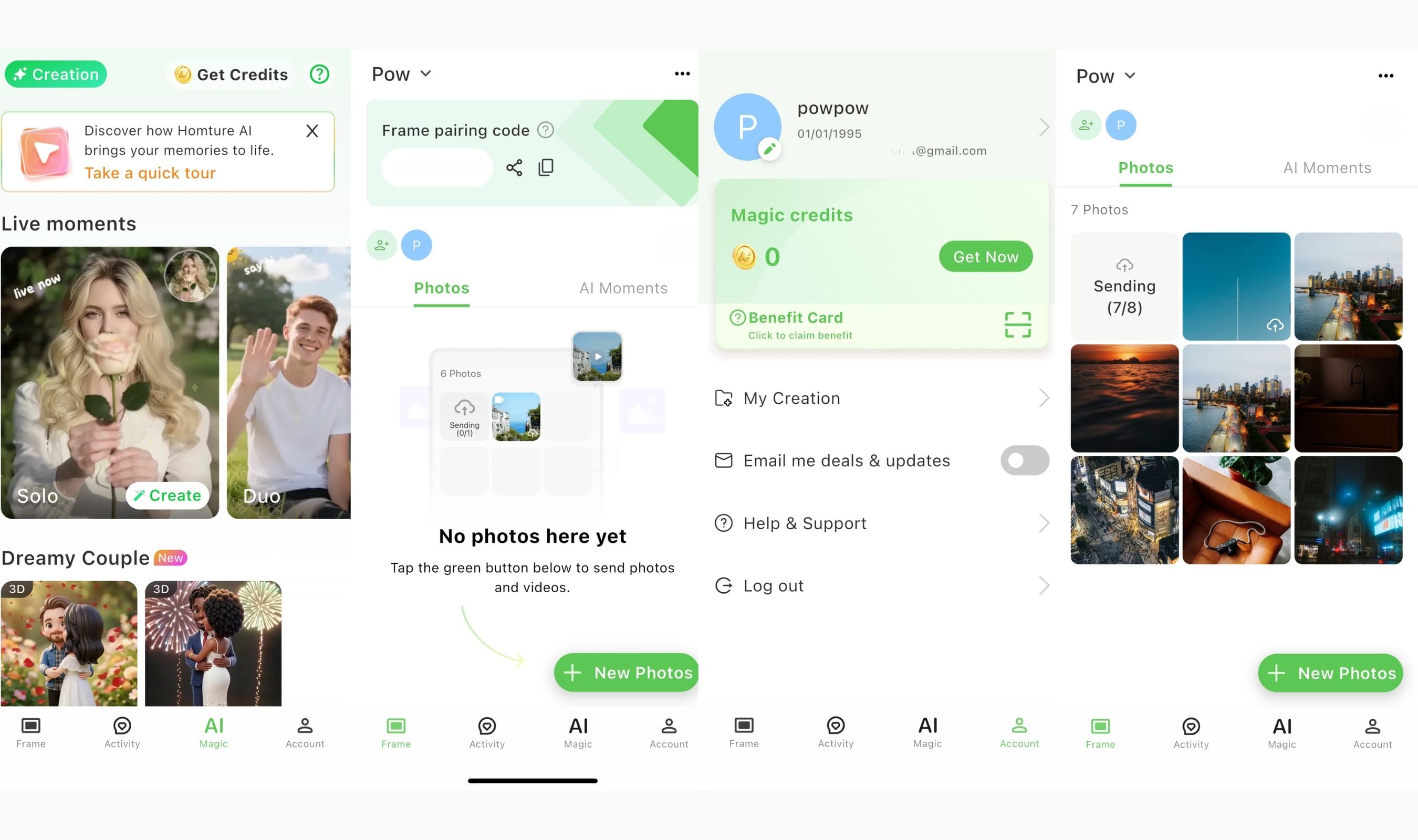
The app handles everything: AI video creation, family member invitations, gift mode setup, and frame settings like brightness and slideshow intervals. Multiple family members can connect to the same frame and upload their own photos, which makes it a genuinely shared experience rather than something only one person controls.
Gift mode is a clever feature. If you're giving the frame as a present, scan a QR code on the packaging to pre-load photos and a personal message before the recipient opens the box. There's also a remote gift code for sending a digital surprise from anywhere. Homture clearly designed this product with gifting in mind, and these touches show.
The one gap is the lack of direct integration with Google Photos or Apple Photos. Everything goes through the Homture app manually. It works perfectly fine, but automatic album syncing would make the experience much more seamless for people who want their frame to stay updated without regular hands-on uploads.
Cloud Storage and Syncing
Unlimited free cloud storage is a genuine standout. Most digital frames either limit you to internal storage or charge a monthly subscription for cloud access. Homture gives you 64GB locally plus unlimited cloud storage on AWS at no ongoing cost. Upload as many photos as you want. No "storage full" warnings. No monthly fees. That's a significant value advantage over competitors charging $5 to $10 per month for the same thing.
Syncing speed impressed me. Photos appear on the frame within seconds of uploading through the app. The dual-band WiFi handles everything without hiccups, and I experienced zero failed uploads or connectivity drops during testing. The app also supports RAW, HEIC, and WEBP formats alongside standard JPEGs, which is a nice bonus for photographers who shoot in non-standard formats.
FAQ
How much does the AI animation cost after the free credits?
Each AI video generation costs 100 credits, which is about $1 per animation. Homture offers credit packs starting at $4.99 for 500 credits, $9.99 for 1,000 credits, and $19.99 for 2,000 credits. The included 2,000 credits give you 20 AI videos to start.
Can I use the Homture Magic Frame without the AI features?
Yes. It works perfectly as a standard digital photo frame. Upload photos through the app and they display in a slideshow with adjustable timing and brightness. The AI features are completely optional.
Does it connect to Google Photos or Apple Photos?
No. All photos need to be uploaded through the Homture companion app. There's no direct integration with third-party cloud photo services currently.
Can multiple family members add photos to the same frame?
Yes. The app lets you invite family members to connect to the frame. Everyone can upload, delete, and manage photos independently. Likes and comments sync between the app and the frame in real time.
Is it wall-mountable?
No. The Homture Magic Frame is designed to sit on a surface using its included kickstand in either portrait or landscape orientation. There's no wall-mounting option.
What photo formats does it support?
The app supports JPEG, RAW, HEIC, and WEBP formats. You can bulk upload up to 500 files at once through the app.
Final Thoughts
The Homture Magic Frame does something I didn't expect from a digital photo frame: it made me genuinely feel something. Watching a still photo of family come alive with subtle, natural movement is a surprisingly powerful experience, and the AI behind it is accurate enough to pull it off without looking weird or forced. The display is sharp, the build quality is solid (minus the slightly wobbly rear ring), and the unlimited cloud storage at no extra cost is a standout feature at this price.
The credit system for AI animations means costs can add up if you go heavy on the feature, and the lack of Google or Apple Photos integration is a missed opportunity. The stand works but could really use an adjustable tilt. These are real drawbacks, not dealbreakers. For $139, you're getting a well-designed frame with capabilities that nothing else in this category can touch. If you're looking for a gift that will genuinely surprise someone, or you just want your own memories to feel a little more alive on your shelf, the Homture Magic Frame earns its name.
This product was provided to Technobezz for review. We independently select what we review. The manufacturer had no input on this article and did not see it before publication. All opinions are our own.
Share this article
More in News

AKG K 701 Ultra Reference Class Stereo discounted to $247.37
AKG K 701 headphones drop to $247.37 on Amazon, a 47% discount that sits below recent 30, 90, and 180-day average prices.
5 min read

Apple Watch SE 3 GPS 40mm Smartwatch discounted to $189.97
Save $59.03 on the Apple Watch SE 3 GPS 40mm at Amazon, matching its lowest recorded price with health and sleep tracking.
5 min read

Cleer Audio Enduro ANC Noise Canceling Headphones price drops to $94.99
Save 47% on Cleer Audio Enduro ANC headphones at $94.99, with 60-hour battery, active noise cancellation, and multipoint Bluetooth.
3 min read

Lenovo coupon codes and deals
Browse 5 current Lenovo offers, including 3 coupon codes and 2 online deals.
5 min read

Woot coupon codes and deals
3 min read

Samsung coupon codes and deals
5 min read

Best tech coupon codes and online deals
4 min read

ASUS ROG Zephyrus S Ultra Slim Gaming gets a $660.95 price cut to $1338.05
5 min read
Samsung Galaxy Z Fold8 Unlocked Android Smartphone on sale for $1649.99
3 min read
We found 2 smartwatch deals from $219.99 that are actually worth it
5 min read
Sony WH-CH720 Noise Canceling Wireless Bluetooth Headphones now $87.94, down from $119.99
3 min read
TCL 75-inch F7D QLED 4K TV leads 2 TV deals from $499.99
5 min read