Wireless gaming mice now split into clear lanes, from featherweight FPS shells to button-heavy productivity hybrids. The right pick depends on shape, weight, polling rate, controls, and how much customization you use.
Technobezz is supported by its audience. We may get a commission from retail offers.
9 Best Wireless Gaming Mice in 2026
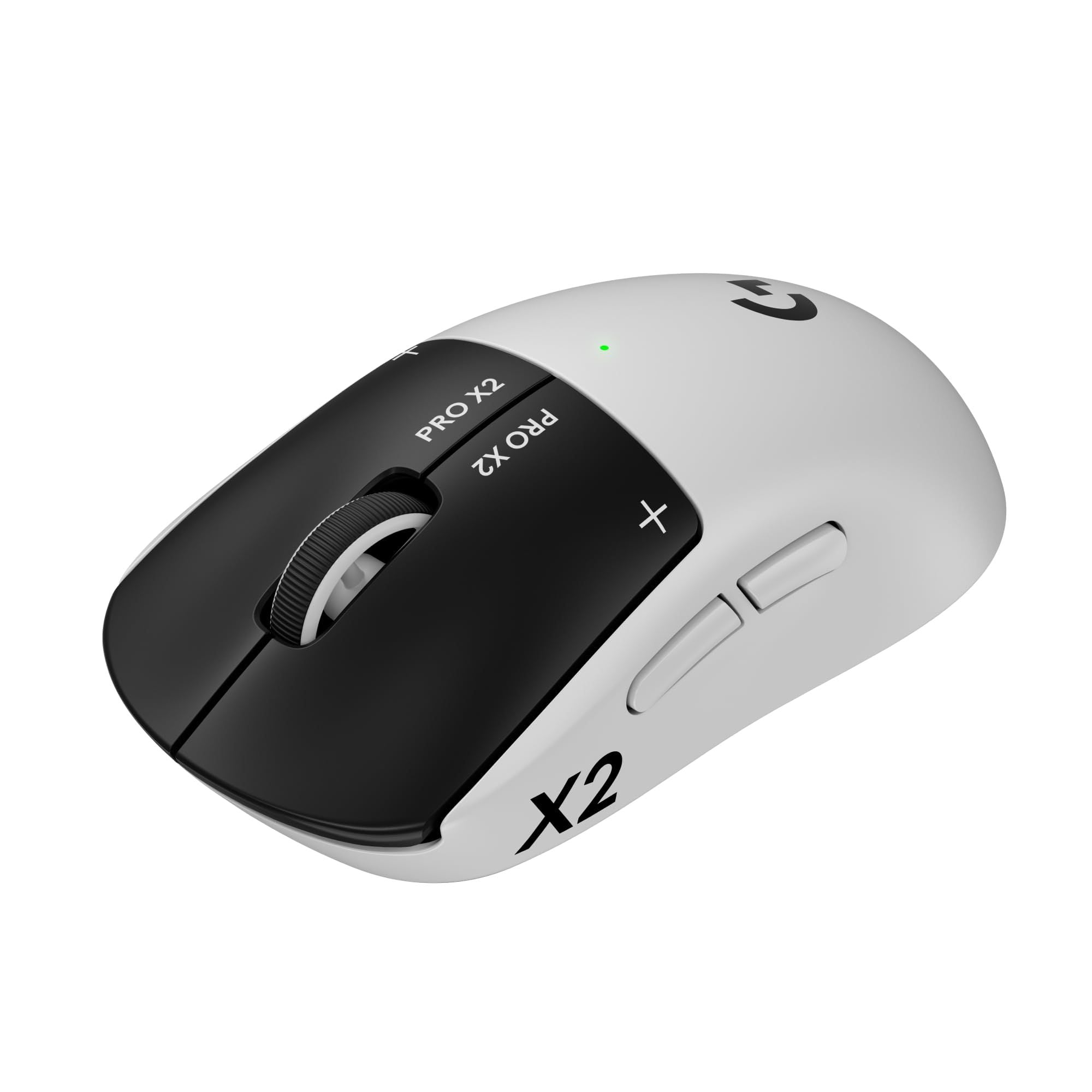
Logitech G PRO X2 SUPERSTRIKE leads our 2026 wireless gaming mouse picks with LIGHTSPEED, 61g weight, and tunable clicks.
T
Technobezz
Editorial Team
Updated October 1, 2026Oct 1, 2026
•11 min read

Get Deals Like These in Your Inbox
The best prices, reviewed weekly.
Logitech G PRO X3 SUPERSTRIKE is the best overall pick because it combines tunable haptic clicks, a 59g build, HERO 2 tracking up to 48,000 DPI, and up to 8,000Hz wired and wireless polling.
The rest of the list covers better fits for value shoppers, claw and fingertip grip players, ergonomic esports fans, feature-heavy setups, entry-level wireless buyers, multi-genre players, and work plus gaming desks.
At a Glance
| Category | Product | Why We Picked It |
|---|---|---|
| Best overall | Logitech G PRO X3 SUPERSTRIKE | Adjustable haptic clicks, 59g build, and up to 135-hour battery life |
| Best value | Corsair Sabre v2 Pro Ultralight | 36g wireless FPS mouse with 8K polling |
| Best for claw and fingertip grip | Razer Viper V4 Pro | Symmetrical Razer flagship with a 50K sensor |
| Best for ergonomic esports | Razer DeathAdder V4 Pro | Right-hand esports shape with a 45K sensor |
| Best for features and scrolling | Razer Basilisk V3 Pro 35K | 13 controls, Bluetooth, and a tilt/free-spin wheel |
| Best for ergonomic bargain hunters | Keychron M7 8K | Thumb-rest ergonomics with 8K 2.4GHz support |
| Best for entry-level wireless | Redragon K1NG M916 Pro 4K | 49g wireless mouse with 4K polling |
| Best for multi-genre button layouts | Razer Naga V2 Pro | Swappable side plates for multi-genre controls |
| Best for work and gaming | Logitech G502 X Plus | Many controls, fast scrolling, and RGB battery modes |
How we chose
Selection starts with the job each mouse does best. For esports picks, the key criteria are shape, weight, sensor class, 2.4GHz wireless mode, polling-rate support, and click system. For all-purpose and MMO picks, controls, scroll behavior, onboard memory, connection modes, battery life, and software flexibility carry more weight. Value picks need credible gaming specs without giving up the basics that affect daily play.
The best wireless gaming mice right now
Logitech G PRO X3 SUPERSTRIKE - Best overall
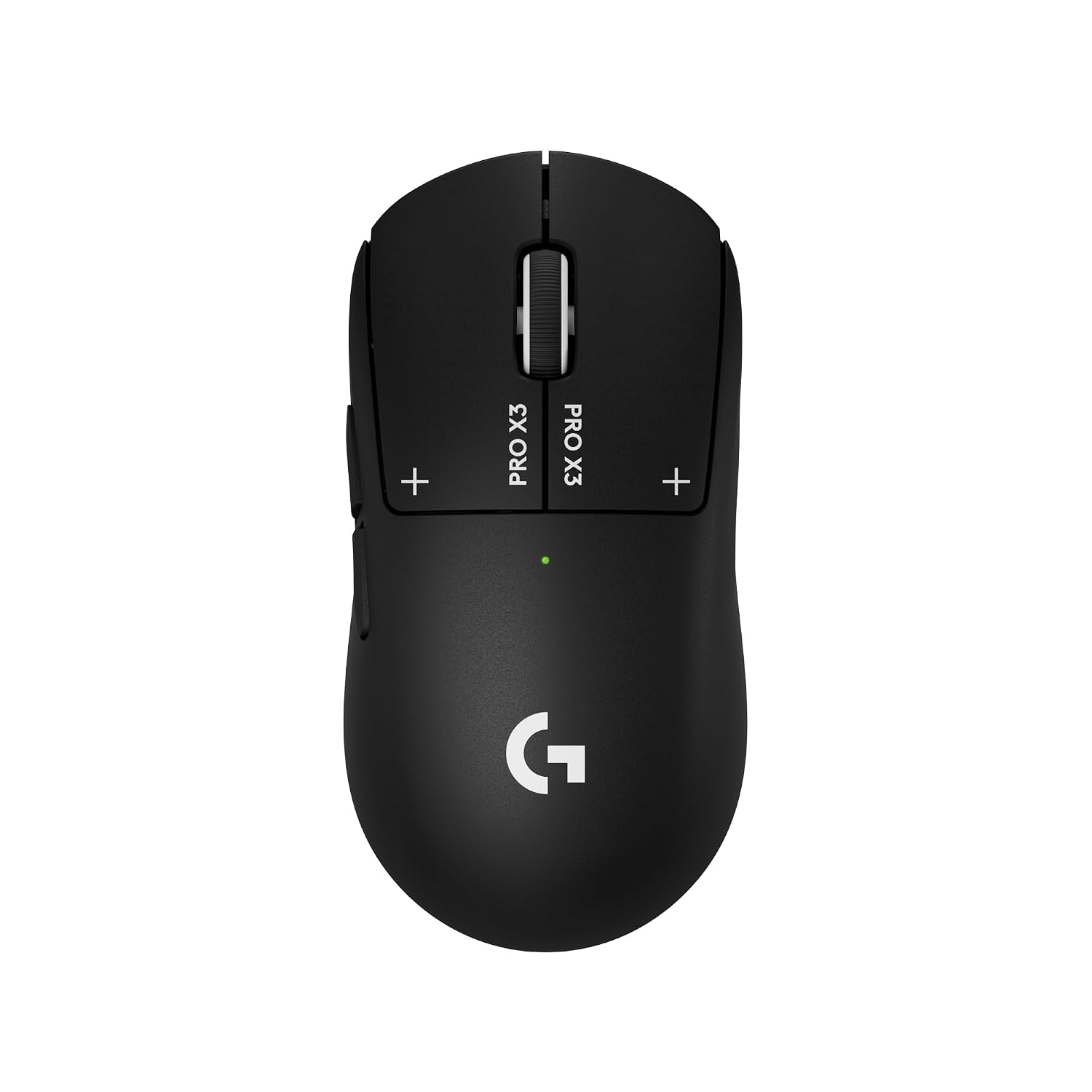
The Logitech G PRO X3 SUPERSTRIKE keeps the top slot with adjustable HITS clicks, a 59g build, and up to 135 hours of battery life.
Its HERO 2 sensor reaches 48,000 DPI, while wired USB-C and LIGHTSPEED wireless both support up to 8,000Hz polling. G HUB provides 10 actuation settings and five reset settings for the main buttons.
Key highlights
- 59g weight
- Haptic Inductive Trigger System
- 10 actuation settings and five reset settings
- HERO 2 sensor up to 48,000 DPI
- Up to 8,000Hz wired and wireless polling
- Up to 135 hours of battery life
Pros
- Adjustable main-button actuation and reset
- Longer rated battery life than X2 SUPERSTRIKE
- Lower weight than the previous generation
Cons
- Premium price
- Advanced settings require G HUB
- POWERPLAY charging pad sold separately
Who it's for
Competitive players who want to tune click actuation and reset.
Skip if
You prefer conventional clicks without software tuning.
Corsair Sabre v2 Pro Ultralight - Best value
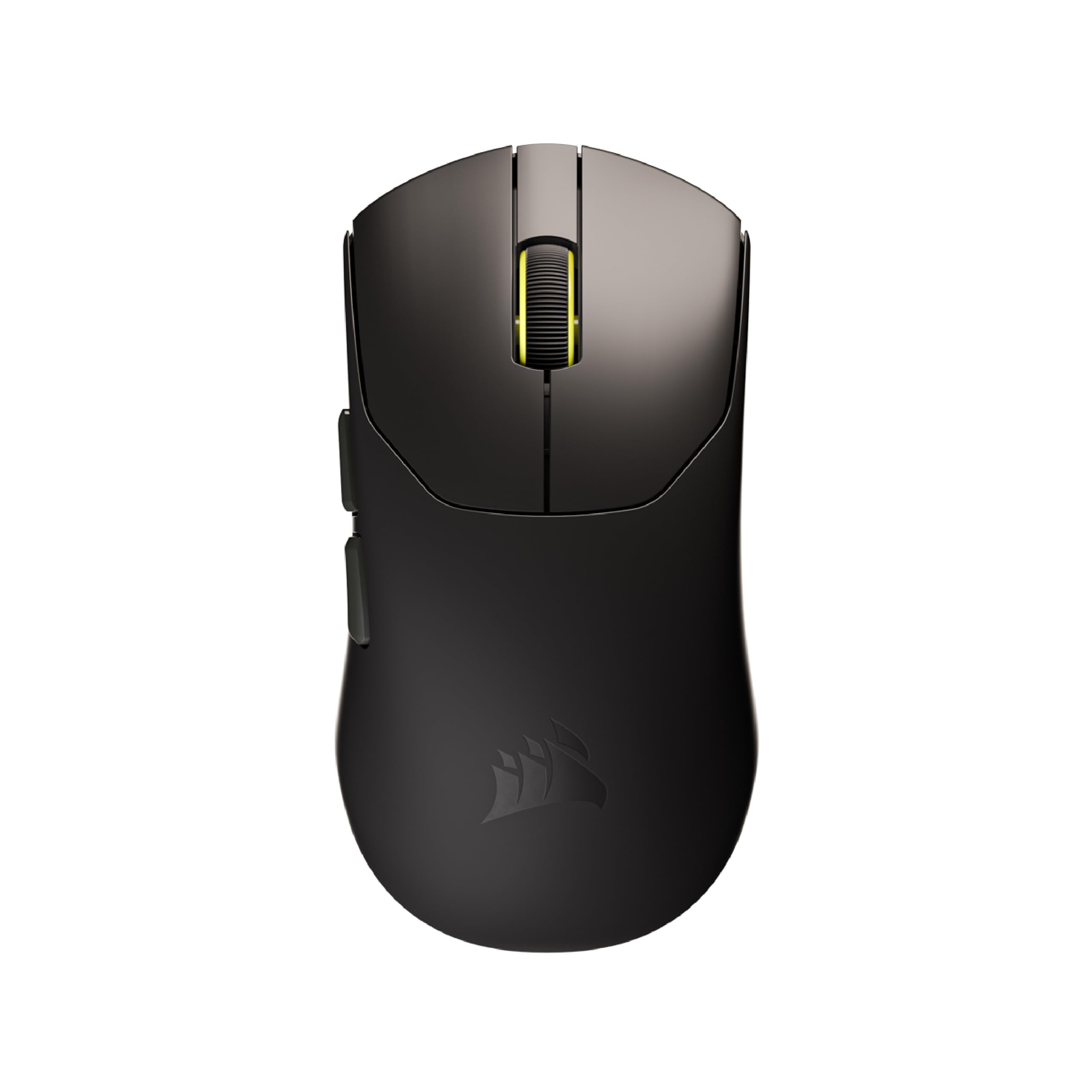
At 36g, the Corsair Sabre v2 Pro Ultralight is the value play for FPS users who put low weight first. It pairs the CORSAIR MARKSMAN S 33,000 DPI sensor with 8,000Hz wired and wireless hyper-polling.
The minimal layout keeps it focused rather than feature-heavy. Up to 70 hours of battery life, included grip tape, replacement skates, and basic setup without mandatory desktop software make it practical as well as fast.
Key highlights
- 36g weight
- CORSAIR MARKSMAN S sensor
- 33,000 DPI
- 8,000Hz wired and wireless hyper-polling
- Up to 70 hours of battery life
- Includes grip tape and replacement skates
Pros
- Very light for the price
- 8K polling and high-end sensor at midrange pricing
- Includes grip tape and replacement skates
- No mandatory desktop software for basic setup
Cons
- Minimal button layout
- No Bluetooth listed
- Thin ultralight shell will not feel as premium as heavier mice
Who it's for
FPS players who want very low weight without paying Razer or Logitech flagship money.
Skip if
Users who need lots of buttons, RGB, or a heavy palm-grip shell should choose a different style.
Razer Viper V4 Pro - Best for claw and fingertip grip
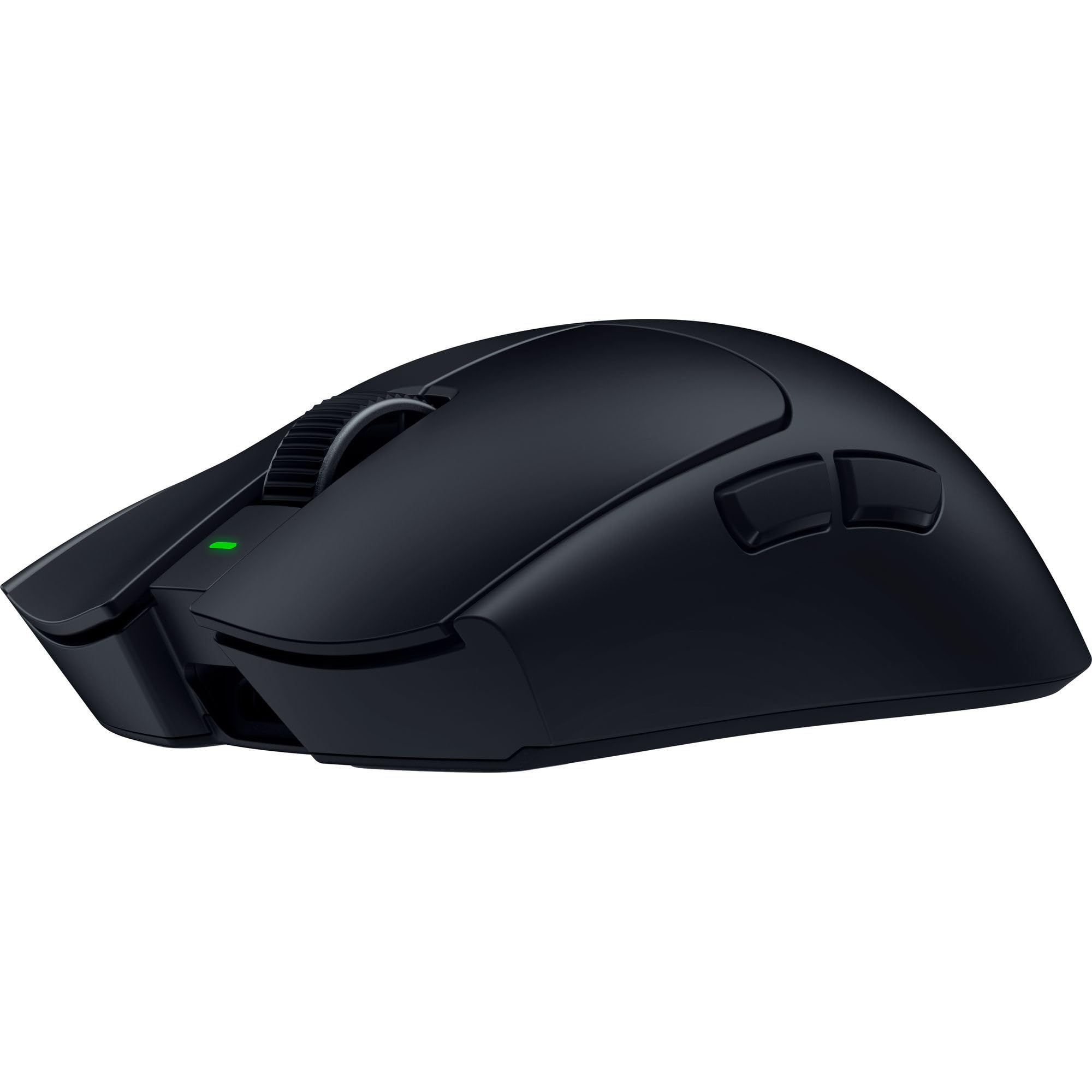
For claw and fingertip grips, the Razer Viper V4 Pro keeps the focus on a light symmetrical shape. That makes it a clean fit for competitive shooters where fast aim matters more than extra controls.
Its Focus Pro 50K Optical Sensor Gen-3 reaches 50,000 DPI, 930 IPS, and 90G acceleration. Battery life reaches up to 180 hours at 1,000Hz or up to 45 hours at 8,000Hz, and the 8K dongle is included.
Key highlights
- Focus Pro 50K Optical Sensor Gen-3
- 50,000 DPI maximum sensitivity
- 930 IPS and 90G acceleration
- Up to 180 hours at 1,000Hz
- Up to 45 hours at 8,000Hz
- 6 programmable buttons
Pros
- Top-tier sensor specs
- Excellent battery life at 1,000Hz
- Light symmetrical shape for fast aim
- 8K dongle included on current listing
Cons
- Premium price
- Few buttons for non-FPS games
- Shape is less supportive for full palm grip
Who it's for
Competitive shooter players who want a current Razer flagship and prefer symmetrical shapes.
Skip if
Users who want an ergonomic right-hand shell or many side controls should choose another mouse.
Razer DeathAdder V4 Pro - Best for ergonomic esports
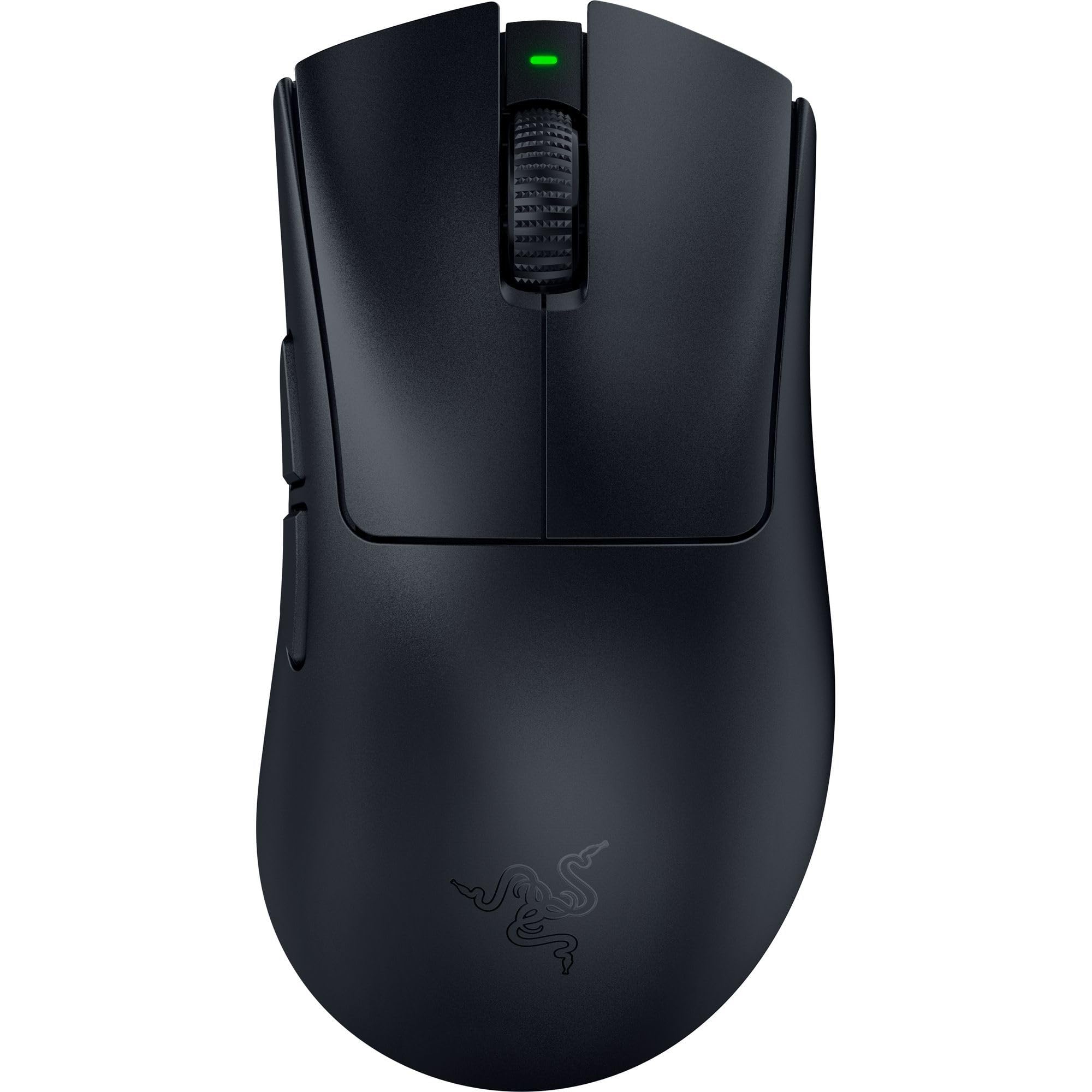
Choose the Razer DeathAdder V4 Pro when a right-hand FPS shape matters more than a small symmetrical shell. Its ergonomic body is the reason to pick it for palm and relaxed claw grips.
The Focus Pro 45K Optical Sensor Gen-2 reaches 45,000 DPI, with 900 IPS and 85G acceleration. Up to 8,000Hz polling works wired and wireless, giving this current-generation DeathAdder a high-speed esports focus.
Key highlights
- Focus Pro 45K Optical Sensor Gen-2
- 45,000 DPI maximum sensitivity
- 900 IPS and 85G acceleration
- Up to 8,000Hz wired and wireless polling
- Right-hand ergonomic shape
Pros
- Excellent right-hand ergonomic shape
- High-end optical sensor and switches
- Strong fit for palm and relaxed claw grips
- Current-generation DeathAdder
Cons
- Large shape will not suit small hands
- Battery drops quickly at 8K polling
- Less versatile than button-heavy mice
Who it's for
Players who want flagship wireless performance in a comfortable right-hand FPS shape.
Skip if
Small symmetrical mice or MMO controls are better priorities for some users.
Razer Basilisk V3 Pro 35K - Best for features and scrolling
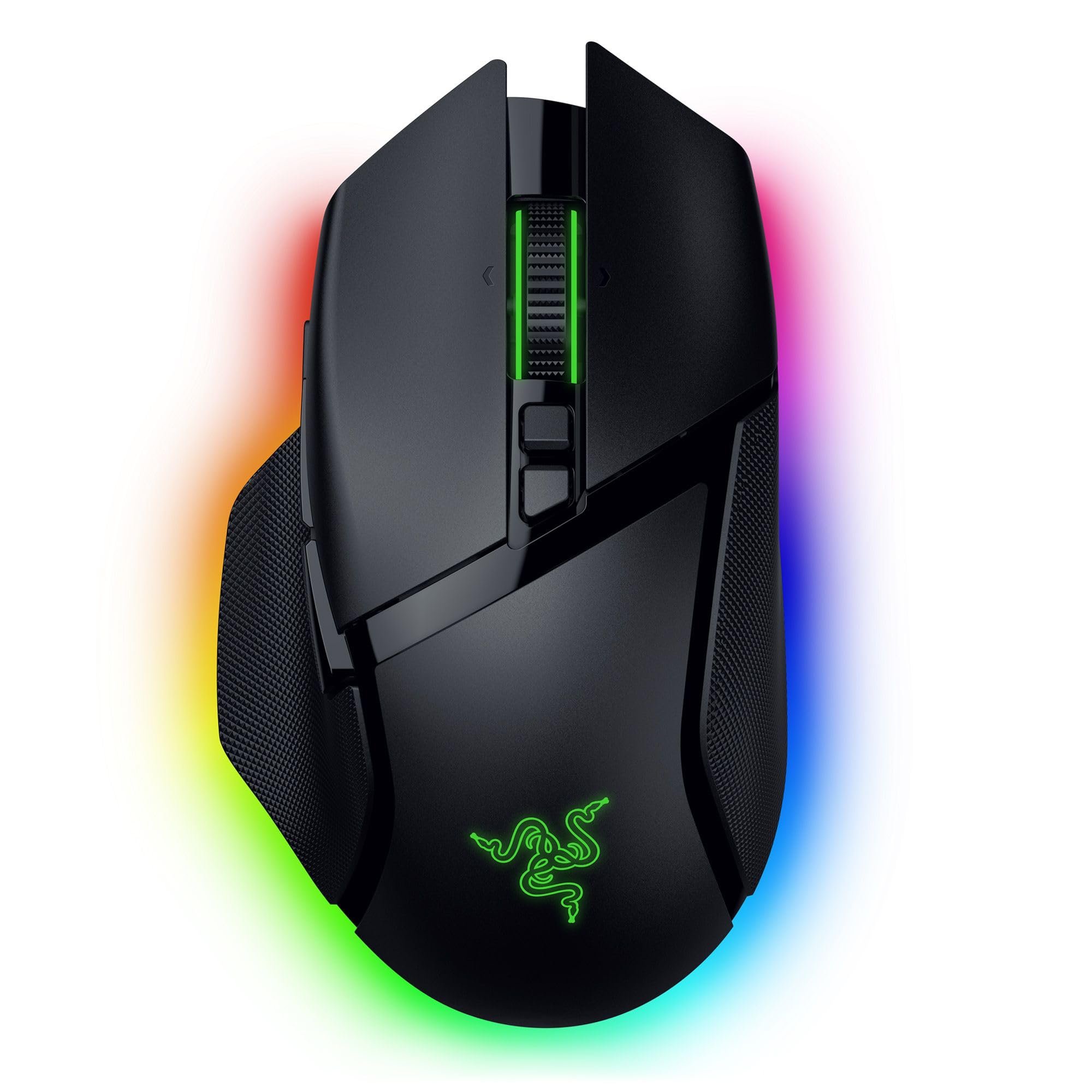
The Razer Basilisk V3 Pro 35K is built for players who want shortcuts and scrolling control alongside gaming performance. Its 13 customizable controls and tilt/free-spin style wheel make it more versatile than a pure FPS mouse.
Connection flexibility is another major strength. It supports Razer HyperSpeed Wireless, Bluetooth, and wired use, while the Focus Pro 35K Optical Sensor Gen-2 and 5 onboard profiles keep it capable for gaming setups.
Key highlights
- Focus Pro 35K Optical Sensor Gen-2
- 35,000 DPI maximum sensitivity
- Razer HyperSpeed Wireless
- Bluetooth and wired connectivity
- 5 onboard memory profiles
- 13 customizable controls
Pros
- Comfortable productivity-style ergonomic shape
- Lots of controls and a tilt/free-spin style wheel
- Bluetooth plus 2.4GHz wireless
- Good sale pricing versus flagship esports mice
Cons
- Heavier than competitive FPS mice
- Wireless charging accessories cost extra
- Not the newest Razer esports platform
Who it's for
Users who want one mouse for gaming, work shortcuts, and fast scrolling.
Skip if
Low-weight FPS play should come before the extra controls for some buyers.
Keychron M7 8K - Best for ergonomic bargain hunters
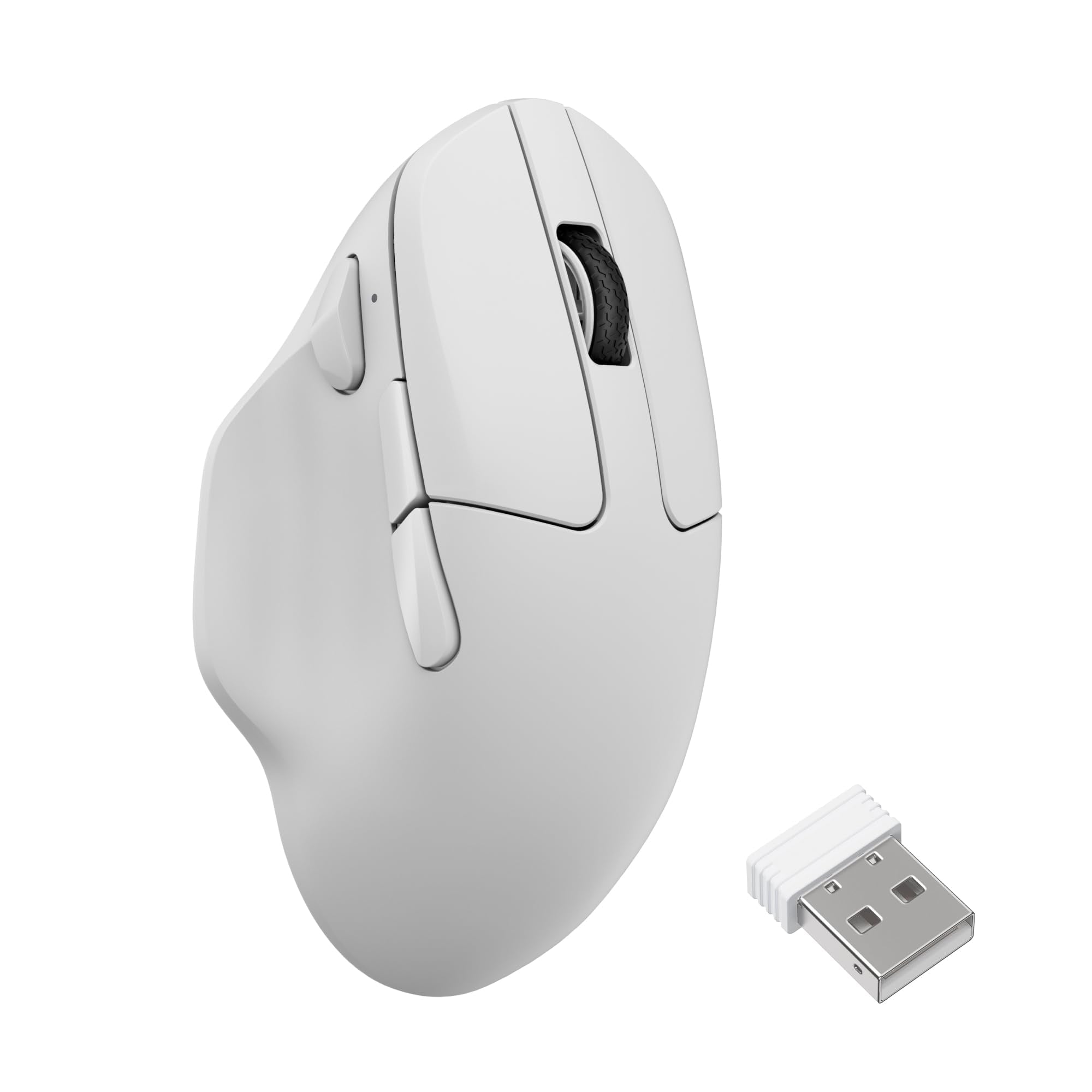
Keychron M7 8K gives bargain hunters an ergonomic thumb-rest shape with a PixArt 3950 sensor. It covers 100 to 30,000 DPI and 750 IPS, which gives it a strong spec sheet for the money.
It is also flexible about connection mode. The mouse supports up to 8,000Hz in 2.4GHz and wired modes, 125Hz over Bluetooth, weighs 66g, and uses a 600mAh battery rated up to 140 hours in Bluetooth mode.
Key highlights
- PixArt 3950 sensor
- 100 to 30,000 DPI
- 750 IPS
- Up to 8,000Hz in 2.4GHz and wired mode
- 125Hz Bluetooth mode
- 66g weight
Pros
- Strong specs for the money
- Comfortable thumb-rest shape
- 2.4GHz, Bluetooth, and wired modes
- Web-based customization
Cons
- Bluetooth polling is limited to 125Hz
- Not as refined as premium Logitech/Razer mice
- Extra thumb button placement may not suit everyone
Who it's for
Buyers who want a comfortable wireless gaming mouse with high-end specs around the lower midrange price band.
Skip if
Look elsewhere when a pure FPS shell or guaranteed immediate stock from Keychron direct is the priority.
Redragon K1NG M916 Pro 4K - Best for entry-level wireless
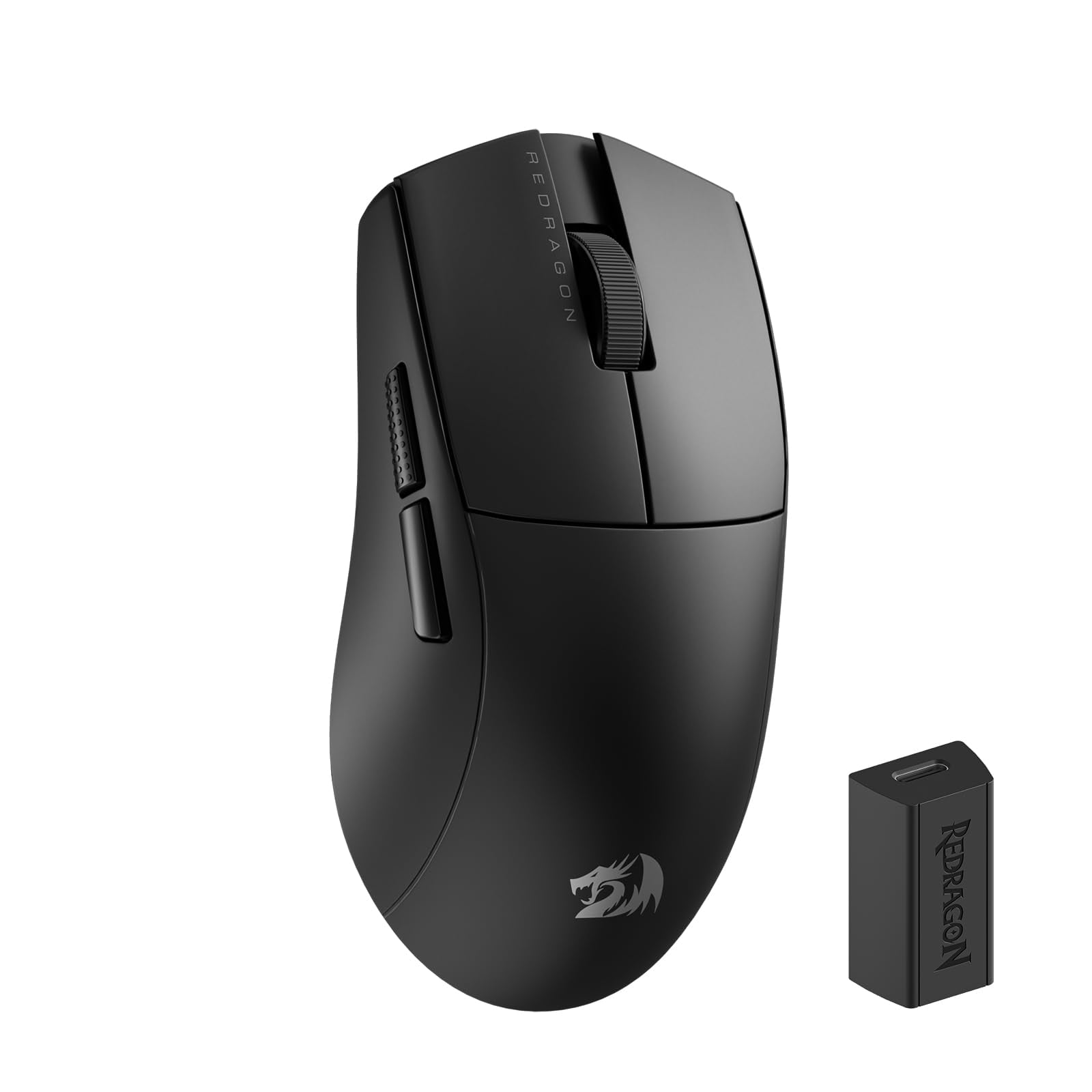
Redragon K1NG M916 Pro 4K is the entry-level wireless pick for PC gamers who want the cheapest credible lightweight option. The 49g weight keeps it in the lightweight lane for casual and aspiring FPS play.
The 4K style listing includes 4,000Hz polling and up to 26,000 DPI. It also has 3-mode wireless and wired connectivity, plus broad Amazon availability across colors and styles.
Key highlights
- 49g weight
- 26,000 DPI maximum sensitivity
- 4,000Hz polling on 4K style listing
- 3-mode wireless and wired connection
Pros
- Very low price for a lightweight wireless gaming mouse
- 4K polling variant available
- Good spec sheet for casual and aspiring FPS players
- Broad Amazon availability across colors/styles
Cons
- Software and finish are not in the same class as premium brands
- Model naming varies by style and seller listing
Who it's for
PC gamers who want the cheapest credible lightweight wireless option for gaming.
Skip if
Warranty support, software polish, and long-term durability should take priority for some buyers.
Razer Naga V2 Pro - Best for multi-genre button layouts
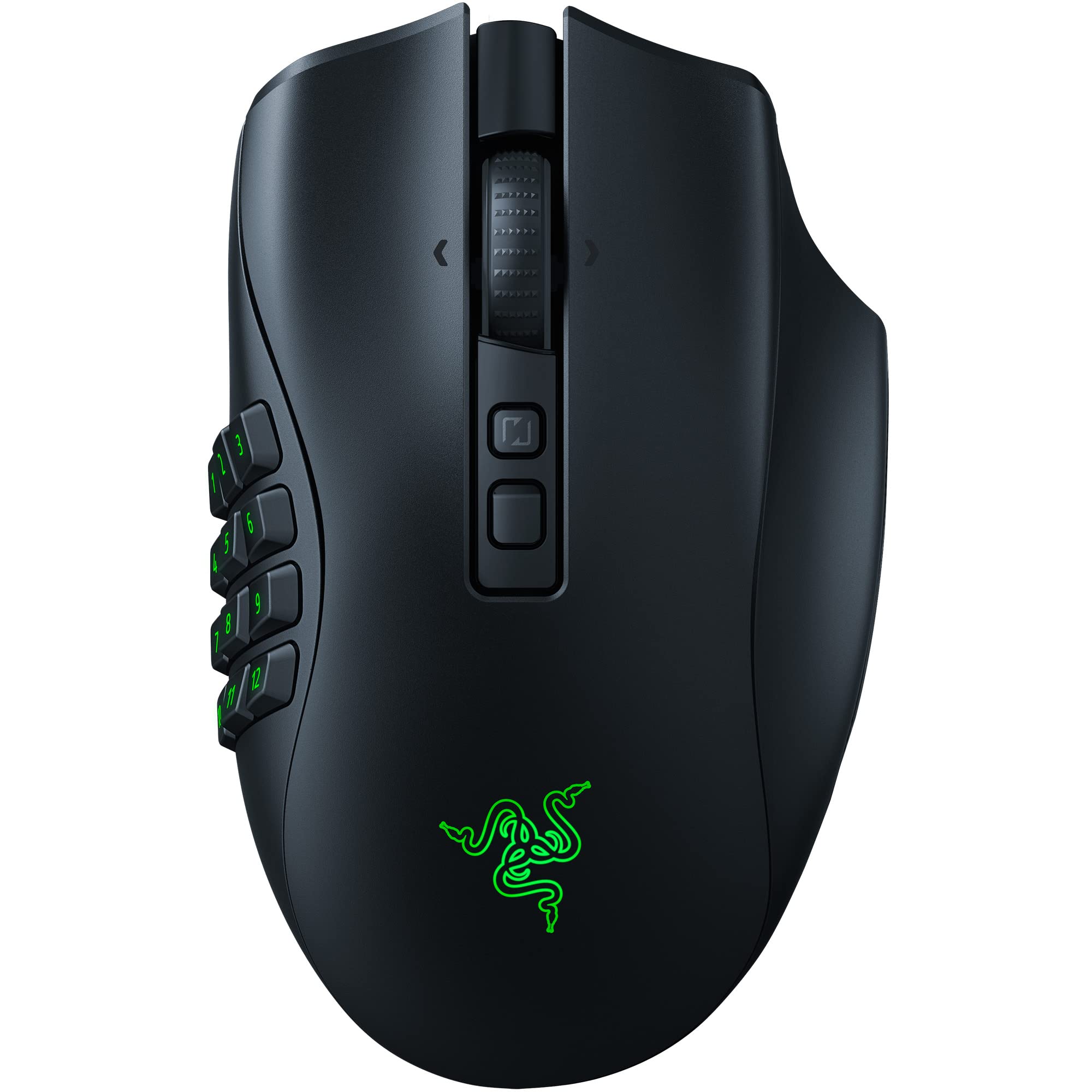
Razer Naga V2 Pro solves a different problem by changing control layouts without changing mice. Its 2-button, 6-button, and 12-button side plates let the same mouse shift between shooters, MMO layouts, MOBA commands, and productivity macros.
The control count is the main reason to buy it, with 19+1 programmable buttons. It also includes a Razer Focus Pro 30K Optical Sensor and three connection options, Bluetooth, HyperSpeed Wireless 2.4GHz, and USB-C wired.
Key highlights
- 2-button side plate
- 6-button side plate
- 12-button side plate
- 19+1 programmable buttons
- Razer Focus Pro 30K Optical Sensor
- Bluetooth, HyperSpeed Wireless 2.4GHz, and USB-C wired
Pros
- Most versatile button system here
- Good for MMO, MOBA, productivity, and some shooters
- Premium scroll wheel and wireless features
- Still actively sold by major retailers
Cons
- Heavy and wide
- Expensive when not discounted
- Overkill if you only need two thumb buttons
Who it's for
Players who rotate between MMO, MOBA, battle royale, and productivity macros.
Skip if
A lightweight competitive FPS mouse is the better choice for users who only need two thumb buttons.
Logitech G502 X Plus - Best for work and gaming
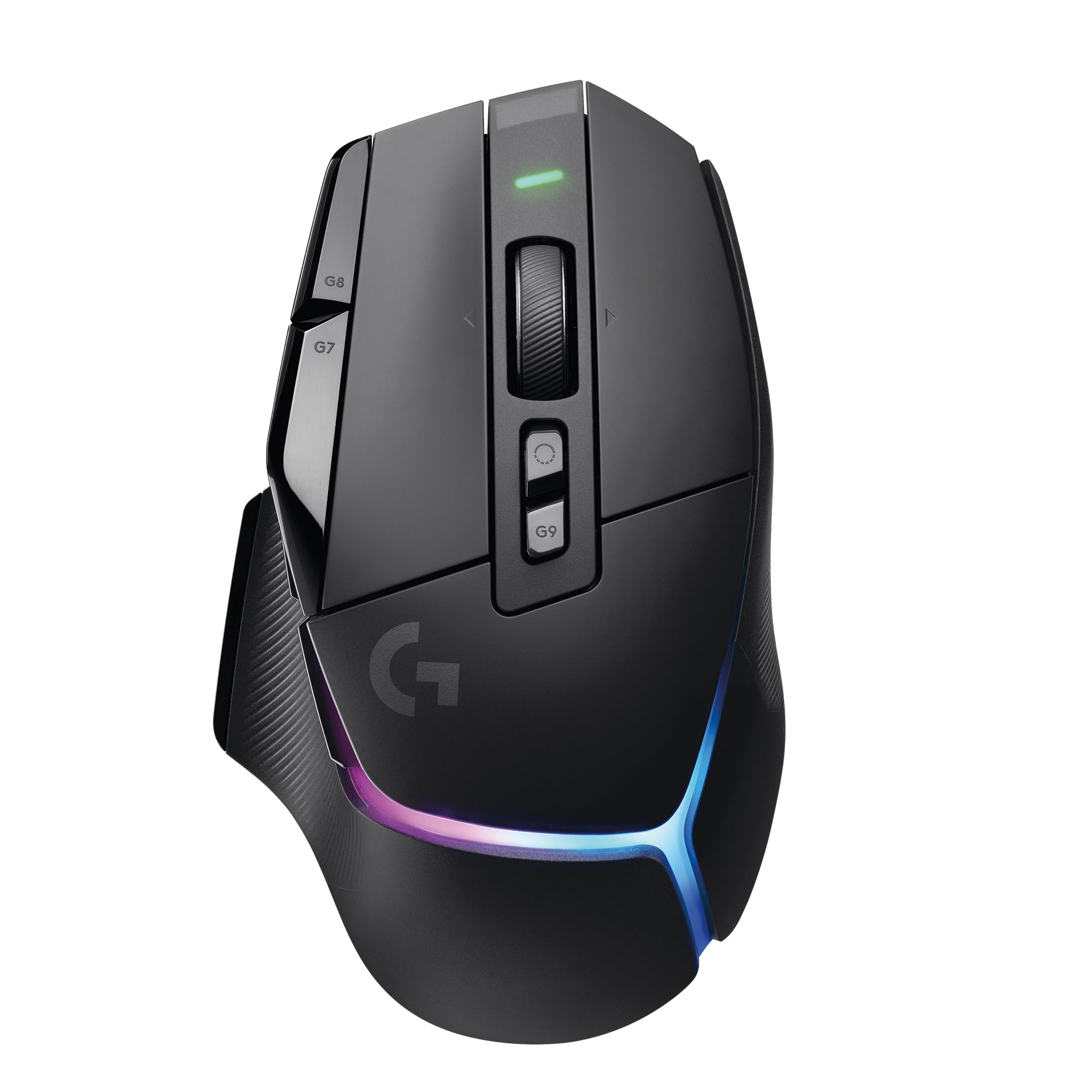
For a desk that handles games and productivity, the Logitech G502 X Plus leans into controls, scrolling, RGB, and PowerPlay compatibility. It is the practical pick here when shortcuts and a fast scroll wheel matter more than esports weight.
The HERO sensor now supports up to 44,000 DPI through a free G HUB firmware update, alongside LIGHTFORCE hybrid optical-mechanical primary switches. Battery life reaches up to 130 hours with RGB off or 37 hours with RGB always on, while the 8-LED LIGHTSYNC RGB array supplies the lighting.
Key highlights
- HERO sensor up to 44,000 DPI after the G HUB firmware update
- LIGHTFORCE hybrid optical-mechanical primary switches
- Up to 130 hours of battery life with RGB off
- 37 hours with RGB always on
- 8-LED LIGHTSYNC RGB array
- PowerPlay compatible
Pros
- Excellent all-purpose shape with many controls
- Fast scroll wheel is useful outside games
- PowerPlay compatible
- Large Amazon owner base and ongoing availability
Cons
- Heavier and older than esports-first picks
- G HUB firmware update needed to unlock 44,000 DPI on older units
- RGB cuts battery life sharply
Who it's for
Users who want one premium mouse for shooters, RPGs, browsing, and productivity shortcuts.
Skip if
Buyers whose main requirement is low weight should choose an esports-first shell.
How to Choose
- Start with shape, not DPI. A mouse that matches your grip and hand size will matter more than a 30K, 45K, or 50K DPI headline. Symmetrical shells suit claw and fingertip players, while ergonomic right-hand shells usually suit palm and relaxed claw grips.
- Weight changes how you aim. Sub-50g mice feel faster for flicks and resets, but some users aim more steadily with 55 to 75g shells. MMO and productivity mice are heavier because extra buttons, wheels, and batteries add mass.
- Polling rate has diminishing returns. 1,000Hz is still fine for many players. 4,000Hz and 8,000Hz can reduce input intervals, but they use more battery and may require a strong PC and high-refresh monitor to feel meaningful.
- Button layout should match your games. FPS players usually want clean side buttons and low weight. MMO, MOBA, sim, and productivity users benefit from grids, tilt wheels, sniper buttons, or onboard profiles.
- Check the exact SKU before buying. Color, dongle bundle, polling-rate version, and renewed listings can share similar names. Match the manufacturer model code and avoid accidentally buying a 1K version, older sensor version, or renewed unit.
- Software matters after the first week. Razer Synapse, Logitech G HUB, Corsair Web Hub and iCUE, and Keychron Launcher differ in profile handling, macro depth, and update friction. If you change DPI, polling, lift-off distance, or macros often, this matters.
Is 8,000Hz polling worth paying extra for?
Only sometimes. It can reduce input intervals versus 1,000Hz, but the practical benefit is most visible on high-refresh displays with a fast PC, and it reduces battery life.
Are wireless gaming mice reliable enough for competitive play?
Yes. Current 2.4GHz gaming links from Logitech, Razer, Corsair, and others are designed for low latency. Avoid Bluetooth for competitive gaming because it is usually slower.
What weight is best for FPS games?
Many FPS players prefer roughly 35 to 65g, but comfort and control matter more than chasing the lowest number. Extremely light shells can feel less stable to some players.
Should I buy an MMO mouse for regular games?
Only if you will use the buttons. MMO mice are heavier and wider, but the side grids are excellent for MMOs, MOBAs, macros, and productivity shortcuts.
Do high-DPI sensors make aim better?
Not by themselves. High maximum DPI usually signals a modern sensor, but most players use much lower DPI settings; sensor consistency, shape, feet, weight, and wireless latency matter more.
Published July 9, 2026 Last updated October 1, 2026
Share this article
More in News
8 Best Fitness Trackers for 2026
Our picks for the best fitness trackers in 2026, from the Fitbit Charge 6 to the Apple Watch Series 11, Garmin Forerunner 265, Oura Ring 4 and Whoop 5.0.
5 min read
7 Best Turntables for Beginners in 2026
From the $250 Audio-Technica AT-LP60XBT to the Pro-Ject Debut Carbon Evo, here are 7 beginner turntables tested for easy setup, sound, and value.
3 min read
Best Anker Power Banks in 2026
The Anker Laptop Power Bank 25K 165W is our top pick for strong laptop output, ample capacity, and two built-in USB-C cables.
3 min read
Best 32-Inch TVs for 2026
The LG LQ6300 tops our list of the best 32-inch TVs for 2026, offering natural picture quality and solid gaming performance at a fair price for compact spaces.
4 min read
8 Best Wireless Chargers for 2026
4 min read
6 Best Smart Toasters for 2026
4 min read
6 Best Laptops for Engineering Students in 2026
3 min read
8 Best Computer Speakers for 2026
3 min read

7 Best Digital Photo Frames for 2026
3 min read
7 Best Mice for Photo Editing in 2026
3 min read
8 Best Keyboards From Top Brands in 2026
3 min read
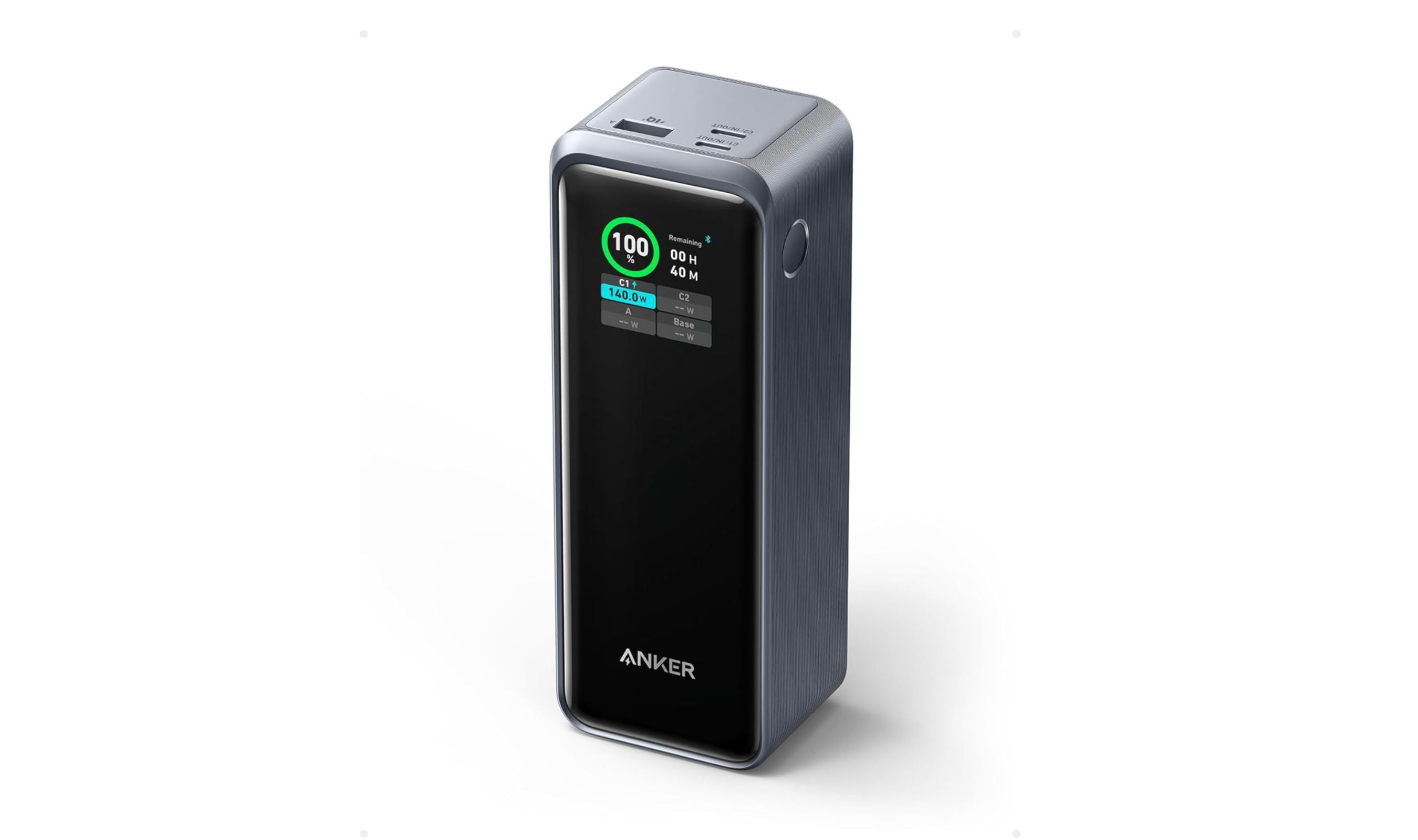
8 Best High Capacity Power Banks for 2026
5 min read