If you need fast, pocket-sized storage that works without Wi-Fi, you are looking for a USB flash drive. The PNY PRO Elite V3 Type-C takes the top spot with fast transfers, a metal design, and a sliding cap, but the right choice depends on whether you prioritize tiny size, dual connectors, or maximum capacity. This list covers the best options for every use case.
Technobezz is supported by its audience. We may get a commission from retail offers.
7 Best USB Flash Drives to Buy in 2026
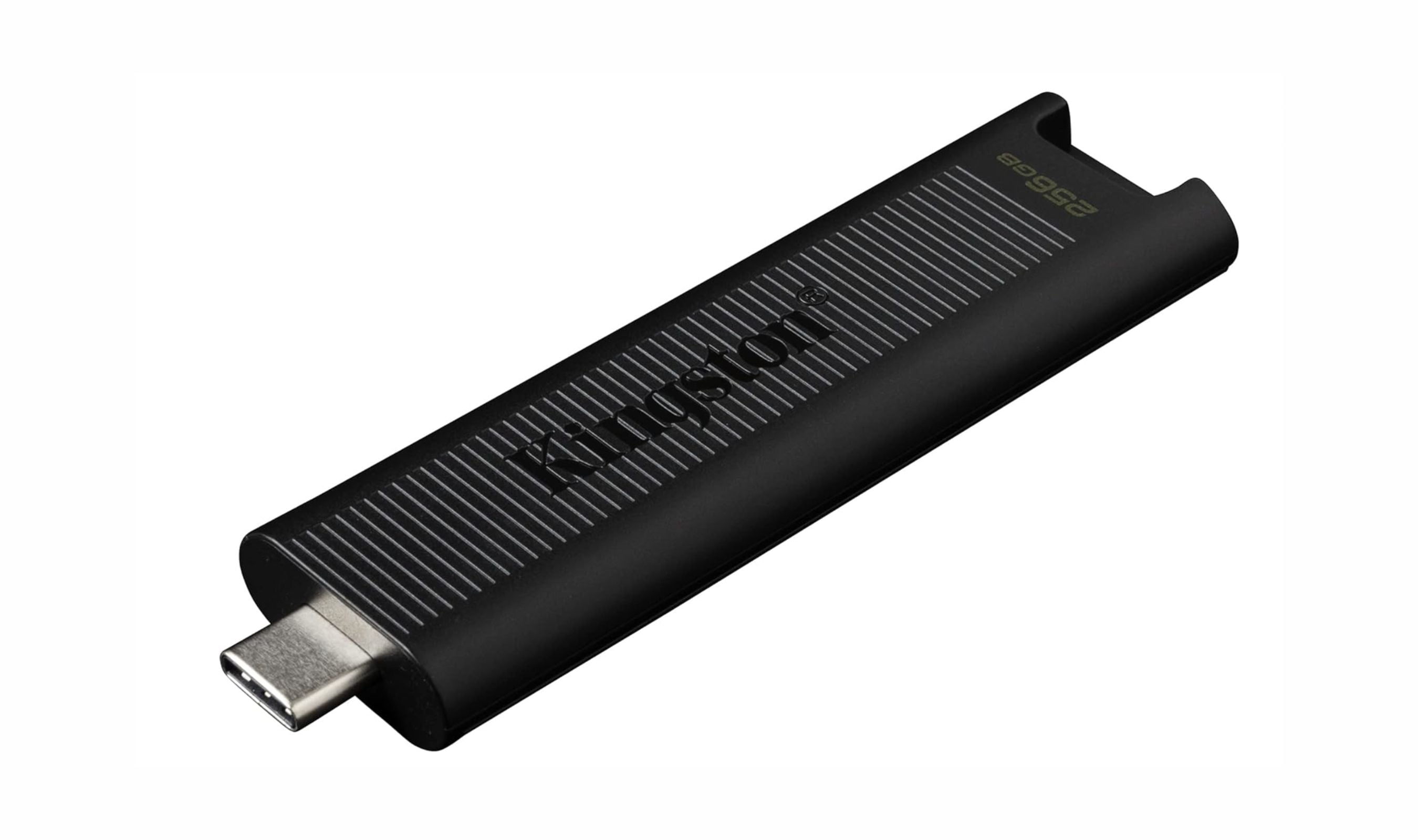
The Kingston DataTraveler Max tops our list of the 3 best USB flash drives to buy in 2026, offering SSD-like speeds and reliable performance for fast, pocket-sized storage.
T
Technobezz
Editorial Team
Updated September 30, 2026Sep 30, 2026
•10 min read

Get Deals Like These in Your Inbox
The best prices, straight to your inbox.
On GoogleFollow Technobezz: add us as a preferred source.

At a Glance
| Category | Product | Why We Picked It |
|---|---|---|
| Best overall | PNY PRO Elite V3 Type-C (256GB) | Fast USB-C transfers with a metal design and sliding cap |
| Best value | Samsung FIT Plus | Ultra-compact and affordable for basic storage |
| Best dual connector | SanDisk Extreme Pro Dual Drive | Works with USB-C and USB-A devices |
| Best high capacity | Buffalo SSD-PUT (2TB) | Real 2TB storage from a known brand |
| Also recommended | Adata SC750 (500GB) | Compact USB-C stick with SSD speed |
| Also recommended | Samsung BAR Plus (256GB) | Tough metal drive for daily use |
| Also recommended | PNY Duo Link V3 (512GB) | Dual connector with sturdy build |
How we chose
We evaluated USB flash drives based on real-world transfer speeds, build quality, capacity options, connector compatibility, and warranty coverage. Our assessment draws from benchmark results including sequential read/write tests, large file transfers, and sustained performance under heavy workloads. We prioritized products from established brands with reliable warranties and consistent user feedback. Factors like port clearance, heat management, and cap design were also considered to give a complete picture of each drive's strengths and limitations.
The best USB flash drives right now
PNY PRO Elite V3 Type-C (256GB) - Best overall
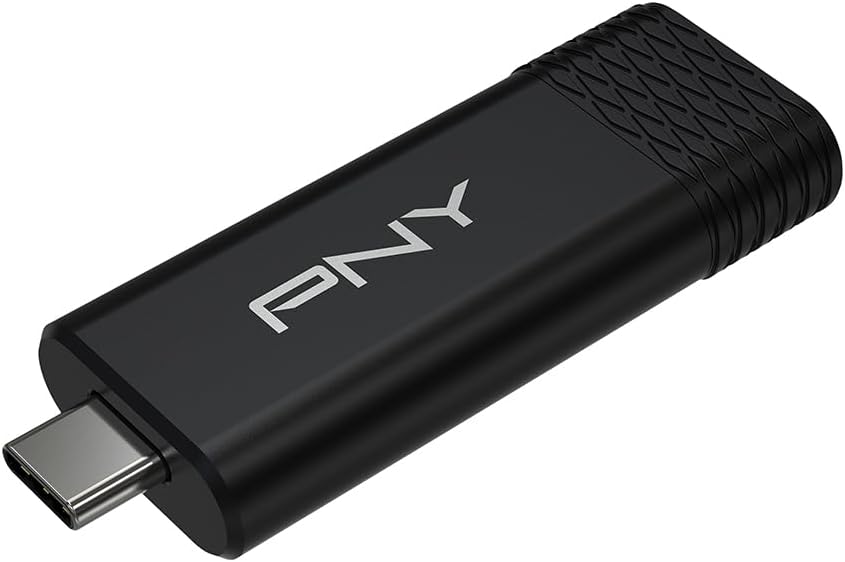
The PNY PRO Elite V3 Type-C combines fast transfers with a metal design and sliding cap. This 256GB model uses a USB-C connector and is rated for reads up to 1000 MB/s and writes up to 800 MB/s. It connects directly to compatible USB-C computers and mobile devices and comes with a 2-year limited warranty.
Key highlights
- USB 3.2 Gen 2 with read speeds up to 1000 MB/s and write speeds up to 800 MB/s
- 256GB capacity with a USB-C connector
- Metal design with a sliding cap
- 2-year limited warranty
Pros
- Fast rated read and write speeds for large files
- Metal housing with a sliding connector cover
- Connects directly to compatible USB-C computers, phones, and tablets
Cons
- No built-in USB-A connector
- Slower USB ports limit transfer speeds
- Some device cases may obstruct the USB-C connector
Who it is for: People who regularly move photos, videos, and work files between compatible USB-C devices.
Skip if
You need both USB-A and USB-C connectors on one drive.
Samsung FIT Plus (128GB) - Best value
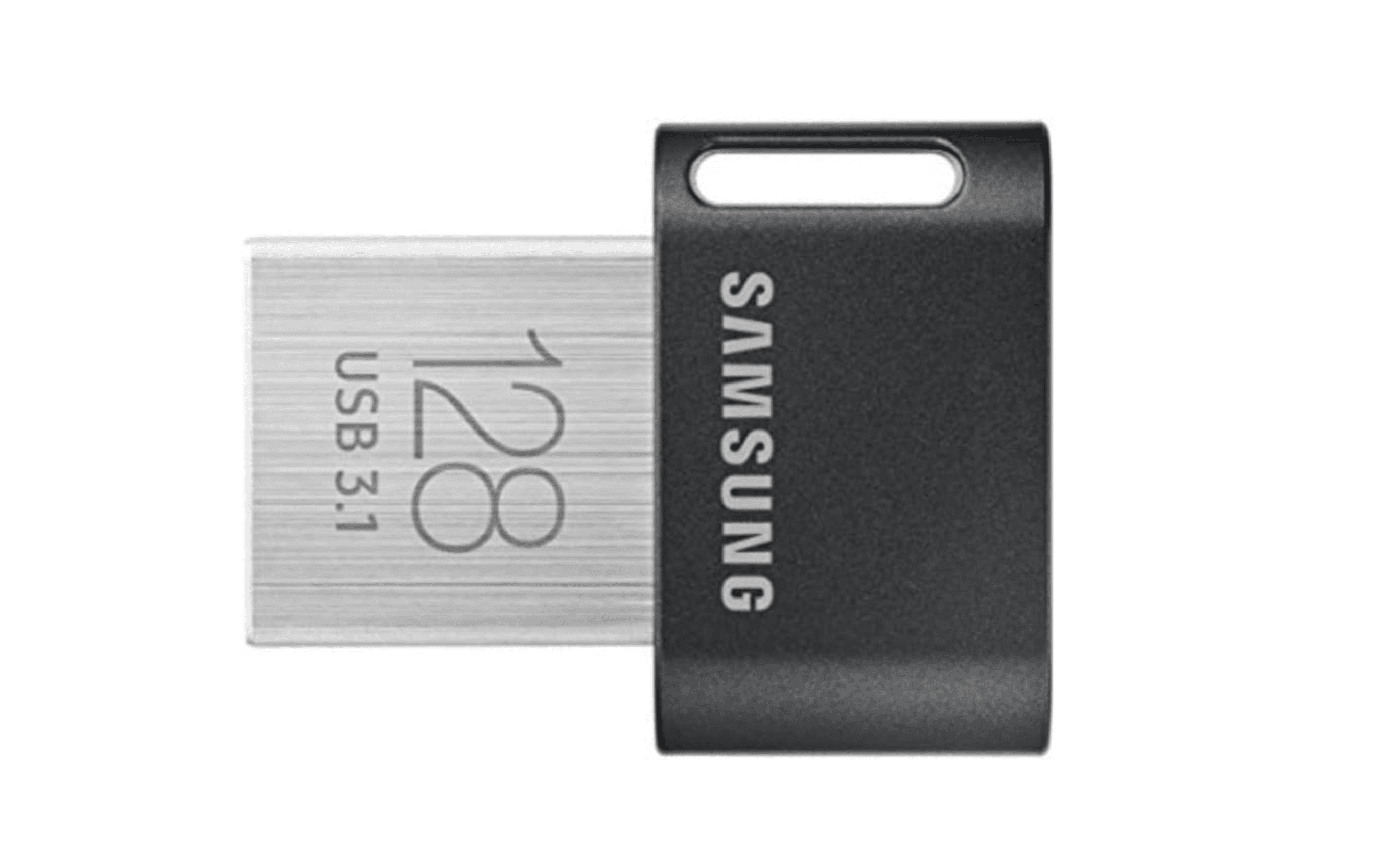
The Samsung FIT Plus is the drive you plug in and forget about. At less than an inch long, it barely protrudes from a USB port, making it ideal for semi-permanent laptop storage expansion. The 128GB model delivers read speeds around 400 MB/s and write speeds near 60 MB/s. Samsung claims it is waterproof, shockproof, magnet-proof, temperature-proof, and X-ray-proof, and it comes with a 5-year warranty.
Key highlights
- Tiny footprint (0.93 x 0.74 x 0.29 inches) barely sticks out from ports
- Read speeds up to 400 MB/s for quick file access
- Five-proof protection: waterproof, shockproof, magnet-proof, temperature-proof, X-ray-proof
- 5-year warranty from a trusted flash memory manufacturer
Pros
- Small enough to leave plugged in without blocking adjacent ports
- Solid build quality that feels better than many pricier drives
- Very affordable for the performance level
Cons
- Write speeds are much slower than larger, faster drives (around 60 MB/s)
- Maximum capacity tops out at 512GB
- USB-A only, no USB-C option available
Who it is for: Anyone who wants to add storage to a laptop, use with a car or smart TV, or keep a tiny backup drive on a keychain.
Skip if
You regularly transfer large files and need fast write speeds, or you need more than 512GB of capacity.
SanDisk Extreme Pro Dual Drive - Best dual connector
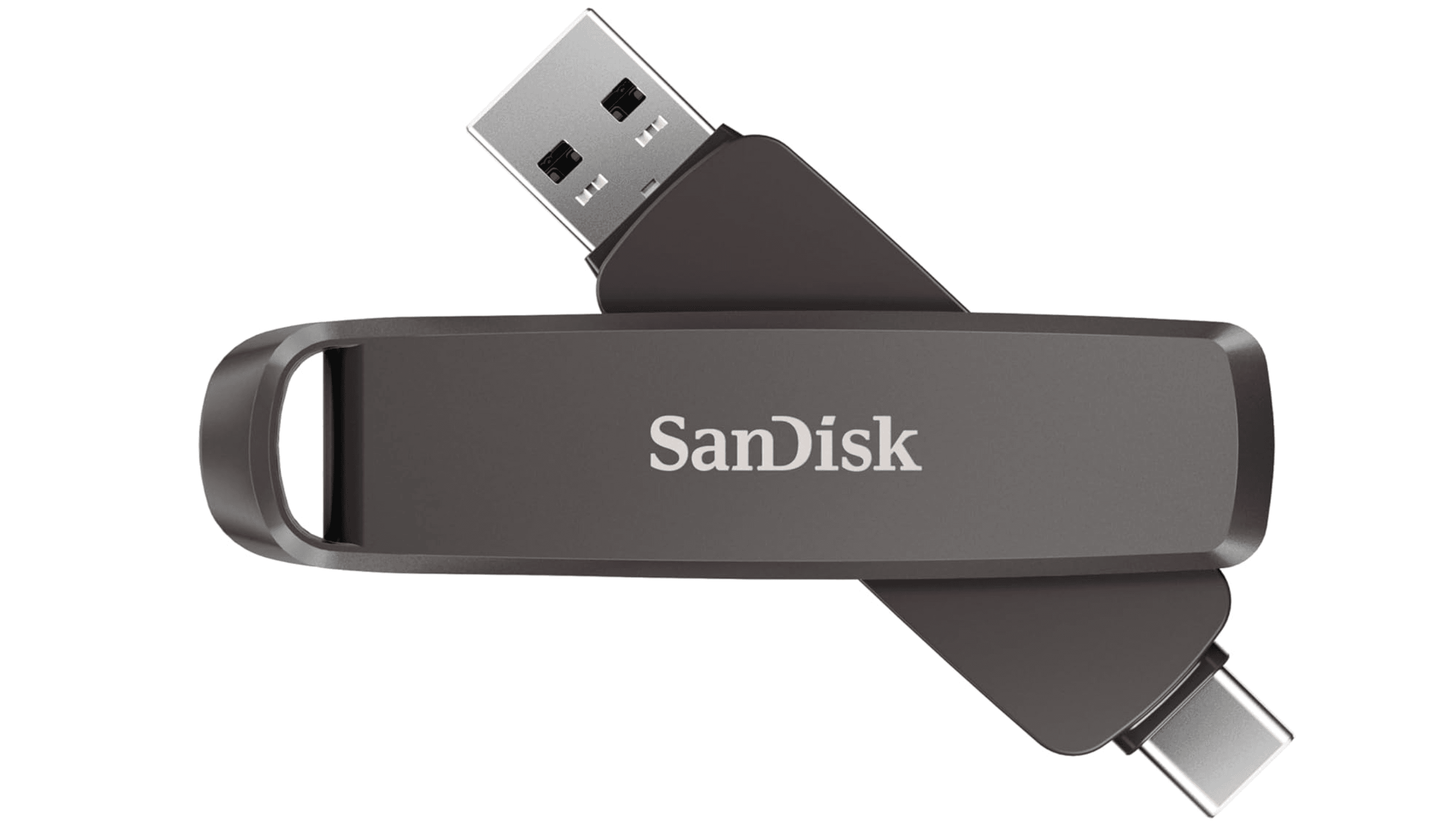
The SanDisk Extreme Pro Dual Drive solves the USB-A versus USB-C problem with a rotating design that exposes either connector. It combines a generous pSLC cache for fast bursts with a stable native flash speed of around 360 MB/s for sustained transfers. It is available in capacities up to 2TB and comes with a limited lifetime warranty.
Key highlights
- Rotating dual connector design covers both USB-C and USB-A
- Large 64GB pSLC cache handles big file bursts without slowdown
- Sustained native write speed around 360 MB/s after cache fills
- Limited lifetime warranty from a major brand
Pros
- Works with almost any device without needing adapters
- Strong sustained write performance even after the cache fills
- Premium build quality with reliable SanDisk software suite
Cons
- Bulkier than single-connector drives due to the rotating mechanism
- Gets hot during extended heavy transfers
- Premium pricing compared to single-connector alternatives
Who it is for: Users who regularly transfer files between USB-C laptops, USB-A desktops, and Android phones, and want one drive for everything.
Skip if
You only use one connector type and want a smaller, cheaper drive, or you rarely move files between different devices.
Buffalo SSD-PUT (2TB) - Best high capacity
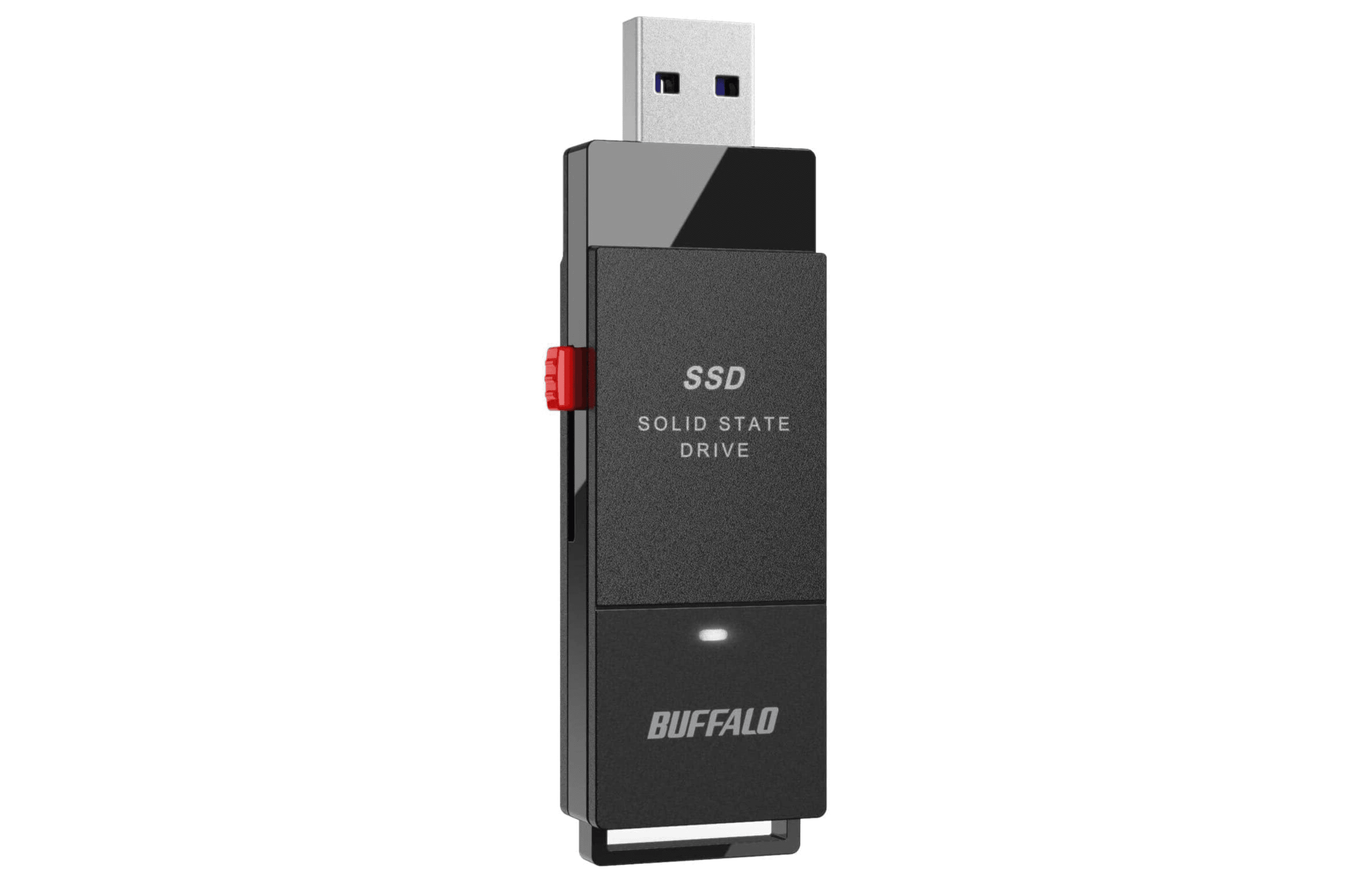
The Buffalo SSD-PUT delivers a genuine 2TB of SSD-class storage in a stick form factor, making it one of the few high-capacity options from a reputable brand. Read speeds reach around 600 MB/s, and it includes a USB-C adapter for modern devices. It is available in 500GB, 1TB, and 2TB capacities with a 2-year warranty, extended to 3 years when registered within 90 days of purchase.
Key highlights
- Real 2TB capacity from a known brand, not a fake drive scam
- USB 3.2 Gen 2 (10Gbps) with read speeds around 600 MB/s
- Includes a USB-C adapter for compatibility with newer devices
- Cheaper than most 2TB external SSDs
Pros
- Massive storage capacity in a portable form factor
- Very good performance for a flash drive at this capacity
- Good value compared to 2TB external SSDs
Cons
- Plastic shell feels creaky and cheap
- Wide design may block adjacent ports on some laptops
- Registration within 90 days is required for the third year of warranty coverage
Who it is for: Users who need to carry large media libraries, game collections, or backup archives in a pocket-friendly device.
Skip if
You want a premium metal build, or you need faster speeds above 600 MB/s.
Also Good
- Adata SC750 (500GB) - compact USB-C stick with SSD speed.
- Samsung BAR Plus (256GB) - tough metal drive for daily use. Check Price on Samsung
- PNY Duo Link V3 (512GB) - dual connector with sturdy build.
How to Choose
- Connector type matters most. USB-A is still everywhere, but USB-C is the standard on newer laptops and phones. Dual connector drives cost a bit more but save the hassle of carrying adapters.
- Speed depends on your files. If you move large video files or run software from the drive, look for USB 3.2 Gen 2 (10Gbps) and read speeds above 500 MB/s. For documents and photos, USB 3.0 speeds are plenty.
- Capacity should match your workflow. 64-128GB works for documents and basic backups. 256-512GB suits photographers and gamers. 1TB and above is for professionals and media collectors. Be wary of suspiciously cheap 2TB drives from unknown brands.
- Build quality affects longevity. Metal casings handle drops better and dissipate heat more effectively. Sliding or retractable designs prevent lost caps. Water and shock resistance add peace of mind if you carry the drive daily.
- Warranty reflects confidence. A 5-year warranty is standard among reputable brands. Lifetime warranties are rare but offer the best long-term protection. Shorter warranties (2-3 years) are common on budget or niche models.
FAQ
What is the difference between a flash drive and an external SSD?
Flash drives are smaller, cheaper, and do not need a cable, but they generally run slower and have lower endurance than external SSDs. SSD-based stick drives like the Adata SC750 blur this line by offering SSD performance in a cable-free form factor.
How long do USB flash drives last?
Quality drives from major brands typically last 5-10 years with normal use. Lifespan depends on write cycles, storage conditions, and build quality. Drives used for frequent large transfers will wear out faster than those used for occasional backups.
Can I use a USB-C flash drive with an older computer?
Only if the older computer has a USB-C port, which is rare on machines from before 2015. Dual connector drives solve this by including both USB-A and USB-C, or you can use a USB-A to USB-C adapter.
Are cheap 2TB flash drives real?
Most 2TB flash drives priced under $100 are scams. They use hacked firmware to report false capacity and will corrupt your data once you exceed the actual storage (often as little as 32GB). Stick to reputable brands like Kingston, SanDisk, Samsung, and Buffalo.
What format should my flash drive use?
exFAT works across Windows, Mac, and Linux and supports files larger than 4GB. FAT32 is widely compatible but limits individual files to 4GB. NTFS is best for Windows-only use but is read-only on Mac without extra software.
Published May 5, 2026 Last updated October 1, 2026
Share this article
More buying guides
Buying guide
9 Best Keyboards From Top Brands in 2026
Buying guide
8 Best 60 Percent Keyboards of 2026
Buying guide
Top 7 Home Theater Systems for 2026
Buying guide
6 Best Handheld Gaming Consoles for 2026
Buying guide5 Spy Cameras for Home and Portable Monitoring (2026)Buying guide6 Best Tablets for Gaming in 2026Buying guide7 Best Laptops for Interior Designers in 2026Buying guide4 Best Budget Laptops Around $300 for 2026Buying guide7 Gaming Consoles for Every Budget in 2026Buying guideBest Lenovo ThinkPad Laptops in 2026Buying guide5 Best AI and Digital Voice Recorders for 2026Buying guideBest DSLR Cameras for 2026