RR.com email can stop working when the old RoadRunner address is opened in the wrong place, the password is stale, or the mail app still has outdated server settings. Spectrum now handles legacy rr.com, roadrunner.com, and twc.com residential email through Spectrum.net and current Spectrum Email settings. Start with webmail, then fix the password, inbox, browser, or mail app setup that is blocking access.
Start With Spectrum Webmail
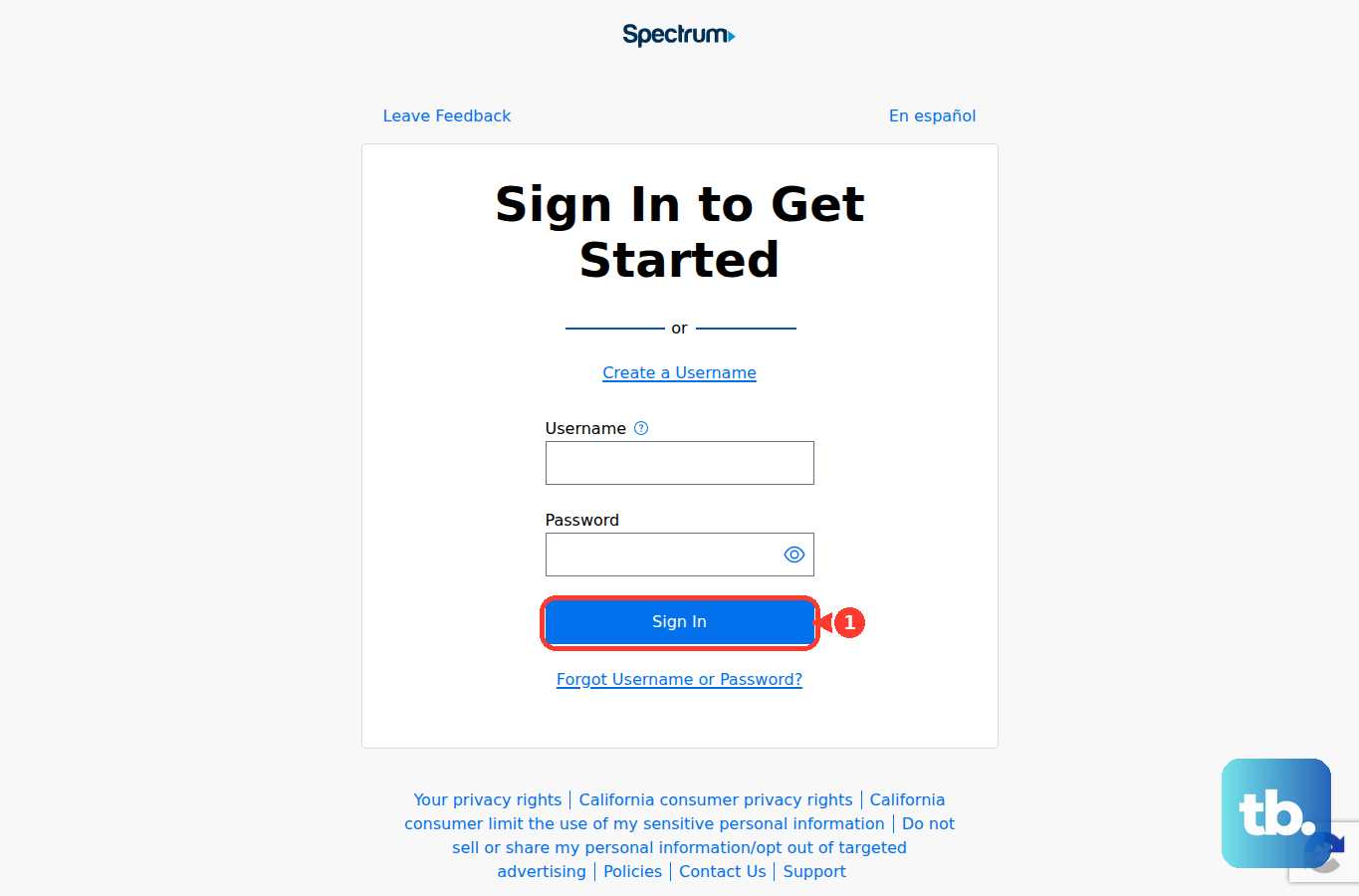
Use the current Spectrum sign-in first so you can tell whether the problem is your account or just one mail app.
- 1.Go to Spectrum.net.
- 2.Select Sign In.
- 3.Enter your full rr.com email address and password.
- 4.Choose Check Email or Email.
- 5.Open the inbox and confirm whether messages load.
Reset The Password Or Find The Right Address
If Spectrum webmail rejects the login, go to Spectrum.net, select Sign In, then choose Forgot Username or Password?. Pick the recovery option, enter the requested information, and follow the prompts to reset the username or email password.
If you do not know which Spectrum email address belongs to the account, sign in to Spectrum.net and open the drop-down menu next to your username. Go to Settings, then Contact Info, then Email Addresses.
Skip older RoadRunner password-reset instructions that ask for a cable modem MAC address. Current Spectrum recovery uses Spectrum.net and Forgot Username or Password?.
Refresh A Stuck Inbox
When you can sign in but new mail is not showing, open Spectrum Email and select the Email tab. Open Inbox, then choose Get Email to refresh the mailbox manually.
This is the quickest fix for a Spectrum webmail inbox that has not updated on its own. It does not change your password, server settings, or saved mail.
If the inbox still looks wrong after refreshing, clear the browser data for Spectrum webmail next.
Clear Browser Data For Spectrum Webmail
Use this when rr.com email works in a mail app but Spectrum webmail loops, freezes, or keeps showing an old login session. Clearing cookies and cache gives the browser a clean Spectrum session.
In Chrome desktop, open More, choose Delete browsing data, select a time range, check Cookies and other site data and Cached images and files, then choose Delete data.
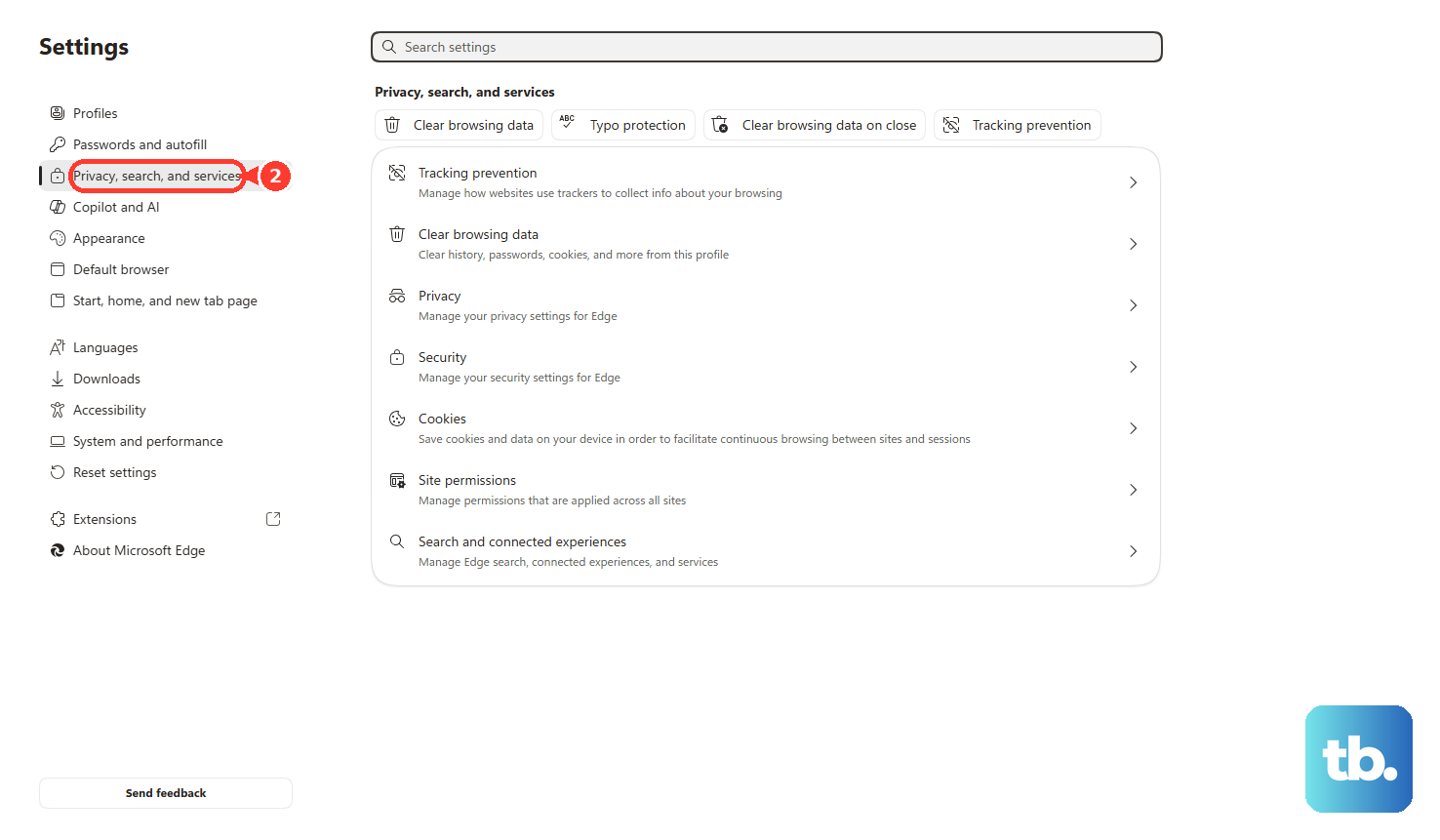
In Microsoft Edge, open Settings and more, then Settings, then Privacy, search, and services. Under Clear browsing data, choose Choose what to clear, pick the time range and data types, then select Clear now.
In Firefox, open the menu, go to Settings, then Privacy & Security. Use Clear Data or Clear browsing data, then clear Temporary cached files and pages and cookies or site data.
On iPhone or iPad Safari, open Settings, then Apps, then Safari, then Clear History and Website Data. To keep history, use Advanced, then Website Data, then Remove All Website Data.
Fix Incorrect RR.com Mail App Settings
The most common mail app cause is an old server setup that no longer matches Spectrum’s current IMAP settings.
Use your full rr.com email address as the username and use your Spectrum-provided email password. Turn SSL on, choose IMAP, set the incoming port to 993, set the outgoing port to 587, and make sure outgoing authentication is enabled.
For rr.com, roadrunner.com, and twc.com addresses covered by the TWC/RoadRunner mapping, use mail.twc.com for both the incoming email server and outgoing email server.
Do not configure the account with POP-only RoadRunner settings unless Spectrum support specifically confirms that setup for your mailbox.
Repair RR.com On iPhone Or iPad
Use this when Apple Mail keeps asking for the password, stops syncing, or still has old rr.com settings saved. You can test the account first without deleting it.
Open Settings, then Apps, then Mail, then Mail Accounts. Select the rr.com account and turn off Mail or the available account-use toggle, then turn it back on and test again.
If that does not work, return to Mail Accounts, select the rr.com account, then choose Delete Account or Sign Out. Add it again through Add Account, then Add Other Account, then Mail Account.
Enter your name, full rr.com address, password, and description, then choose Next. Add the Spectrum IMAP and SMTP settings, then choose Save.
Set Up Outlook Gmail Or Thunderbird Again
In classic Outlook for Windows, open Control Panel, then Mail, then Email Accounts. Select the rr.com account, choose Change, and verify the incoming server, outgoing server, username, password, ports, SSL, and authentication against Spectrum’s settings.
If classic Outlook keeps failing, open File, then Account Settings, then Account Settings, then the Email tab. Select the rr.com account and choose Repair.
If Repair fails, remove the account and add it again with Spectrum IMAP settings.
In new Outlook for Windows, open View, then View settings, or open File, then Account info. Go to Accounts, then Your accounts, and under Email accounts choose Add Account. Enter the full rr.com address and choose Continue.
If a provider sign-in or account-creation screen opens instead, close it to get back to the setup options. Use Advanced setup or Show more, select IMAP, and enter the Spectrum servers and ports.
In Outlook mobile, tap the avatar in the upper-left, then the Gear icon, then Mail Accounts, then Add Mail Account, then Add Email Account. Enter the rr.com address and sign in.
If Outlook mobile does not detect the account automatically, choose IMAP and enter Spectrum settings.
In the Gmail app on iPhone or iPad, tap your profile image in the search bar, choose Add another account, then Other (IMAP). Enter the full rr.com address and finish setup with Spectrum IMAP settings.
In Thunderbird, enter your name, rr.com address, and password, then choose Continue and select Manual Configuration. Set the incoming IMAP server, outgoing SMTP server, ports, and security from Spectrum.
Choose Re-test, then choose Done.
Tip: if Thunderbird keeps using an old password, remove the rr.com or mail.twc.com entries from Settings, Privacy & Security, Passwords, and Saved Passwords, then restart Thunderbird and enter the current password.
Check Blocked Senders Filters And Service Status
Missing messages can be caused by a block, a filter, or a broader Spectrum service issue.
- 1.In Spectrum Email, open the Settings tab.
- 2.Go to Blocked Senders and use the Trash Can icon beside any mistaken email address or domain.
- 3.Open Filters & Blocked Senders and review Safe Senders and incoming mail filters.
- 4.Sign in to Spectrum.net or open the My Spectrum App, then go to Services.
- 5.If you see Connection Issue, select it and use Troubleshoot or Restart Equipment.
Use The Business Email Path When It Applies
This fixes the wrong-path problem when the mailbox is Spectrum Business email instead of a residential rr.com account.
For Spectrum Business email, sign in through the Spectrum Business online account and use Service Management to create or manage business email addresses.
To reset a Spectrum Business email password, sign in to the Spectrum Business online account, open Services, then Internet, and manage or reset the Business email password there.
For Business Email access, use Spectrum Business webmail through Microsoft Outlook Web Access or the Spectrum Business POP/IMAP setup page for Apple Mail, Outlook, and other mail apps.
If your residential rr.com email works nowhere, the mailbox is not linked to an active service address, or password reset does not restore access, contact Spectrum support through Spectrum’s contact page, online support or chat, or Spectrum Internet Customer Service at 888.369.2408.
Frequently Asked Questions
Is rr.com email still accessed through RoadRunner webmail?
Use Spectrum.net now. Sign in with the full rr.com address and password, then choose Check Email or Email to open Spectrum Email.
What are the current rr.com IMAP settings?
Use IMAP with SSL on, incoming port 993, outgoing port 587, authentication required, and your full rr.com address as the username. For rr.com RoadRunner domains, use mail.twc.com for both incoming and outgoing servers.
Why does my rr.com email work online but not in Outlook or Apple Mail?
The mail app has stale credentials or old server settings. Update the account to Spectrum’s current IMAP settings, or remove and re-add the account.
Can I still use old RoadRunner POP settings?
Use Spectrum’s current IMAP settings for consumer rr.com setup unless Spectrum support specifically confirms a different configuration for your mailbox.