Instagram can crop a carousel into one shape when the post composer is still using the default frame. Start with the Mixed control, then check the size of each slide before you share. If your account does not show Mixed yet, the same-size canvas workaround keeps portrait and landscape media in one post without cutting anything off.
Use the Mixed option in the carousel composer
The most common cause is choosing multiple photos before changing Instagram's default carousel crop behavior. Open Instagram and tap Create/+, then choose Post. Tap SELECT MULTIPLE and pick the portrait and landscape photos or videos you want in the carousel.
On the preview, tap the resize or expand icon. Choose Mixed, then swipe through the carousel preview so each slide keeps its own shape. Tap Next, finish your caption and details, then tap Share. If Mixed is not there, update Instagram first, then use the canvas workaround below.
Adjust each photo before you share
Use this when the carousel opens, but one photo is zoomed in, cropped strangely, or framed differently than expected. Instagram lets you adjust each photo or video inside the multiple-photo post composer.
Open Instagram from Create at the top, or swipe right anywhere in Feed. Choose POST. Tap SELECT MULTIPLE and select up to 20 photos and videos.
Tap each photo or video before moving on. Touch the screen to adjust how that item fits in the frame. Continue to Next, then tap Share.
Keep every slide inside Instagram feed sizes
Check the shape of the portrait file before uploading it. Use Instagram feed sizes such as square 1:1, portrait 4:5, or landscape up to 1.91:1. Avoid dropping extra-tall 9:16 Story or Reel assets straight into a feed carousel.
When a 9:16 image or video must go into the post, place it on a supported feed canvas before uploading. After resizing, rebuild the carousel through Create/+, Post, and SELECT MULTIPLE. A quick export check saves time because unsupported shapes trigger unwanted cropping.
Use a uniform canvas when Mixed is missing
This fixes accounts where Mixed is unavailable, unreliable, or still rolling out. Open a photo or video editor. Create a 1080 x 1080 px canvas or a 1080 x 1350 px canvas.
Place each portrait or landscape item on that canvas without cropping it. Fill the empty space with a plain background or border. Export every slide at the same size.
Open Instagram, tap Create/+, choose Post, then tap SELECT MULTIPLE. Select the exported slides. Tap Next, then finish with Share.
Update Instagram and your phone software
On iPhone or iPad, open the App Store, tap the My Account button or your photo, go to App Updates, and tap Update next to Instagram.
On Android, open the Google Play Store, tap your profile icon, choose Manage apps & device, open Updates available, tap See details, and choose Update next to Instagram.
For automatic updates on iPhone and iPad, turn on Settings > Apps > App Store > App Updates. On Android, open Google Play Store > profile picture > Settings > Network Preferences > Auto-update apps and choose your preferred update option.
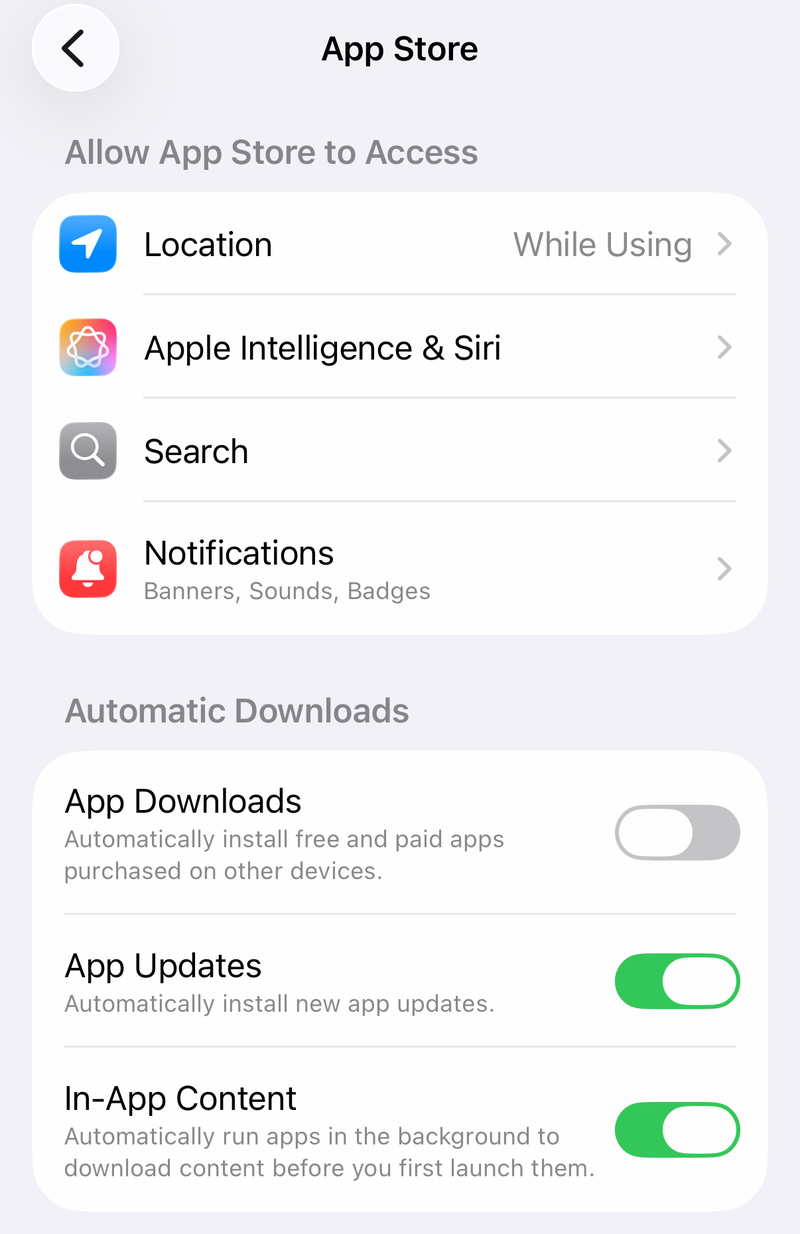
If Instagram still does not expose current carousel features, update the phone software too. On iPhone or iPad, use Settings > General > Software Update; on Android, use Settings > System > Software updates and follow the prompts.
Restart Instagram when the composer gets stuck
A stuck picker or crop screen can be temporary, especially after you change several slides in one carousel. Close Instagram completely, then reopen it and build the post again from a fresh composer screen.
On iPhone or iPad, open the app switcher, swipe to Instagram, and swipe up on Instagram. Reopen Instagram and try Create/+, Post, and SELECT MULTIPLE again.
On Android, open recent apps and swipe Instagram away. You can also use Settings > Apps > Instagram > Force stop, then reopen the app.
If the mixed portrait and landscape post still will not work, restart the phone before reinstalling Instagram.
Clear or reinstall the Instagram app
This fixes broken local app data that survives a normal restart. On Android, open Settings. Go to Apps or Applications.
Tap Instagram, then open Storage. Tap Clear cache. Reopen Instagram and rebuild the carousel.
On iPhone or iPad, touch and hold Instagram. Tap Remove App.
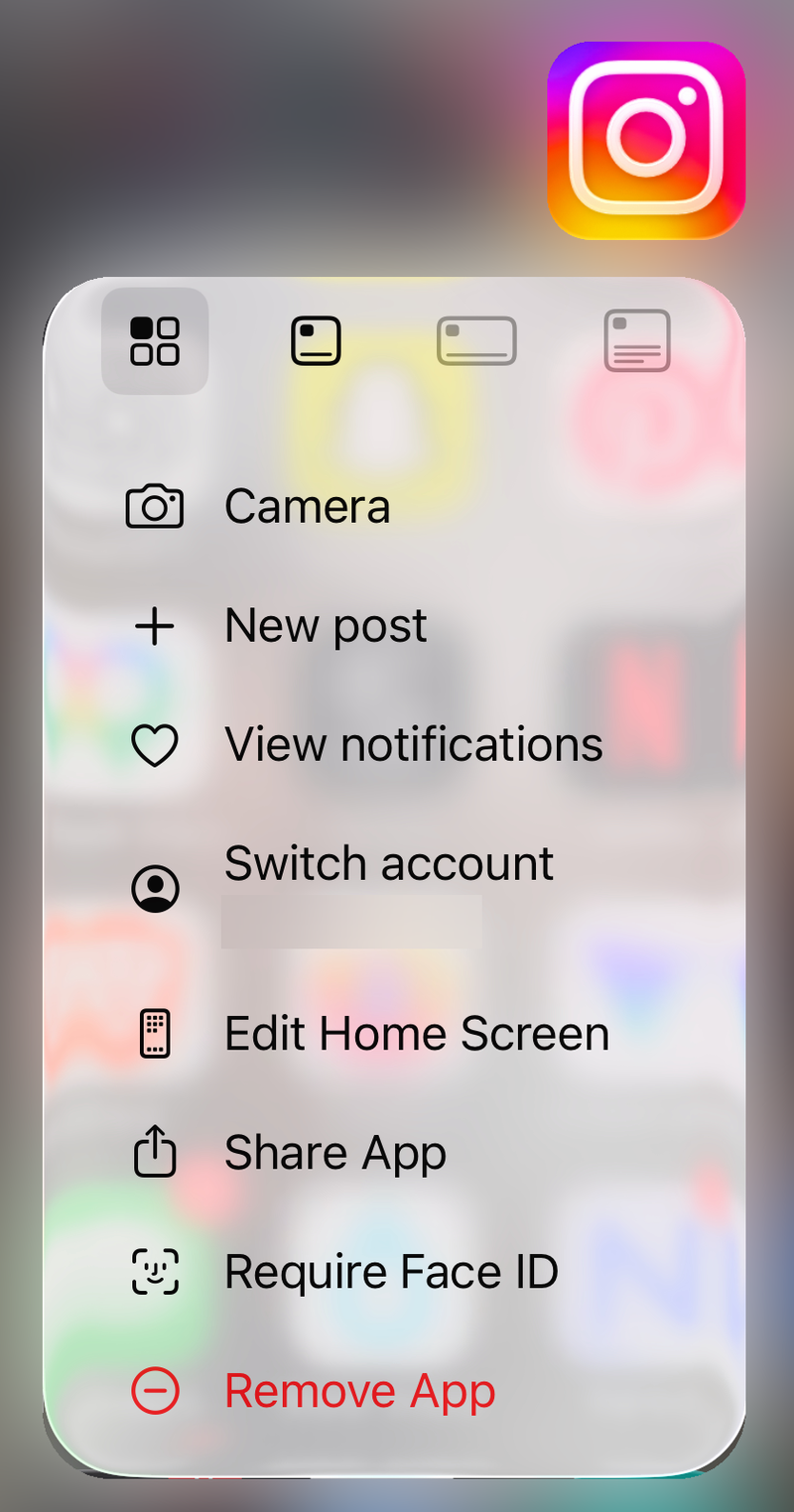
Choose Delete App, then confirm with Delete. Install Instagram again from the official App Store page, then sign in and try the mixed carousel again.
On Android, uninstall Instagram through Google Play Store > profile icon > Manage apps & devices > Manage > Instagram > Uninstall, then install it again from Google Play.
Try Instagram web or report the bug
The most common cause after updates, restarts, and supported sizes is an account-side or app-side composer bug. Open a desktop browser and go to Instagram. Sign in and use Create/+ to start a post.
Choose Select from computer or drag in the files. Adjust the aspect ratio or crop. Add more media for a carousel. Use Next, then Share.
Instagram web is a fallback surface, not a guaranteed copy of the mobile Mixed control. If the web composer also forces the wrong crop, use same-size canvas slides for that post.
To report the broken flow, reproduce the issue on the carousel or crop screen, then shake your phone and tap Report a problem. You can control shake reporting from the reporting menu with Shake phone to report a problem. You can also use profile > menu > Help > Report a problem > Report problem without shaking, describe what happens, and tap Send.
When the device or posting tool is the problem
Use these quick checks when Instagram itself is not the only app involved.
- 1.On iPhone or iPad, remove Screen Time blocks that stop app updates or reinstalling by using Settings > Screen Time > Content & Privacy Restrictions > iTunes & App Store Purchases, then set Installing Apps and Deleting Apps to Allow.
- 2.On a child account, use Settings > Screen Time > Family > child's name > Content & Privacy Restrictions > iTunes & App Store Purchases for the same controls.
- 3.For a work, school, or managed Android device, ask the administrator to allow or update Instagram through the managed app store. You may not be able to install, update, or remove Instagram yourself.
- 4.If you post through a scheduler, Meta Business Suite, or the Instagram Graph API, test the same carousel in the Instagram mobile app. Mixed layout controls and carousel limits can differ outside the native app.
- 5.Use Instagram web Create/+ or the mobile app instead of older desktop mobile-emulation tutorials.
Frequently Asked Questions
Why does Instagram crop all carousel photos to the same shape?
Instagram may still be using the default carousel crop, or one of your files may fall outside feed aspect-ratio limits. Use Mixed first, then keep slides within square 1:1, portrait 4:5, or landscape up to 1.91:1.
What should I do if I do not see the Mixed option?
Update Instagram from the App Store or Google Play, restart the app, and update your phone software. If Mixed still does not appear, export every slide on a 1080 x 1080 px or 1080 x 1350 px canvas.
Can one Instagram carousel include portrait and landscape posts?
Yes. Current Instagram mobile accounts with the Mixed carousel control can keep different slide shapes in one carousel. If your account does not have it, the reliable workaround is to place every item on one shared canvas size.
Does high-quality upload fix mixed portrait and landscape posts?
No. Instagram's Upload at highest quality setting can help when a completed upload looks degraded, but it does not fix the Mixed control itself.