You want your birthday off Facebook, but the delete option you expect is not there. Facebook lets you hide your birthday, correct the date, stop birthday reminders, request a reviewed change, or delete the profile. Start with visibility if you only want other people to stop seeing it, then use the stricter options only when the birthday itself is wrong or the account needs to go.
Hide your birthday in the Facebook app
Open the Facebook app and go to your profile. Tap See more about yourself. Find Basic info. Tap Edit next to your birthday.
Tap the audience setting next to your birthday and choose Only me. Repeat the same change for your birth year when it appears. Tap Save.
This hides the birthday from other people, but it does not remove the date of birth from Meta’s account records.
Fix birthday visibility on Facebook.com
The most common cause is that the birthday and birth year have separate audience settings. On Facebook.com, go to your profile. Open About.
Select Contact and basic info. Find Basic info. Choose Edit next to your birthday.
Set the audience selector beside your birthday to Only me. Repeat the change for your birth year. Select Save before leaving the page.
Use Privacy Checkup for the guided route
This fixes birthday visibility through Facebook’s guided privacy controls. Open Settings & privacy. Select Privacy Checkup.
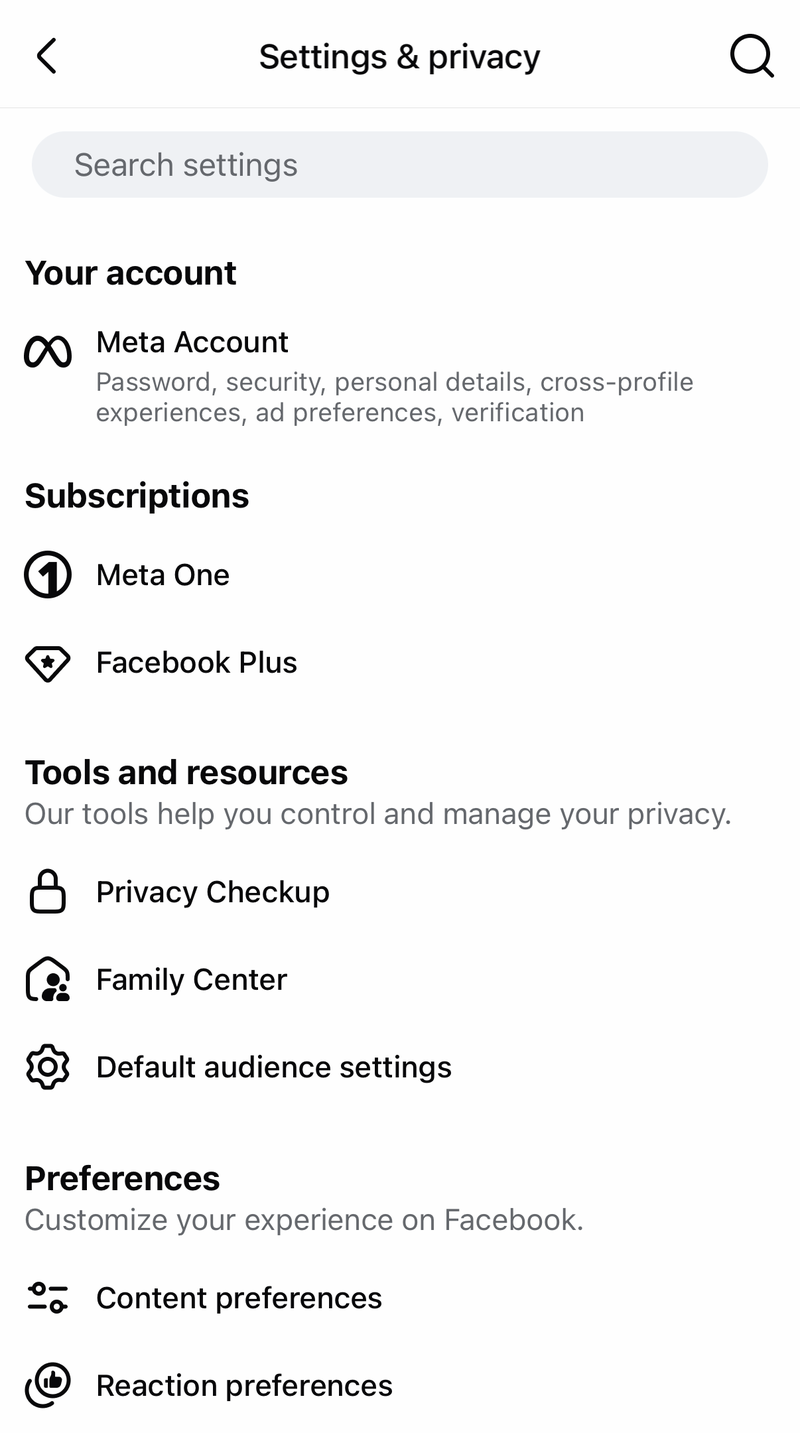
Choose Who can see what you share. Go to the profile information section. Set the birthday audience selector to Only me. Privacy Checkup changes the same visibility setting, so it hides the birthday instead of deleting it.
Correct your birthday instead of removing it
If the date itself is wrong, change it through the birthday editor. In the Facebook app, go to your profile, tap See more about yourself, open Basic info, and choose Edit next to your birthday.
Select Edit in Accounts Center, then open Date of birth or Birthday. Choose Edit, enter the correct birthday, and tap Save.
On the web, start from your profile’s About area and continue into the Accounts Center birthday editor when Facebook sends you there. Birthdays need to match across accounts in an Accounts Center, and changes may be limited.
If this method fails, use Request a Birthday Change for an authentic date-of-birth correction.
Request a birthday change when editing is blocked
Facebook can block normal birthday editing because of limits, verification, or age-related restrictions. The Request a Birthday Change form is for correcting your real date of birth, not for removing it.
Open Request a Birthday Change and provide the requested birthday change details. If Facebook asks for ID, upload a photo ID that includes your face and date of birth.
Submit the form after adding the requested information. Facebook reviews the request before changing the birthday.
Turn off Facebook birthday reminders
If the problem is birthday alerts, change the notification setting inside Facebook. In the Facebook app, open Menu, then go to Settings & privacy and Settings.
Choose Notifications, then open Birthdays. Turn off Allow notifications on Facebook, or turn off delivery options such as Push, Email, and SMS when they appear.
This stops birthday reminders and alerts, but it does not hide or delete birthday data from your profile. If this method fails, block Facebook notifications in your phone settings.
Stop Facebook birthday push alerts on your phone
Use this when Facebook birthday notifications keep appearing on your iPhone or Android device after you change Facebook’s own notification settings. Phone settings affect push alerts on that device, not your Facebook profile data or email and SMS messages.
On iPhone, open Settings, go to Apps, choose Facebook, open Notifications, and turn Allow Notifications off.
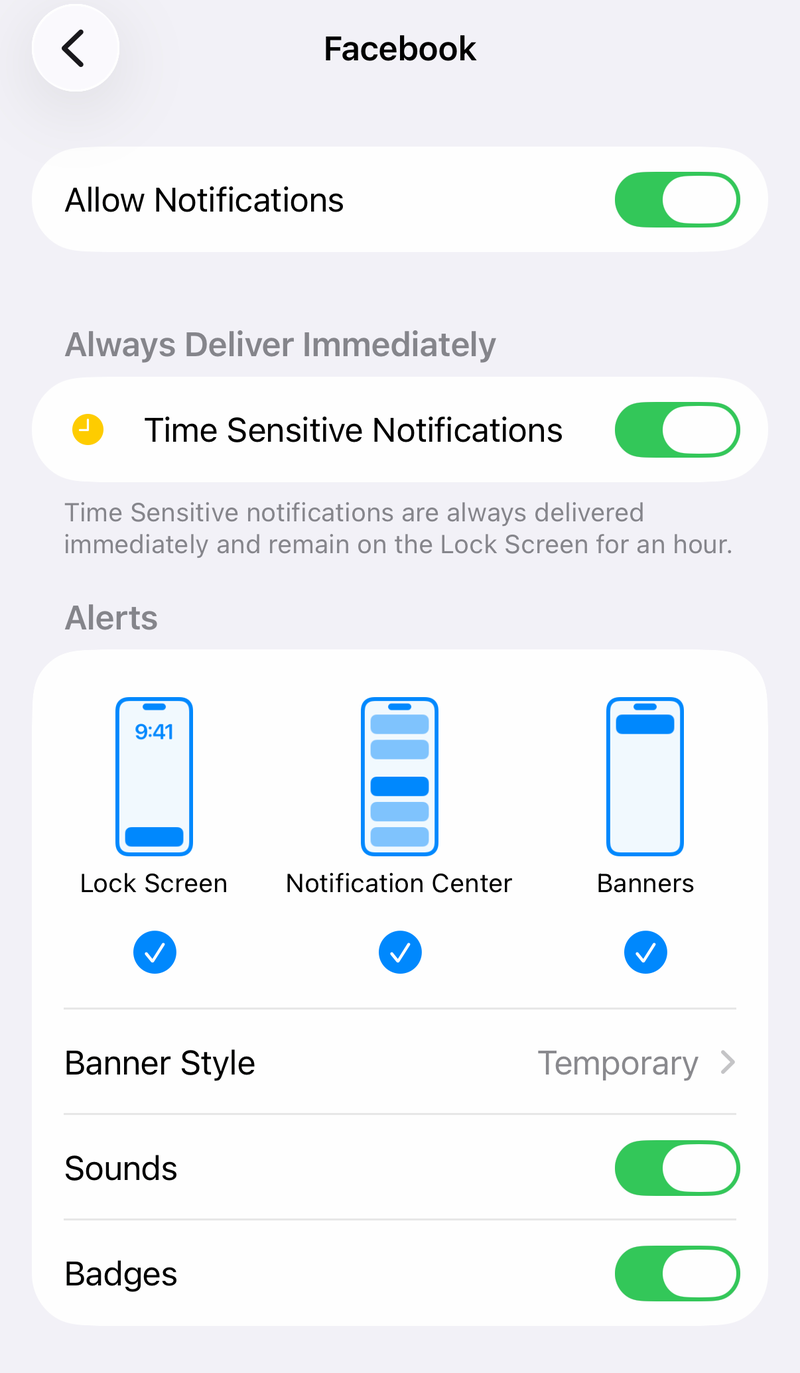
On Android, open Settings, go to Notifications, then App notifications. Choose Facebook and turn notifications off. On some Android devices, open the notification categories for Facebook and turn off birthday-related categories when they appear.
Delete your Facebook account if you want the profile gone
The most complete built-in consumer option is deleting the Facebook profile. In the Facebook app, open Menu. Go to Settings & privacy, then Settings. Open Meta Account.
Choose Personal details. Select Account ownership and control. Open Deactivation or deletion.
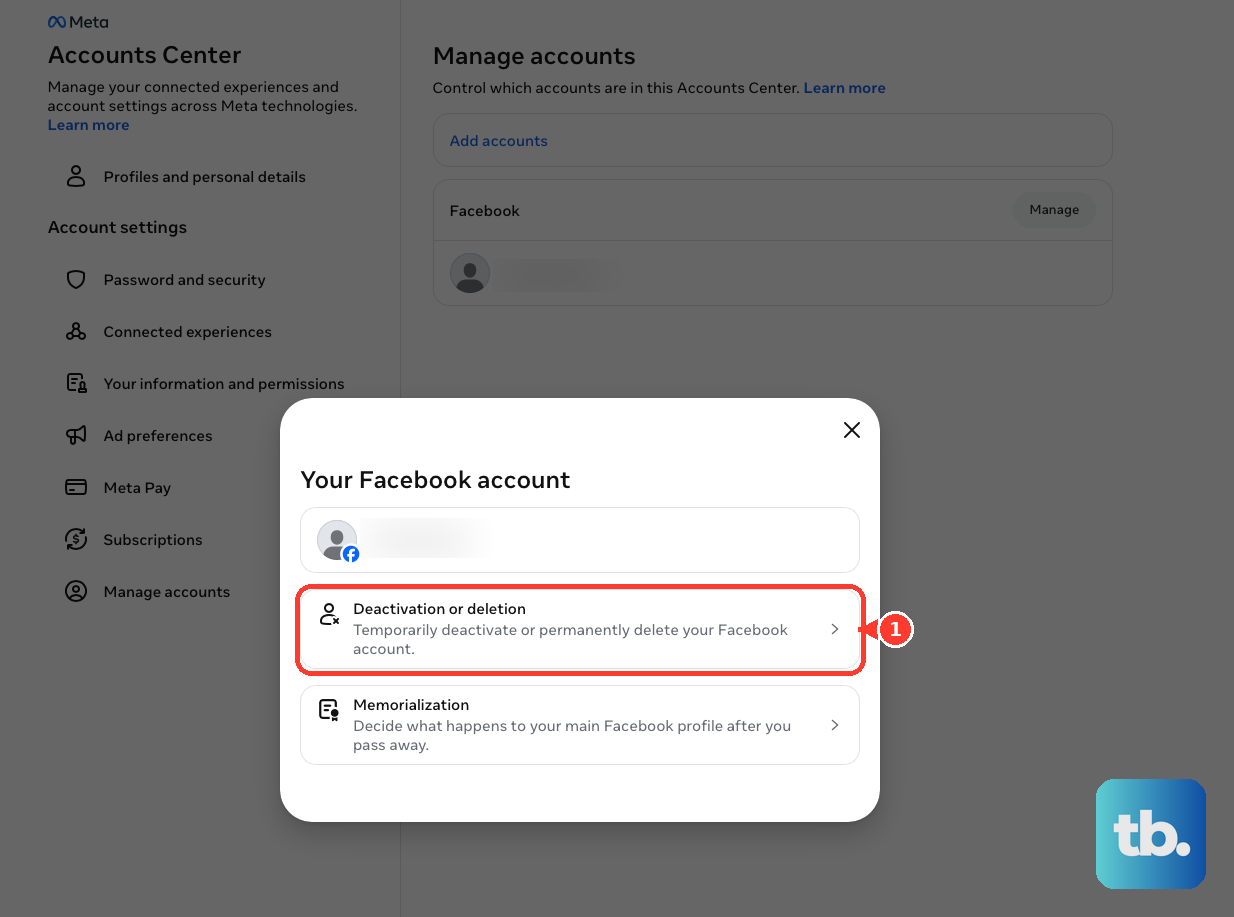
Choose the Facebook profile. Select Delete profile, then tap Continue and follow the prompts.
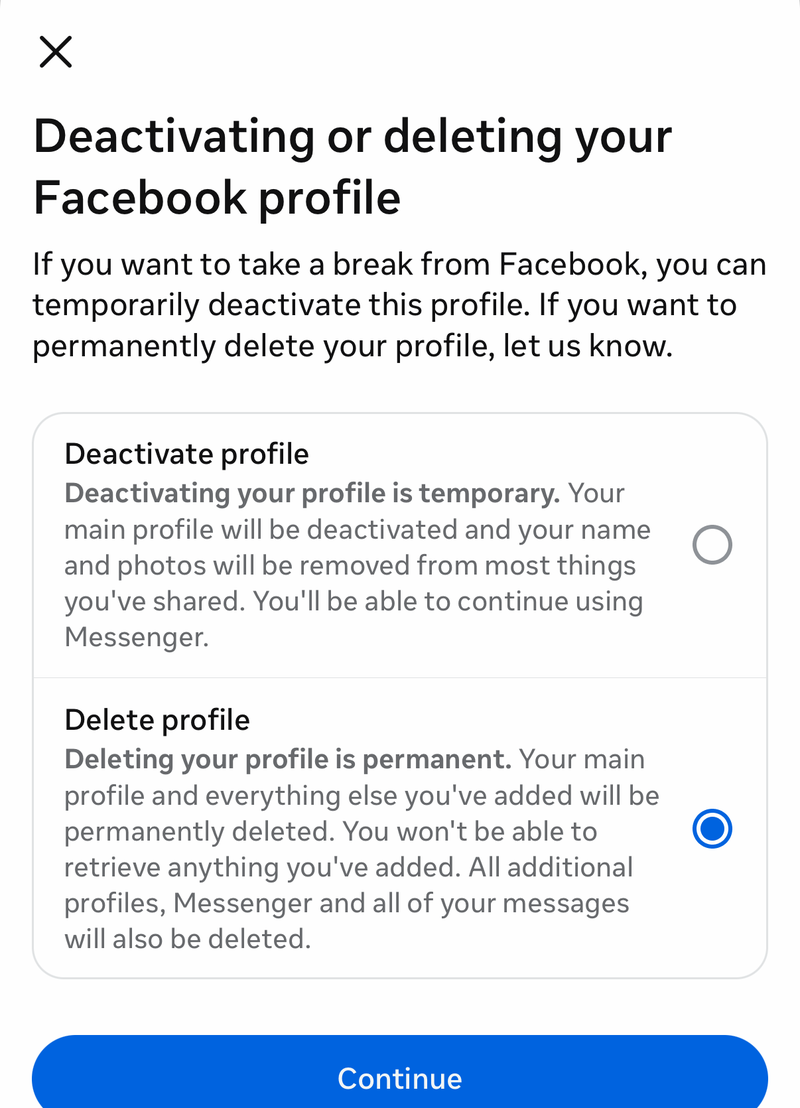
On the web, start from your profile picture, then go to Settings and privacy, Settings, Meta Account or Accounts Center, Personal details, Account ownership and control, and Deactivation or deletion. Choose your profile and select Delete account.
Skip old remove birthday tricks
Older guides often point to Profile, About, Contact and basic info, and an edit or pencil control to blank out the birthday field. Facebook’s available profile controls let you change the date or change the audience.
Uninstalling the Facebook app does not remove your birthday from Facebook. It only removes the app from that device and may stop local app access or device notifications.
For a formal deletion request beyond profile controls, use Meta’s privacy rights request form. Set your location, choose the applicable Facebook option, select the deletion or privacy-rights request flow, and submit the requested identifying details and case information. Availability and scope depend on your location and Meta’s review.
Frequently Asked Questions
Can I completely delete my birthday from an active Facebook account?
Facebook does not provide a supported consumer setting to leave the birthday field blank on an active account. You can hide the birthday from other people, correct it, request a reviewed correction, or delete the account.
Does choosing Only me remove my birthday from Facebook?
No. Only me hides your birthday or birth year from other people on your profile, but it does not remove the date of birth from Meta’s account records.
Why do I still get birthday alerts after hiding my birthday?
Birthday visibility and birthday notifications are separate settings. Turn off birthday notifications under Facebook’s Notifications settings, and use your phone’s notification settings if push alerts continue.
Can I change a wrong birthday if Facebook will not let me edit it normally?
Yes. Use Facebook’s Request a Birthday Change form and provide the requested details. Facebook may ask for a photo ID showing your face and date of birth.