TikTok can crash, stop loading videos, fail to record, or refuse to sign you in while the rest of your iPhone looks normal. Start by separating a TikTok outage from an app, network, storage, permission, or iOS problem. Use the fixes below in order, from the quickest checks to the reset-and-report steps.
1. Check whether TikTok is down today
This fixes wasted troubleshooting when TikTok’s service is the problem.
Open Safari and go to downforeveryoneorjustme.com/tiktok.
Next, open a new Safari tab and go to tiktok.com.
If TikTok fails in the app and on the web for many users, wait and try again later.
If TikTok works in Safari but not in the app, continue with the app fixes below.
2. Restart TikTok and your iPhone
TikTok recommends restarting the app and the device first.
Open the App Switcher, swipe to TikTok, swipe up to close it, then open TikTok again from the Home Screen or App Library.
To restart an iPhone X or later, hold either Volume button and the Side button until the power-off slider appears, drag the slider, wait 30 seconds, then hold the Side button until the Apple logo appears.
On Home-button models, hold the Side or Top button, drag the slider, wait 30 seconds, then turn the iPhone back on with the same button.
3. Fix Wi-Fi and cellular data
This fixes TikTok feeds, videos, and uploads that cannot load because the connection is unavailable or blocked.
Open Control Center and turn Airplane Mode off.
Then go to Settings > Wi-Fi, turn Wi-Fi on, tap your network, and confirm the blue checkmark appears.
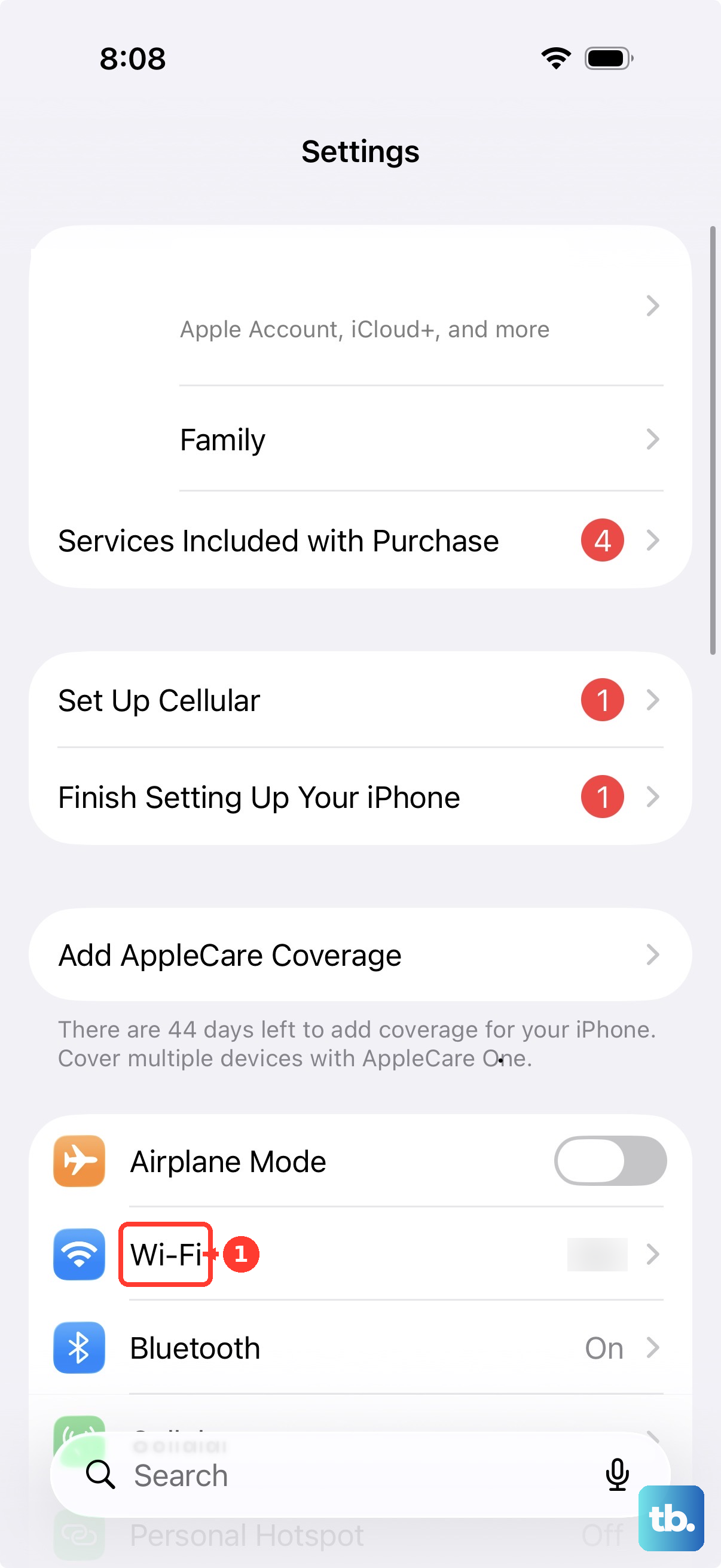
If TikTok still cannot load, switch to another Wi-Fi network or use Cellular Data.
After that, go to Settings > Cellular and turn Cellular Data on.
Scroll to TikTok in Settings > Cellular and turn cellular access on for the app.
4. Turn off VPNs before resetting the network
- 1.Open your VPN, security, firewall, parental-control, or content-blocking app and turn off its filtering features.
- 2.If TikTok still fails, delete that filtering app from the Home Screen or App Library.
- 3.Restart your iPhone and open TikTok again.
- 4.Open Settings, swipe down to search, then search for VPN, profile, firewall, and filter.
- 5.Turn off, change, or delete settings that are not managed by an organization and not required.
- 6.Use Settings > General > Transfer or Reset iPhone > Reset > Reset Network Settings after the simpler network checks fail.
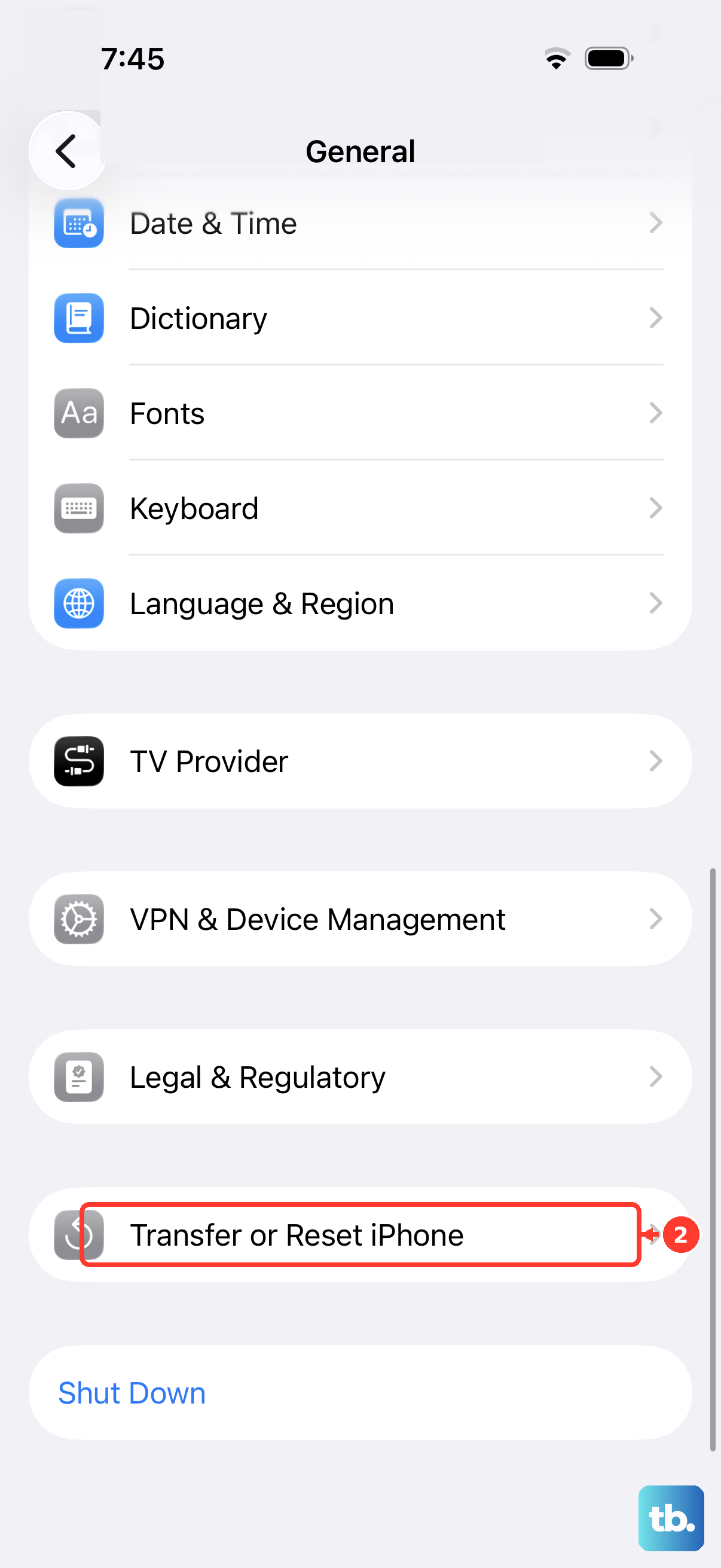
Resetting network settings removes saved Wi-Fi networks and passwords, cellular settings, VPN settings, and APN settings.
5. Clear TikTok cache and free storage
When TikTok opens but runs badly, clear its cache from TikTok > Profile > Menu ☰ > Settings and privacy > Free up space, then tap Clear next to Cache.
Check storage at Settings > General > iPhone Storage and remove unused apps or content when space is low.
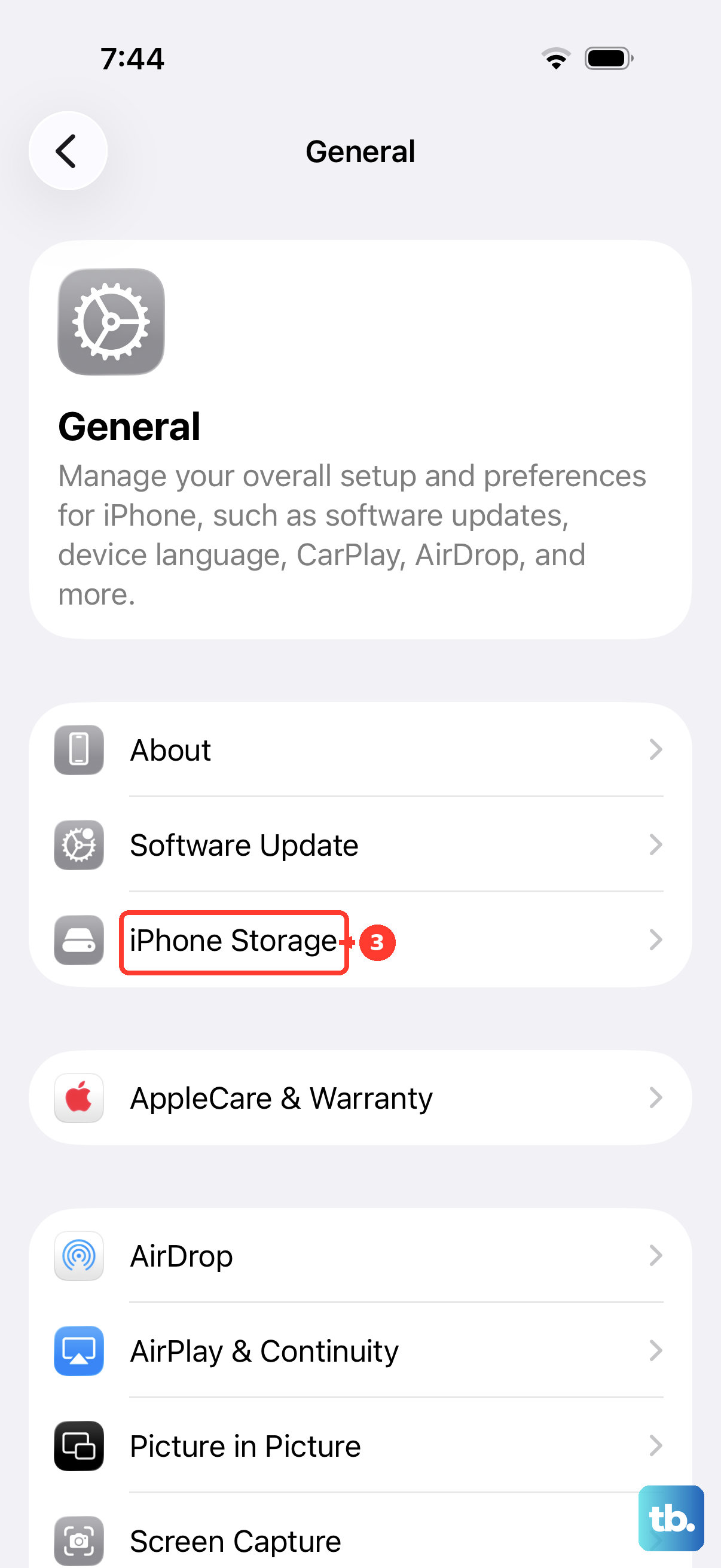
Current iPhone guidance does not provide a generic TikTok cache button inside Settings, so use TikTok’s Free up space menu or reinstall the app.
6. Update or reinstall TikTok
This fixes crashes, failed launches, and app bugs already corrected in a newer TikTok version.
Open App Store.
Tap your My Account button or profile photo at the top.
Now tap App Updates.
Tap Update next to TikTok, or tap Update All.
If updating does not help, touch and hold TikTok, tap Remove App, tap Delete App, then tap Delete to confirm.
Redownload TikTok from its official App Store listing.
7. Allow camera, sound, photos, and location
If TikTok loads but recording, audio, uploads, Bluetooth, local network access, or photos fail, open Settings > Privacy & Security.
Tap Camera, Microphone, Photos, Bluetooth, Local Network, or another requested data type, then turn TikTok access on.
For TikTok location features, turn Location Services on in both places: Settings > Privacy & Security > Location Services and TikTok > Profile > Menu ☰ > Settings and privacy > Privacy > Location Services.
TikTok says Location Services may not be available in your region, and its in-app location settings apply if you are at least 18.
8. Remove limits that block TikTok features
Open TikTok > Profile > Menu ☰ > Settings and privacy > Content preferences > Restricted Mode, follow the steps in the app to enter your passcode, then turn Restricted Mode off when feeds, LIVE, or gifts are limited.
Parents and guardians can also manage Restricted Mode for their teens through Family Pairing.
Open Settings > Screen Time > App Limits and delete or edit the TikTok or social networking limit.
Then open TikTok > Profile > Menu ☰ > Settings and privacy > Screen time and adjust TikTok’s account-level screen time settings.
If TikTok will not let you sign in, reset your password from TikTok > Sign up > Log in > Use phone / email / username > Email / Username > Forgot password?.
9. Update iOS and report the problem
For stubborn crashes or app behavior that survives the fixes above, back up your iPhone, connect to Wi-Fi and power, then open Settings > General > Software Update.
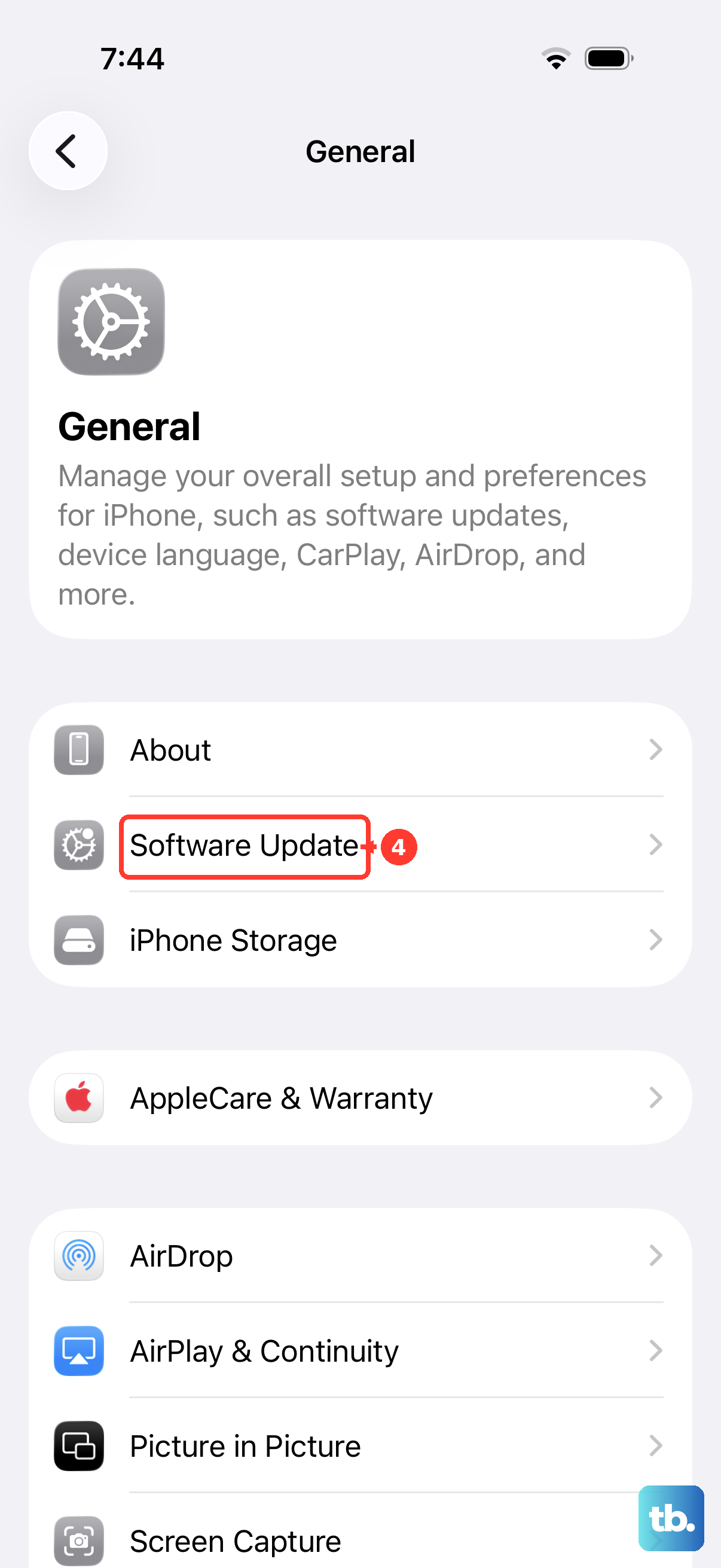
Install the available iOS update, then test TikTok again.
If TikTok still fails, report it from TikTok > Profile > Menu ☰ > Settings and privacy > Report a problem.
On a school, work, or parent-managed iPhone, ask the administrator before removing profiles or resetting network settings.
Frequently Asked Questions
Why is TikTok not working today on my iPhone but other apps work?
TikTok can be down while other apps still work, or the TikTok app can fail while TikTok in Safari still loads. Check an outage tracker and open tiktok.com in Safari first.
Does deleting TikTok remove my drafts?
Deleting and reinstalling TikTok can remove app-local data such as drafts. Clear TikTok cache, update the app, and check the network before reinstalling when drafts matter.
Why does TikTok work on Wi-Fi but not cellular data?
Cellular Data can be off globally or disabled for TikTok. Go to Settings > Cellular, turn Cellular Data on, then scroll to TikTok and allow cellular access.
Why can TikTok open but not record sound or video?
TikTok needs iPhone permission for the microphone and camera. Check Settings > Privacy & Security, then enable TikTok under Microphone and Camera.