
When the flashlight on your Xiaomi 14T Pro is grayed out, it's one of those small but incredibly frustrating glitches. You might see the icon dimmed in the Quick Settings panel or the dedicated button in the camera app just won't respond. Let's get it shining again.
Close the Camera App First
The flashlight and camera flash use the same physical LED. If your camera app is open, even in the background, the system reserves that LED for camera functions. Swipe up from the bottom and hold to enter the recent apps view, then swipe the Camera app away to close it. I've found this instantly resolves the grayed-out issue nine times out of ten.
Perform a Force Restart
This is your go-to fix for any weird software hiccup on the 14T Pro. Simply press and hold the Power button for about 15 seconds. Keep holding it until you see the Xiaomi or HyperOS logo appear on the screen, then release. This forces a full reboot and clears any temporary software state that's locking the flashlight.
Check for System Overheating
The Dimensity 9300+ chip in the 14T Pro is powerful but can get warm, especially if you've been gaming or using the 120W fast charger. HyperOS will automatically disable features like the flashlight to prevent further heat buildup. If your phone feels hot to the touch, set it down in a cool spot for 10-15 minutes. Once it cools down, the flashlight should be available again.
Toggle Battery Saver Mode
While Battery Saver mode on HyperOS is designed to save power, it can sometimes be a bit overzealous. Swipe down from the top of your screen to open the Quick Settings panel and look for the battery icon or "Battery Saver" tile. If it's highlighted, tap it to turn it off. Try accessing the flashlight immediately after.
Adjust the Flashlight Brightness
You might think it's not working when it's actually just set too dim. In your Quick Settings panel, press and hold the flashlight icon instead of just tapping it. A small menu or slider should pop up. Drag the brightness slider all the way to the maximum setting and see if the light turns on.
Clear the Camera App's Cache
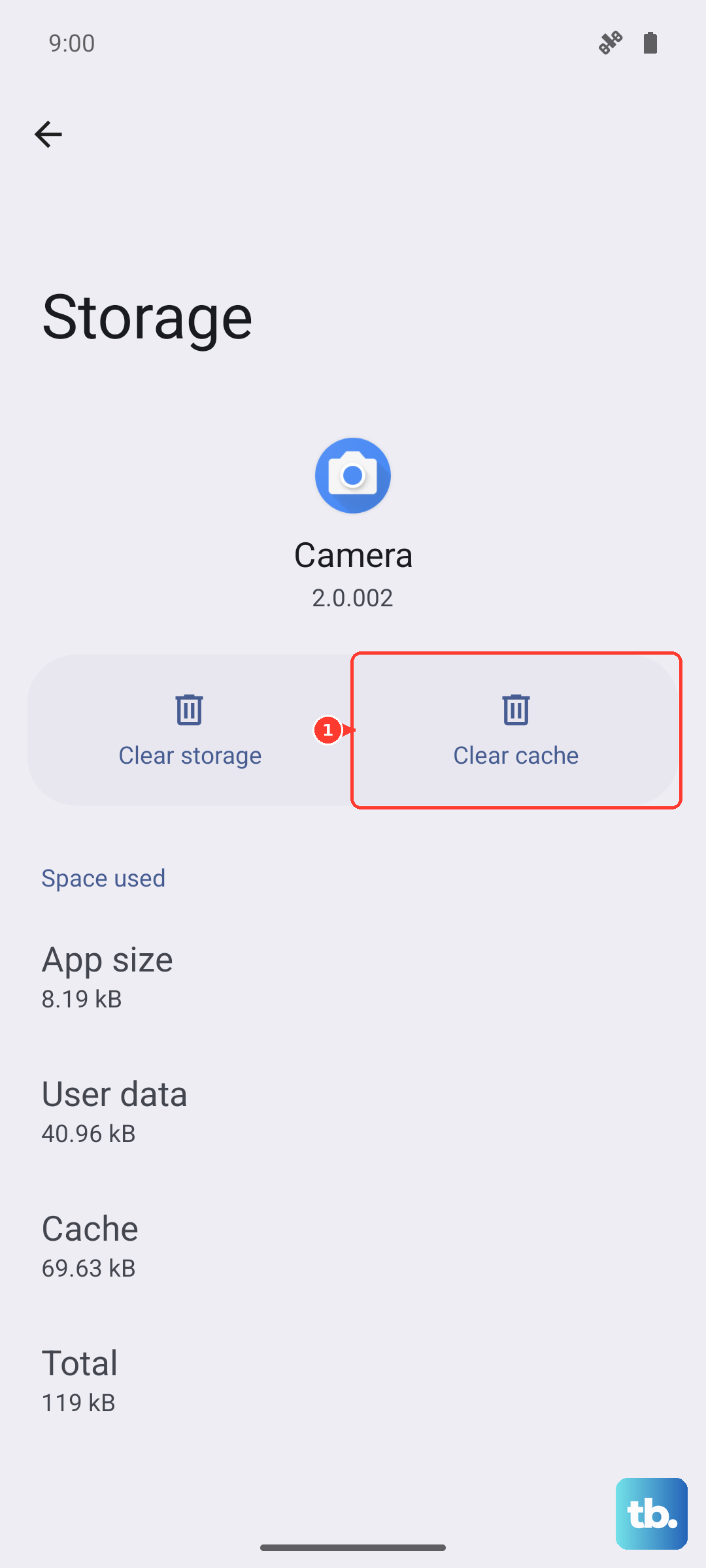
Since the camera and flashlight are linked, a corrupted cache in the camera app can cause problems. Go to Settings > Apps > Manage apps. Find and tap on "Camera" in your app list. On the app info page, select Clear cache. This won't delete any of your photos or settings.
Update Your HyperOS Software
Xiaomi regularly releases updates that squash bugs. Navigate to Settings > About phone > HyperOS version. Tap on the "Check for updates" button or the icon with three dots. If an update is available, install it. A past update specifically fixed an issue where the flashlight control would get stuck.
Reset App Preferences
This is a less nuclear option than a full reset. It resets permissions and default app settings without touching your personal data. Go to Settings > Additional settings > Backup & reset. Tap on Reset phone, then select Reset app preferences. Confirm the action. After your phone reboots, check the flashlight.
Test the Hardware with Your Camera
If every software fix fails, the LED itself might have an issue. Open your Camera app and switch to a photo mode. Look for the flash icon, usually a lightning bolt, and set it to "On" or "Auto". Take a picture in a dim room. If the camera flash doesn't fire at all, the LED hardware likely needs service. Given the 14T Pro's Gorilla Glass 5 back, a repair might be necessary if the phone has suffered a significant impact.