When TikTok stops working, the cause is usually one of a few things: a weak connection, an overloaded cache, an outdated app, or a problem on TikTok's end. The same short list also explains most videos that refuse to post or get stuck mid-upload.
Work through the fixes below in order. The early steps take seconds and clear up the majority of glitches, so there is no need to reinstall the app or contact support until you reach the end.
Fast Fixes That Solve Most Problems
Most TikTok hiccups are temporary, and three quick actions clear them. Start here before changing any settings.
Swipe the app fully closed and reopen it. This ends any frozen background process and forces a clean start, which often fixes a black screen, a frozen feed, or a spinning loader.
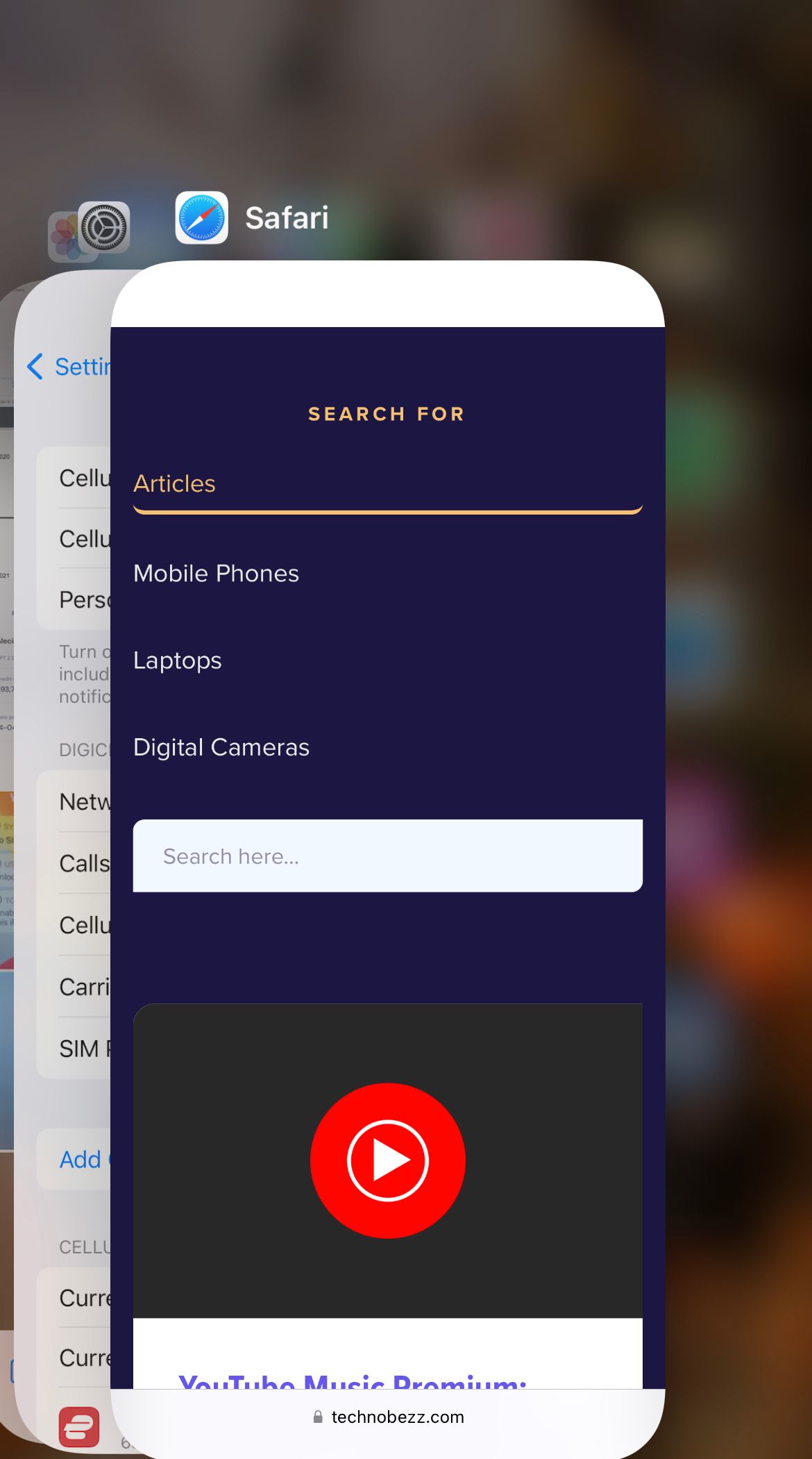
If that does not help, restart your phone and confirm you have a stable connection. A reboot frees up memory the app needs, and a single weak Wi-Fi or mobile data bar is enough to stall video playback and uploads.
Confirm Your Connection Is Stable
A poor connection is the single most common reason TikTok will not load videos or post them. The app streams constantly, so even a connection that feels fine for browsing can be too slow for it.
On Wi-Fi, restart your router by unplugging it for about 30 seconds, then test TikTok again. If the problem follows you, try a different network to rule out the router entirely.
On mobile data, make sure data is turned on and that TikTok is allowed to use it. Toggling Airplane mode on and off for a few seconds forces your phone to reconnect to the network, which often clears a stuck data connection.
If you use a VPN, turn it off and test again. A VPN can route you through a slow or wrong region, and that alone can stop videos from loading.
Update TikTok to the Latest Version
An outdated app is a leading cause of crashing, freezing, and upload errors. TikTok ships frequent fixes, and running an old build means living with bugs that have already been patched.
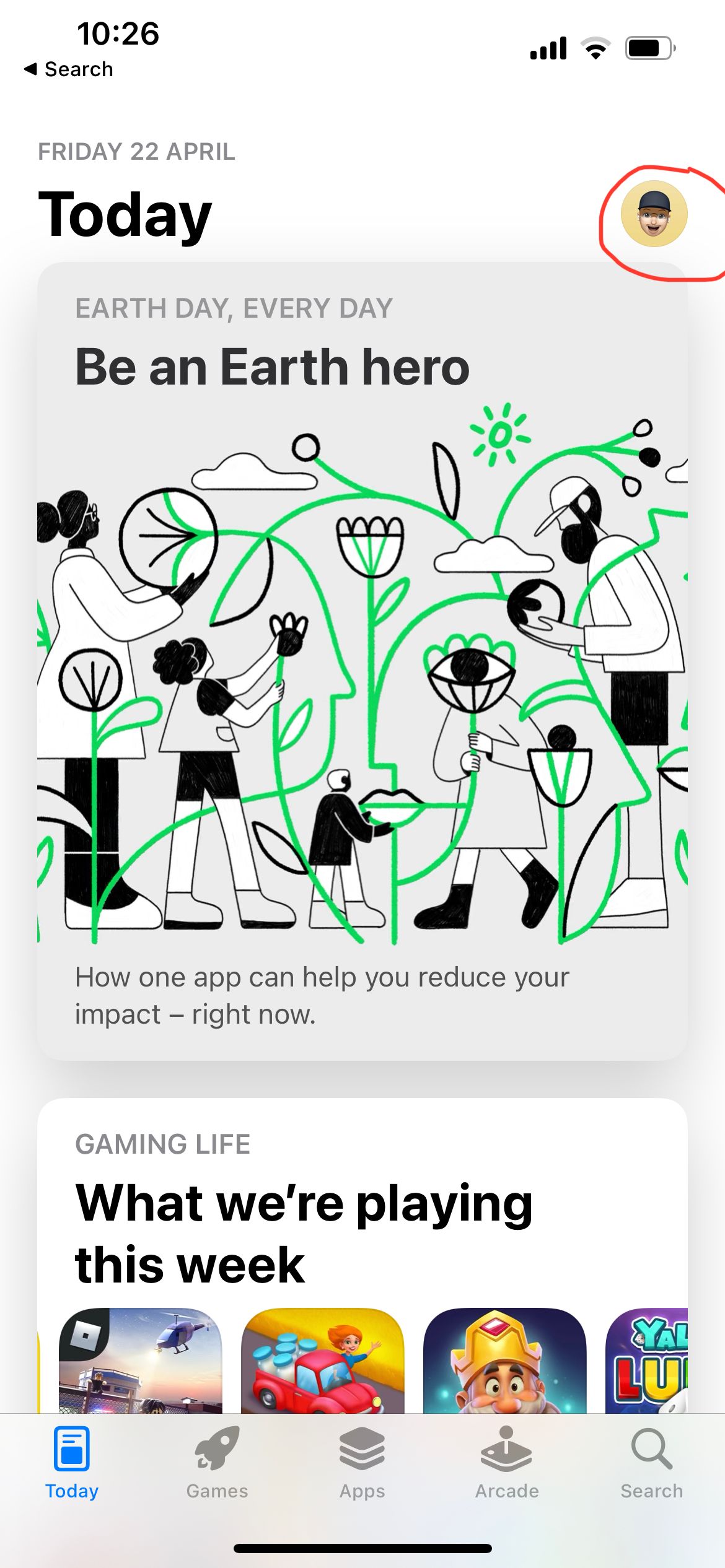
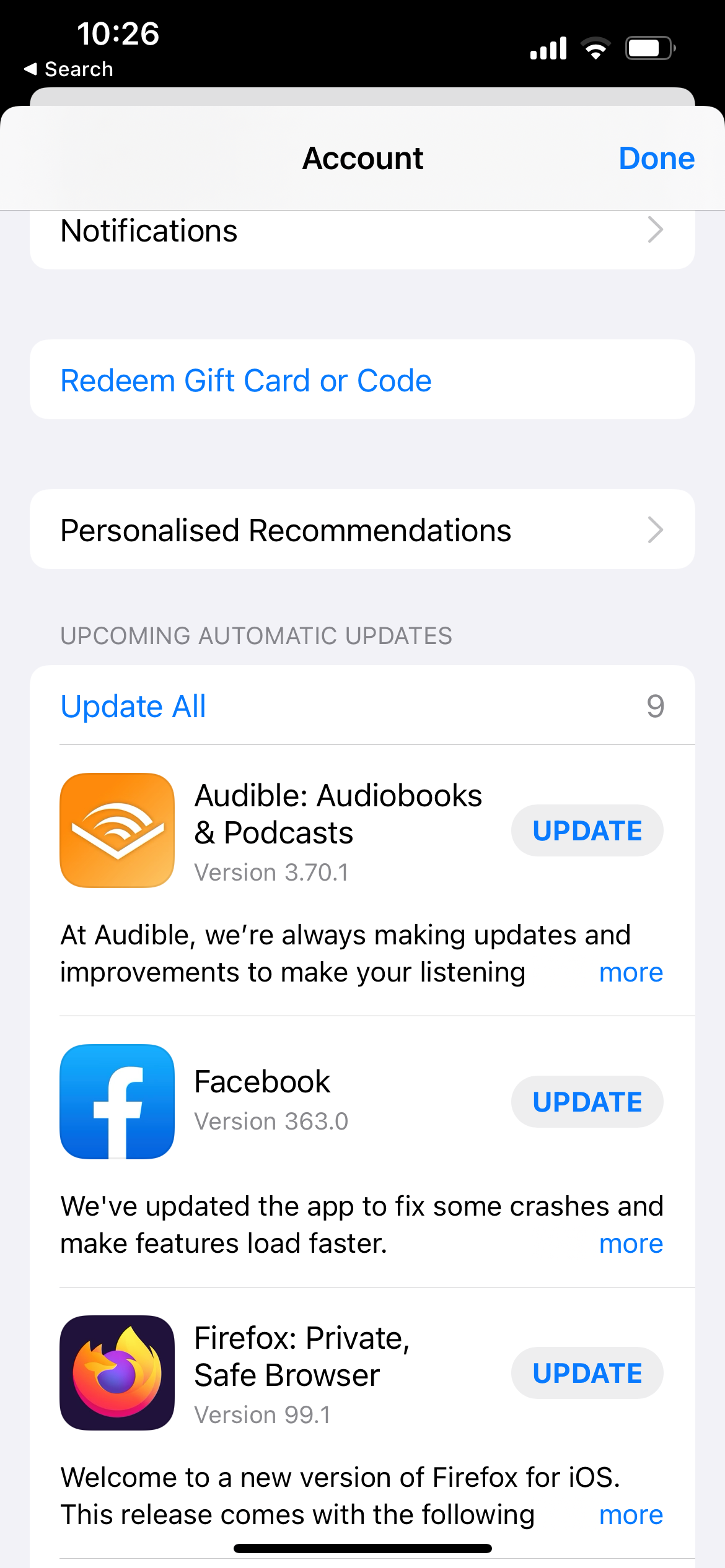
On iPhone, open the App Store, tap your profile icon in the top right, then scroll down to the list of pending updates. If TikTok appears there, tap Update next to it.
On Android, open the Google Play Store, tap your profile icon, then choose Manage apps and device. Open the Updates available list, find TikTok, and tap Update.
Clear the TikTok Cache
TikTok stores temporary files such as video previews, watch history, and downloaded effects. Over time this cache grows and can cause lag, freezing, and videos that will not load. Clearing it is safe and does not delete your account, videos, drafts, or log you out.
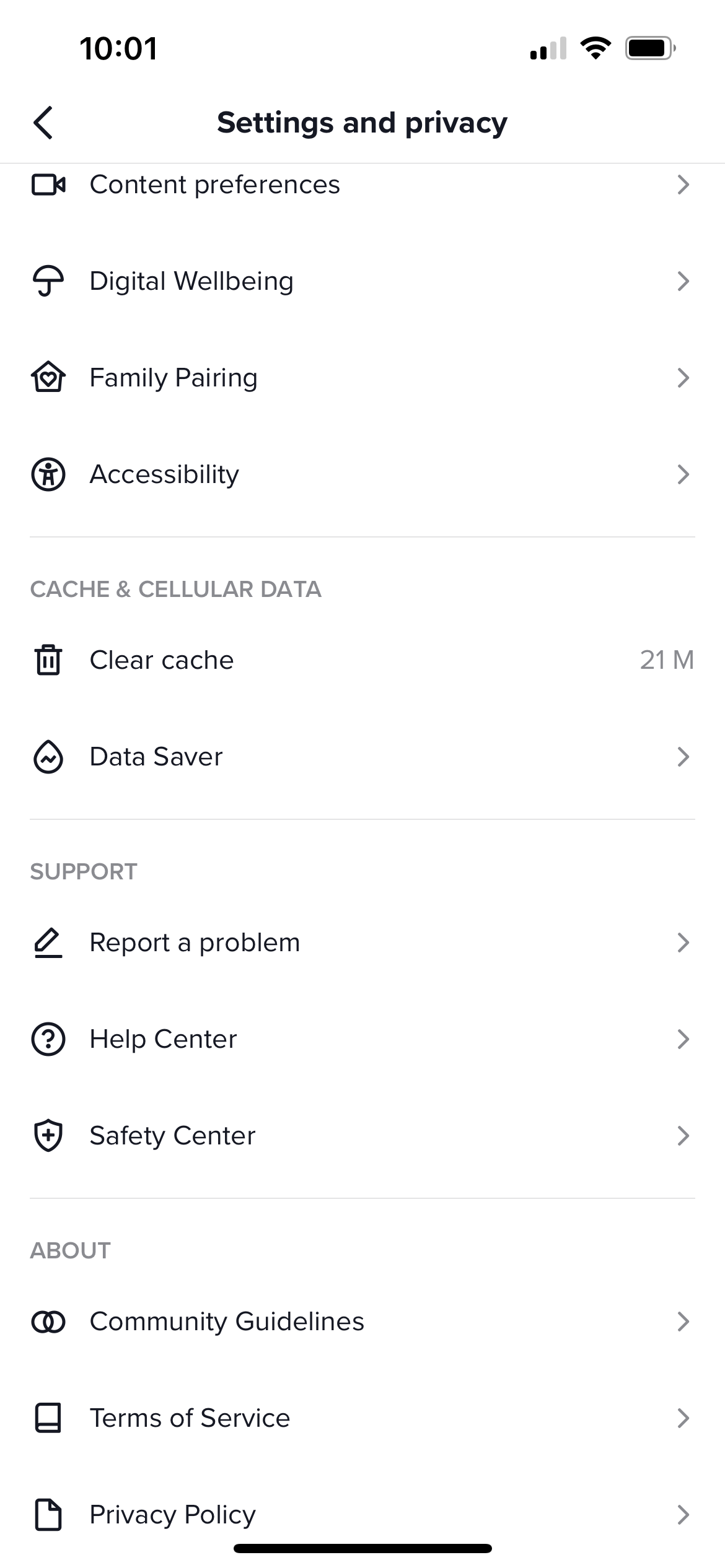
Inside the app, open your Profile and tap the menu icon in the top right. From there, follow this path to reach the cache control:
Settings and privacy > Free up space > Cache > Clear
On some versions this section is labeled Cache and mobile data. After clearing, close TikTok fully and reopen it so the app rebuilds a fresh cache.
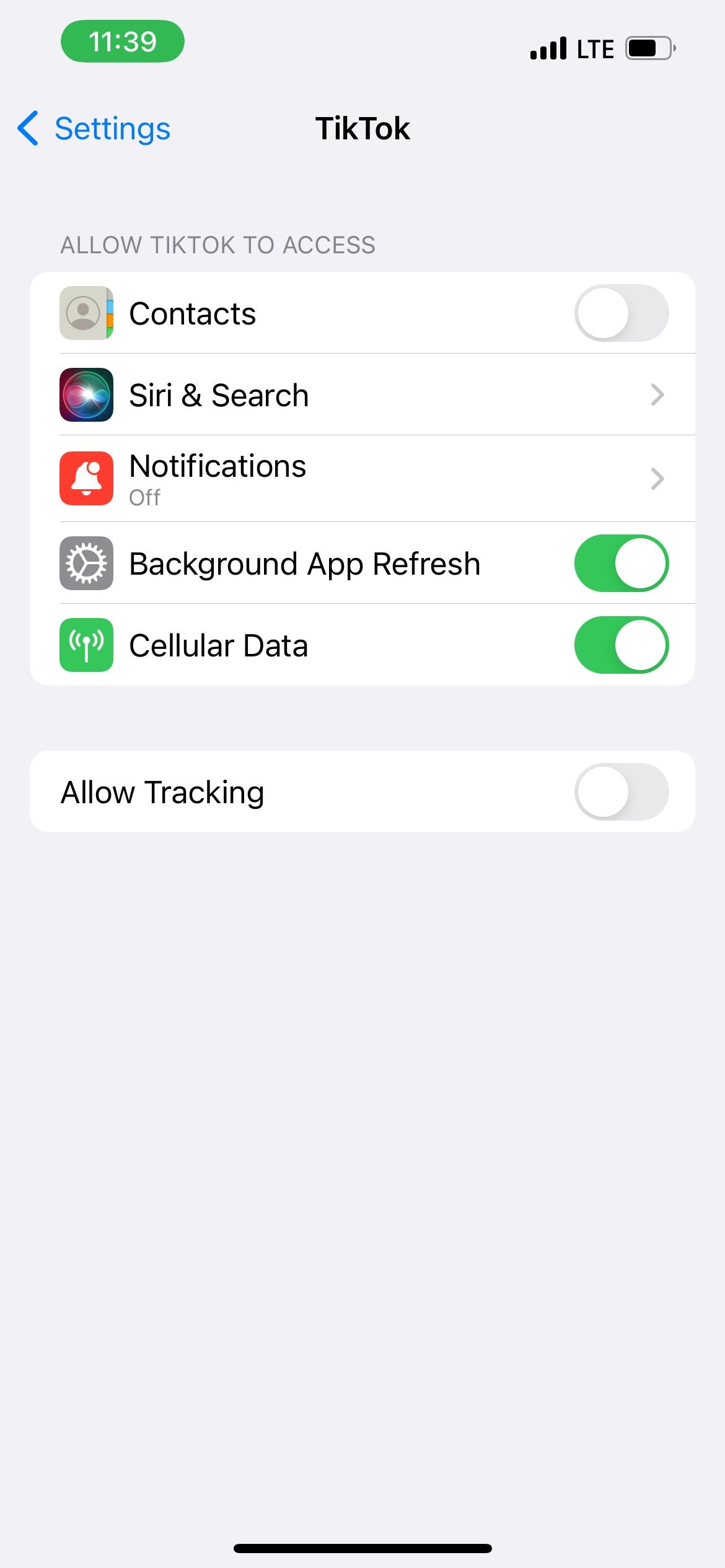
Clear App Data From Phone Settings
If the in-app option does not fix things, your phone offers a deeper clear from the system settings. This is the next step when TikTok keeps crashing or showing a black screen.
On Android, open your phone Settings and find TikTok in your list of apps. The path to its storage controls is:
Apps > TikTok > Storage > Clear cache
Try Clear cache first. Clear data is more aggressive and will sign you out, so use it only if clearing the cache alone does not help. Be ready to log back in afterward.
On iPhone there is no system cache button, so the equivalent is to offload the app. Go to Settings > General > iPhone Storage, tap TikTok, then tap Offload App. This clears its temporary files while keeping your data, and reinstalling restores the app.
Check Whether TikTok Is Down
Sometimes the problem is not your phone at all. When TikTok's servers have an outage, no amount of restarting will help, and the only fix is to wait.
A quick sign of a server problem is when the app fails the same way on both Wi-Fi and mobile data, or on more than one device. To confirm, check a live outage tracker such as downdetector.com/status/tiktok and look for a spike in user reports.
If there is a widespread outage, the fastest move is to step away and try again in an hour or two once TikTok restores service. Nothing on your phone will fix a problem on TikTok's side, so waiting it out is the only real option.
Fix Videos That Will Not Post
Upload failures usually come down to three things: the connection, the file, or a content review. Run through each before assuming your account is the problem.
Because uploading needs a steady connection, a video that stalls at a percentage and fails is almost always a network issue. Switch between Wi-Fi and mobile data, move closer to your router, or try again later when your connection is stronger.
Check the file itself. TikTok accepts MP4 and MOV files at a 9:16 vertical ratio, with 1080 by 1920 the recommended resolution and frame rates up to 60 frames per second. A file far outside these specs, or one exported from another editor with its watermark, can be rejected or flagged.
If the post sits under review or fails to go public, your content may be getting screened against TikTok's Community Guidelines. Copyrighted background music is a frequent trigger, so swapping in a track from TikTok's own sound library often clears it.
Record Inside the App as a Workaround
When a specific video refuses to post, recording it directly in TikTok instead of uploading from your gallery often gets it through. Files made in other apps sometimes carry metadata or watermarks that trip the upload check.
Tap the plus button on the home screen and film or re-import your clip inside the TikTok editor. Saving it as a draft first, then posting the draft a few minutes later, also helps clear a stubborn upload.
If a video keeps getting placed under review, posting at a quieter time of day and making sure your app is fully updated are the two adjustments creators report the most success with. Neither guarantees a faster review, but both reduce the chance of a flag that holds the upload back.
Steps to Try When Nothing Works
If you have worked through everything above and TikTok still will not cooperate, a few last resorts usually settle it. These are more disruptive than the earlier fixes, so save them for when the quick steps have failed.
Reinstall the app. Delete TikTok, then download it fresh from the App Store or Play Store. This replaces any corrupted files and is more thorough than offloading or clearing the cache. You will need your login details to sign back in.
Test on another device or open tiktok.com in a browser. If it works elsewhere, the issue is specific to your phone or its TikTok install. If it fails everywhere, the problem is your account or a server outage.
When it points back to your account, contact TikTok support through the app under Settings and privacy > Report a problem, and describe exactly what is failing. Be specific about the error, your device, and the steps you have already tried so support can act on it faster.
Frequently Asked Questions
Does clearing the TikTok cache delete my videos or drafts
No. Clearing the cache only removes temporary files such as previews and watch history. Your account, posted videos, drafts, and login all stay intact, and you will not be signed out.
Why does my TikTok video say it is under review
TikTok screens uploads against its Community Guidelines before making them public. A review usually takes anywhere from a few minutes to about a day, though busy periods or sensitive content can stretch it longer. Copyrighted music and content that may breach the rules are common triggers, so swapping the audio or editing the clip often helps.
Why do my videos keep failing to upload
The usual cause is an unstable connection that drops during the upload. Switch between Wi-Fi and mobile data, make sure the app is updated, and confirm your video uses a supported format such as MP4 or MOV at a 9:16 ratio.
How do I know if TikTok is down or it is just me
If TikTok fails the same way on both Wi-Fi and mobile data, or on a second device, an outage is likely. Check a live tracker such as downdetector.com/status/tiktok for a spike in reports, and if one is confirmed, wait for TikTok to restore service.
Will reinstalling TikTok log me out
Yes. Deleting and reinstalling the app signs you out, so have your username, password, or linked login ready before you start. Your posted videos and account stay safe, but local drafts that were not backed up can be lost.
First published October 12, 2025. Last updated June 4, 2026.