
Waiting for your Samsung Galaxy S25 Edge to charge can feel like watching paint dry, especially when you know it supports 25W wired charging. Some users have reported their S25 Edge gets stuck charging at around 15W, turning a 30-minute top-up into a much longer wait. Let's look at what's slowing things down and how to fix it.
Use Samsung's 25W Charger or a Compatible PD Adapter
The S25 Edge supports up to 25W over USB-C Power Delivery (PD). If you're using an old Samsung 15W adapter or a non-PD charger, you'll be stuck charging at standard speeds. For the fastest wired charging, use the Samsung 25W travel adapter or any reputable USB-C PD charger rated at 25W or higher. Keep in mind that 45W chargers will also work but will be limited to the phone's 25W max.
Make Sure You're Using the Right USB-C Cable
Not all USB-C cables are created equal. A cable that's designed only for data transfer or older charging standards won't deliver the full 25W your S25 Edge is capable of pulling. Use the cable that came in the box with your phone or a high-quality USB-C to USB-C cable rated for 3A or 5A charging.
Leave Your Phone Alone While It Charges
The S25 Edge manages heat aggressively to protect its battery. Running games, streaming video, or using GPS navigation while charging generates extra heat, which tells the phone to slow down the charging speed considerably. For the fastest charge, set the phone down and leave it alone, or switch it to Airplane Mode.
Take Off the Case
This is a simple one, but it makes a big difference. Thick or insulating cases trap heat, which triggers thermal throttling and slows your charging speed. This is especially true for wireless charging, where the Qi 15W standard already generates more heat than wired. Pop the case off before you plug it in.
Check for Overheating
Speaking of heat, charging in a hot environment will actively work against you. If your S25 Edge gets too warm, it will limit or completely halt charging until it cools down. Move it off a soft surface like a bed or couch and onto a cool, hard surface. Keep it out of direct sunlight while it's plugged in.
Force Restart Your Galaxy S25 Edge
A software glitch can sometimes mess with the phone's charging management system. If you haven't restarted your phone in a while, it's worth a shot. Press and hold the Volume Down and Side buttons together for about 10 seconds until you see the Samsung logo. This is a safe restart that won't erase any data.
Adjust Battery Protection Settings
Samsung's One UI has a "Protect Battery" feature that caps the charge at 80% to extend battery lifespan. While this is great for the long-term health of your phone, it stops fast charging completely once you hit the cutoff. Go to Settings > Battery > Battery Health and make sure Protect Battery is turned off if you're looking for a full charge today.
Clean the USB-C Charging Port
This is a common culprit, especially if you carry your phone in your pocket. Lint and debris can get compacted inside the USB-C port, preventing the plug from seating correctly. This matches the "intermittent charging when the cable is moved" symptom perfectly. Turn off your phone and use a can of compressed air or a soft-bristled brush to gently dislodge any pocket lint. Do not use a metal pin or paperclip.
Install the Latest Software Update
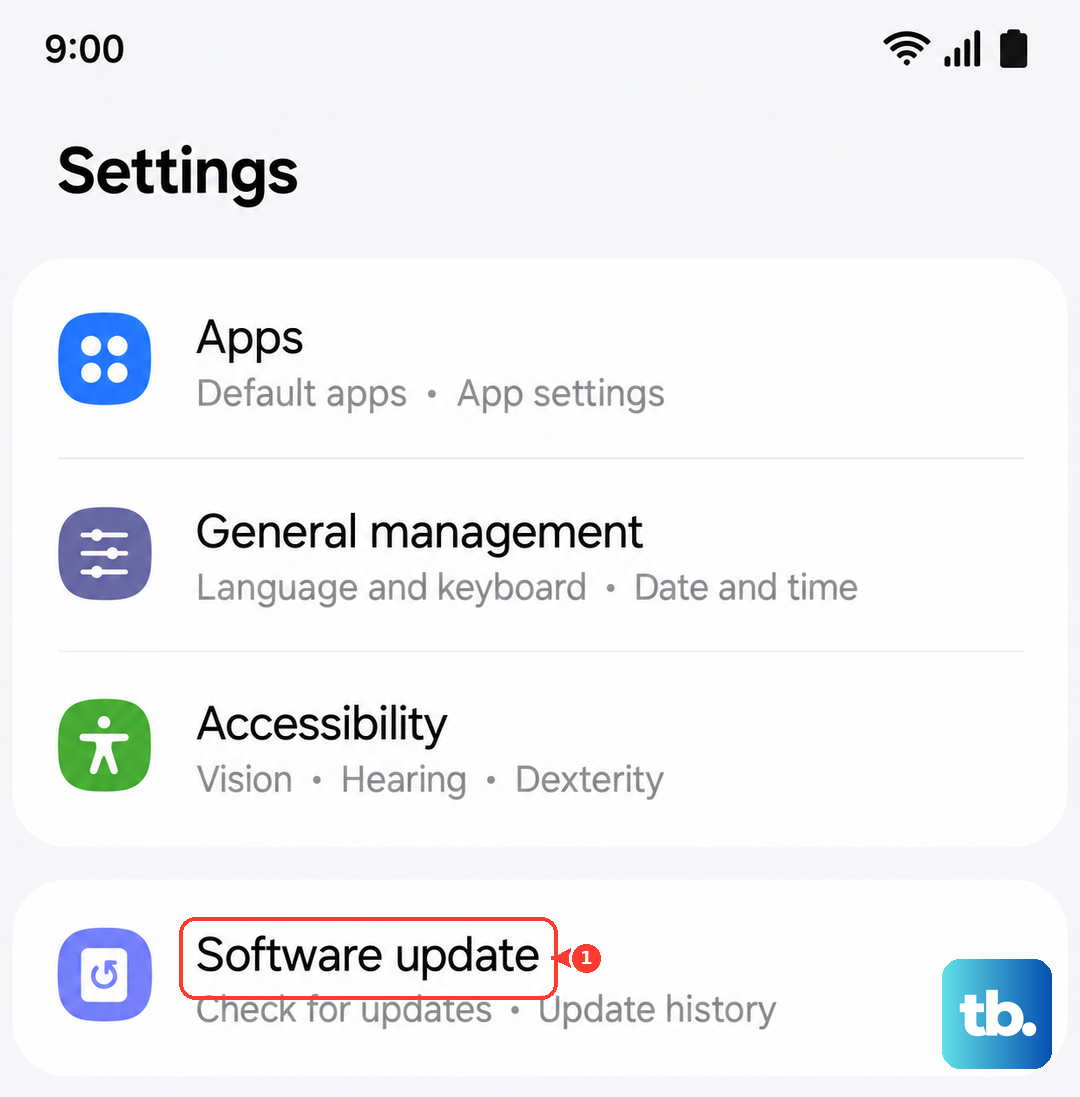
Software updates don't just add features, they often fix charging bugs and optimize power management. Go to Settings > Software Update > Download and Install to make sure you're running the latest available version of Android and One UI. Samsung has released patches specifically to address charging behavior on the S25 series.
Try a Different Cable and Charger Combo
Cables and adapters can fail or degrade over time. If nothing else has worked, borrow a known-working Samsung 25W charger and cable from a friend or family member. If the phone fast charges fine with their setup, you've found the issue and it's time to replace your old cable or adapter.