
Seeing a "SIM Not Provisioned" message on your OnePlus 12 can stop you in your tracks. This error means your phone can't connect to your mobile carrier's network, so you can't make calls, send texts, or use mobile data.
The quickest thing to try is a simple restart. Press and hold the power button for a few seconds and tap "Restart." This clears out any temporary software glitches that might be blocking the connection. While you're at it, pull down the quick settings shade from the top of your screen and tap the airplane mode icon. Wait about 30 seconds, then tap it again to turn it off. This forces your phone's modem to completely re-scan for the network.
Check Your SIM Card and Tray
Power your OnePlus 12 off completely. Use the SIM eject tool that came in the box to pop open the tray on the bottom edge of the phone. Carefully take out the SIM card and give it a look. Check for any obvious scratches, cracks, or dirt on the gold contacts.
If it looks dirty, you can gently wipe the contacts with a soft, dry cloth. Blow any dust out of the SIM tray slot as well. Reinsert the card, making sure it's seated firmly and oriented correctly with the notched corner aligned. Push the tray back in until it clicks, then power your phone back on.
Verify Activation and Account Status
If this is a brand new SIM card you just got, it might not be activated yet. You'll need to contact your carrier to complete the activation process. This is the most common reason for this error on a new line.
For existing lines, your service could have been suspended. If you're on a prepaid plan, check your balance through your carrier's app or website to make sure you haven't run out of credit. For postpaid accounts, there might be a billing issue. A quick call to customer service can clarify your account status.
Update Your Phone's Software
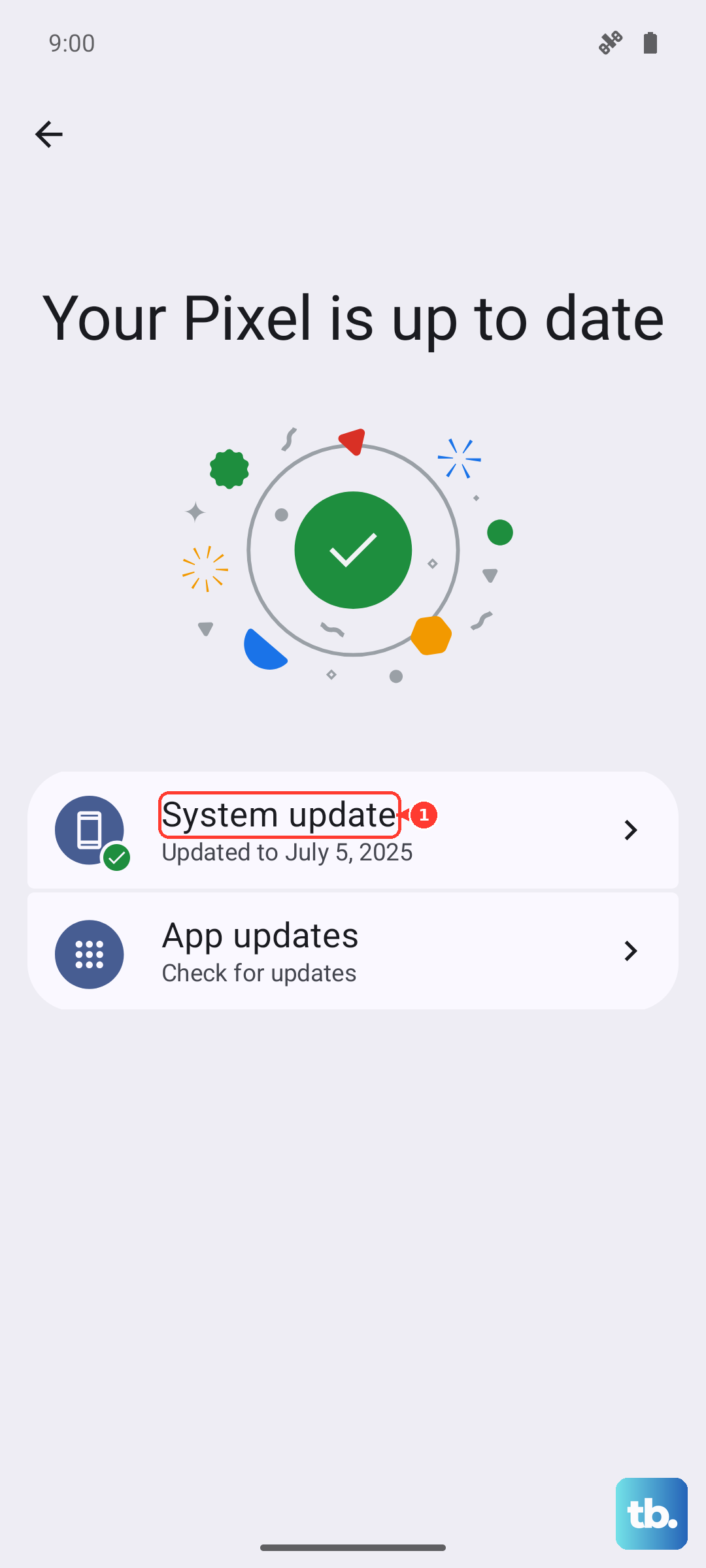
Sometimes, a bug in the system software or carrier settings can cause network problems. It's a good idea to make sure everything is up to date. Head to Settings > About device > OxygenOS version and tap "Check for update."
Install any available system updates. Next, open the Google Play Store, tap your profile icon, and go to "Manage apps & device." Under "Updates available," see if there's an update for "Carrier Services" or your carrier's own app. Installing these updates can resolve compatibility issues.
Manually Select Your Network Operator
Your phone usually picks the best network automatically, but sometimes this process gets stuck. You can manually tell it which network to use. Go to Settings > Mobile network.
Tap on "Network operators" or "Choose network." Your phone will search for a moment. When the list pops up, select your specific carrier's name from the options. Don't just choose the first one that appears; make sure it's your actual provider.
Reset Your Network Settings
If you're still stuck, resetting all network settings can wipe out any corrupted configuration data. This will erase your saved Wi-Fi networks, Bluetooth pairings, and mobile network preferences, so you'll have to reconnect to Wi-Fi afterward.
To do this, go to Settings > Additional settings > Backup & reset. Tap on "Reset phone" and then select "Reset Wi-Fi, mobile & Bluetooth." Confirm your choice and enter your lock screen PIN if prompted. Your phone will reboot and the network settings will be restored to factory defaults.
Test the SIM in Another Device
This step helps pinpoint where the problem actually is. If you have access to another unlocked phone, power it off and insert your OnePlus 12's SIM card. Turn that phone on and see if it gets service.
If the SIM works perfectly in the other phone, then the issue is likely with your OnePlus 12's hardware or software. If the SIM also shows as "not provisioned" in the other device, then the problem is definitely with the SIM card or your carrier account.
Contact Your Mobile Carrier
At this point, if nothing has worked, your carrier needs to get involved. They can check for outages in your area, verify that your SIM is properly provisioned in their system, and run deeper diagnostics on your line.
They might need to reprovision your SIM on their end, which is a backend refresh of your connection. If the SIM card itself is suspected to be damaged or faulty, they can issue a replacement SIM, which you would then need to activate. I've found that a support rep can often push a refresh signal to your line that clears up stubborn provisioning errors.