
If your Motorola Moto G Power (2025) feels unusually warm, you're not imagining it. A phone getting hot is a common sign that something is pushing its hardware a bit too hard. While some warmth during charging or heavy use is normal, excessive heat can drain your battery faster and even trigger performance slowdowns. Let's get it cooled down.
The quickest thing to try is a simple restart. Press and hold the power button for about 10 seconds until you see the Motorola logo appear. This clears out any temporary software glitches that might be causing a rogue app to overwork the processor. I'd start with this one, as it fixes a surprising number of odd behaviors.
Check What's Running and Close Background Apps
Your Moto G Power uses a MediaTek Dimensity 6300 processor. It's a capable chip for everyday tasks, but it's a budget processor that can get stressed by too many apps running at once. Swipe up from the bottom of your screen and hold to see your recent apps. Swipe away anything you're not actively using.
For a deeper look, go to Settings > Apps > See all apps. Look for apps with unusually high battery usage, as they're often the heat culprits. Social media apps, games, and video streaming services are common offenders if they've been running in the background.
Manage Your Display and Connection Settings
The screen is one of the biggest battery and heat draws on any phone. Lowering your screen brightness can make a noticeable difference in how warm the device feels. Also, consider reducing your screen timeout to turn the display off sooner when not in use.
Wireless radios generate heat when searching for signals. If you're in an area with poor cell service, your phone works harder to maintain a connection. Toggling Airplane mode on for a minute and then off can sometimes help it reconnect to a stronger signal. Similarly, turn off Bluetooth, GPS, and Wi-Fi if you aren't actively using them.
Be Smart About Charging
The Moto G Power 2025 supports 30W wired charging but doesn't come with a charger in the box. If you're using an old, slow, or non-compliant charger, it can cause the phone to heat up more during charging. For the best and coolest experience, use a certified 30W USB-PD charger.
Avoid using the phone for intensive tasks like gaming or video recording while it's charging. This combines two major heat-producing activities. Also, don't charge it on a soft surface like a bed or couch, as this can trap heat around the device. A hard, flat surface is best.
Update Your Software and Review App Behavior
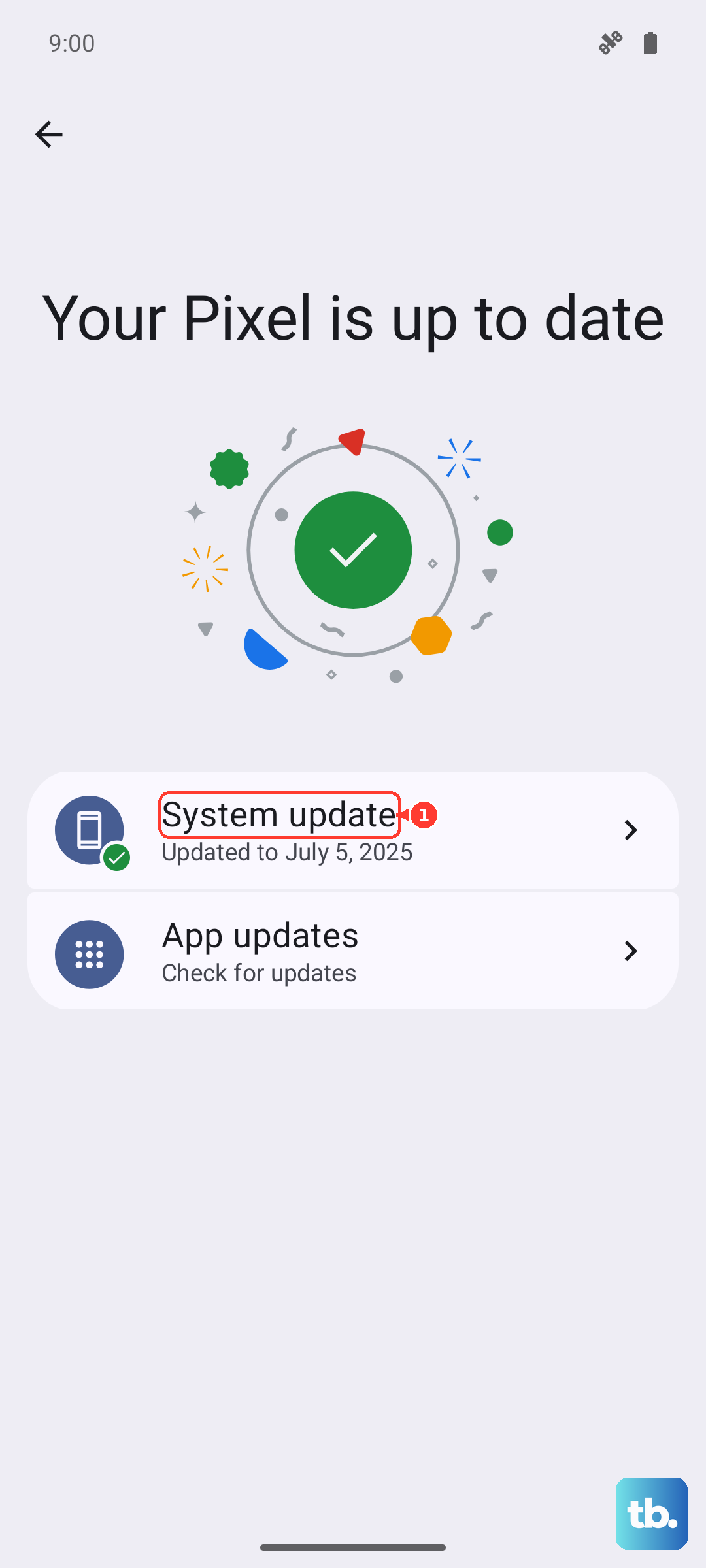
Make sure your phone is running the latest version of Android. Go to Settings > System > System update. Motorola and Google often release updates that include performance optimizations and thermal management improvements.
Pay attention to when the phone gets hot. Does it happen during a specific game, or right after opening a particular app? An app might be buggy or poorly optimized. Try uninstalling recently downloaded apps one by one to see if the heating stops. You can also try clearing the app's cache from Settings > Apps.
Consider Your Environment and Case
Your phone is designed to operate within a certain temperature range. Using it in direct sunlight, a hot car, or next to other heat sources will naturally make it warmer. The MIL-STD-810H durability rating means it can handle drops, but that ruggedness can also trap heat if you're using a very thick, insulating case.
If your phone is hot, try taking it out of its case for a while. This allows heat to dissipate more freely from the body. Some cases, while protective, can act like a blanket, especially during charging or extended use.
Address Storage and Long-Term Performance
The base model comes with 128GB of storage, which can fill up quickly. When your storage is nearly full, the phone has to work harder to manage files and data, which can generate extra heat. Regularly offload photos and videos to the cloud or a computer.
You can expand storage with a microSD card, which takes the pressure off the internal storage. Also, if your phone is consistently hot during basic tasks, a factory reset can sometimes clear deep-seated software issues. Just be sure to back up everything important first, as this will erase all your data.