Updating a browser gets messy because every platform puts the update control in a different place. Chrome, Edge, Firefox, Safari, Android, iPhone, Chromebook, store installs, and Linux all use their own update path.
Pick the section for your device, run the exact menu path, and finish with Relaunch, Restart, Update, or the system update prompt when it appears.
Check desktop browsers from the About page
For Chrome, close every Chrome window and tab, then reopen Chrome first. To check manually, open More, choose Help, then About Google Chrome; Chrome checks there, and you select Relaunch to apply the update.
For Microsoft Edge, restart the browser to let the default updater work. To force the check, open Settings and more, choose Help and feedback, then About Microsoft Edge; select Download and install when An update is available appears, then Restart.
For Firefox, open the menu button, choose Help, then About Firefox. On macOS, open Firefox in the menu bar, then About Firefox; click Restart to update Firefox after the update downloads.
For Brave, open Menu, choose Help, then About Brave, and relaunch when prompted. For Opera, use O Menu or Opera in the toolbar, then Update & Recovery..., Check for Update, Update, and relaunch; for Vivaldi on Windows, open Vivaldi menu, Help, Check for Updates, then Install Update; on macOS, open Vivaldi in the top menu and choose Check for Updates; on Linux, Vivaldi updates with the rest of the system.
Restart when the update button is missing
The most common cause is that the browser has already downloaded the update and is waiting for a full restart. Close every browser window, reopen the browser, and choose Relaunch or Restart when the prompt appears. Chrome, Edge, Firefox, Opera, Brave, and Vivaldi finish desktop updates this way.
In Chrome on Mac, the all users setting appears only when Chrome is installed in the Applications folder. Open More, Help, About Google Chrome, then choose Automatically update Chrome for all users.
Update Safari on Mac through Software Update
This fixes Safari updates on Mac because Safari updates with macOS. Open the Apple menu, choose System Settings, open General, then select Software Update.
Click Update, Upgrade, or Restart Now when one is shown. To check again, click Check for Updates. To check again with the keyboard, press Command-R in Software Update. To check again without the button, close and reopen Software Update.
Install browser updates on iPhone or iPad
For Chrome and other App Store browsers, open the App Store, tap the My Account button or photo, then open App Updates. Tap Update next to the browser, or use Update All.
For Chrome, look under App Updates, tap Update next to Chrome, and enter your Apple ID password when prompted. Google's own Chrome help still calls this list Available Updates, so expect either label depending on your iOS or iPadOS version.
Safari is updated through iOS or iPadOS. Open Settings, General, Software Update, then install the available iOS or iPadOS update.
For automatic App Store browser updates, open Settings, Apps, App Store, and turn App Updates on.
Run browser updates on Android
Open the Google Play Store and tap your profile icon. Choose Manage apps & device, then under Updates available, tap See details. Tap Update next to your browser app. Use Update all instead of Update when you want every pending app update.
For Samsung Internet, open the Google Play Store or Galaxy Store, then search for Samsung Internet. Tap Update.
For automatic updates, open Google Play, Profile picture, Settings, Network Preferences, Auto-update apps, then choose Update all apps over Wi-Fi or mobile data, Update with limited amount of mobile data, or Update over Wi-Fi only.
Use stores and package managers for store installs
Use this method when the browser came from the Microsoft Store, the Mac App Store, or a Linux distribution package repository. Store and package installs update through that same store or system updater.
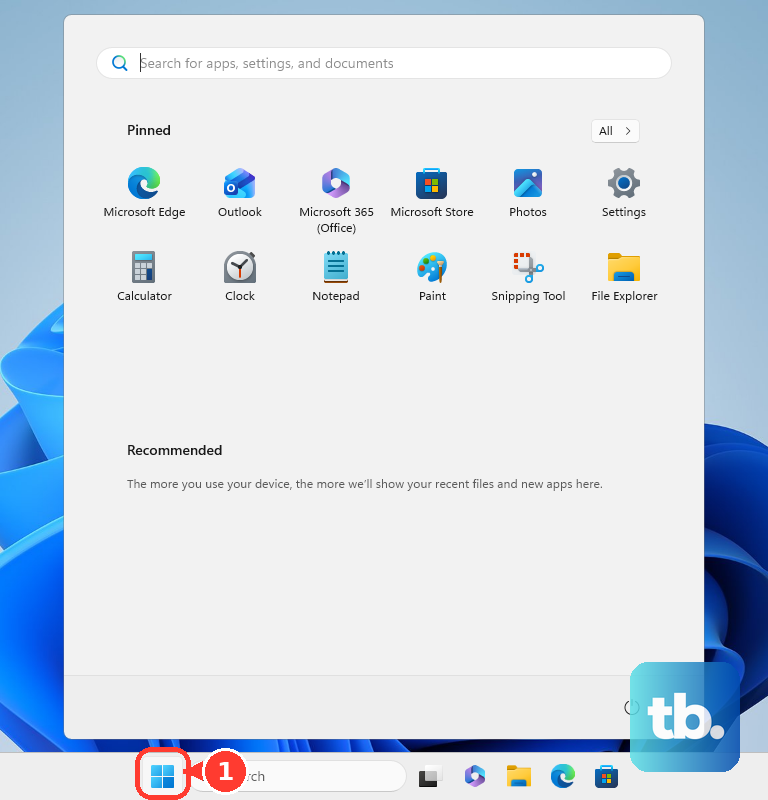
On Windows, open Microsoft Store and select Check for Updates, the path Microsoft gives for getting app and game updates. Microsoft's Store troubleshooting page still documents the older layout, so if your Store has no such button, use Library, Get updates on Windows 11, or See more, Downloads and updates, Get updates on Windows 10.
For automatic Microsoft Store updates, open Start, search for Microsoft Store, select your Profile, open Store Settings, and turn App updates on.
On Mac, open App Store, choose Updates, then select Update next to the browser or Update All. To automate Mac App Store browser updates, open App Store, Settings or Preferences, then select Automatic Updates.
On Linux, use your distribution's system software updates or package manager for Chrome or Firefox installed from package repositories.
Update Chrome on a Chromebook
On a Chromebook, Chrome updates through ChromeOS.
- 1.Connect the Chromebook to the internet.
- 2.Select the time.
- 3.Open Settings.
- 4.Go to About ChromeOS.
- 5.Under Google ChromeOS, select Check for updates.
- 6.Restart when the Update device notification appears.
Reinstall from the official download page
When Firefox will not update from About Firefox, open the official Firefox download page, download the installer, close Firefox, and run the installer. Firefox data is preserved when you update over the existing install.
For Vivaldi, open Download Vivaldi, download the latest version, and install it to the same location with the same settings as your current browser. For Opera update or crash problems, sync or back up local data first, then uninstall Opera, delete Opera profile data, select Download now, and install the new version.
Official download pages are available for Chrome, Microsoft Edge, Firefox, Opera, Brave, Vivaldi, and Samsung Browser. Use Download Chrome or Get Chrome for your device, Download Microsoft Edge, Firefox download, Download now, Get Brave, Download Vivaldi, or Samsung's Google Play and Download Windows PC options when the built-in updater or store updater does not get the current version.
Replace unsupported browsers and ask IT
On Windows devices joined to an Active Directory domain, Microsoft Edge Update policy includes settings to always allow updates, disable updates, set manual updates only, or allow automatic silent updates only. In Firefox enterprise deployments, policy settings include DisableAppUpdate, AppAutoUpdate, and BackgroundAppUpdate.
No current official update path exists for Safari on Windows, and Apple no longer offers Safari updates for non-Apple operating systems. Safari 5.1.7 for Windows was the last Windows release in 2010, and Internet Explorer 11 desktop support ended on June 15, 2022 on certain operating systems, including Windows 10 Semi-Annual Channel and Windows 10 IoT, while the Windows versions Microsoft still lists, such as Windows 10 LTSB and LTSC and Windows Server, keep Internet Explorer 11 for their Windows lifecycle.
Old Opera and Vivaldi archives are for legacy systems, testing, or historical builds, not a current everyday update path. For legacy Internet Explorer sites, use Microsoft Edge with IE mode.
If this method fails, install a current supported browser such as Microsoft Edge, Chrome, Firefox, Brave, Opera, or Vivaldi for your device, or ask your organization to update the managed browser.
Frequently Asked Questions
Can I make browser updates automatic?
Yes. On iPhone or iPad, use Settings, Apps, App Store, App Updates. On Android, use Google Play, Profile picture, Settings, Network Preferences, Auto-update apps.
Why does Firefox not update from About Firefox?
Firefox installed from Mozilla updates from About Firefox. Firefox installed from Microsoft Store updates through Microsoft Store, Check for Updates, or through Library, Get updates if your Store still uses that layout; Firefox installed from a Linux repository updates through system software updates or the package manager.
Does reinstalling Firefox delete my data?
No. Close Firefox, run the current Firefox installer over the existing install, and your Firefox data is preserved.
Can I update Safari on Windows?
No current official update path exists. Apple no longer offers Safari updates for Windows or other non-Apple operating systems.