You opened Facebook, sent a few requests, and now need to see which ones are still waiting. Facebook keeps pending sent requests in the Friends area on desktop and in the Friends screen in the mobile app. Use the fastest path first, then check Activity Log or an export when you need older request history.
Start on the Facebook Friends page
On a desktop browser, log in to Facebook and select Friends from the left vertical pane. Choose Friend Requests to open the requests area.
Select View sent requests. Facebook shows the pending friend requests sent from that account.
To take one back, select Cancel Request next to that person. This cancels that single pending request.
Open the direct sent requests page
Open https://www.facebook.com/friends/requests/?outgoing=1 in a desktop browser while logged in.
Review the Sent Requests list.
Hover over Friend Request Sent beside the person you want to remove.
Select Cancel Request, then confirm the cancellation.
Use this direct page when the regular Friends menu path is moved or hidden.
Find sent requests in the Facebook app
The mobile app path starts in Menu, then moves through Friends.
- 1.On Android or iPhone, tap Menu in the top left of Facebook; on iPad, tap Menu in the bottom right.
- 2.Tap Friends, then tap See all next to Friend requests.
- 3.Tap Options in the top right.
- 4.Tap View sent requests or View Sent Requests.
- 5.Tap Cancel below a name to cancel that pending request.
Check one person from their profile
This fixes the case where you remember the person and only need to verify one request.
Open the person's Facebook profile.
Look for Friend Request Sent or Cancel Request on the profile.
Use the visible control to confirm the request is still pending or to cancel it.
Review older request activity in Activity Log
The sent-request list shows pending requests, while Activity Log is the better place for friend-request history. Open your profile, then open Activity Log.
Choose View Activity History. Use Filters or Categories to narrow the activity.
Go to Connections, then select Sent friend requests or Friend Requests sent. Facebook uses different wording across app and web surfaces.
Export your Facebook information
This fixes the case where you want an offline account record instead of the live requests screen.
Tap Menu in the top left of Facebook on Android or iPhone; on a desktop browser, select your profile picture in the top right.
Tap Settings & privacy, then tap Settings.
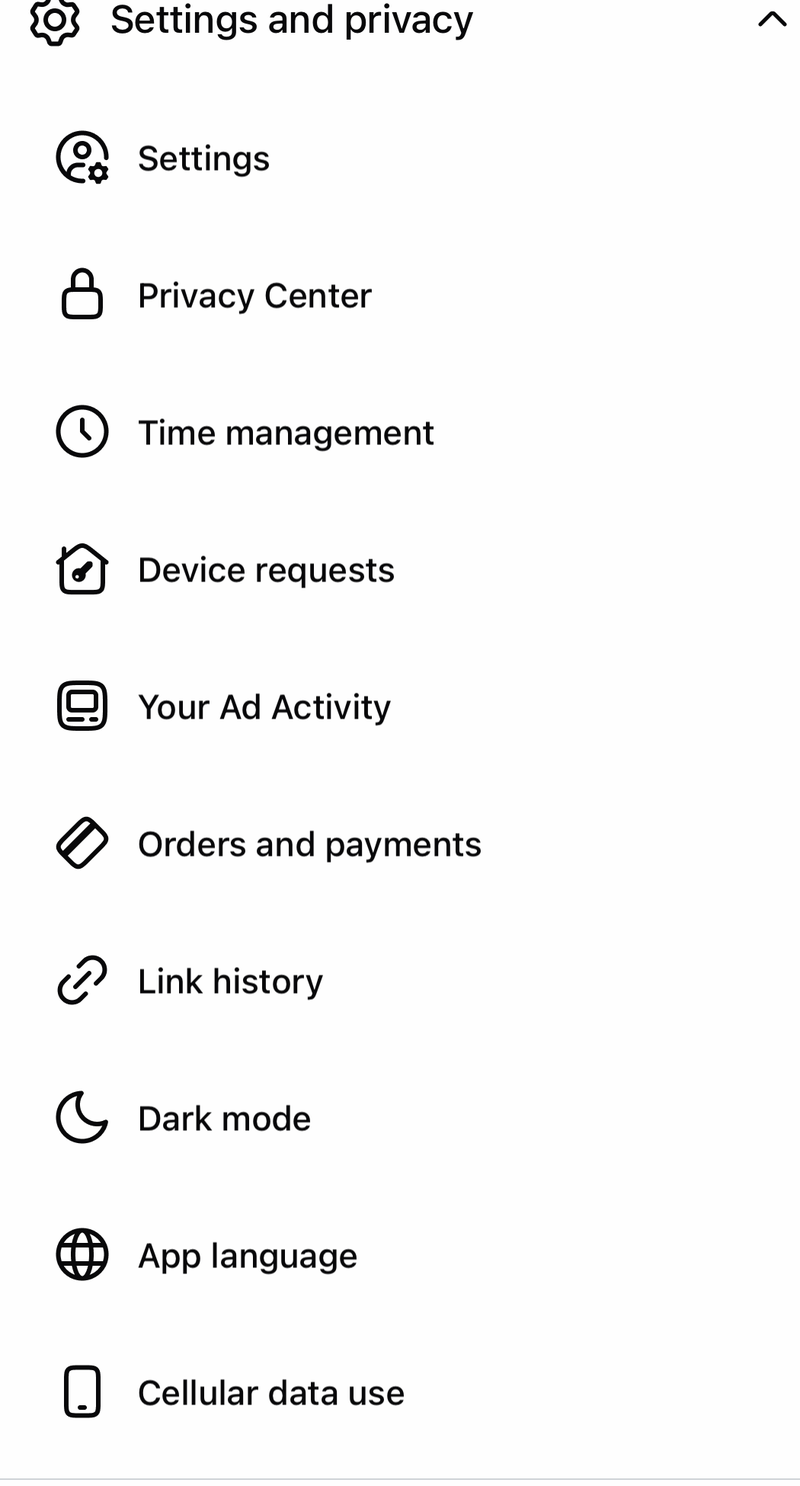
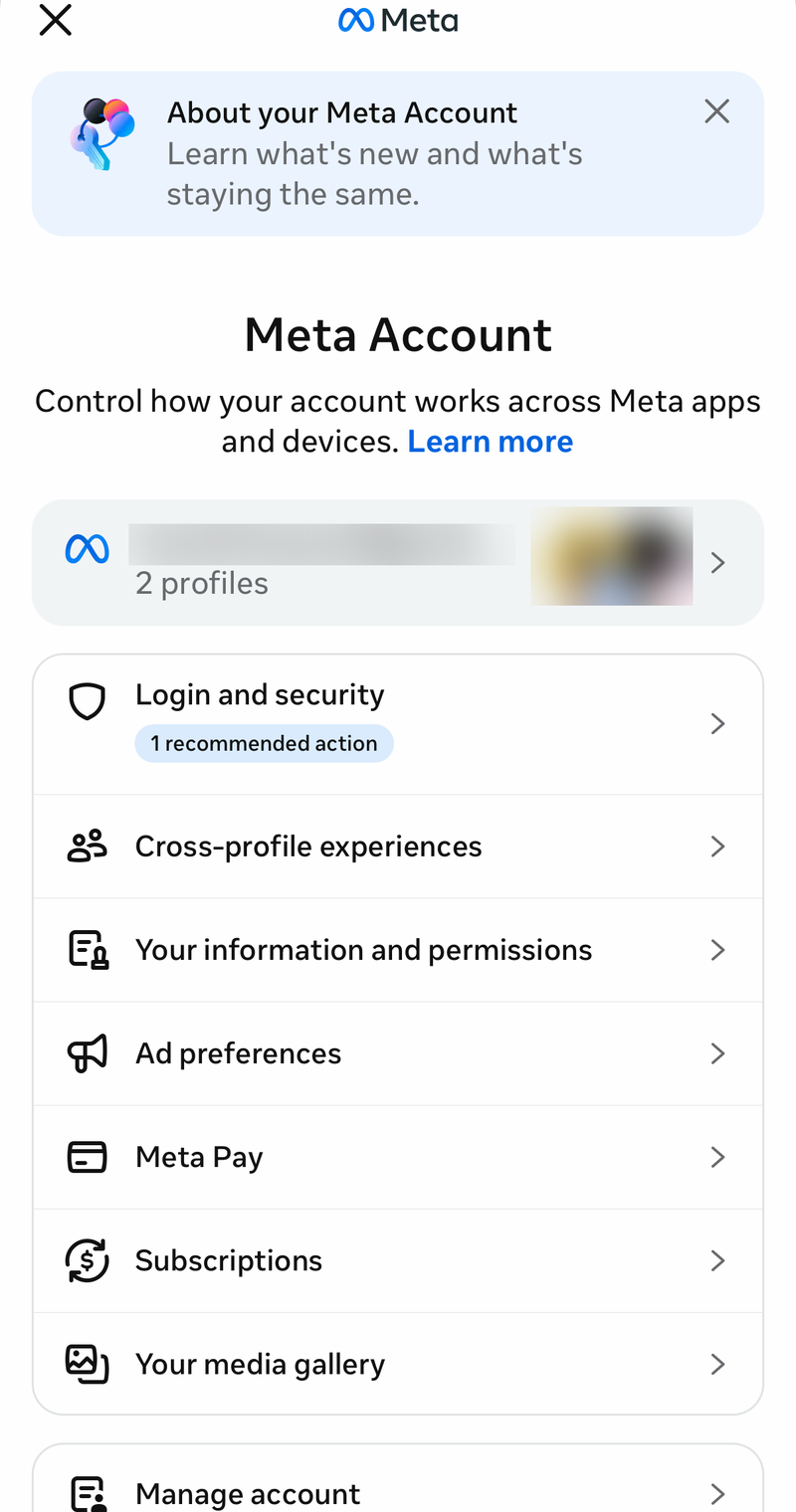
Tap Meta Account. Meta is still rolling this change out, so you may see either Accounts Center or Meta Account settings here.
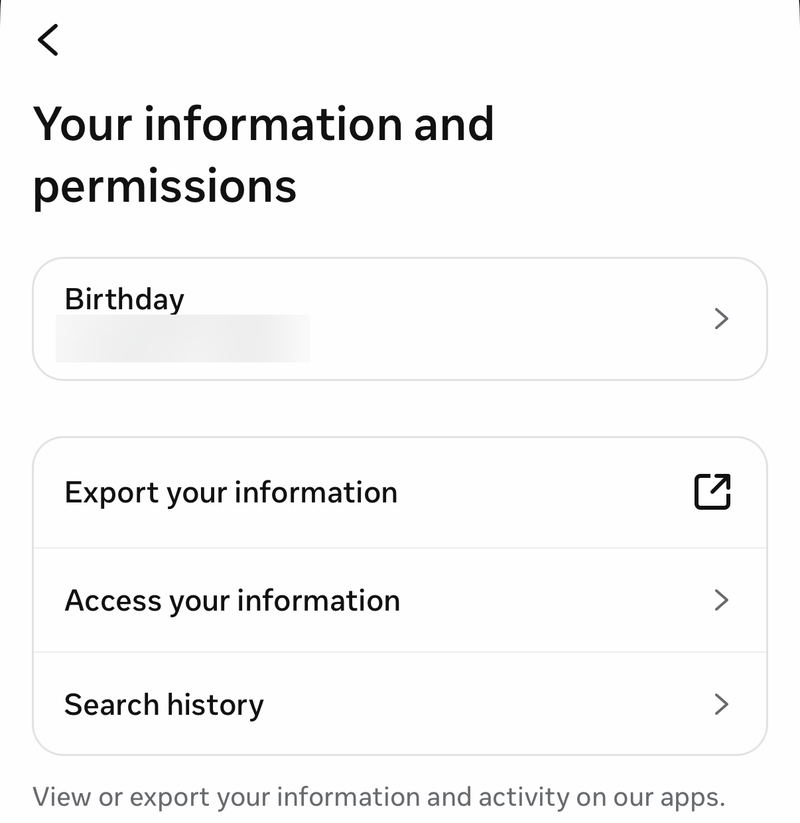
Tap Your information and permissions.
Tap Export your information.
Tap Create export.
Select the profile you want to export information from, then tap Next in the app.
Select Export to device.
Set the information, date range, and format you want, then select Start export.
After the download is ready, inspect the friends folder or file, including sent_friend_requests.json or sent_friend_requests.html when it appears in the export.
Fix an empty sent requests list
The most common cause is that no pending sent requests remain on the account.
A request leaves the pending sent list after it is accepted or canceled. The live sent-request screen is built for requests still waiting for a response.
Open the person's profile and check for Friend Request Sent or Cancel Request when you only need one name. For a broader record, open Activity Log, go to Connections, then use Sent friend requests or Friend Requests sent.
Skip bulk cancel scripts and legacy tools
Use View sent requests to manage ordinary pending sent requests.
Cancel each request with Cancel Request on desktop or Cancel in the mobile app.
Avoid browser-console scripts that target hard-coded Facebook class names.
Ignore old export labels such as Download a Copy, expanded archive, and Start My Archive.
Do not use the old apps.facebook.com/friendrequests canvas app route.
If this method fails, use Activity Log for history or Export your information for an offline record.
Frequently Asked Questions
Can I see every friend request I ever sent on Facebook?
Use Activity Log for request history. The regular sent requests screen shows pending requests that have not been accepted or canceled.
Can I cancel all sent friend requests at once?
Facebook does not offer an official bulk-cancel feature for ordinary sent friend requests. Current controls cancel pending requests one by one.
Why do I see View sent requests on one device but not another?
Facebook labels and menu placement vary by app and web surface. On desktop, open the direct sent requests URL when the menu path is not visible.
Where are Messenger Kids friend requests reviewed?
Messenger Kids requests are handled in the Parent Dashboard. Open the Facebook app, tap Menu, open Messenger Kids, choose the child's name, then use Review Action to approve or delete requests.