A crowded desktop or downloads folder turns simple file hunting into busywork. You can make a new folder from the main file app on Windows or Mac, from a save window, from cloud storage, or with a command when you need an exact path. Start with the method for the place where you want the folder to live.
1. Make a folder in Windows File Explorer
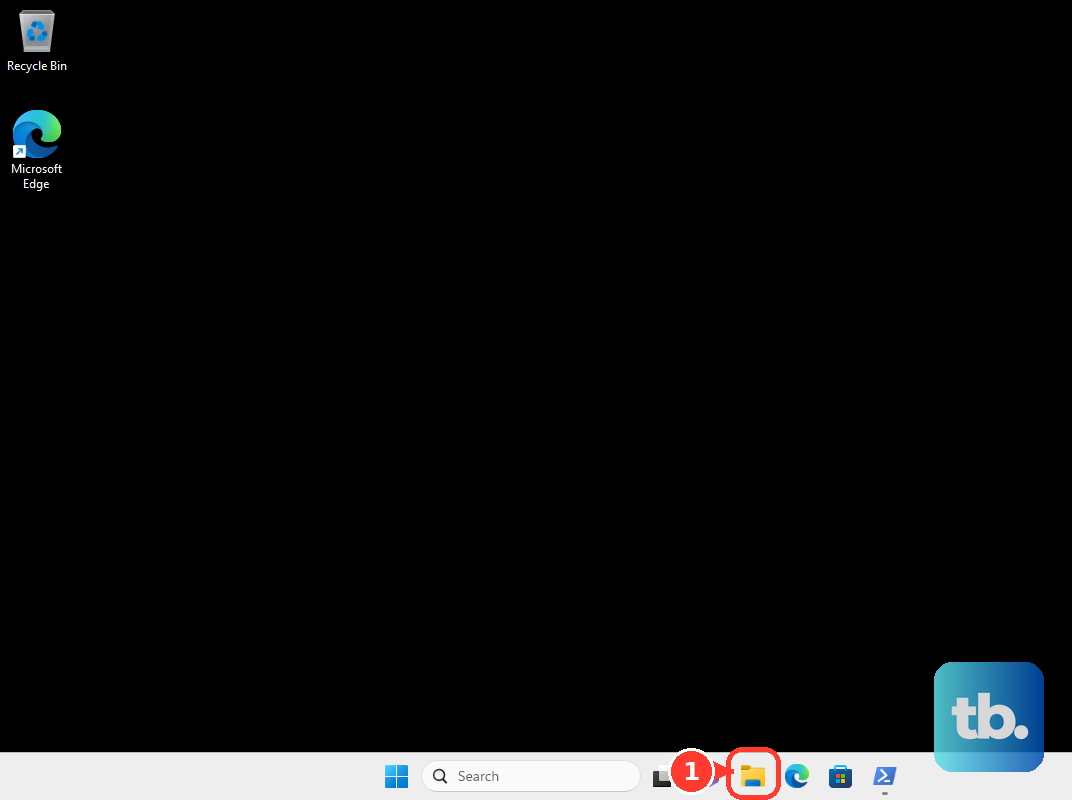
Open File Explorer with Windows logo key + E, the taskbar icon, or Start. Go to the location where you want the folder, such as Documents, Desktop, or another drive. Select New, then choose Folder. Type the folder name and press Enter.
2. Speed it up with the Windows shortcut
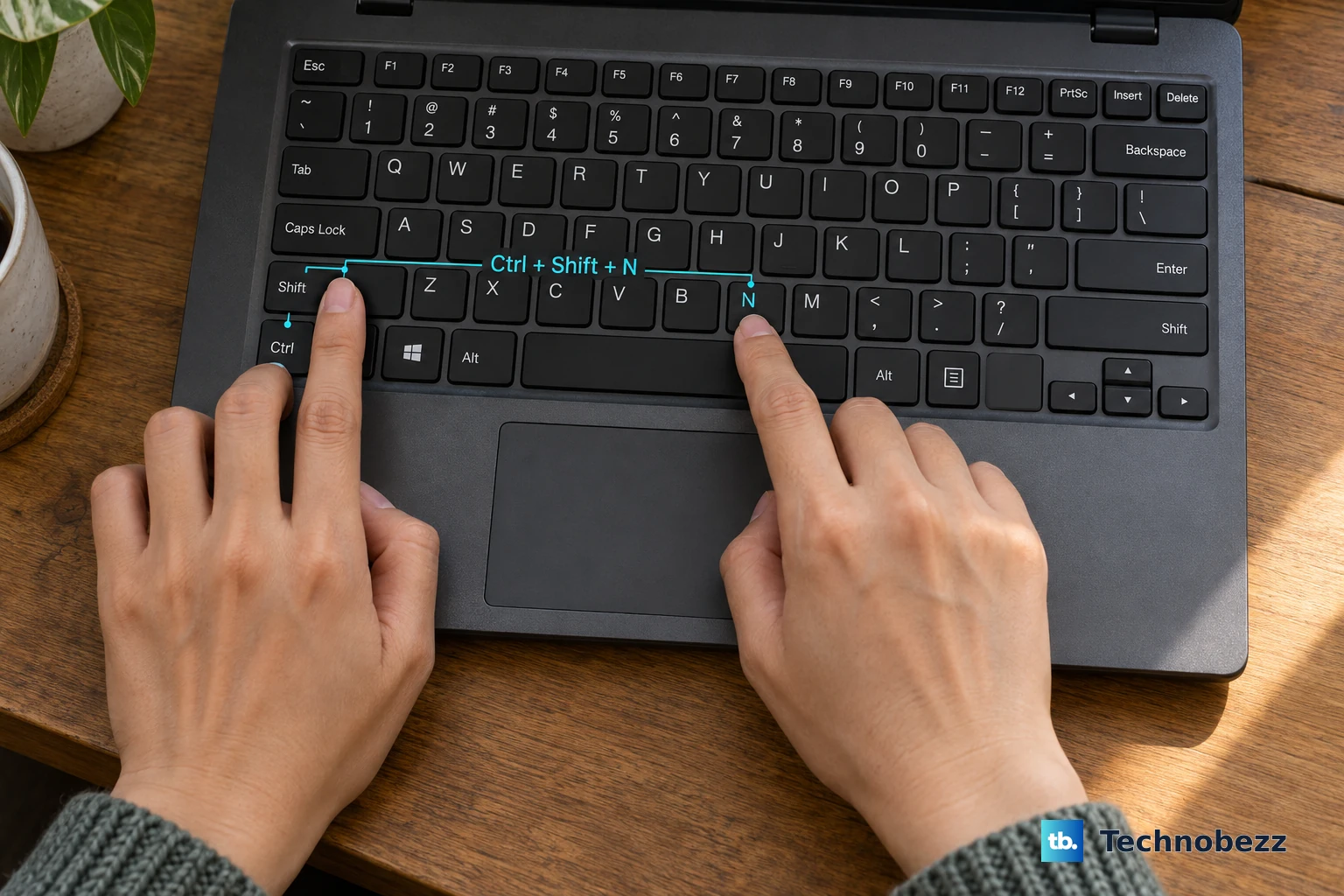
This fixes the slow menu-clicking part when File Explorer is already open. Open File Explorer and navigate to the location where the new folder belongs. Press Ctrl + Shift + N, type the folder name, and press Enter.
3. Create a folder on a Mac
Click the Finder icon in the Dock. Navigate to the location where you want the folder, or click the desktop to create it there. Choose File, then choose New Folder. Enter the folder name and press Return.
4. Use the Mac shortcut
For the faster Mac method, open Finder or click the desktop. Press Shift-Command-N, type the folder name, and press Return. To gather selected files into one folder, select the items in Finder. Use Control-Command-N, then enter the new folder name.
5. Add a folder while saving a document
In a Microsoft Office or Microsoft 365 app on Windows, open the document you want to save. Select File, then select Save As. Turn AutoSave off if the app requires it before saving a separate copy. In the Save As pane or dialog, select New Folder, type the folder name, and choose OK.
6. Build a folder in cloud storage
This fixes the problem of needing the same folder on the web and on synced devices. In Google Drive, go to drive.google.com, click New, choose Folder, enter a name, and click Create.
In OneDrive, open the OneDrive home page. Select Add new, choose Folder, and name it. Select a folder color if you want one, then select Create.
In iCloud Drive, go to icloud.com/iclouddrive. Sign in to your Apple Account, then select the New Folder button in the toolbar. In Dropbox, log in to dropbox.com. Click New folder or click New and Folder, enter the name, choose who has access, and click Create or Share.
7. Run a folder command
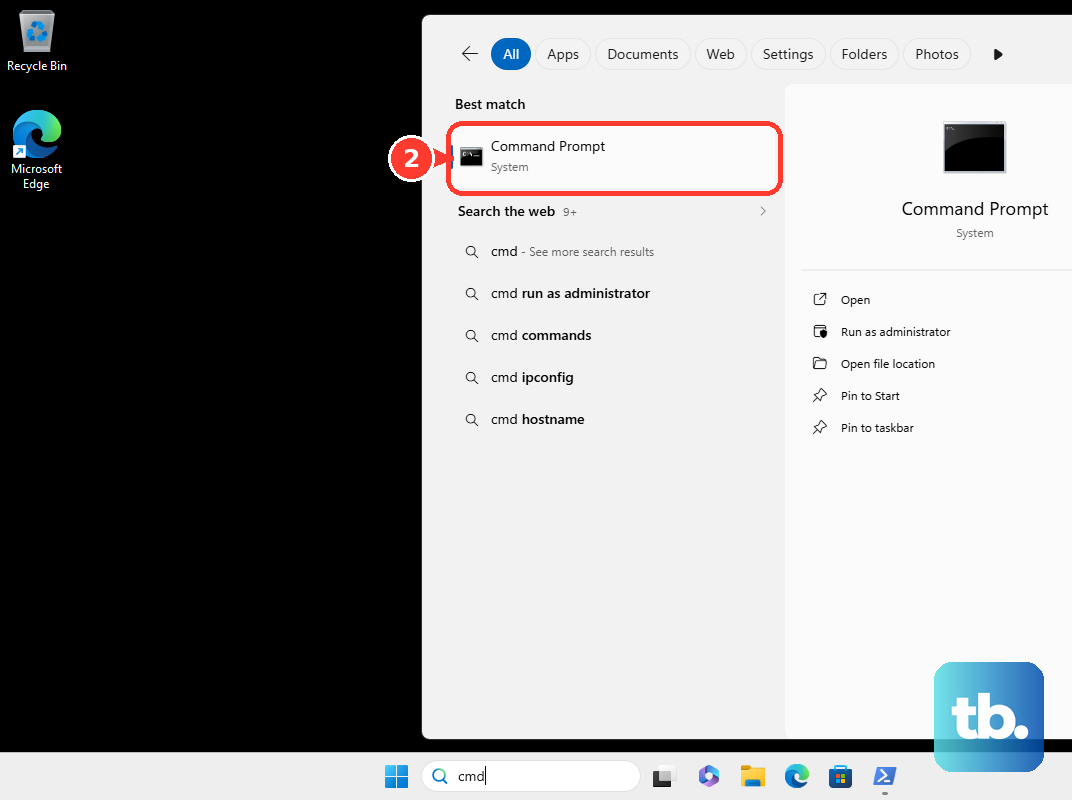
On Windows, open Command Prompt. Type mkdir FolderName and press Enter. To create a Windows folder at an exact path, type mkdir C:\Path\FolderName and press Enter. In PowerShell, run New-Item -Path 'C:\temp\New Folder' -ItemType Directory.
On Mac, open Terminal. Type mkdir ~/Desktop/FolderName and press Return. On Linux, open Terminal. Run mkdir FolderName in the current directory.
Or run mkdir /home/yourname/Desktop/new_folder, swapping yourname for your own username. If the path includes folders that do not exist yet, run mkdir -p instead, because plain mkdir stops with an error when a parent folder is missing. Use commands when you need the folder created at a specific path.
8. Separate normal folders from Smart Folders
On a Mac, File > New Smart Folder creates a saved search folder, not a normal storage folder. Use it when you want Finder to show files that match search criteria. For ordinary file storage, create a regular folder with File > New Folder or Shift-Command-N.
9. Check shared work folders
This fixes folder creation problems in company, school, or shared document libraries. In a SharePoint document library, open the SharePoint site and document library. Select + New, choose Folder, and enter a folder name in the Name box. Select Create.
When the folder option is missing, ask the library owner to do this:
- 1.Open Settings.
- 2.Choose Library settings.
- 3.Choose Advanced settings.
- 4.Set Make "New Folder" command available to Yes.
- 5.Select OK.
Frequently Asked Questions
Can I create a folder without using the mouse?
Yes. On Windows, open File Explorer and press Ctrl + Shift + N. On a Mac, open Finder or click the desktop and press Shift-Command-N.
Which command makes a folder in Windows?
Use mkdir in Command Prompt. For example, mkdir FolderName creates a folder in the current location, and mkdir C:\Path\FolderName creates one at that path.
Can I put selected Mac files into a new folder at once?
Yes. Select the items in Finder, press Control-Command-N, enter the folder name, and the selected items move into that new folder.
Why is New Folder missing in SharePoint?
The library setting can disable folder creation. A library owner can enable it from Settings > Library settings > Advanced settings by setting Make "New Folder" command available to Yes.