TikTok region change not working usually means the Account region option is missing, TikTok rejected the change, or the For You feed still looks tied to the old country. The right fix depends on whether you need to change the account country, local discovery, app availability, or recommendations.
Start with TikTok's own region controls, then clean up the location, language, network, and feed signals that can keep pulling the app back to the old place.
Start with the account region setting
Open TikTok and go to Profile, Menu, Settings and privacy, Account, User information, and Account region. Choose the new country or region and follow the prompts TikTok shows.
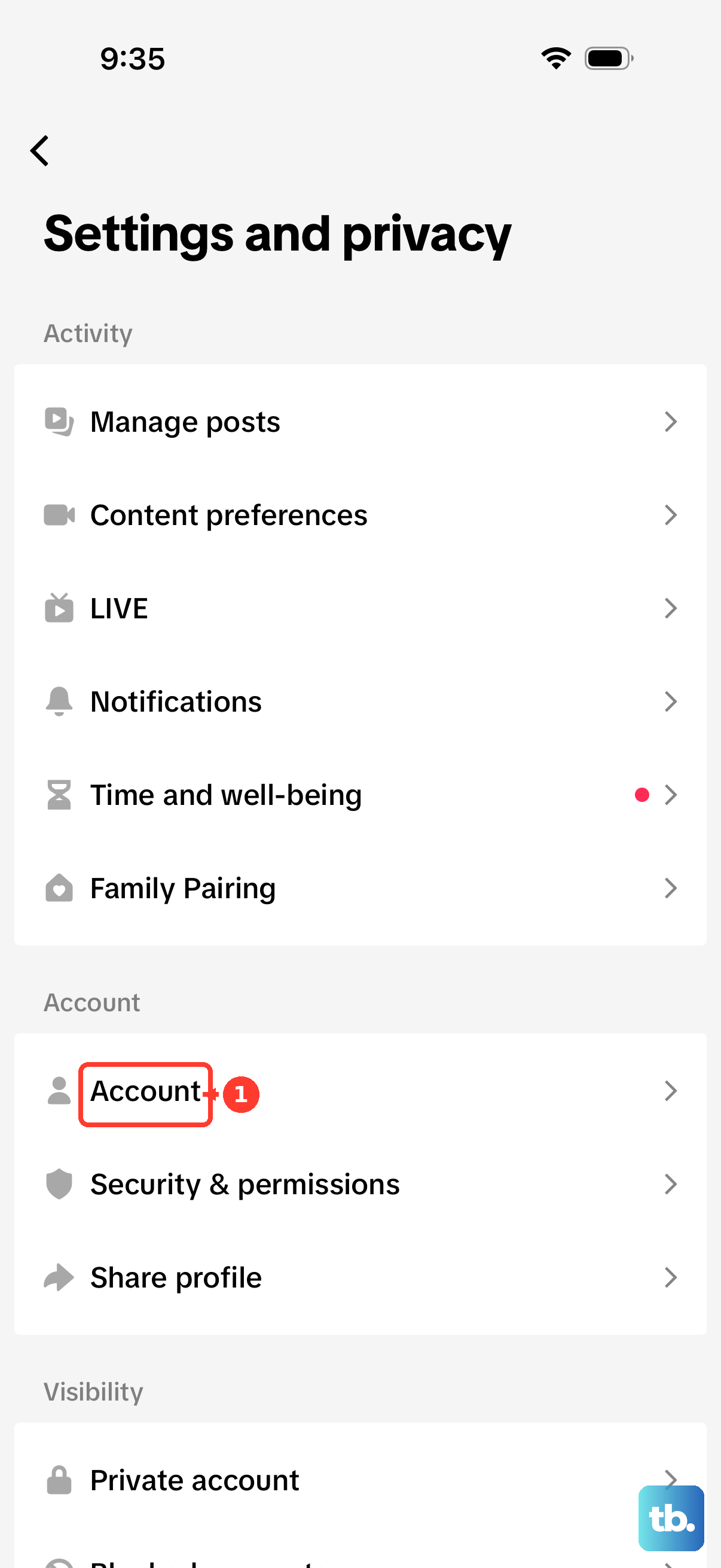
When TikTok says you cannot update the region, the account has not passed TikTok's eligibility checks. Those checks can include your current location or activity in that country, age rules, or unresolved rewards and benefits.
You can also try from a browser at TikTok.com. After signing in, select your profile picture, open Settings, choose Manage account, then use Account region when it appears.
Switch Nearby for local discovery
If only the Nearby feed is showing the wrong place, use TikTok's local switch instead of treating it like an account-country problem. Nearby is not available to everyone, and where it is available you must be logged in and at least 18 years old to view it. Depending on your location, it may be called the Local feed.
- 1.Open the TikTok app.
- 2.Go to the Nearby feed.
- 3.Tap the region name or Nearby at the top.
- 4.Choose another region or location.
- 5.Follow the prompts TikTok shows.
Resolve location permission conflicts
The most common cause is mixed location signals from GPS permission, SIM region, IP address, and system settings.
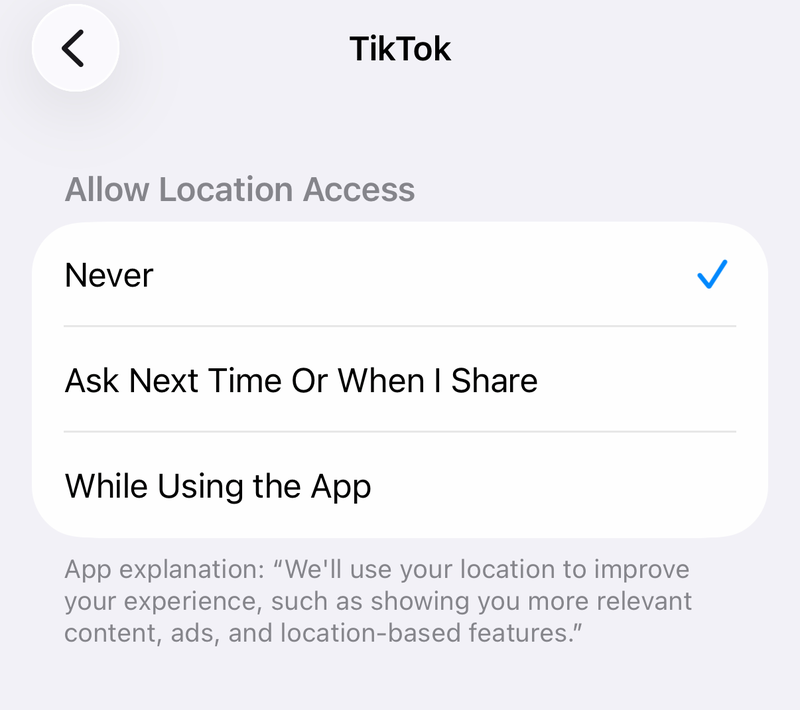
In regions where TikTok Location Services is available, open Profile, Menu, Settings and privacy, Privacy, and Location Services. Choose the location access setting you want TikTok to use. TikTok says Location Services is not available everywhere, including the U.S. and South Korea, so if you do not see it, work the device permission, SIM, and network steps below instead.
If old location data is sticking, stay in Location Services and use Delete certain location data. That removes the data TikTok received directly from your device's Location Services, but TikTok can still estimate a less-specific location from device and network signals.
On iPhone, open Settings, Privacy & Security, Location Services, and TikTok. Choose the permission, and turn Precise Location off if you want to reduce exact GPS sharing.
On Android, touch and hold TikTok, then open App info, Permissions, and Location. Choose the permission Android shows.
Reset the For You feed when it ignores the new region
Use this when the account or device setting changed, but the videos still look like they belong to your old region. TikTok uses interactions, followed accounts, captions, sounds, hashtags, and search or discovery behavior to shape recommendations.
Open Profile, Menu, Settings and privacy, Content preferences, and Refresh your For You feed. Tap Continue, then Refresh.
Next, search for creators, places, languages, hashtags, and sounds from the target country. Watch relevant videos fully, then like, follow, comment, and share selectively so your activity points TikTok toward the new region.
When old-region videos appear, long-press the video and tap Not Interested. If TikTok offers it, hide videos from that creator or sound as well.
Match language, region, and time zone signals
TikTok language settings do not change your account region, but language preference is a recommendation signal. In the app, go to Profile, Menu, Settings and privacy, and Language, then update App language or Preferred languages and tap Done.
On iPhone or iPad, align the device region through Settings, General, and Language & Region. Set Region, or tap Add Language and choose the primary language when prompted.
Time zone can support the same signal cleanup. On iPhone, use Settings, General, Date & Time, turn off Set Automatically when needed, then open Time Zone and choose the right location.
On Android, open the Clock app, tap More, Settings, and Change date and time. Under Time zone, use Automatic time zone, or turn off Set automatically and select the time zone manually.
Use VPN or SIM changes for network signals
This fixes IP or mobile-network mismatch; it does not override TikTok account eligibility.
Connect your device to a VPN endpoint in the target country.
Fully close TikTok, then reopen it so the app starts a fresh session on the new network.
On Android, open Settings, Network & internet, and VPN.
Tap the VPN, enter credentials if prompted, then tap Connect.
On Windows for TikTok web, open Settings, Network & internet, and VPN.
Select the VPN and choose Connect.
If you moved or are traveling, activate a SIM or eSIM from the target country.
Connect to that mobile network, reopen TikTok, and give account checks and recommendations time to adjust.
Fix app store country problems
The most common cause is confusing TikTok region with app download or update availability.
On iPhone, change the Apple Account country only when TikTok availability or updates are the issue. Go to Settings, your name, Media & Purchases, View Account, Country/Region, and Change Country or Region, then choose the country and enter the required billing details.
On Android, open Google Play Store, tap the profile icon, then open Settings, General, Account and device preferences, and Country and profiles. To add a new country, tap that country and follow the prompts to add a payment method from it. To switch between countries already on your account, tap the name of the existing country profile you want to use.
Google Play country updates can take up to 48 hours, and country changes are restricted. If the option is missing, confirm you are physically in the new country, are not blocked by Family settings, and have not changed your Google Play country or region within the last 90 days. Google also notes that additional restrictions can apply in some cases.
Clear stale app data and reinstall TikTok
Cached data can make a region or feed change look stuck after you fixed the setting. In TikTok, open Profile, Menu, Settings and privacy, and Free up space, then tap Clear cache.
Update TikTok from the official store before reinstalling. On iPhone or iPad, use the Apple App Store TikTok page and tap Update or Get; on Android, use TikTok on Google Play and tap Update or Install.
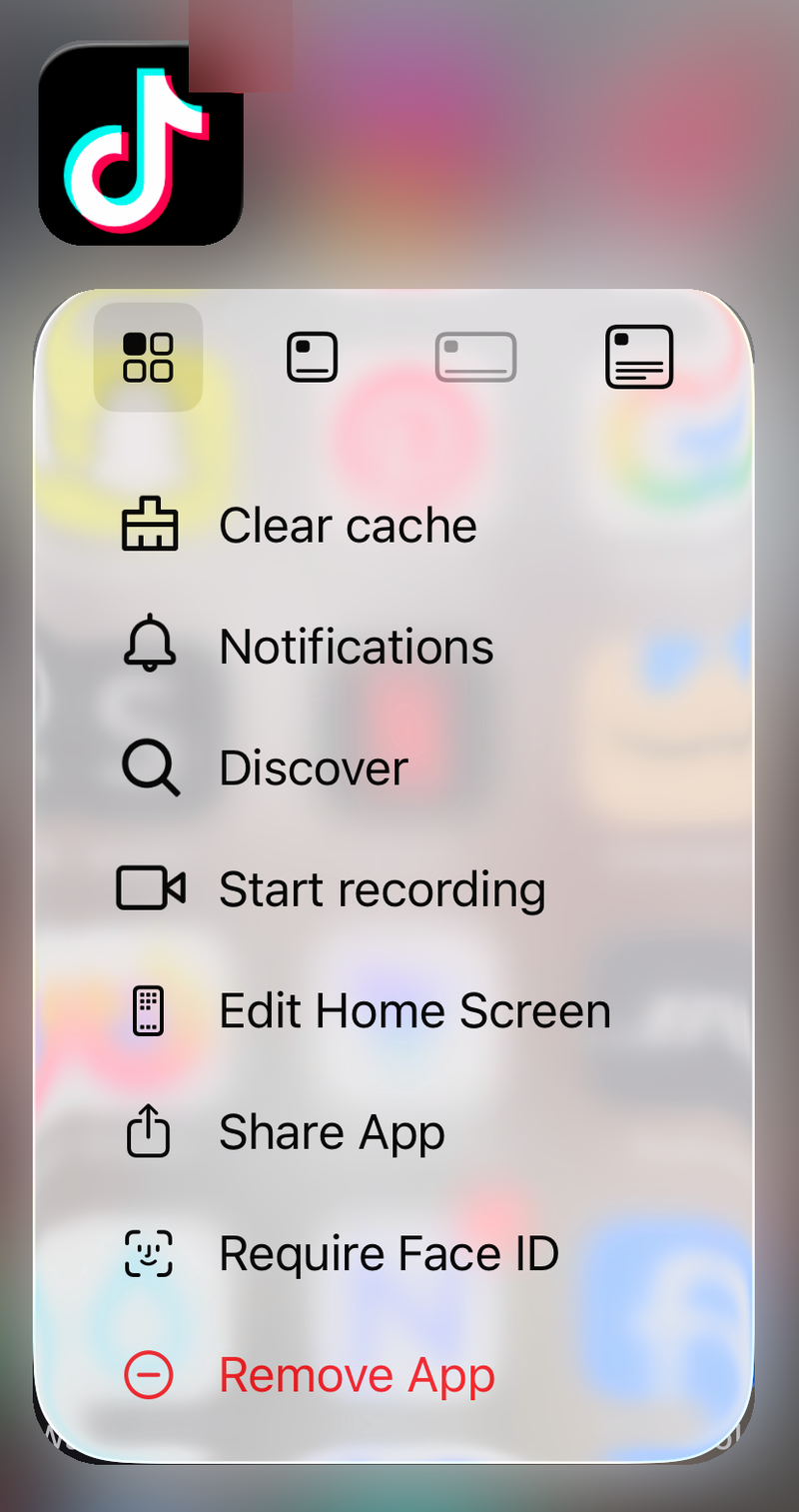
For a clean reinstall on iPhone, touch and hold TikTok, then tap Remove App, Delete App, and Delete. If deleting is blocked, open Settings, Screen Time, Content & Privacy Restrictions, iTunes & App Store Purchases, Deleting Apps, and choose Allow.
For Android, open Google Play Store, tap the profile icon, Manage apps & devices, Manage, TikTok, and Uninstall. Reinstall from Google Play or TikTok's official download page, not third-party APK sites.
Skip unsupported tricks and contact TikTok
Fake-GPS apps, jailbreak or root tools, and modified TikTok APKs are not supported consumer fixes. Use normal OS location permissions, TikTok account-region controls, VPN configuration, SIM or IP alignment, device settings, and official TikTok downloads instead.
If the Account region option is missing or TikTok keeps returning an eligibility or error message, report it from Profile, Menu, Settings and privacy, then Help Center or Report a problem. Include screenshots of the error, your current country, and the country you expected.
On a work, school, or family-managed Apple device, open Settings, General, and VPN & Device Management. If a profile controls VPN, app installation, region, or restrictions, contact the organization or family administrator.
If this method fails, wait until your country signals are consistent, then try Account region again from the app or web.
Frequently Asked Questions
Why does TikTok say I cannot update my account region?
TikTok can block the change when the account does not meet eligibility checks, including current location or activity in that country, age rules, or unresolved rewards and benefits.
Does changing my phone region change my TikTok account region?
No. Device language, region, and time zone can support recommendation signals, but they do not change TikTok account region by themselves.
Will a VPN fix TikTok region change not working?
A VPN can align your IP address with a target country, but it does not override account-region eligibility, SIM region, GPS permission, app-store region, or old recommendation history.
Why did my TikTok region change but my For You feed stayed the same?
Your watch history, likes, follows, searches, captions, sounds, hashtags, and other interactions can keep influencing recommendations. Refresh the For You feed and retrain it with target-region activity.