You press and hold a TikTok video expecting 2x speed, but the video keeps playing normally or opens a different menu. TikTok now has a playback-speed control in the video menus, and the fix starts there before moving into app, cache, touch, update, and reinstall checks.
Use TikTok's playback speed menu first
The hold shortcut is not the only playback-speed control. On a TikTok video, tap Share, tap Playback speed, then tap 2x.
If Playback speed is not in the share sheet, press and hold the video, tap Playback speed, or choose 2x under Speed. The control appears only on some videos and applies to the current video or session, not as a permanent account setting.
If this method fails, test a longer video before changing TikTok or phone settings.
Restart TikTok and your phone
Use this when hold-for-2x worked recently and then stopped, or when TikTok feels stuck after opening several videos. TikTok recommends restarting the app and the device as an early troubleshooting step.
Close TikTok completely.
Open TikTok again and test the same video.
Restart your phone or tablet, then return to TikTok after the device finishes booting.
On Samsung Galaxy devices, press and hold Volume down and the Side button or Power button at the same time.
Tap Restart, then tap Restart again.
Clear TikTok's cache
The most common app-side cause is stale cached data that makes TikTok menus or gestures behave inconsistently.
Open TikTok and tap Profile.
Tap Menu, then tap Settings and privacy.
Tap Free up space.
Beside Cache, tap Clear, then tap Clear again to confirm.
On stock Android or Pixel, open Settings, then tap Apps.
Tap See All Apps, tap TikTok, tap Storage & cache, then tap Clear cache.
On Samsung Galaxy, open Settings, tap Apps, select or search for TikTok, tap Storage, then tap Clear cache. Menu labels vary by manufacturer.
Update TikTok from the official store
On iPhone or iPad, open the App Store.
Tap the My Account button or your photo.
Tap App Updates, then tap Update next to TikTok.
On Android or Chromebook, open the Google Play Store.
Tap your profile icon, then tap Manage apps & device.
Under Updates available, tap See details, then tap Update next to TikTok.
Use only the official App Store, Google Play, or TikTok's official download page when installing or updating TikTok.
Fix touch and hold settings
If long-press actions feel delayed across your phone, TikTok is not receiving the hold gesture cleanly. On iPhone, open Settings, then Accessibility, Touch, and Haptic Touch or 3D & Haptic Touch; choose Fast, then test TikTok again.
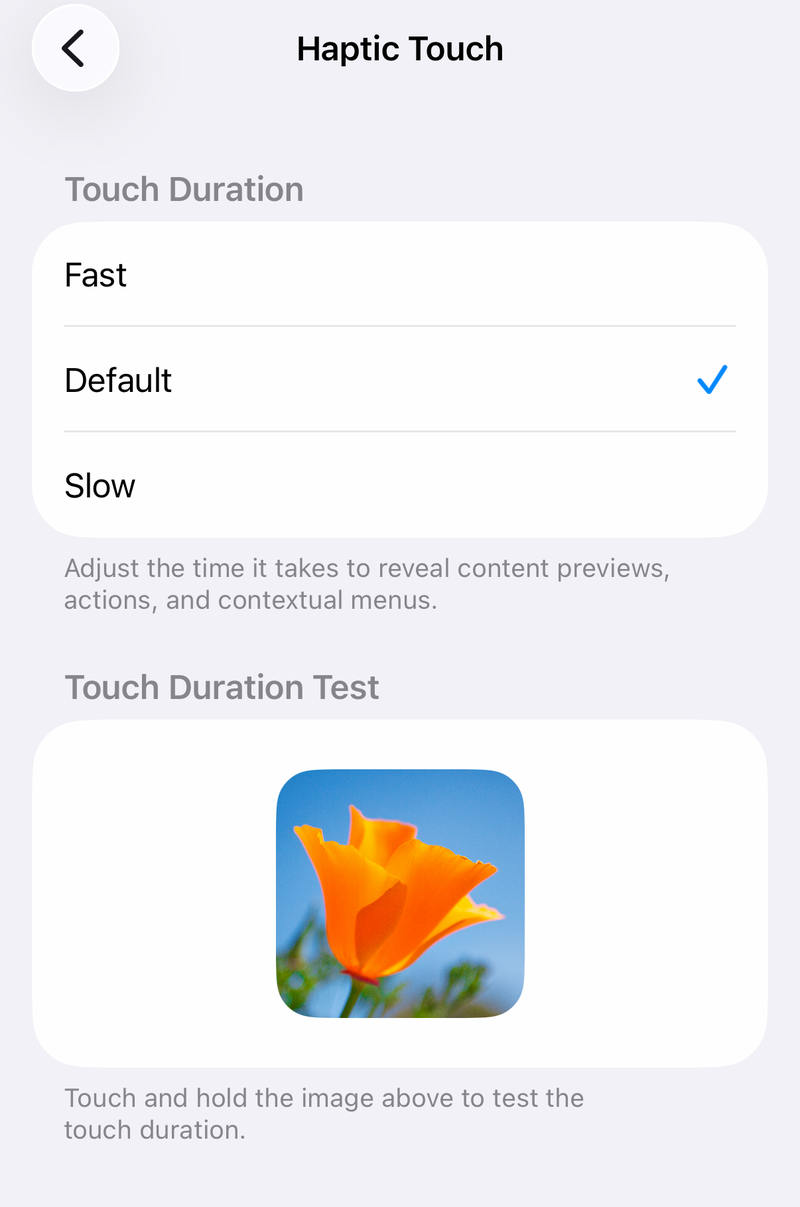
Still on iPhone, open Settings, Accessibility, Touch, and Touch Accommodations. When Touch Accommodations is on, test TikTok with Touch Accommodations off, or reduce Hold Duration and Ignore Repeat.
On Android, open Settings, then Accessibility and Touch & hold delay. Choose Short first so the phone recognizes the long press sooner.
Reinstall TikTok when update and cache fixes fail
The most common reason to reinstall is corrupted local app data left behind after a restart, cache clear, and update.
On iPhone or iPad, touch and hold TikTok on the Home Screen.
Tap Remove App, then tap Delete App.
Open TikTok's official App Store product page and reinstall TikTok.
On Android, open the Google Play Store and tap your profile icon.
Tap Manage apps and devices, tap Manage, tap TikTok, then tap Uninstall.
Open TikTok's official Google Play page and tap Install.
Deleting TikTok or clearing Android app storage removes local app data from the device and requires signing in again.
Use TikTok's Android download page if Play Store is unavailable
This applies only to Android devices that install APK files and do not have TikTok available through Google Play. It is not an iPhone fix.
Open a browser and go to www.tiktok.com/download.
If you are using a desktop browser, scan the QR code with your Android phone.
Tap Download APK, then follow the prompts to install TikTok.
Use the official TikTok download page, not a third-party APK portal.
Update your phone software and remove blockers
On iPhone, open Settings.
Tap General.
Tap Software Update.
Install the update shown on screen, then test TikTok again after the phone restarts.
On stock Android or Pixel, open Settings, then tap System and Software update; some Pixel devices show Software updates or System update.
On Samsung Galaxy, open Settings, then tap Software update or System updates. The label varies by model.
Review the update status and follow the onscreen instructions.
If TikTok cannot be updated, deleted, or reinstalled, open Settings, then check Screen Time, Content & Privacy Restrictions, iTunes & App Store Purchases, and the app age-rating settings under App Store, Media, Web & Games.
Remove work-profile, supervised-device, or managed-device restrictions before trying the update or reinstall again.
These settings do not enable hold-for-2x directly; they remove blockers that stop the fixes above.
Report the missing gesture to TikTok
The most common remaining cause is that the playback-speed feature is unavailable for your account, region, app version, experiment group, or the specific video you are watching.
In TikTok, tap Profile.
Tap Menu, then tap Settings and privacy.
Tap Report a problem.
Select the closest topic, then describe that hold for 2x speed no longer works.
Do not use the recording-speed controls under Add post and Speed for this problem. Those controls change capture speed for videos you create, not playback speed for videos you watch.
Frequently Asked Questions
Why does hold for 2x work on some TikTok videos but not others?
The playback speed control appears only on some videos. Third-party verification found it commonly on videos from 30 seconds to 10 minutes, so test a longer video before changing app settings.
Does clearing TikTok cache delete my account?
No. TikTok's in-app cache clear removes cached app data. Clearing Android storage or reinstalling TikTok removes local app data from the device and requires signing in again.
Is the TikTok recording speed button the same as 2x playback?
No. TikTok's camera speed control under Add post changes how your own video is recorded. It does not control the speed of videos you are watching.
What should I do if no fix restores hold for 2x speed?
Use Playback speed from the video menu when it appears, then report the missing gesture through TikTok's Report a problem flow. The feature can be limited by video, account, region, rollout, or app version.