A smudged Mac screen needs cleaning, but the right cloth and liquid depend on its glass finish. Standard glass starts with water and a soft, lint-free cloth; nano-texture requires Apple’s supplied polishing cloth. Here’s how to clean either finish and tackle marks that refuse to budge.
Shut down and unplug before cleaning
Start here whether you’re removing dust or tackling stubborn smudges. For a Mac’s built-in screen, Apple specifies a full shutdown; locking, sleeping, or dimming the display does not replace it. For an external Apple display, Apple instead directs you to disconnect the display rather than shut down the Mac.
Choose Apple menu > Shut Down.
Complete any shutdown confirmation.
Wait until shutdown finishes, leaving a laptop’s lid open until it has shut down completely.
Disconnect the Mac’s power cable and attached devices.
For an external Apple display, disconnect its power, its connection to the Mac, and any attached devices.
Clean a standard MacBook or iMac screen with water
With your Mac shut down and disconnected, follow these steps for standard glass; nano-texture needs the next section.
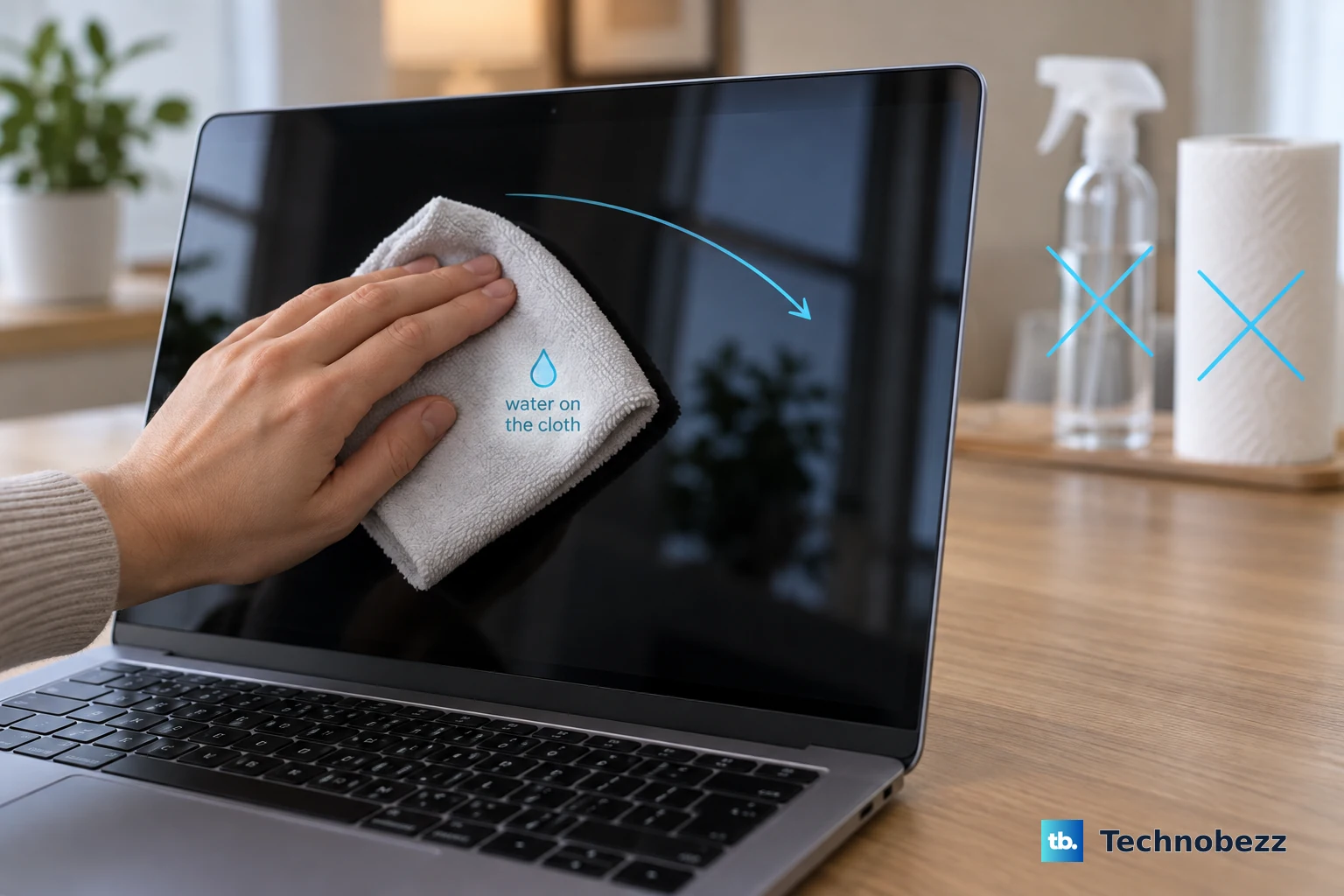
- 1.Get a clean, soft, lint-free cloth. Avoid paper towels and abrasive cloths.
- 2.Moisten the cloth with water. Apply liquid to the cloth, never directly to the screen.
- 3.Wipe the screen gently, keeping moisture out of openings and avoiding excessive rubbing.
- 4.Keep household and window cleaners, aerosols, abrasives, solvents, acetone, ammonia, and hydrogen peroxide away from the display.
Use Apple’s polishing cloth on nano-texture glass
Nano-texture glass needs the Apple polishing cloth supplied with your computer or display. The standard-glass routine does not apply here.
Obtain a replacement Apple polishing cloth if yours is missing. Do not substitute ordinary microfiber.
Wipe away dust and smudges with the supplied cloth.
If a difficult mark remains, moisten the supplied cloth with 70% isopropyl alcohol.
Gently clean the affected surface with that alcohol-moistened cloth if dry wiping fails. Reserve this treatment for occasional stubborn marks.
Lift stubborn smudges from standard glass
Stubborn smudges leave standard glass dirty even after a water wipe.
Keep your Mac shut down and unplugged for this treatment.
For a standard-glass MacBook, MacBook Air, MacBook Pro, or iMac screen, moisten a cloth with 70% isopropyl alcohol.
Gently wipe the stubborn marks, keeping moisture out of openings and avoiding excessive rubbing.
Stick to the specified concentration. Apple’s permission to use 70% isopropyl alcohol does not extend to stronger alcohol or arbitrary cleaning mixtures.
Care for an external Apple display
Remove dust from a disconnected standard-glass Apple display with the supplied cloth or another soft, dry, lint-free cloth.
For a standard-glass Studio Display or Studio Display XDR, lightly moisten a microfiber cloth with water.
Wipe the screen with the damp cloth.
For a standard-glass Pro Display XDR, moisten the supplied polishing cloth or a microfiber cloth with water.
Wipe the screen with that cloth.
For a nano-texture version of any of these displays, remove dust and smudges using only the supplied Apple polishing cloth.
For occasional difficult marks on either finish, moisten the appropriate cloth with 70% isopropyl alcohol. Nano-texture still requires the supplied Apple polishing cloth.
Gently wipe the affected surface.
Tip: Match the cleaning method to the display’s glass finish, not your macOS version.
Refresh your Apple polishing cloth
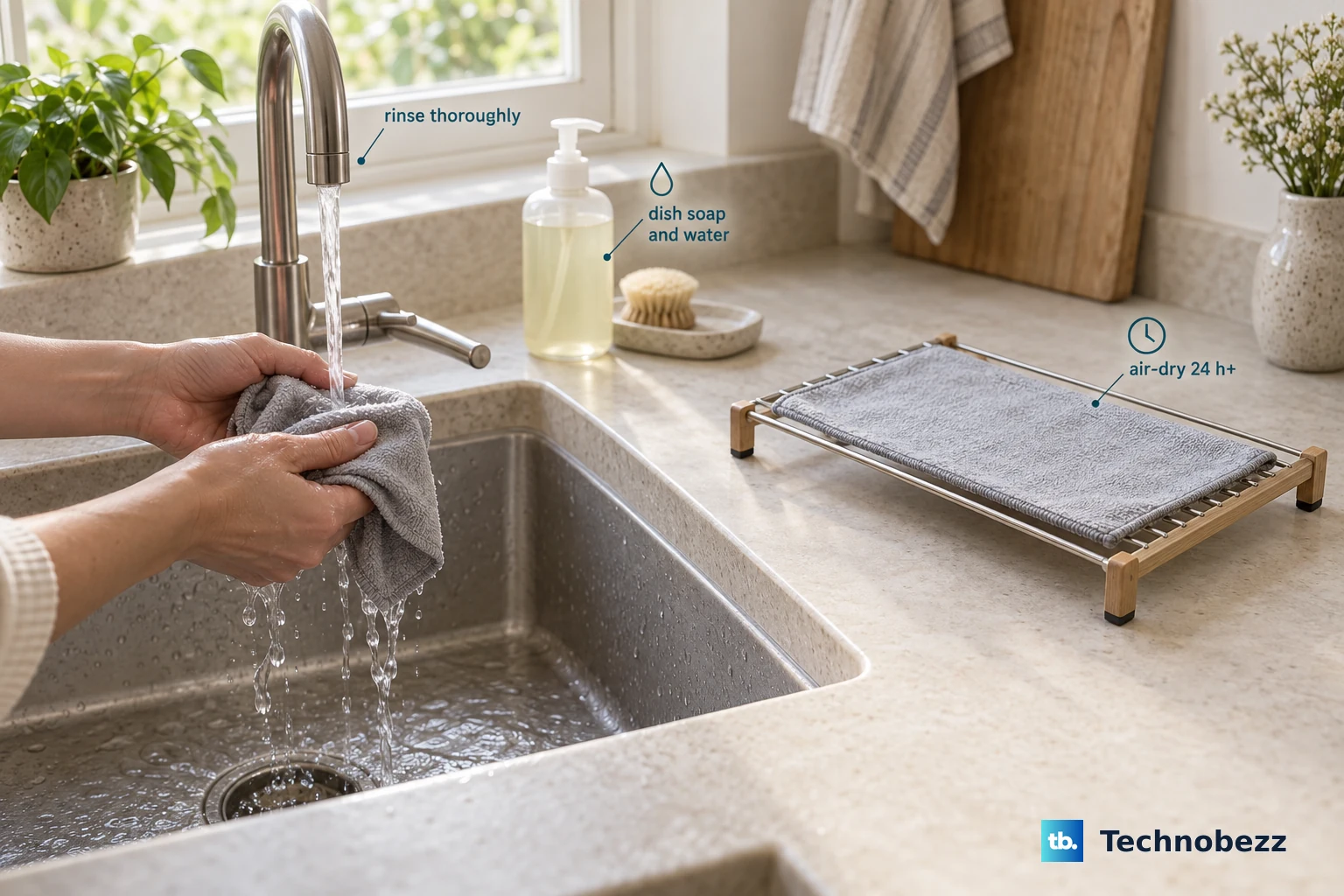
Washing cleans the supplied nano-texture polishing cloth for reuse.
Wash the cloth by hand with dish soap and water.
Rinse it thoroughly.
Leave it to air-dry for at least 24 hours before using it again.
Frequently Asked Questions
Can I use disinfectant wipes on my Mac screen?
Apple permits gentle wiping of hard, nonporous standard display surfaces with a 70% isopropyl alcohol wipe, a 75% ethyl alcohol wipe, or Clorox Disinfecting Wipes. Avoid products containing bleach or hydrogen peroxide, and keep liquid out of openings. Nano-texture screens require their separate polishing-cloth instructions.
Can I use a screen-cleaning spray?
Apple’s general guidance allows a cleaner intended for screens on standard-glass iMac and Apple-manufactured external displays after dust removal. Lightly moisten the cloth, never spray the screen. Exclude acetone, ammonia, household or window cleaners, aerosols, abrasives, solvents, and hydrogen peroxide. This permission does not apply to nano-texture glass.
What if my Mac will not shut down before cleaning?
If normal shutdown fails, hold the power button until the Mac turns off. Unsaved changes can be lost, so reserve this for a Mac that cannot shut down normally.
Do I need an app to clean my MacBook screen?
No. Cleaning your MacBook screen requires no downloads or companion app.