
Your Pixel 10a's battery capacity naturally drops over time, but tracking that degradation helps you decide when to swap the battery or adjust your charging routine. Here's how to check battery health on your Pixel 10a and keep it running strong for years.
Check Battery Health in Android 16
Open Settings > Battery > Battery health. Android 16 shows your battery's current capacity, cycle count, and manufacture date. If the capacity is below 80%, you'll likely notice shorter runtimes. This section is the most accurate gauge without opening the phone.
Spot Battery Drain by App
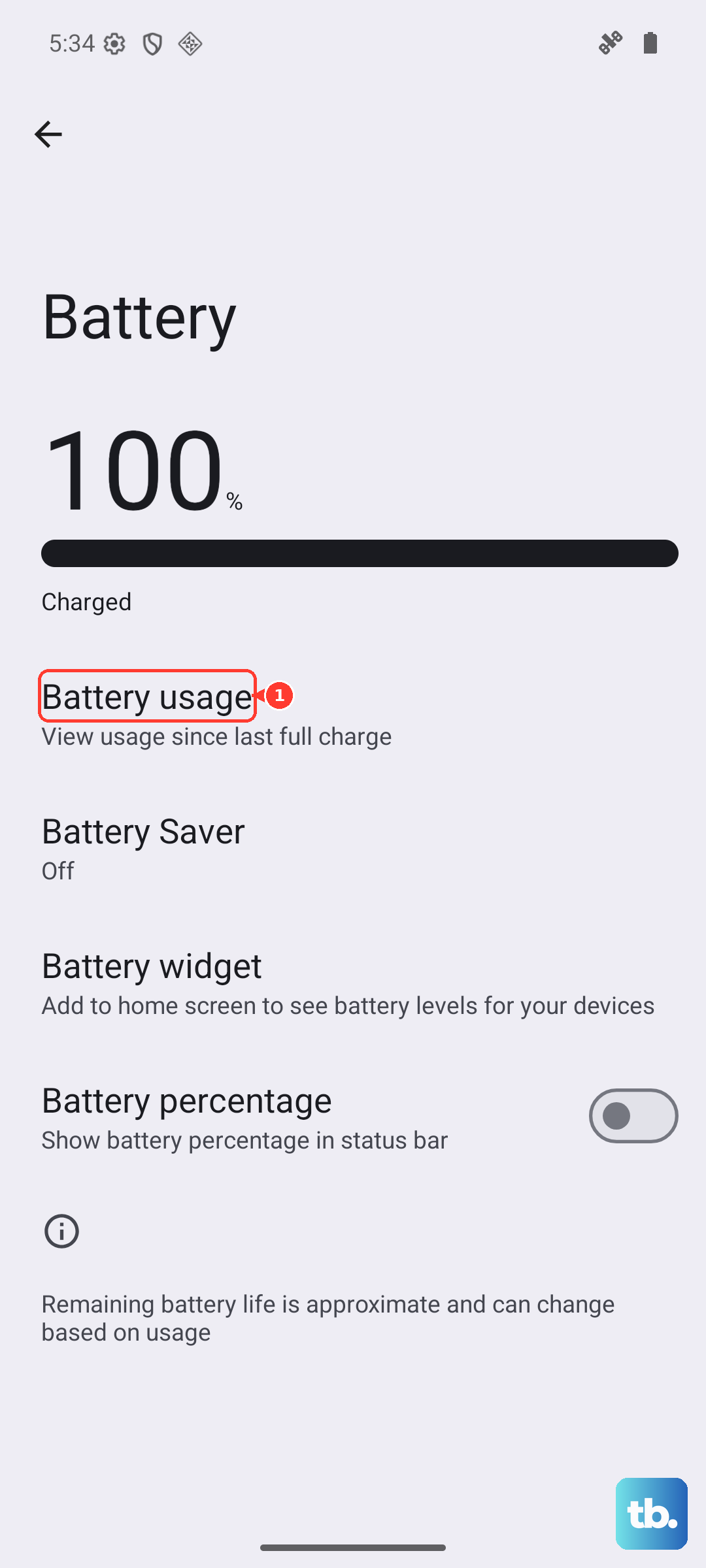
Head to Settings > Battery > Battery usage. You'll see which apps consumed the most power since the last full charge. Tap any app to split screen-on versus background usage. If a rarely used app is hogging juice in the background, that's a red flag, uninstall or restrict its background activity.
Use AccuBattery for Extra Detail
If you want a second opinion, install AccuBattery from the Play Store. It tracks your charging patterns over a few cycles and estimates the battery's real-world capacity. It also logs charge speed and screen-on drain. Just give it a week to calibrate.
Try the Hidden Dial Code
Open the Phone app and dial *#*#4636#*#*. On many Pixel models this opens a testing menu with battery info like voltage, temperature, and a health status line. If you see "Good" you're fine, anything else means the battery has degraded noticeably.
Enable Adaptive Battery
Go to Settings > Battery > Adaptive Battery and toggle it on. Android learns which apps you use least and restricts their background battery usage. This extends daily life and reduces unnecessary charge cycles, which slows long-term wear.
Turn On Charging Optimization
Under Settings > Battery > Charging optimization, enable the feature. Your Pixel 10a will pause charging at 80% when it predicts you don't need a full top‑off, handy for overnight or desk charging. Keeping the battery between 20% and 80% most of the time is the best way to preserve its lifespan.
Clean the Charging Port
A clogged USB‑C port is a common culprit behind erratic charging or no charge at all, which can make you think the battery itself is failing. If charging stops or slows, power down the phone and gently clean the port with a wooden toothpick or a can of compressed air. Stay away from metal tools that could short the pins.
Use Qi Wireless Charging as a Backup
If the USB‑C port seems finicky after cleaning, try a Qi wireless charger. The Pixel 10a supports up to 10W wireless charging. It won't hit the 45W wired max, but it's a reliable alternative while you sort out the port. Just place the phone on a compatible pad and look for the charging indicator.
Watch for Overheating
Your Pixel 10a will automatically stop charging if it gets too hot. That's a safety feature, but frequent overheating accelerates battery degradation. Avoid charging under pillows, in direct sunlight, or while playing graphics‑heavy games. If you see a "charging paused temperature too high" message, move the phone to a cooler spot and let it rest.
Use a 45W PPS Charger for Best Results
For fastest wired charging, grab a USB‑C charger that supports Power Delivery with PPS (Programmable Power Supply) at 45W. Non‑compliant or cheap cables can cause slow, intermittent, or no charging, and over time that puts extra strain on the battery. Stick with a certified charger and cable.
Force Restart to Clear Software Glitches
If the phone acts up, not charging, draining fast, or showing odd battery stats, a quick force restart can reset the power management hardware. Press and hold the Power button for 30 seconds, or press Power + Volume Down for 10 15 seconds until the device restarts. This doesn't erase any data.
Tips to Keep Your Pixel 10a Battery Healthy
Avoid extreme heat and cold. Don't let the battery hit 0% regularly, plug in when you're around 20% for best longevity. Use the 45W PPS charger or a certified Qi pad. Keep the software updated; Android 16 patches often include battery optimizations. And if you ever notice the battery swelling or the phone shutting down unexpectedly even at 30%, it's time for a professional replacement.