You set your Pixel 8 down on the wireless pad, expect to see the charging animation, and nothing happens, or it charges for a moment and then quietly stops. Wireless charging on the Pixel 8 is reliable when the coils line up and the accessories cooperate, but it is also fussy about cases, magnets, heat, and the exact charger you use. Before you assume the coil inside your phone has failed, work through the checks below in order, starting with the quick, no-risk ones and saving the reset and repair paths for last.
One thing worth settling up front: the Pixel 8 supports Qi wireless charging (up to 18W with the Google Pixel Stand 2nd gen and up to 12W with Qi-certified EPP chargers), and it can also share power with other devices through reverse wireless charging (Battery Share). It uses Qi (Qi 1.x), not Qi2, and Google states that MagSafe wireless chargers do not work with the Pixel 9a and earlier phones, which includes the Pixel 8. If you have been trying to charge with a MagSafe-style magnetic charger, that is the answer right there.
Confirm the problem is wireless-only by testing a cable first
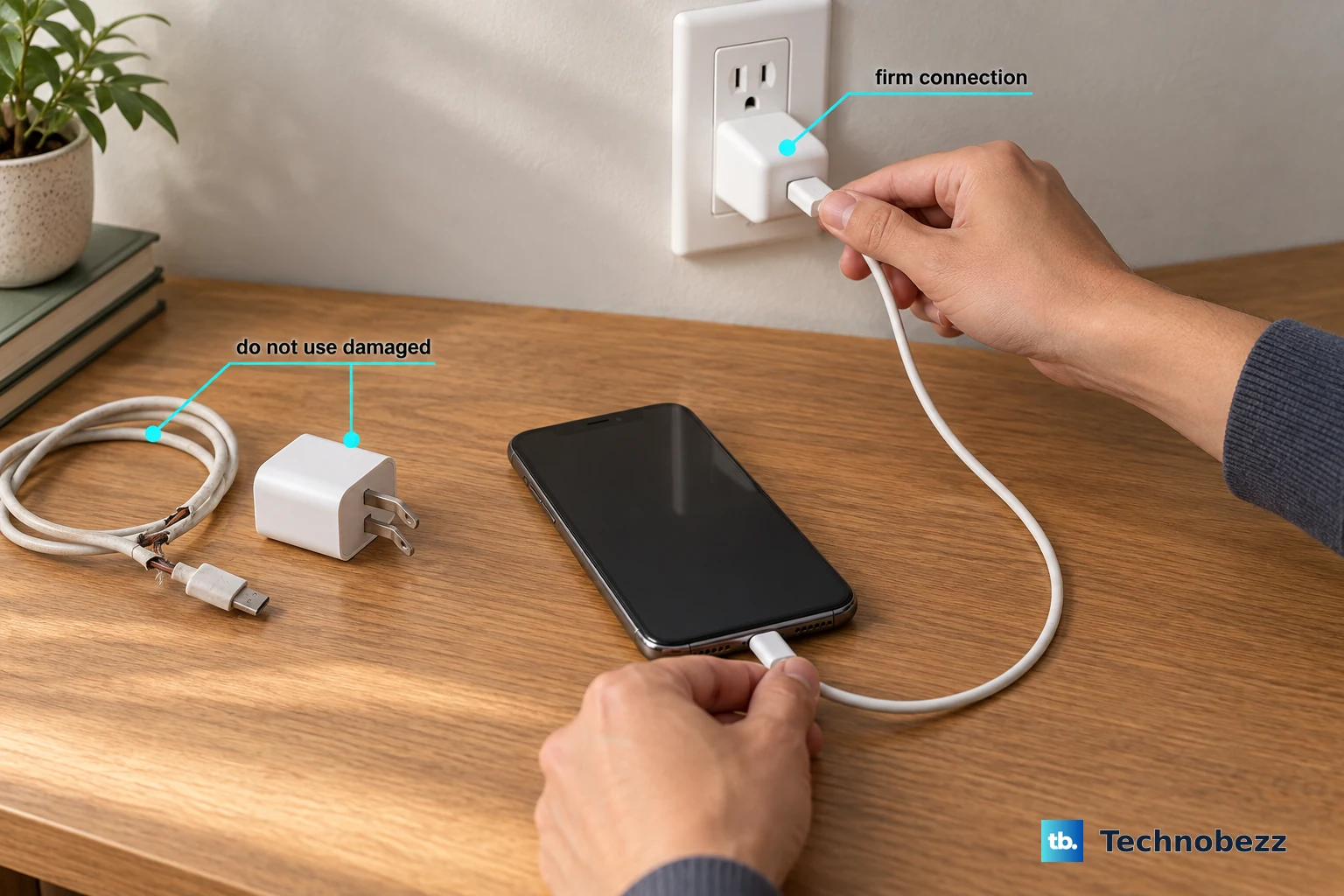
Start by ruling out a dead battery or a broader charging fault. Plug the Pixel 8 into a wall outlet using a USB-C cable and a compatible power adapter. Make sure both ends of the cable are seated firmly, and look into the phone's USB-C port for dust or lint that could block a clean connection.
If wired charging works normally but the pad still does nothing, you have confirmed the issue is specific to wireless charging. That lets you skip ahead to the wireless-focused fixes below instead of chasing a battery or port problem.
Take the case off and clear away metal or magnets
Wireless charging passes power through the back of the phone, so anything thick, metallic, or magnetic in the way can slow it down or stop it entirely. Google notes that a case can reduce charging speed and that metal or magnets can affect charging.
- 1.Remove your phone case.
- 2.Remove any metallic or magnetic objects, like ring holders, Apple MagSafe attachments, or PopSockets, from the back of the phone.
- 3.Place the bare phone back on the pad and watch for the charging indicator.
Remember that the Pixel 8 is a Qi phone, not a MagSafe or Qi2 phone, so a magnetic MagSafe charger will not work even with the case off.
Center the phone so the coils line up
Wireless charging only works when the phone's charging coil sits directly over the charger's coil. If the phone is off to one side, hanging over an edge, or tilted on a stand, the connection may never form or may drop out as the phone shifts.
Make sure your phone is aligned correctly on the wireless charger, and set it on the center of the pad. Vertical stands and in-vehicle chargers are especially prone to misalignment, so nudge the phone up, down, or sideways until the charging indicator appears and stays on.
Switch to a Qi-certified, Pixel-compatible charger
An uncertified or incompatible charger is one of the most common reasons a Pixel 8 refuses to charge wirelessly. The Pixel 8 supports Qi wireless charging up to 18W with the Pixel Stand (2nd gen) and up to 12W with Qi-certified EPP chargers, while MagSafe chargers do not work with it at all.
For a reliable experience, Google advises using a Qi-certified charger. You can find Made for Google certified accessories at get.google.com/madefor. If your current pad is unbranded or you cannot verify its certification, try a known-good certified charger before going any further.
Let the phone cool down and keep it out of heat
Heat is a frequent, and easily missed, cause of stalled wireless charging. If the phone is sitting in direct sunlight, next to another heat source, or running warm from heavy use, charging can slow or pause to protect the battery.
Let your phone cool off and try again. Keep it out of direct sun, move it away from anything warm, and let the screen go dark while it charges. After the phone has cooled, restart it and try charging once more.
Rule out the 80% battery-protection behavior
If your Pixel 8 charges fine but seems to stop or crawl as it nears 80%, that is usually expected battery-protection behavior rather than a fault. When Adaptive Charging is active, slow charging over 80% is normal and intentional.
There is also a setting that caps the battery on purpose. Check it here:
- 1.Open Settings.
- 2.Tap Battery.
- 3.Tap Battery health.
- 4.Tap Charging optimization.
If Limit to 80% is selected, the phone deliberately stops at 80%. (Limit to 80% is available on the Pixel 6a and later, and Adaptive Charging on the Pixel 4/4a and later.) Switch to Adaptive Charging or turn the limit off if you want the phone to reach a full charge.
Restart the Pixel 8, and force a reboot if it is frozen
A simple restart clears temporary software glitches that can interfere with charging. Press and hold the Power button + Volume up button for a few seconds, then tap Restart. Once it is back up, set it on the pad and check again.
If the phone is unresponsive or frozen and a normal restart is not possible, force a reboot instead. Press and hold the Power button for up to 60 seconds; once your phone begins to reboot and the screen displays the "G" logo, release the Power button.
Install any pending software updates
Charging behavior is partly controlled by software, so an out-of-date system can be the reason wireless charging misbehaves. Installing pending Android and Pixel updates can resolve charging-related software issues.
- 1.Open Settings.
- 2.Tap System.
- 3.Tap Software updates (this may also be shown as System update).
- 4.Follow the on-screen instructions to download and install anything available.
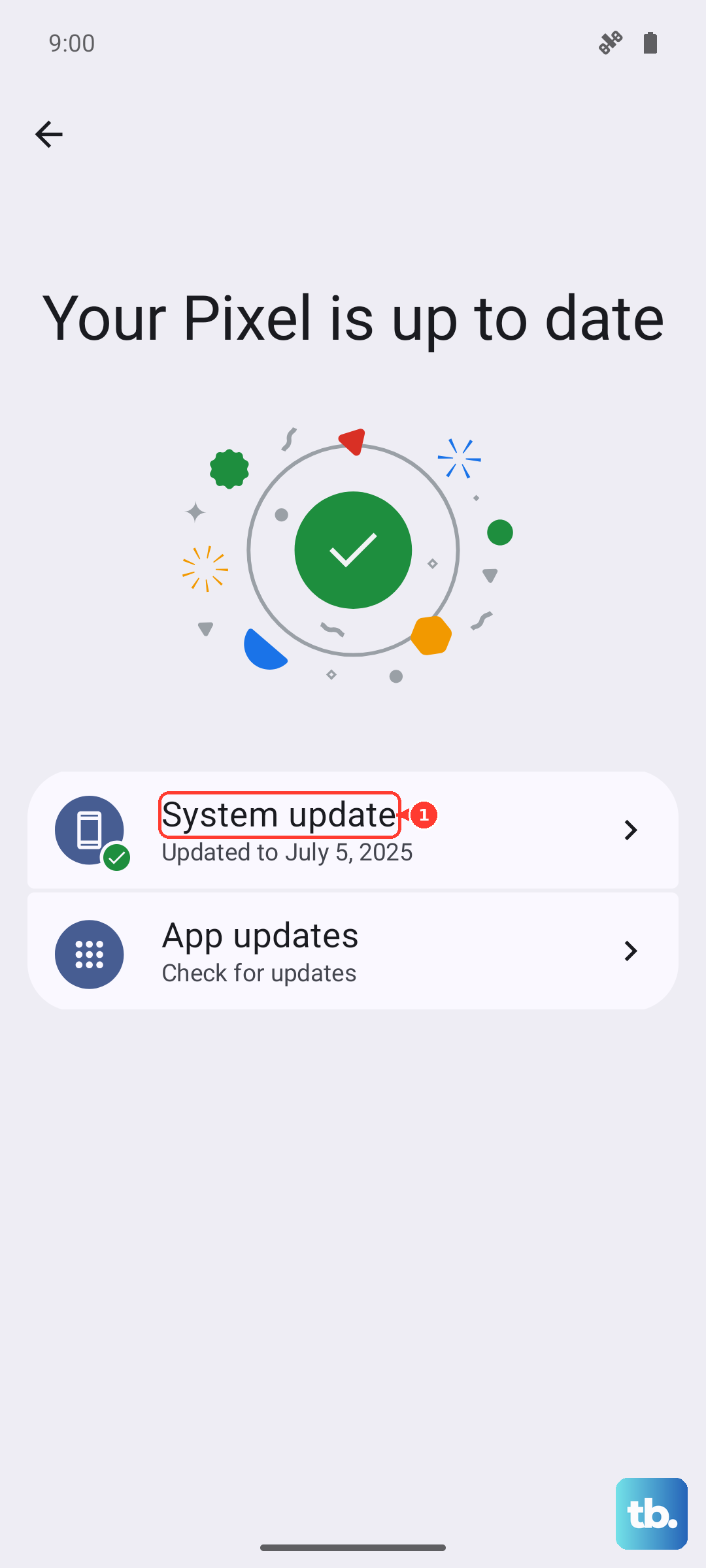
Let the update finish and the phone restart, then test wireless charging again.
Back up your data and factory reset as a last resort
If wireless charging still fails after every software step above, a factory reset can clear a deeper software problem, but it should be your last software move because it wipes the phone. Back up your data first. Be aware of the warning: a factory reset erases all your data from your phone. Data stored in your Google Account can be restored afterward, but installed apps and their data are removed.
When you are ready:
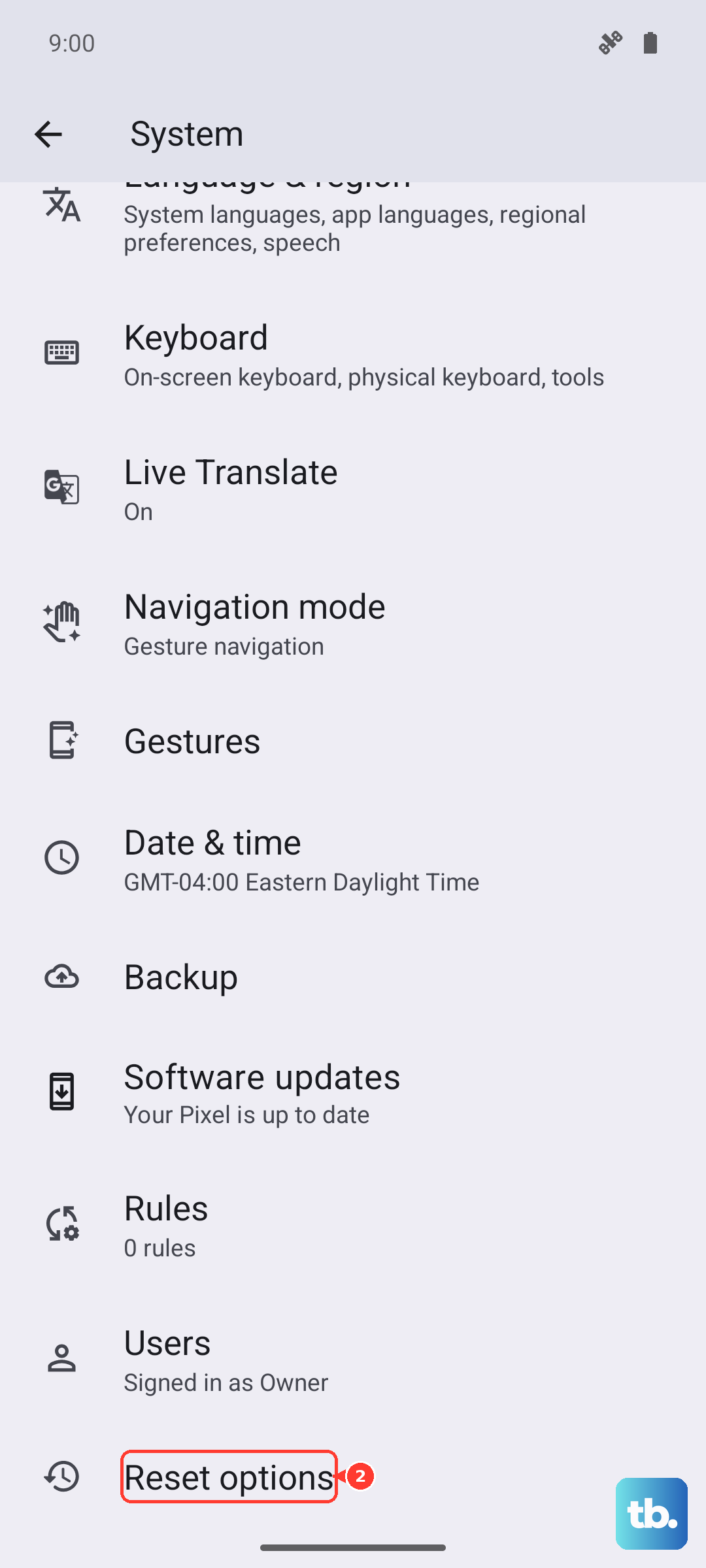
- 1.Open Settings.
- 2.Tap System.
- 3.Tap Reset options.
- 4.Tap Erase all data (factory reset).
- 5.Tap Erase all data to confirm.
After the phone restarts and you have set it back up, test wireless charging once more on a certified charger.
When to contact Google about a possible hardware fault
If you have tried a certified charger, removed the case and magnets, centered the phone, ruled out heat and the 80% limit, updated the software, and even reset the device, and the pad still will not charge it, you are likely looking at a hardware fault. At that point the charging coil or related components may need service.
Check your warranty status and replacement options, and arrange service through Google's repair or authorized repair options via the official support channels. Have your wired-versus-wireless test result handy, since "wired works, wireless does not" helps support narrow down the problem quickly.
Frequently Asked Questions
Does the Pixel 8 work with MagSafe chargers?
No. The Pixel 8 uses Qi (Qi 1.x), not Qi2, and Google states that MagSafe wireless chargers do not work with the Pixel 9a and earlier phones, which includes the Pixel 8. Use a Qi-certified charger instead, and remove any MagSafe attachment from the back of the phone.
Why does my Pixel 8 stop or slow down around 80%?
This is normally expected battery-protection behavior, not a malfunction. With Adaptive Charging active, slow charging over 80% is expected, and if Limit to 80% is selected under Settings > Battery > Battery health > Charging optimization, the phone stops at 80% on purpose. Switch to Adaptive Charging or turn off the limit if you want a full charge.
How fast does the Pixel 8 charge wirelessly?
The Pixel 8 supports Qi wireless charging up to 18W with the Google Pixel Stand (2nd gen) and up to 12W with Qi-certified EPP chargers. Speeds vary with the charger, alignment, temperature, and whether a case or accessory is in the way.
Can the Pixel 8 charge other devices wirelessly?
Yes. The Pixel 8 supports reverse wireless charging, called Battery Share, so it can share power with other Qi-compatible devices placed on its back.
Wireless charging works but is slower than my cable. Is that normal?
Often, yes. Removing the case, centering the phone, keeping it cool and out of direct sunlight, and using a Qi-certified charger all help wireless speeds, but wired charging with a compatible USB-C adapter will generally be the faster option.