
The Google Pixel 10 Pro XL supports Qi2 wireless charging at up to 25W, which makes it one of the faster wireless charging phones out there. But when it stops working or keeps cutting out, it's almost always one of a few specific issues. Here's how to track down the problem.
Center the Phone on the Charging Pad
The Pixel 10 Pro XL's charging coil is picky about placement. Unlike MagSafe iPhones that snap into position magnetically, you need to be more deliberate with a Qi2 charger that doesn't have strong alignment magnets. Place the phone in the exact center of the pad. A centimeter off in any direction can prevent it from charging entirely.
Watch for the battery icon to show the charging indicator. If you don't see it within a couple seconds, nudge the phone slightly and wait again. Some users report that the phone needs to be positioned with the camera bump hanging slightly off the edge of certain pads for proper alignment.
Take the Case Off
This is the most common fix, and it's the first thing you should try. Thick cases, cases with built-in grips, popsockets, or anything with metal elements will block wireless charging. Even some slim cases can interfere if they're too thick or have magnetic components. Pop the case off completely and set the phone directly on the charger.
If it charges without the case, you need a case specifically designed for wireless charging. Look for cases that state Qi2 or 25W wireless charging compatibility. Avoid cases with metal plates or rings on the back.
Let It Cool Down
The Pixel 10 Pro XL runs hot during wireless charging, that's normal. But if the phone gets too hot, Android 16 will stop charging to protect the battery. This is a known issue with this model. Several things trigger it: using the phone while it's wirelessly charging, leaving it in direct sunlight, or having a thick case that traps heat.
If charging stops unexpectedly, pick the phone up and let it sit for 10 minutes. Make sure the charging pad itself isn't hot, some cheaper pads run warm and transfer that heat to the phone. A well-ventilated charger makes a big difference here.
Force Restart the Phone
Software glitches can cause the wireless charging controller to stop responding. A force restart clears that up without losing any data. Press and hold the Power button for up to 60 seconds, then release when the device begins to reboot and the G logo appears. This is different from a normal restart and works even if the screen is frozen.
Clean Both Surfaces
Dust and grime on the back of the phone or the charging pad can create just enough of a gap to prevent charging. Wipe the back of the Pixel 10 Pro XL with a soft, lint-free cloth. Do the same for the charging pad. If the pad has been sitting out for a while, check for any debris stuck to its surface. A thin layer of residue is all it takes.
Check the Charger and Power Source
Qi2 chargers need enough power from the wall adapter to work properly. If the charger came with its own adapter, use that. If not, use a USB-C adapter rated for at least 30W. A low-power adapter might light up the charger's LED but not deliver enough juice to the phone. Try plugging the charger into a different outlet, and try a different USB-C cable between the adapter and the pad.
Test With a Different Wireless Charger
If you have access to another Qi2 charger, test the phone on it. If it charges fine, the original charger is the problem. If it still won't charge, the issue is with the phone. You can also test with a standard Qi charger, it will be slower (around 5-15W depending on the pad), but it should still work. If the phone charges on Qi but not Qi2, the pad's Qi2-specific circuitry may be faulty.
Update Android 16
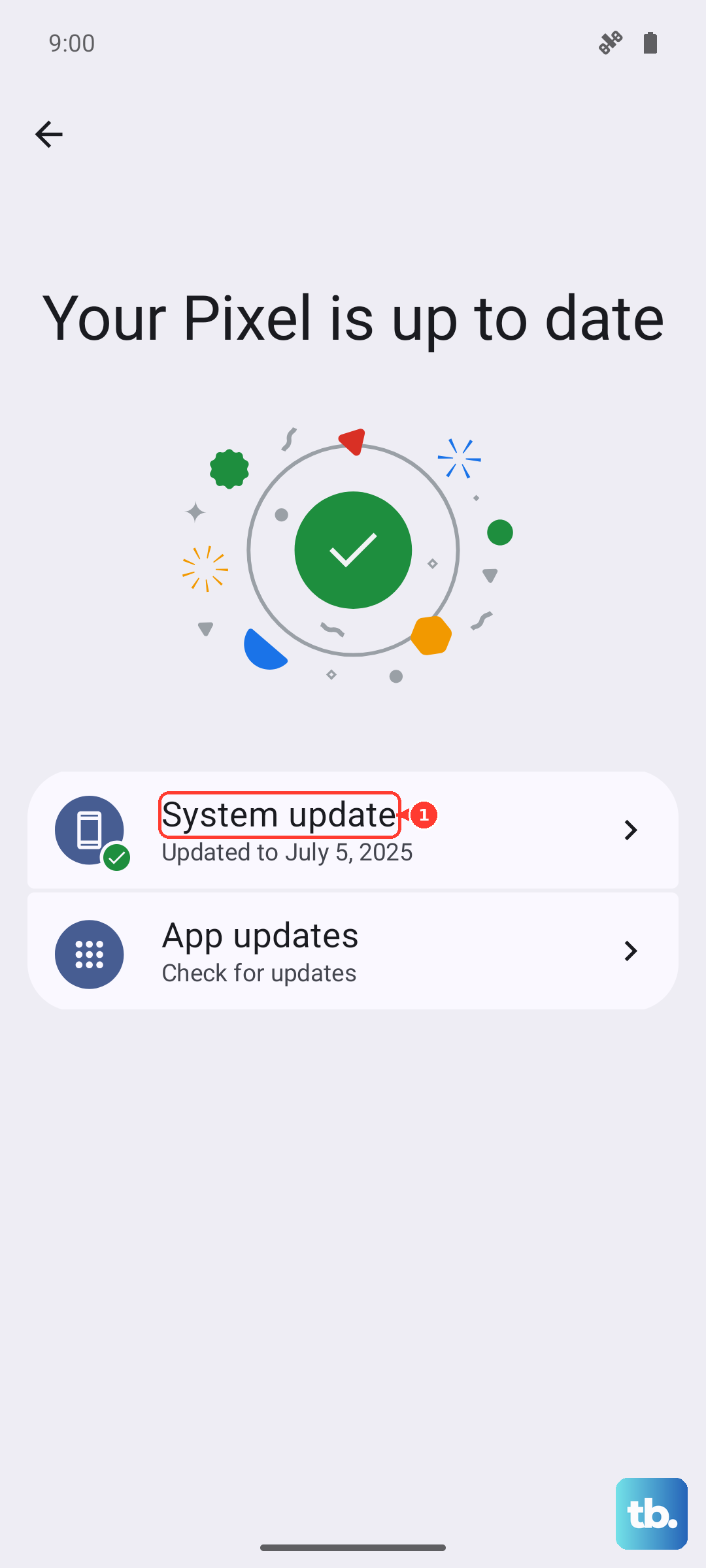
Google has pushed wireless charging fixes in system updates for the Pixel 10 Pro XL. Go to Settings > System > Software Update and check for any available update. Install it and test wireless charging again. Also check if the Google Play Store has a pending system update for the Pixel services app, which handles some charging logic.
Reset Charging Preferences
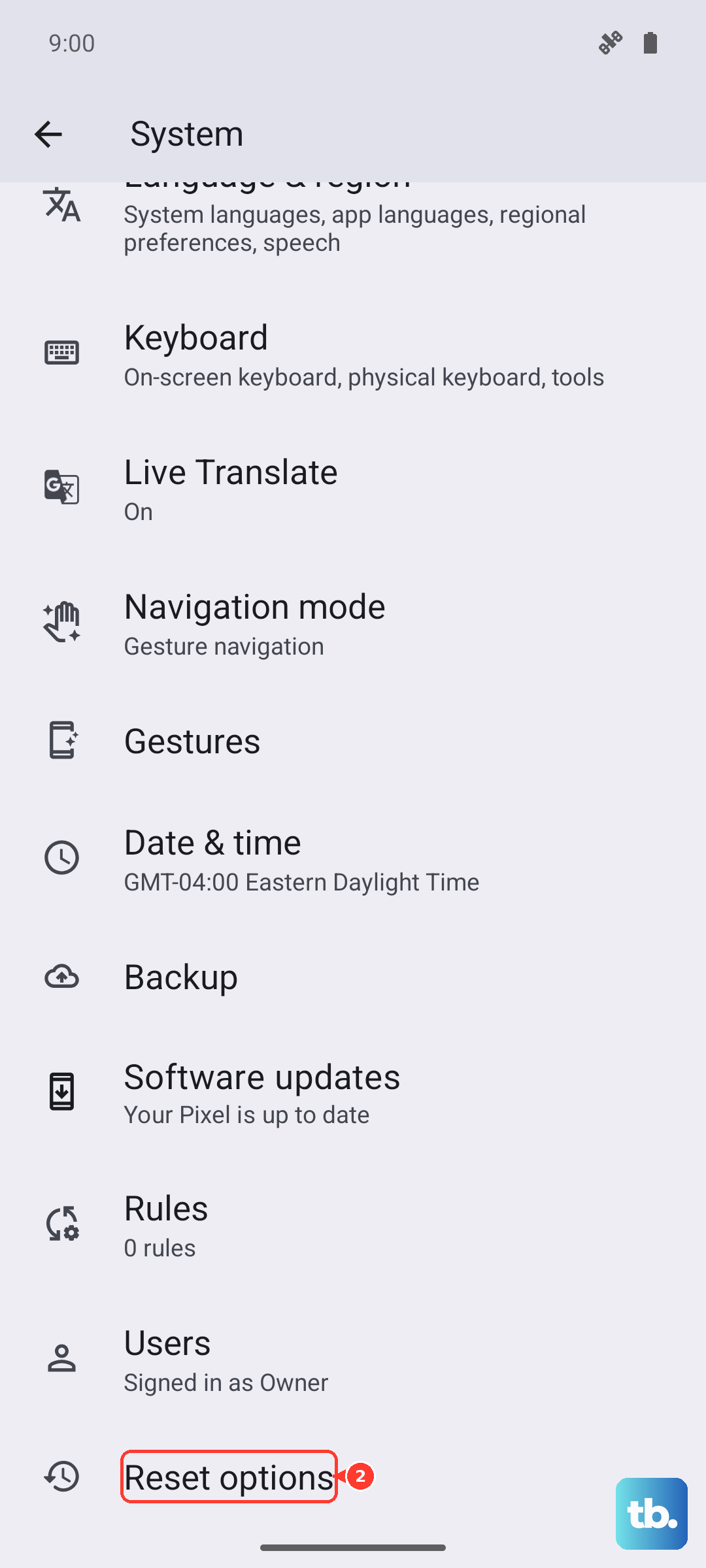
Android 16 has a feature that can slow or stop wireless charging based on your usage patterns. Go to Settings > Battery > Charging Optimization and check if any limits are enabled. You can also go to Settings > System > Reset Options > Reset Wi-Fi, mobile & Bluetooth to clear any stored connection data that might interfere. This won't delete your personal data.
If the phone still won't charge wirelessly after trying all of these, the wireless charging coil or its connection to the motherboard may be damaged. At that point, getting it checked is the next step, but most cases are solved by alignment, a case removal, or a simple restart.