You set your Google Pixel 10 Pro down on its charging pad, expected to see the charging animation, and nothing happened. The screen stayed dark, the battery percentage refused to climb, and now you are wondering whether the phone, the charger, or something in between is at fault. The good news is that the Pixel 10 Pro genuinely supports wireless charging using the Qi2 standard, so a dead pad almost always points to alignment, the charger, a case, or a software hiccup rather than a broken phone.
Work through the steps below in order. They start with a quick diagnostic and the safest checks, then move toward a full reset and a hardware repair only at the very end, so most people fix the problem long before reaching that point.
First, prove the problem is wireless-only
Before you blame the wireless pad, confirm the phone itself can still take a charge. Plug the Pixel 10 Pro in with a known-good cable and adapter and watch the battery indicator.
If wired charging works but the wireless pad does not, the trouble lives in your wireless setup, meaning the charger, the alignment, or your case, rather than in the phone's battery or charging port. When wireless charging is actually working, the screen shows a charging animation, so use that animation as your test for whether a fix worked.
Re-center the phone so the coils line up
Wireless charging only begins when the phone's coil sits directly over the charger's coil, and poor alignment is one of the most common reasons charging never starts. Set the charger on a stable surface and plug it into a wall outlet first.
With a Pixelsnap or other Qi2 magnetic charger, the built-in magnets snap the phone into the correct spot for you. On a non-magnetic Qi pad you may need to nudge the Pixel 10 Pro around until the charging animation appears, then leave it exactly there.
Take off thick, metal, or magnetic cases
Your case can quietly block the charge. Thick or metallic cases, including those with magnets or ring holders, can affect charging or stop it completely, and a case that does not support Qi2 can interfere as well.
Remove the case entirely and try charging again. If the phone charges without the case but not with it on, switch to a case designed for Qi2, such as a Google Pixelsnap case, especially if you rely on magnetic alignment.
Pair a certified charger with an adequate adapter
A weak power source can leave wireless charging slow or stalled, so the charger and the adapter feeding it both matter. Use a Qi2-certified charger such as the Pixelsnap Charger.
Then power it with a capable USB-PD power adapter that can supply enough wattage for wireless charging. An underpowered adapter is a frequent cause of charging that crawls or never begins.
Make sure the pad is truly Qi2-certified
Not every pad sold as wireless is properly certified, and an uncertified pad may not reliably charge a Pixel 10 Pro. You can check yours against the official Wireless Power Consortium Product Database.
Search for your charger by name in that database. For Qi2 compatibility, make sure the product's version number in the database starts with a 2 or 2.0. If your pad is not listed or does not show a qualifying version, an uncertified charger is the likely culprit.
Let an overheated phone cool off
Heat can stop charging on its own as a protective measure. If the phone gets too warm, it can pause charging to protect the battery, so charging in very hot places, such as under direct sunlight, can affect both the battery and charging performance.
If the phone or pad feels warm, move both to a cooler spot away from direct sunlight, give the device a few minutes to come down in temperature, and try charging again.
Test the outlet and the rest of the power path
Sometimes the charger is fine and the wall is the problem. Plug the charger into a wall outlet and confirm that outlet actually works, for example by testing it with another device such as a lamp.
A dead outlet, a flaky power strip, or a loose connection at the adapter can all stop wireless charging before it starts. Move the charger to a different, known-good outlet and reseat every connection so nothing is half-plugged.
Restart the Pixel 10 Pro
A simple restart clears temporary software glitches that can interfere with charging. On the Pixel 6 and later, including the Pixel 10 Pro, press and hold the Power button and Volume up button for a few seconds, then tap Restart.
If the phone is unresponsive or frozen and will not bring up that menu, force a restart instead. Press and hold the Power button for up to 60 seconds, and once your phone begins to reboot and the screen displays the "G" logo, release the Power button. Then set it back on the pad and check for the charging animation.
Update Android to the latest version
Charging behavior can be affected by software, and Google ships fixes through system updates, so install any that are waiting. Connect to Wi-Fi and make sure the phone has enough charge before you begin.
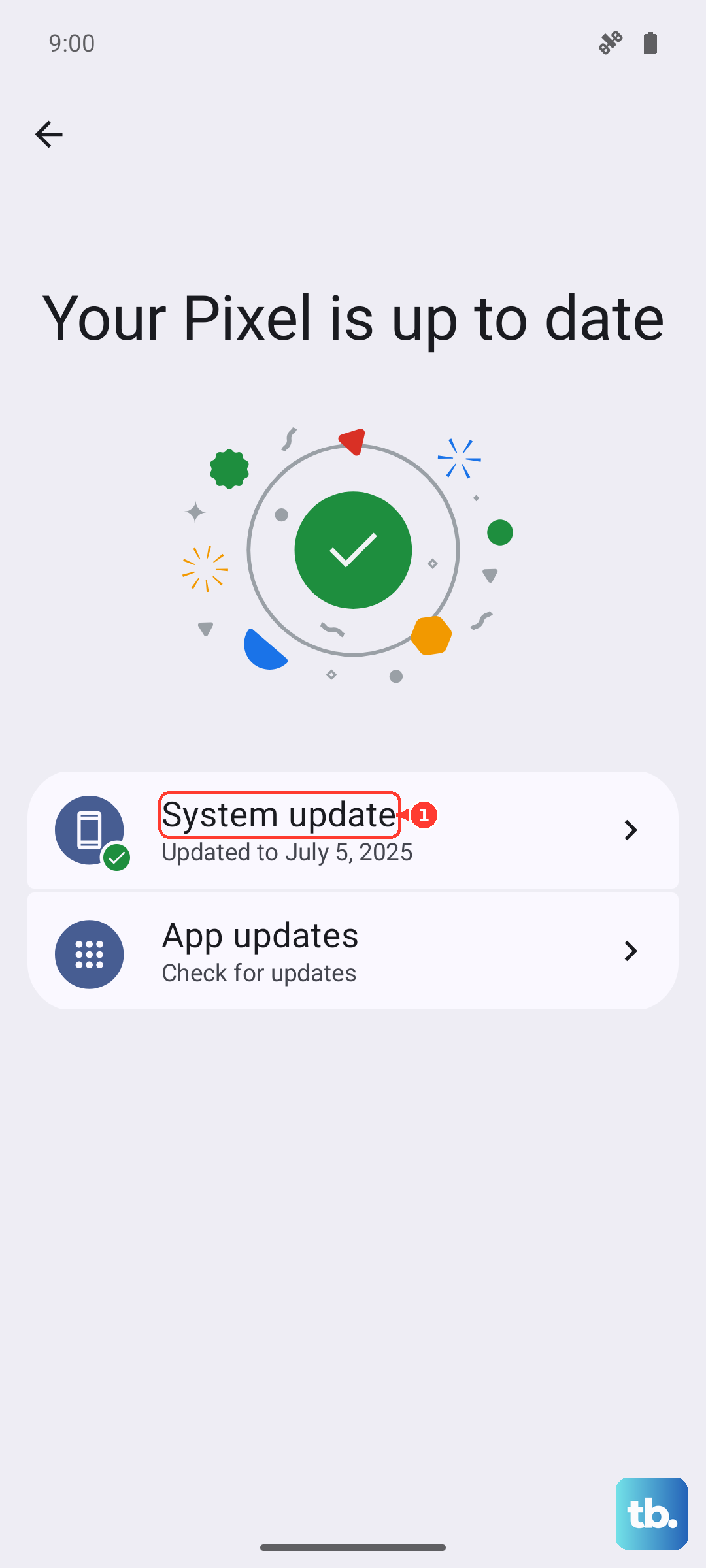
- 1.Open Settings.
- 2.Tap System and then Software updates (this may also be shown as "System update").
- 3.Follow the on-screen instructions to download and install any available update.
You can review what you already have under Settings > About phone > Android version, which shows your current Android version, security update, Google Play system update, and build number. Keep in mind that installed updates become active the next time you restart the phone, so let it reboot before testing the pad again.
Factory reset as a last resort, then reach Google support
If wireless charging still fails after every step above, a factory reset is the final software option, but treat it with care. A factory reset erases all your data from the phone, so back up everything you want to keep before you start.
Once you have a backup, connect to Wi-Fi or mobile data, then follow the official path.
- 1.Go to Settings > System > Reset options > Erase all data (factory reset).
- 2.Tap Erase all data.
- 3.Confirm to wipe the phone.
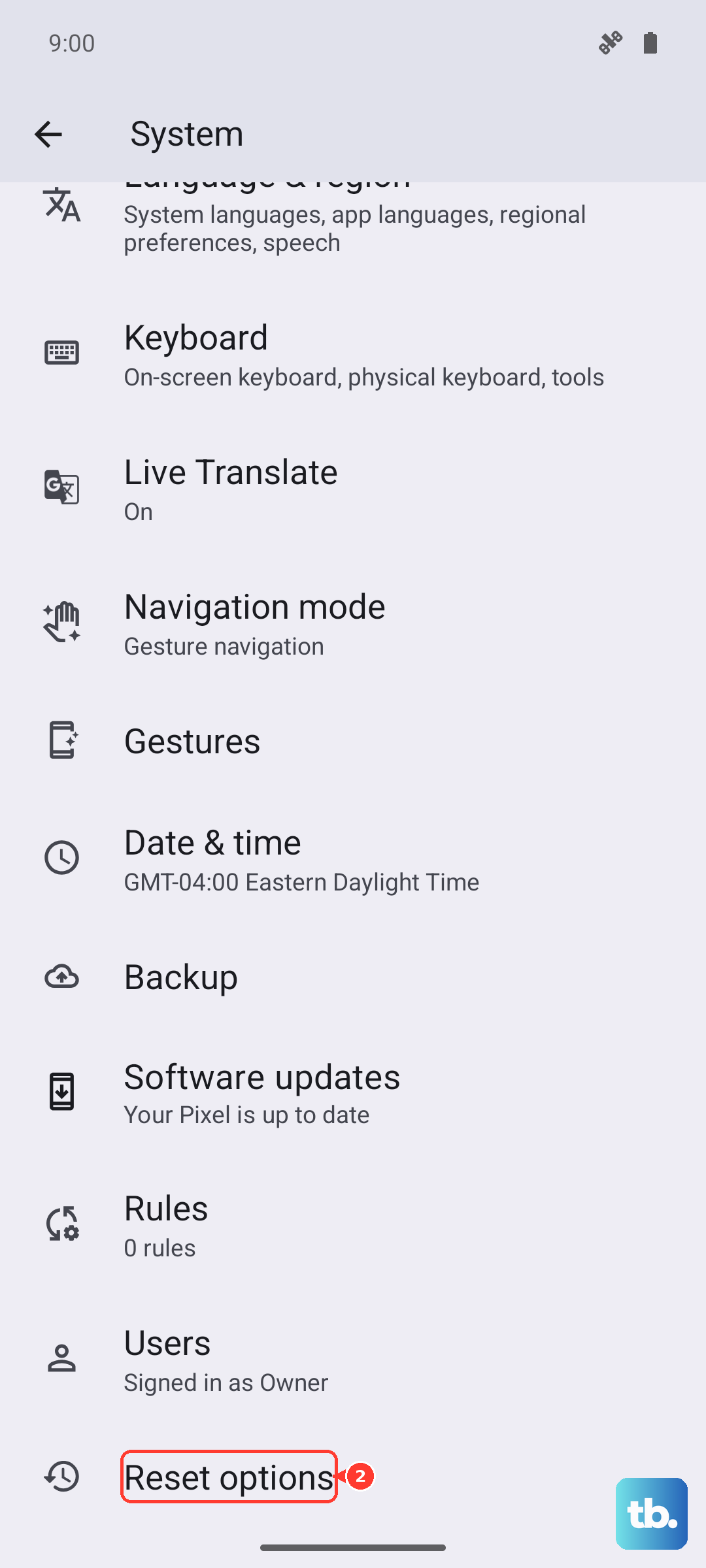
If the phone still will not charge wirelessly after the reset, the problem is likely hardware. Check your warranty and repair options and contact Google support to arrange a repair.
Frequently Asked Questions
Does the Google Pixel 10 Pro support wireless charging?
Yes. Google confirms that "The Pixel 10, Pixel 10 Pro, Pixel 10 Pro XL, and Pixel 10 Pro Fold support Qi2," and its Pixelsnap accessories use the Qi2 magnetic standard, so the Pixel 10 Pro genuinely charges wirelessly.
How do I know wireless charging has actually started?
When wireless charging is working, the screen shows a charging animation. If you place the phone on the pad and see no animation and no rise in the battery level, charging has not begun and you should recheck alignment, the case, and the charger.
Why does my Pixel 10 Pro stop charging when it gets warm?
This is by design. If the phone gets too warm, it can pause charging to protect the battery. Move the phone out of hot places like direct sunlight, let it cool, and charging should resume.
Can my case stop wireless charging?
It can. Thick or metallic cases, including those with magnets or ring holders, can affect charging or stop it completely, and a case that does not support Qi2 may interfere as well. Remove the case to test, and use a Qi2-compatible case such as a Google Pixelsnap case.
How can I confirm my charger is really Qi2-certified?
Search for the charger by name in the Wireless Power Consortium Product Database. For Qi2 compatibility, make sure the product's version number listed there starts with a 2 or 2.0. If it is not listed or lacks that version, the pad may not be properly certified.