A good gaming desk is the foundation of your entire setup. The Secretlab Magnus Pro XL takes the top spot for its rock-solid metal build, smooth electric height adjustment, and clever cable management that hides every wire. But not everyone needs a premium standing desk, so we have picks for tight budgets, small rooms, corner spaces, and streaming rigs.
Technobezz is supported by its audience. We may get a commission from retail offers.
Best Gaming Desks for 2026
The Secretlab Magnus Pro XL tops our list of the best gaming desks for 2026, with picks for budgets, small rooms, corner spaces, and streaming rigs.
T
Technobezz
Editorial Team
Updated June 16, 2026Jun 16, 2026
•11 min read

Get Deals Like These in Your Inbox
The best prices, checked by our editors.
At a Glance
| Category | Product | Why We Picked It |
|---|---|---|
| Best overall | Secretlab Magnus Pro XL | Full metal construction with motorized sit/stand and integrated cable management |
| Best value | IKEA Utespelare | Mesh back panel for monitor arms and great cable routing at a fair price |
| Best standing | FlexiSpot E6G CyberX | 352 lb dual-motor lift with a gamepad-style joystick and integrated RGB |
| Best for streamers | Corsair Platform:6 | Modular rail system for mounting lights, cameras, and monitors |
| Best compact | Eureka Z60 | 60-inch surface with full-desk mouse pad and solid steel frame |
| Also recommended | Homall L-Shaped Gaming Desk | Spacious corner desk that won't break the bank |
| Also recommended | Arozzi Arena | Perfect for ultrawide setups with a waterproof surface |
| Also recommended | FlexiSpot E8 | Smooth motorized standing desk with clean design |
How we chose
We evaluated gaming desks based on build quality, stability under load, cable management, adjustability, and real-world usability for different gaming setups. Our assessment considers feedback from multiple review sources, user experiences across various configurations, and close examination of materials, weight capacities, and feature sets. We prioritize desks that offer genuine value, whether that means premium construction at a higher price or smart design on a budget.
The best gaming desks right now
Secretlab Magnus Pro XL - Best overall
The Secretlab Magnus Pro XL is the most thoughtfully designed gaming desk on the market. Its all-metal surface and frame feel indestructible, and the motorized height adjustment lifts smoothly and quietly. The integrated cable management system with a full-length trench keeps your setup looking clean, and the magnetic accessory ecosystem lets you attach cable ties, headphone hangers, and a PC mount without tools.
Key highlights
- All-metal construction with steel frame and metal desktop
- Precision electric height adjustment from 25.6" to 49.2"
- Magnetic cable management with built-in power supply
- Integrated power supply column with single concealed cable
- Optional magnetic accessories like cable sheaths and monitor arms
Pros
- Build quality is exceptional, feels built to last for years
- Cable management is the best in class with no visible wires
- Quiet motors transition smoothly between heights
- Extra large surface fits multi-monitor setups
Cons
- Very heavy, requires two people for assembly
- Accessories like monitor arms and cable ties cost extra
- Surface can feel cold without the included leatherette mat
Who it is for: Gamers who want a premium, long-term desk and are willing to invest in the best build quality and features available.
Skip if
Your budget is under $700 or you need a desk that is easy to move and assemble alone.
IKEA Utespelare - Best value
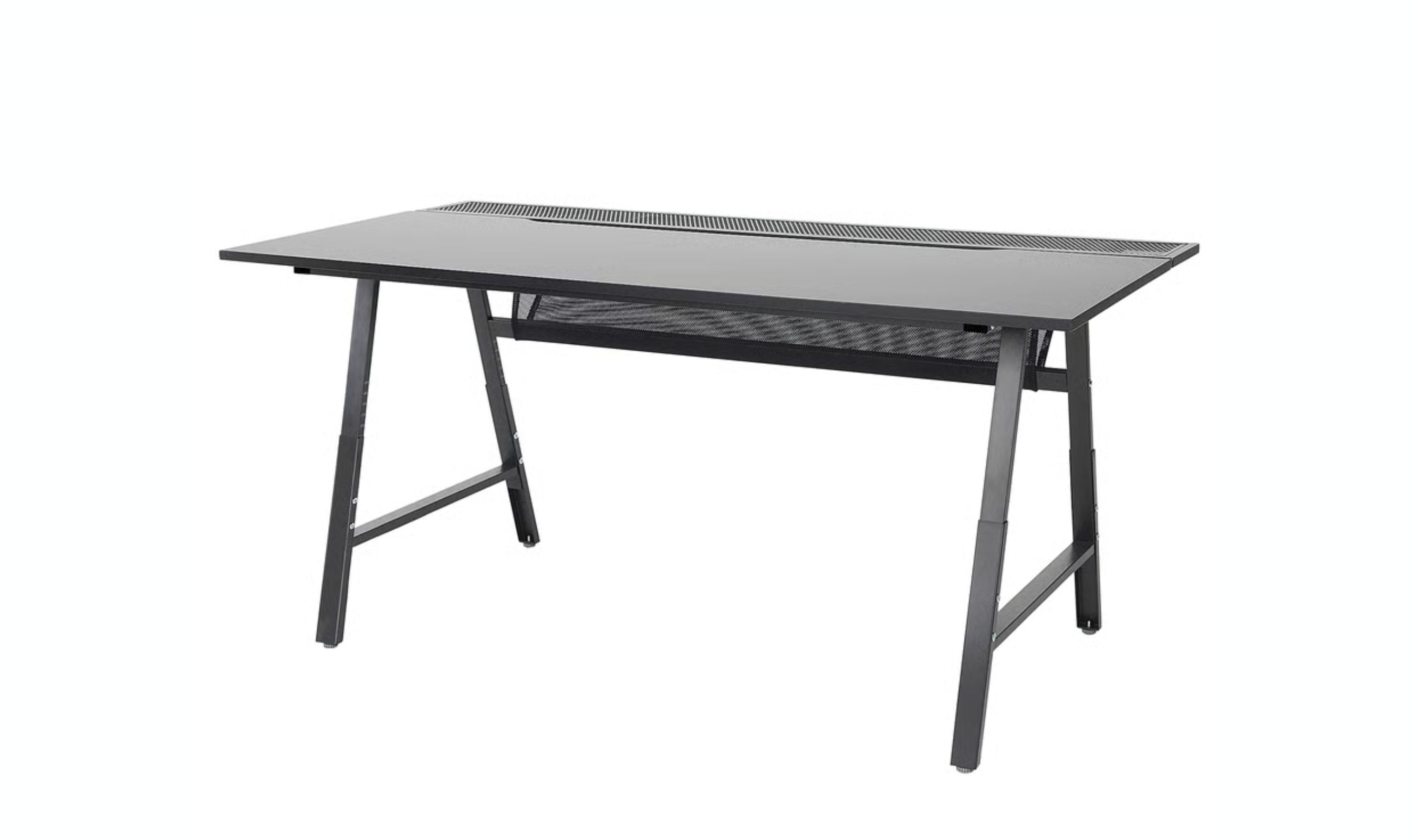
The IKEA Utespelare proves you do not need to spend a fortune for a well-designed gaming desk. The standout feature is the mesh back panel that lets you mount monitor arms anywhere along the rear without clamping to the desktop edge. It comes with a full-width cable management net, a textured water-resistant surface, and manual height adjustment with six positions. At 63 x 31.5 inches, the surface is generous enough for dual monitors and peripherals.
Key highlights
- Mesh back panel for monitor arm mounting anywhere
- Manual height adjustment with 6 positions (26.75 to 35.5 inches)
- Full-width cable management net underneath
- Textured water-resistant desktop surface
- 63 x 31.5 inch spacious work area
Pros
- Innovative mesh panel design saves money on monitor stands
- Excellent cable management for the price
- Solid MDF construction with quality finish
- Manual height adjustment is durable and reliable
Cons
- Manual adjustment takes a few minutes to change
- 110 lb weight capacity is lower than premium options
- Only available at IKEA locations
Who it is for: Budget-conscious gamers who want smart design and solid build quality without paying for electric motors they may not need.
Skip if
You need electric height adjustment or plan to load the desk with more than 100 pounds of equipment.
FlexiSpot E6G CyberX - Best standing desk
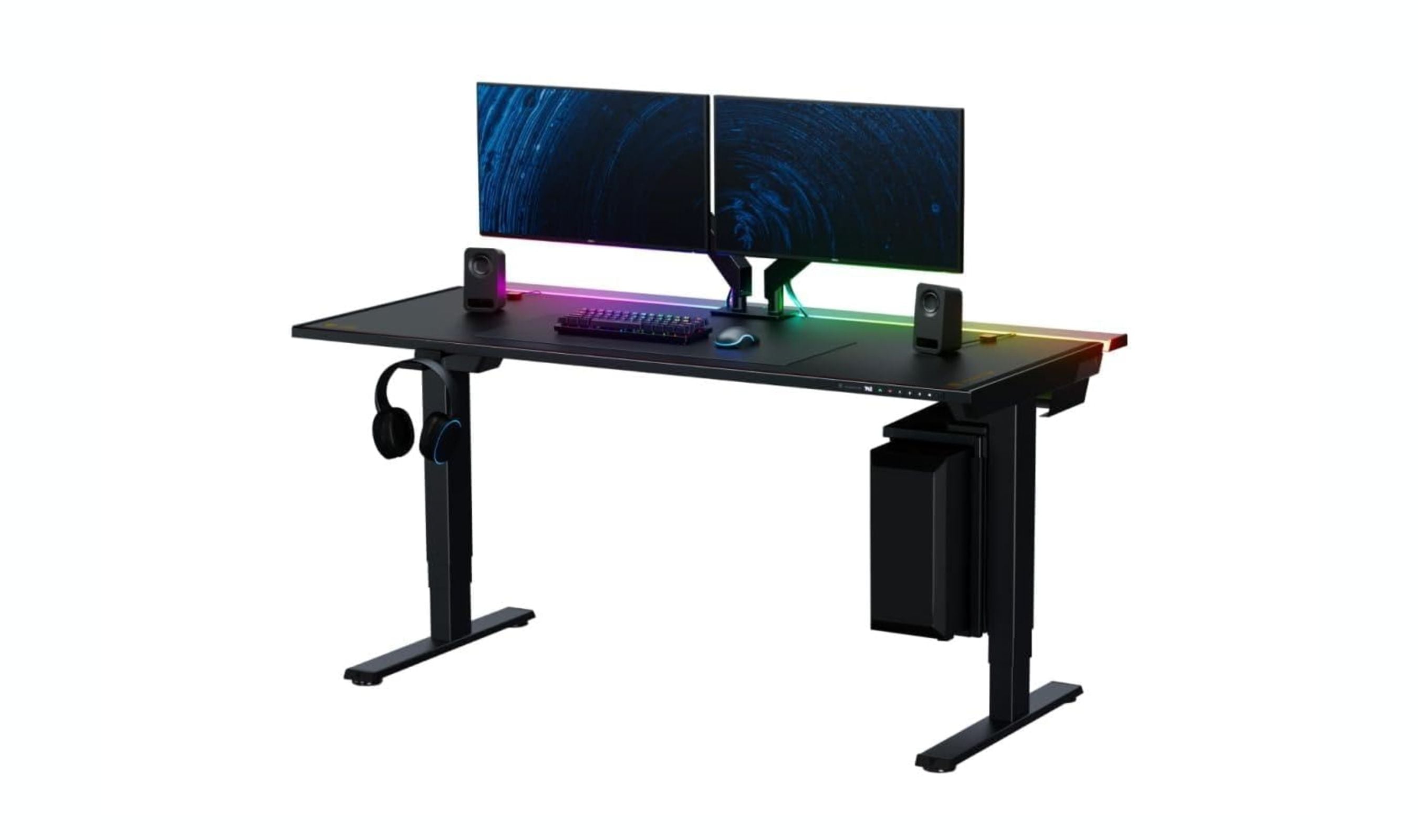
The FlexiSpot E6G CyberX brings something the rest of the standing desk world has missed: a gamepad-style joystick that replaces the usual rocker buttons. Push up to raise, down to lower, side to side to cycle RGB. Underneath the styling, the engineering is the real story. Dual motors handle a 352-pound load without strain, the three-stage legs cover 24.4 to 50 inches, and the integrated RGB strip can be killed completely with a button hold so the desk doubles as a clean workstation when the lights go off.
Key highlights
- Dual-motor lift with 352 lb capacity and whisper-quiet operation
- Three-stage legs with 24.4 to 50 inch height range
- Gamepad-style joystick controller with three memory presets
- Three-sided integrated RGB lighting with full off mode
- Anti-collision protection with built-in cup holder, headphone hanger, and side hook
Pros
- Joystick is faster and more tactile than any rocker control
- RGB is integrated cleanly into the frame, not a stuck-on light bar
- Lights toggle off completely so the desk works equally well for office use
- 352 lb capacity handles a full PC tower, multiple monitors, and your weight on top
Cons
- Slight wobble appears past 40 inches of height with a fully loaded surface
- Carbon-fiber-look black top is a fingerprint and dust magnet
- Joystick housing feels less premium than the desk frame itself
Who it is for: Gamers, streamers, and content creators who want a sit-stand desk with real gaming flair that switches into a clean professional setup the moment the lights go off.
Skip if
Gamer styling is a deal-breaker even with the lights off, or you need a top wider than 32 inches.
Corsair Platform:6 - Best for streamers
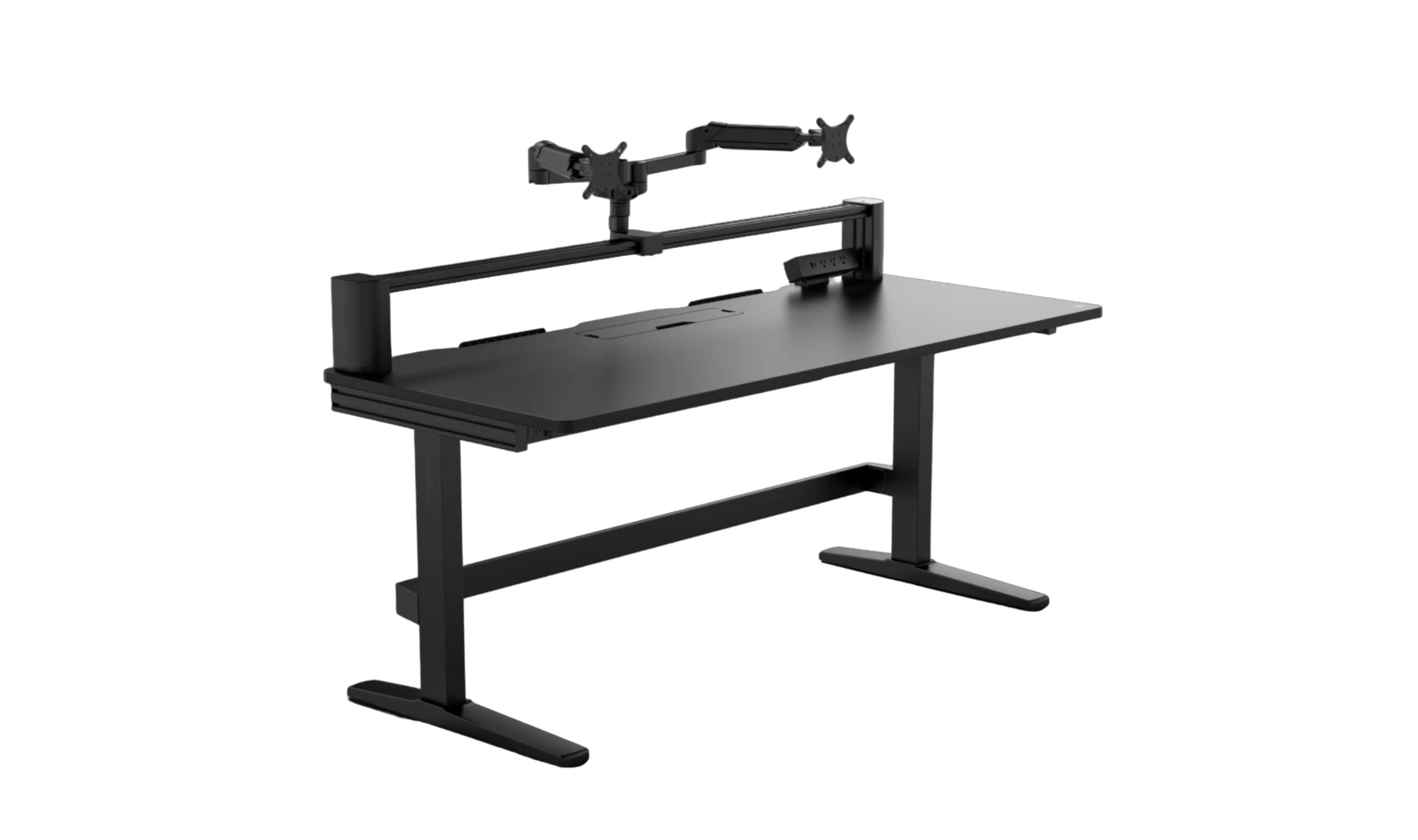
The Corsair Platform:6 is built for content creators who need to mount cameras, lights, microphones, and multiple monitors. The modular rail system runs across the top and sides of the desk, letting you attach accessories using T-nuts without cluttering the desktop surface. The 72 x 30 inch surface is massive, and the Elevate model adds electric height adjustment with powerful motors that lift up to 330 pounds. A dual-area cable storage system and built-in cubby keep everything organized.
Key highlights
- Modular rail system for mounting cameras, lights, and monitors
- 72 x 30 inch spacious desktop with 330 lb capacity
- Electric sit/stand on Elevate and Creator Edition models
- Dual-area cable storage system underneath
- Optional pegboard attachment on Creator Edition
Pros
- Rail system eliminates the need for separate monitor arms and mic stands
- Powerful motors lift heavy streaming setups easily
- Side extensions available to increase width further
- Premium build quality with wood finish options
Cons
- Very expensive, starting near $1,000 for the base model
- Rail system limits some traditional mounting options
- Sharp edges and smudge-prone surface
Who it is for: Streamers and content creators with lots of gear who need a flexible mounting platform.
Skip if
You have a simple single-monitor setup or do not need the rail system.
Eureka Z60 - Best compact
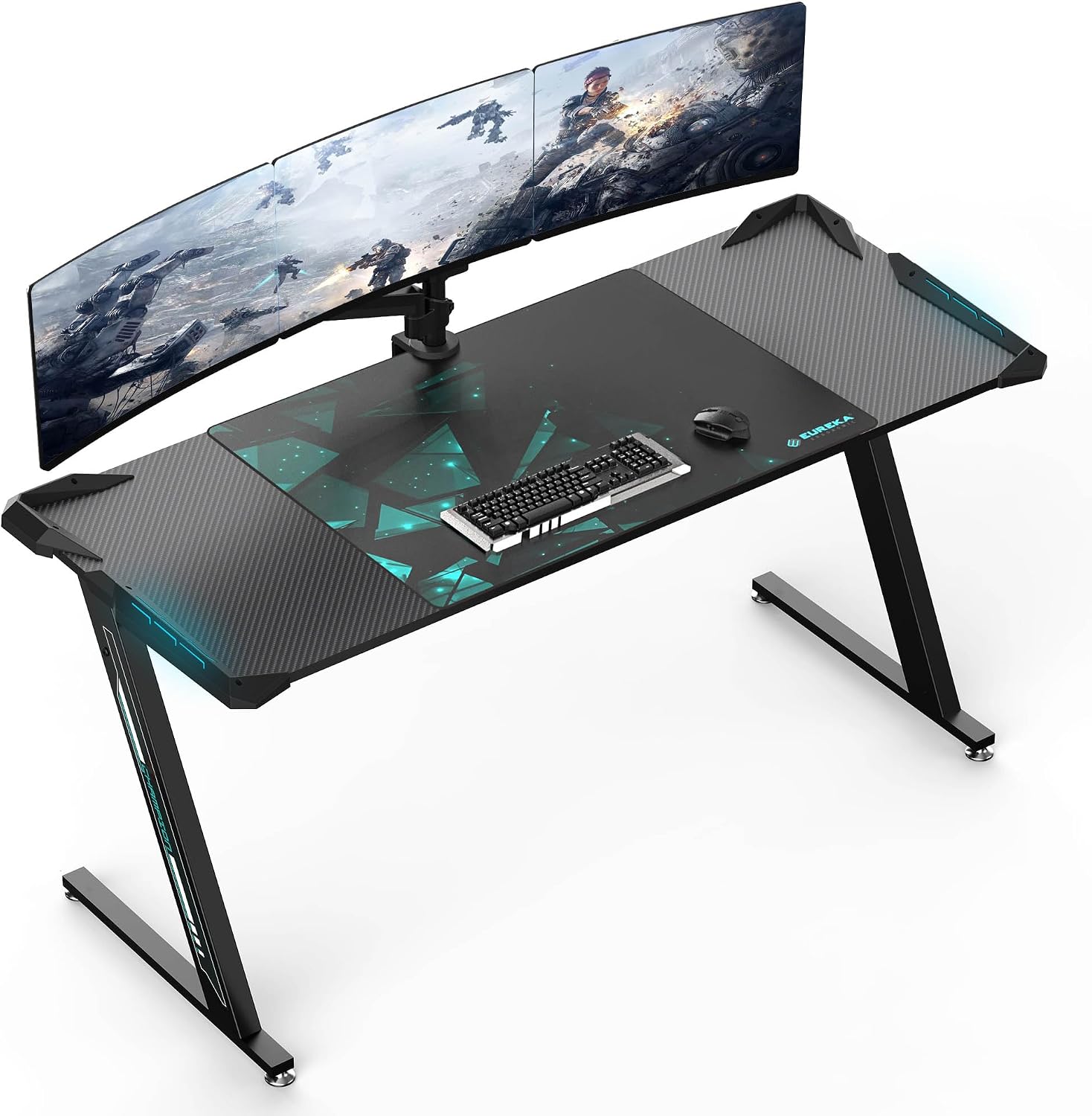
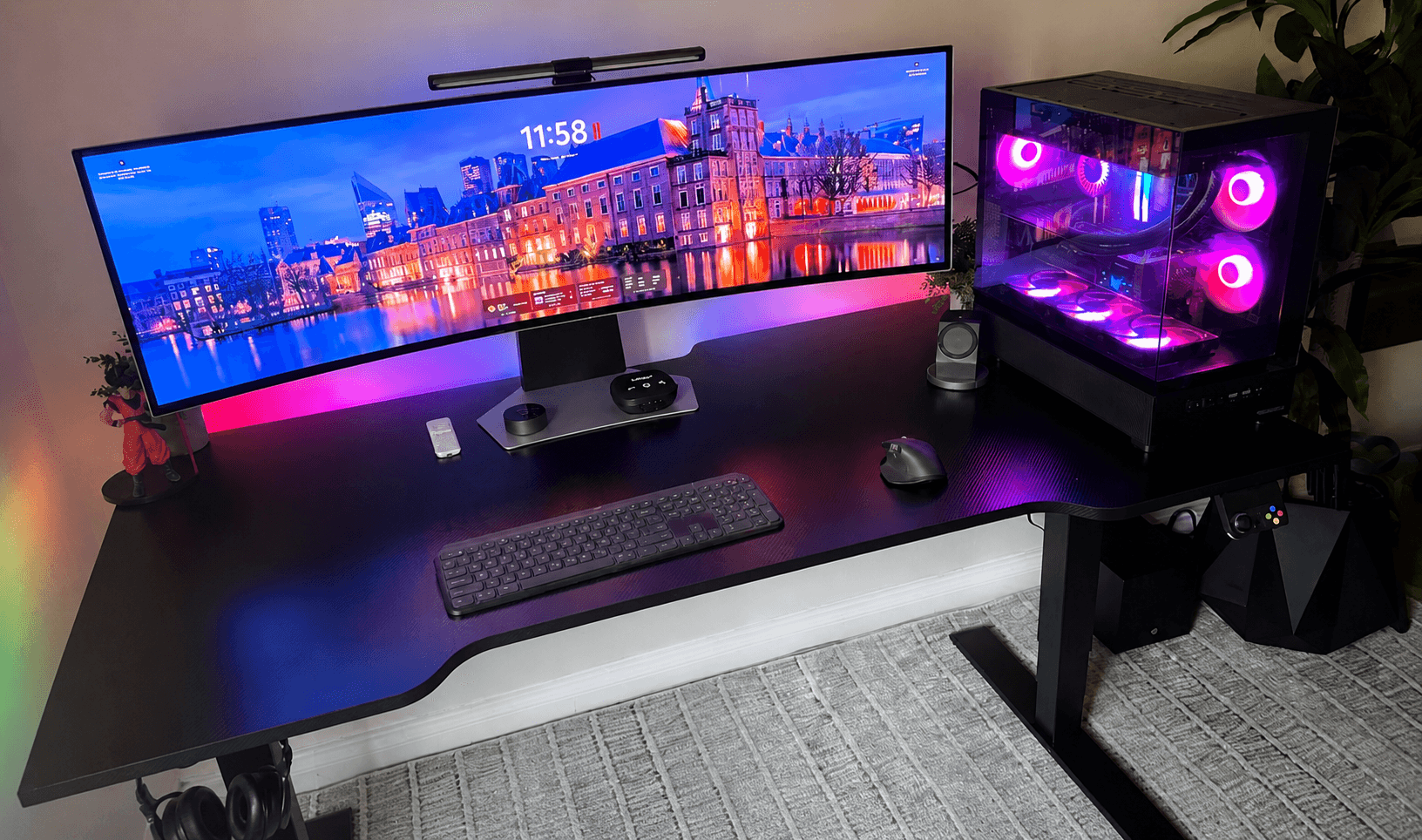
The Eureka Z60 delivers a lot of desk for the money. At 60 x 24 inches, it fits dual monitors comfortably, and the steel frame supports up to 500 pounds. The carbon fiber textured surface resists scratches and spills, and it comes with a full-size desk mouse pad and built-in RGB lighting for ambiance during late-night sessions.
Key highlights
- 60 x 24 inch surface with carbon fiber textured laminate
- Steel frame with 500 lb rated capacity
- Included full-desk mouse pad
- Dynamic RGB lighting with remote control
- Built-in premium gaming mouse pad
Pros
- Great value for the size and build quality
- Full mouse pad saves $30 to $40 on a separate purchase
- Steel frame eliminates wobble during intense gaming
- Easy assembly in under an hour
Cons
- Fixed height, no sit/stand option
- Particle board core underneath the laminate
Who it is for: Gamers who want a large, stable surface without spending premium money on electric height adjustment.
Skip if
You need a standing desk or want higher-end materials like solid wood or metal.
Also Good
- Homall L-Shaped Gaming Desk - spacious corner desk that won't break the bank.
- Arozzi Arena - perfect for ultrawide setups with a waterproof surface.
- FlexiSpot E8 - smooth motorized standing desk with clean design.
How to Choose
- Size and space. Measure your room before buying anything. Single monitor setups work well with 47 to 55 inch desks. Dual monitors need at least 55 to 60 inches. Triple monitor or ultrawide setups require 63 inches or more. Depth matters too, 24 inches is the minimum, but 30 inches gives you proper viewing distance.
- Standing versus fixed height. Electric standing desks cost more but let you alternate between sitting and standing, which reduces back pain and fatigue during long sessions. If you sit for less than 4 hours at a time, a quality fixed-height desk saves money without sacrificing stability.
- Weight capacity. Add up your equipment weight. A typical dual-monitor gaming setup with a PC tower weighs 90 to 110 pounds. Buy a desk rated for at least 50 percent more than your total load to ensure stability and longevity.
- Cable management. Built-in cable trays, nets, and grommets make a huge difference in keeping your setup clean. Desks without these features require aftermarket solutions like adhesive clips and zip ties.
- Materials. Steel frames are non-negotiable for stability. Desktop materials range from particle board (budget) to MDF laminate (mid-range) to solid wood or steel (premium). Avoid glass desktops for gaming setups with monitor arms.
FAQ
Is a standing desk worth it for gaming?
Yes, if you game for more than 3 to 4 hours at a time. Standing for 30 minutes each hour improves circulation, reduces back strain, and helps maintain energy levels. Electric desks with memory presets make it easy enough that most people actually use the feature.
What is the difference between a gaming desk and an office desk?
Gaming desks typically offer better cable management, higher weight capacities, and features like monitor stands or RGB lighting. Office desks focus on storage and professional aesthetics. The line is blurry, a good office desk can work for gaming and vice versa.
How much should I spend on a gaming desk?
Budget desks from $100 to $200 provide solid basics for casual gamers. The $200 to $400 range offers the best value with quality materials and smart design. Premium desks over $700 are worth it for serious gamers who want electric height adjustment and top-tier build quality.
Can I use monitor arms on any gaming desk?
Not all desks can handle monitor arm clamps. Look for desks with thick desktop edges (at least 0.75 inches), solid wood or MDF construction, or mesh back panels like the IKEA Utespelare. Avoid thin particle board and glass desktops for clamp-mounted arms.
How long should a gaming desk last?
A quality gaming desk with a steel frame should last 10 to 15 years with normal use. Budget desks with particle board tops typically last 2 to 5 years. Electric standing desks with dual motors from reputable brands are rated for 50,000 lift cycles or more.
Published May 5, 2026 Last updated June 16, 2026
Share this article
More in News

AKG K 701 Ultra Reference Class Stereo discounted to $247.37
AKG K 701 headphones drop to $247.37 on Amazon, a 47% discount that sits below recent 30, 90, and 180-day average prices.
5 min read

Apple Watch SE 3 GPS 40mm Smartwatch discounted to $189.97
Save $59.03 on the Apple Watch SE 3 GPS 40mm at Amazon, matching its lowest recorded price with health and sleep tracking.
5 min read

Cleer Audio Enduro ANC Noise Canceling Headphones price drops to $94.99
Save 47% on Cleer Audio Enduro ANC headphones at $94.99, with 60-hour battery, active noise cancellation, and multipoint Bluetooth.
3 min read

Lenovo coupon codes and deals
Browse 5 current Lenovo offers, including 3 coupon codes and 2 online deals.
5 min read

Woot coupon codes and deals
3 min read

Samsung coupon codes and deals
5 min read

Best tech coupon codes and online deals
4 min read
ASUS ROG Zephyrus S Ultra Slim Gaming gets a $660.95 price cut to $1338.05
5 min read
Samsung Galaxy Z Fold8 Unlocked Android Smartphone on sale for $1649.99
3 min read
We found 2 smartwatch deals from $219.99 that are actually worth it
5 min read
Sony WH-CH720 Noise Canceling Wireless Bluetooth Headphones now $87.94, down from $119.99
3 min read
TCL 75-inch F7D QLED 4K TV leads 2 TV deals from $499.99
5 min read