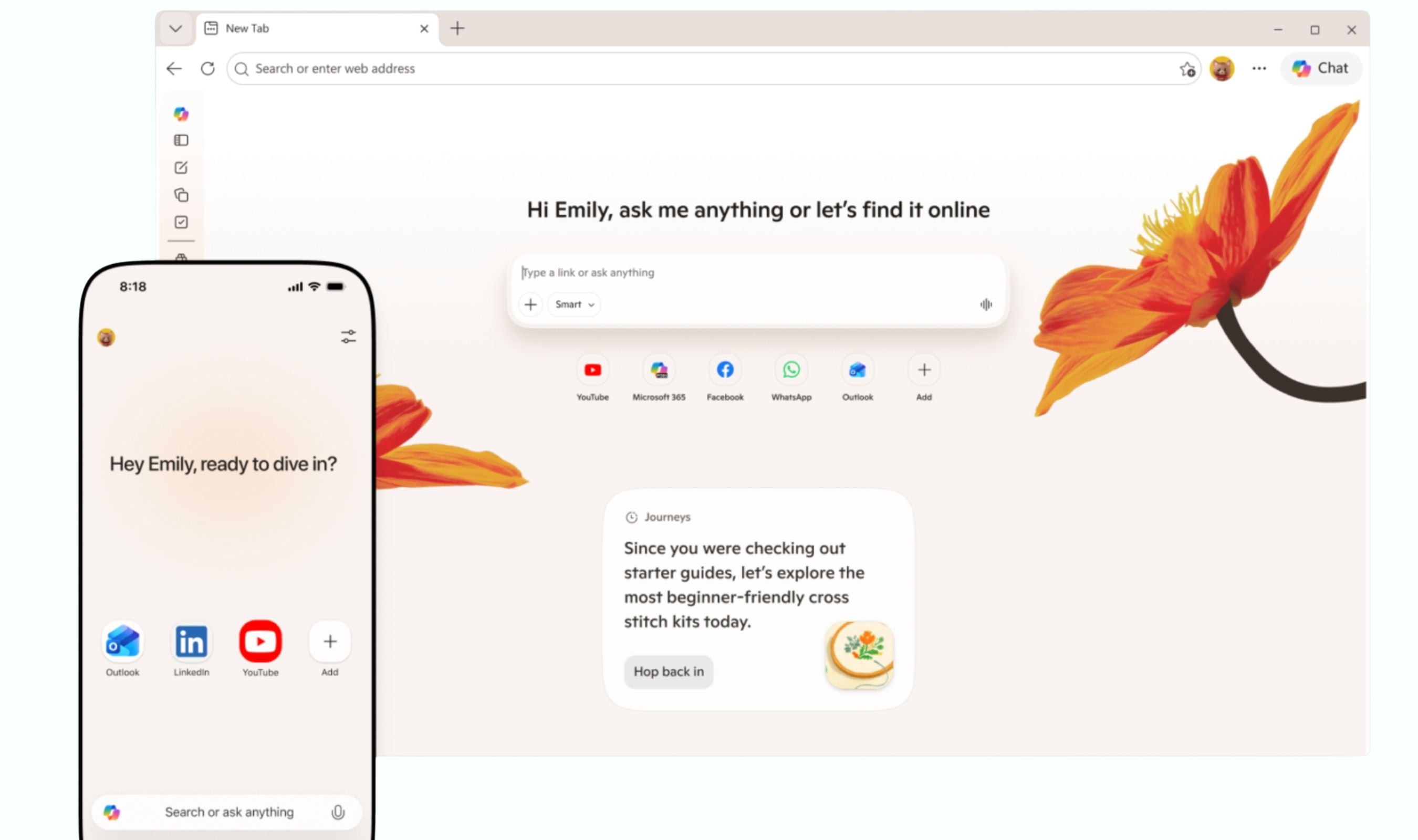
Microsoft killed Copilot Mode in Edge this week, but the browser is getting more AI, not less. The dedicated sidebar panel that launched as an experiment in July 2025 is being retired. Its capabilities multi-tab reasoning, screen analysis, voice and vision controls are being built directly into Edge's core interface on desktop, Android, and iOS. The Copilot Mode button will disappear, replaced by a new AI icon and a floating command bar that slides up when needed and vanishes when it isn't.
Microsoft confirmed the changes in a blog post on May 13, with the full rollout tied to Edge version 127 reaching the Stable channel in June. The shift is a bet that invisible AI beats a chatty sidebar. Copilot Mode required users to consciously open a side panel, which ate screen space and felt like switching to a separate app. The new approach surfaces Copilot in the address bar, as a floating action bar, and through context-aware suggestions that appear without prompting. Scroll halfway through an article, and Edge may offer to summarize it.
Visit a recipe page, and it suggests adding ingredients to Microsoft To Do. Hover over an image, and an AI icon appears to explain or translate.
Multi-tab reasoning the feature that lets Copilot pull data across open tabs for side-by-side comparisons now lives in a compact floating panel. On mobile, Copilot can reason across tabs without requiring manual context switching.
Vision and Voice support arrives on iOS and Android, letting users share their screen with the assistant and interact through natural speech.
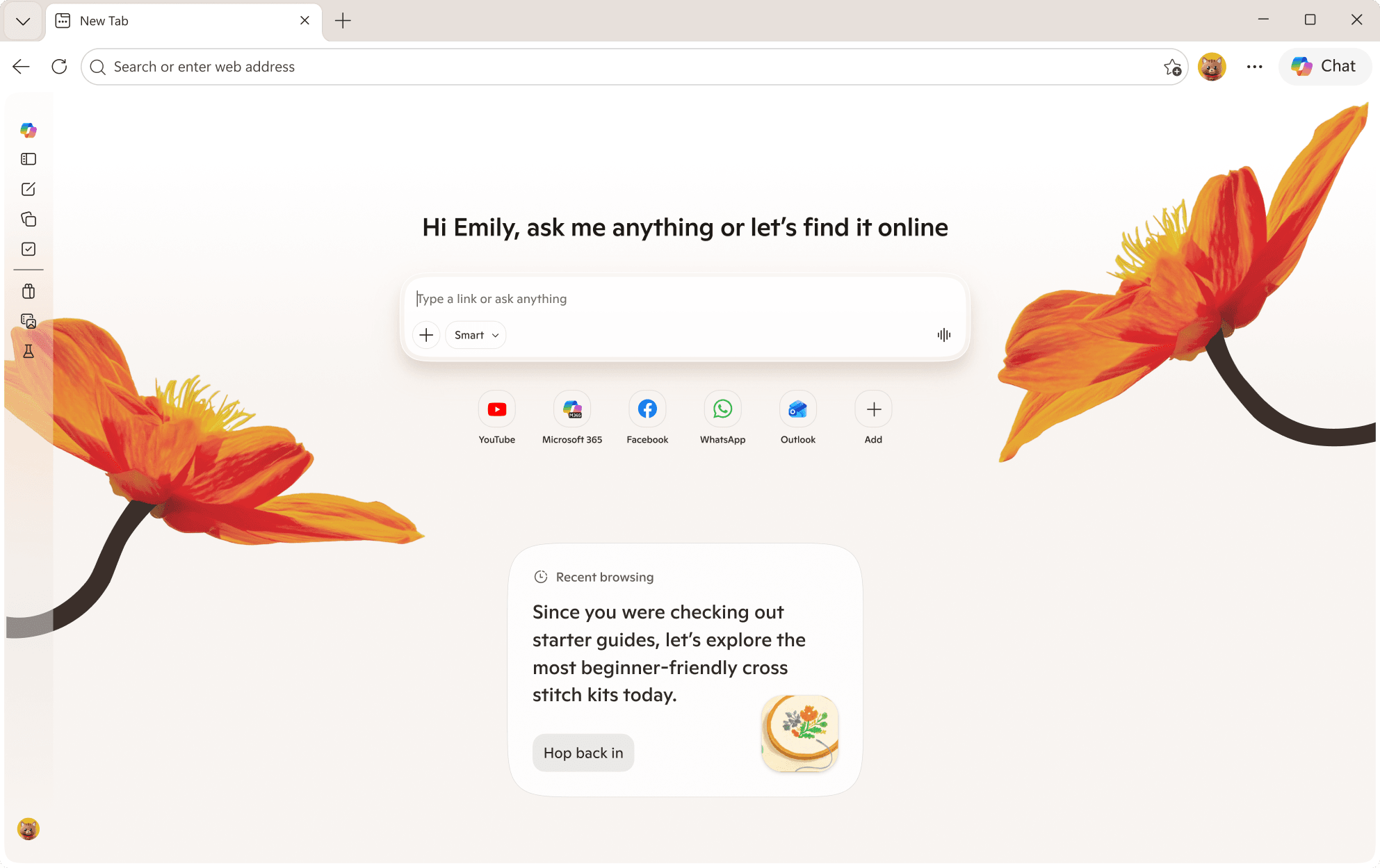
Journeys, which organizes browsing history into topics and suggested steps, is also coming to mobile after being desktop-only. The desktop version gains a Study and Learn mode that turns reference tabs into guided quizzes, a Writing Assistant for drafting and tone adjustment, and the ability to turn open tabs into a podcast (English-speaking markets only, for now).
Microsoft is also rolling out a new privacy dashboard at edge://settings/privacy/ai that logs every AI query with options to delete individual entries or bulk-clear sessions. Users can toggle on-device-only processing (available on Windows 12 AI PCs with an NPU) and control whether multi-tab reasoning can read tabs they haven't explicitly designated. The default for cross-tab data sharing is off; permission is granted per query. Organizations can enforce AI policies via Group Policy and Intune. The sidebar changes are part of a broader simplification push. Earlier this month, Microsoft removed the ability to pin web apps and websites to the Edge Sidebar, leaving Copilot as the primary shortcut in that area. A support document confirmed Copilot would not be affected and that Microsoft is "continuing to improve and enhance" the feature.
Users who prefer a manual browsing experience can disable all AI features through a single toggle in Settings > Privacy > AI. For everyone else, the automatic update to version 127 arriving in the third week of June will replace the old Copilot Mode button with the new AI icon and carry over existing permissions.