
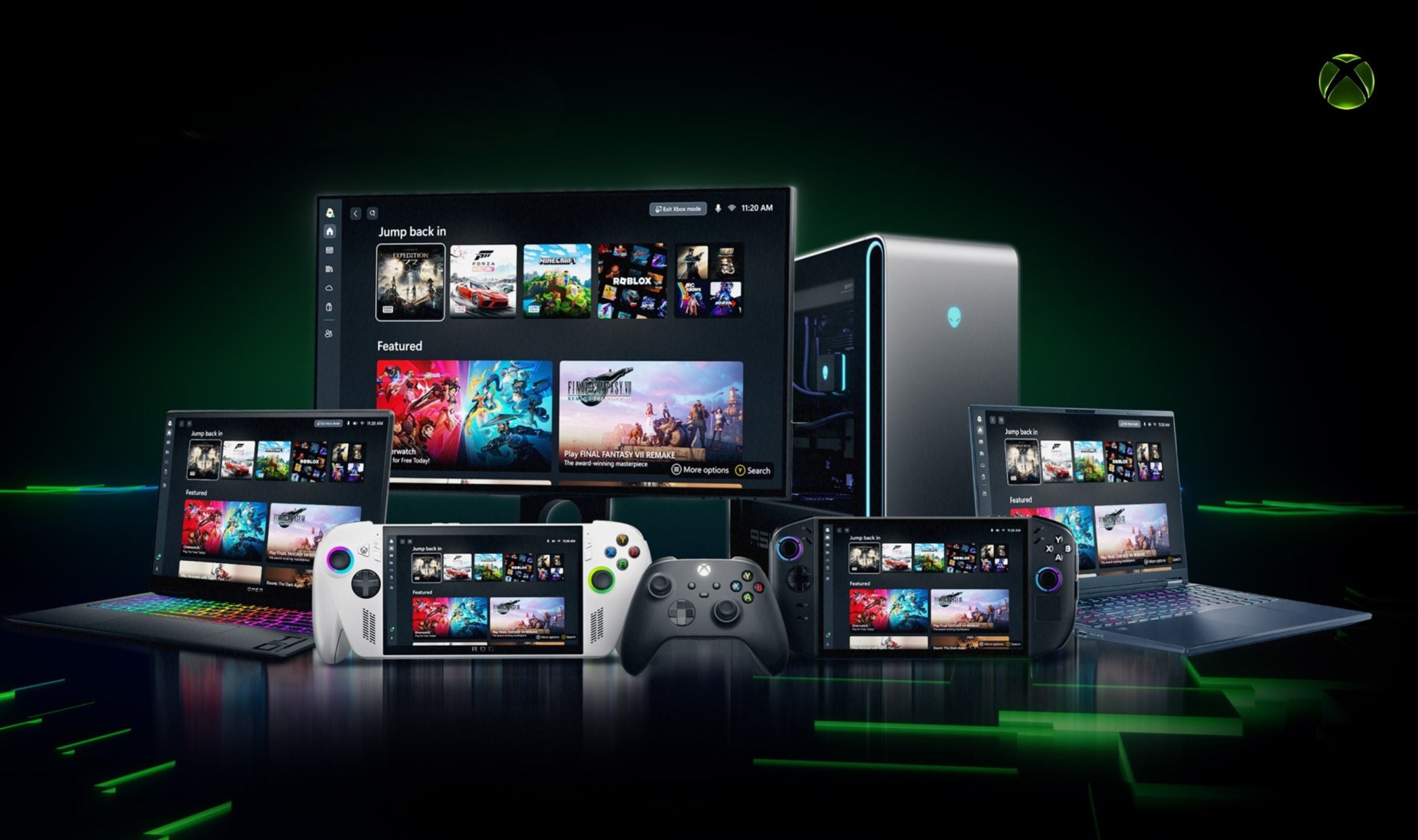
Every Windows 11 device now doubles as an Xbox. The company flipped the switch on Xbox Mode April 30, delivering a full-screen, controller-first interface to laptops, desktops, tablets, and gaming handhelds through the latest update. The feature replaces the traditional desktop with a console-style dashboard dominated by large tiles and horizontal scrolling lists. Navigation runs entirely on the Xbox Wireless Controller's D-pad and analog sticks, though mouse and touch input remain available.
Users can toggle back to the standard desktop with a long-press of the controller's Nexus button or by pressing Win+D on a keyboard. The mode aggregates installed games from Steam, Epic Games Store, Ubisoft Connect, GOG, and Xbox Game Pass into a single unified library. Titles bought through Steam appear alongside Microsoft Store purchases and Game Pass downloads without switching apps. The interface mirrors the Xbox Series X dashboard but is reflowed to handle different screen sizes and aspect ratios.
A Quick Resume feature for PC leverages the OS's hibernation capabilities, letting players suspend and swap between up to three games in seconds. The initial release also includes Auto HDR and DirectStorage optimizations that apply automatically, plus a social overlay for party chat, friend lists, and achievements that can be summoned mid-game. The company first revealed the feature in 2025 as the "Xbox Full Screen Experience," debuting it on the ROG Xbox Ally X handheld. An April rollout in select markets was confirmed at that time.
Now the mode is arriving via Windows Update as part of the May 2026 non-security preview update (KB5039214, build 26100.680). Some users can activate it immediately, while others will see it appear "over the next several weeks."
First-wave devices include the Surface Laptop Studio 2, ASUS ROG Ally 2, Lenovo Legion Go 2, and other Gaming Ready certified PCs announced at CES 2026. Users can check eligibility under Settings > Windows Update > Advanced options > Optional updates, where the feature appears under Feature Updates to Windows 11. The rollout targets full availability on all eligible hardware within two weeks and includes a preview of Automatic Super Resolution upscaling for the ROG Xbox Ally X, designed to make docked games look sharper on larger screens. Improved docking support lets gameplay instantly switch to a TV with stored settings. A Gamepad Cursor tool is also included to handle non-gaming apps more easily.
Early benchmarks show a 2-5% frame rate improvement in select titles launched through the mode, attributed to reduced Windows Explorer overhead and background service management. Some handheld owners report an extra 30-45 minutes of battery life on the ROG Ally 2 when using the new shell versus Desktop mode. The feature is not a separate operating system or dual-boot environment. It is a user-mode shell that runs on top of existing Windows services, meaning all purchases, saves, subscriptions, anti-cheat software, VPNs, and mods carry over without issues. Performance overhead is negligible, with less than 200 MB of additional RAM usage when active. The company is taking feedback through the Feedback Hub and Xbox Insider Program, with monthly updates planned throughout 2026.